
Introduction
This manual provides detailed instructions for the safe and effective use of your Lumoonosity Ocean Wave Projector. Please read this manual thoroughly before operating the device and retain it for future reference.
Package Contents
- 1x Starry Projector Light Unit
- 1x Remote Control
- 1x USB Cable
Note: A USB power adapter (5V/2A) is required but not included.
Product Overview
The Lumoonosity Ocean Wave Projector creates dynamic light displays with ocean wave, star, and planet effects. It features an integrated speaker for audio playback and can be controlled via remote or onboard buttons.

Image: The Lumoonosity Ocean Wave Projector, a white cylindrical device with a multi-colored dome, projecting light effects onto a ceiling. A remote control and a smartphone displaying a music app are shown next to it, indicating Bluetooth connectivity.
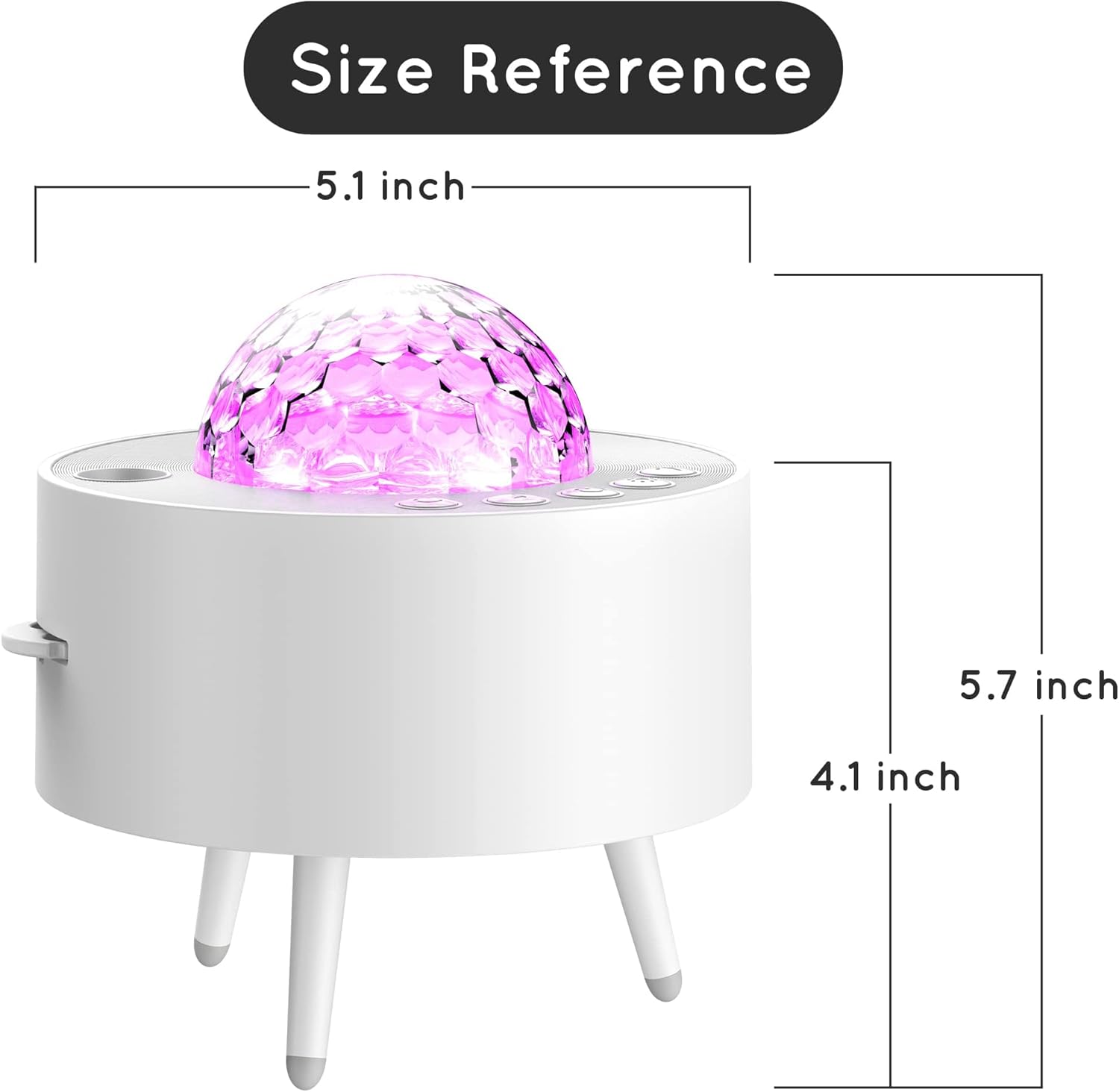
Image: A diagram illustrating the dimensions of the Lumoonosity Ocean Wave Projector. The device measures 5.1 inches in length and width, and 5.7 inches in height.
Setup
- Power Connection: Connect the provided USB cable to the projector and a 5V/2A USB power adapter (not included). Plug the adapter into a standard wall outlet.
- Placement: Place the projector on a stable, flat surface. For optimal projection, position it in the center of the room or area where you desire the light effects.
- Remote Control: Insert 2 'A' batteries (not included) into the remote control. Ensure correct polarity.
Operating Instructions
Basic Operation
- Power On/Off: Press the power button on the unit or the remote control to turn the projector on or off.
- Light Modes: Cycle through various light modes (ocean wave, stars, planets, or combinations) using the dedicated buttons on the remote or the unit. The projector offers 14 galaxy colors and 10 planet/star combinations.
- Brightness Adjustment: Adjust the light intensity using the dimmer function on the remote control.
- Speed Control: Modify the movement speed of the light effects.
Bluetooth Speaker Function
- Pairing: Turn on the projector. Activate Bluetooth on your smartphone or other audio device. Search for "Lumoonosity Projector" (or similar name) in your device's Bluetooth settings and pair.
- Audio Playback: Once paired, play audio from your device. The projector's integrated speaker will output the sound.
- Music Sync Mode: The projector features a "dance mode" where lights can synchronize with the rhythm of your music. Activate this mode via the remote control.
Timer Function
Use the timer function on the remote control to set an automatic shut-off time for the projector. This is useful for sleep or energy saving.

Image: An illustration highlighting the various features of the Lumoonosity Ocean Wave Projector, including RGB color options, white noise, speed change, dimmer, timer setting, scene modes, and fade effects, all projected onto a room's ceiling.
Maintenance
- Cleaning: Wipe the projector's exterior with a soft, dry cloth. Do not use abrasive cleaners or solvents.
- Storage: When not in use for extended periods, store the projector in a cool, dry place away from direct sunlight.
- Lens Care: Avoid touching the projection lens directly. If cleaning is necessary, use a lens cleaning cloth.
Troubleshooting
| Problem | Possible Cause | Solution |
|---|---|---|
| Projector does not turn on. | No power, faulty USB cable/adapter, remote batteries dead. |
|
| Lights are dim or unclear. | Too much ambient light, projector too far from surface, dirty lens. |
|
| Bluetooth not connecting. | Projector not in pairing mode, device Bluetooth off, interference. |
|
| Remote control not working. | Dead batteries, obstruction, remote out of range. |
|
Specifications
| Feature | Detail |
|---|---|
| Input Voltage | 5V/2A |
| Material | ABS+PC |
| Light Source Type | LED |
| Product Dimensions | 5.1"L x 5.1"W x 5.7"H |
| Item Weight | 15.5 ounces (0.97 Pounds) |
| Power Source | USB (main unit), Battery Powered (remote) |
| Remote Batteries | 2 'A' batteries (not included) |
| Wattage | 7 watts |
| Color | White |
| Style | Modern |
Warranty and Support
This Lumoonosity Galaxy projector comes with a 12-month warranty and lifetime technical support. For any inquiries or assistance, please contact our customer service team. We aim to reply to emails within 24 hours.
The product has passed CE, RoHS, and FCC standard safety tests.