
Introduction
The Cellularline Wink earbuds are small, lightweight, and stable in-ear Bluetooth headphones. They offer a total talk/play time of 25 hours with the included charging case, which can recharge the earbuds up to 4 times. Touch controls allow for direct management of calls, volume, and music tracks from the earbuds.

Image: Cellularline Wink earbuds and their charging case. The earbuds are black and sit securely in the open charging case, which also features the Cellularline logo.
Setup
1. Charging the Earbuds and Case
Before first use, fully charge the earbuds and the charging case. Connect the provided charging cable to the charging case and a compatible USB power source. The charging time for the earbuds is approximately 1.5 hours. The charging case can provide up to 4 full recharges for the earbuds, extending the total play time to 25 hours.

Image: The Cellularline Wink earbuds are shown inside their charging case. Text overlays indicate "5H single charge" and "25H TOTAL PLAY TIME", highlighting the battery life.
2. Pairing with a Device
- Ensure both earbuds are charged.
- Open the charging case. The earbuds will automatically enter pairing mode.
- On your smartphone, tablet, or laptop, navigate to the Bluetooth settings.
- Enable Bluetooth and search for available devices.
- Select "Cellularline Wink" (or similar name) from the list of devices to pair.
- Once paired, the earbuds are ready for use.

Image: Two Cellularline Wink earbuds and their charging case are placed next to a smartphone displaying a music player interface. Bluetooth symbols indicate a successful wireless connection, illustrating the "Super Fast Pairing" feature.
Operating the Earbuds
Touch Controls
The Cellularline Wink earbuds feature intuitive touch controls for managing various functions:
- Play/Pause: Tap once on either earbud.
- Next Track: Double-tap the right earbud.
- Previous Track: Double-tap the left earbud.
- Answer/End Call: Tap once on either earbud.
- Reject Call: Press and hold either earbud for 2 seconds.
- Volume Control: Specific gestures for volume control may vary. Refer to the full product manual for detailed instructions if available.
Mono Mode
You can use a single earbud independently. Simply take one earbud out of the case, and it will connect to your device. The other earbud can remain in the charging case or be turned off.
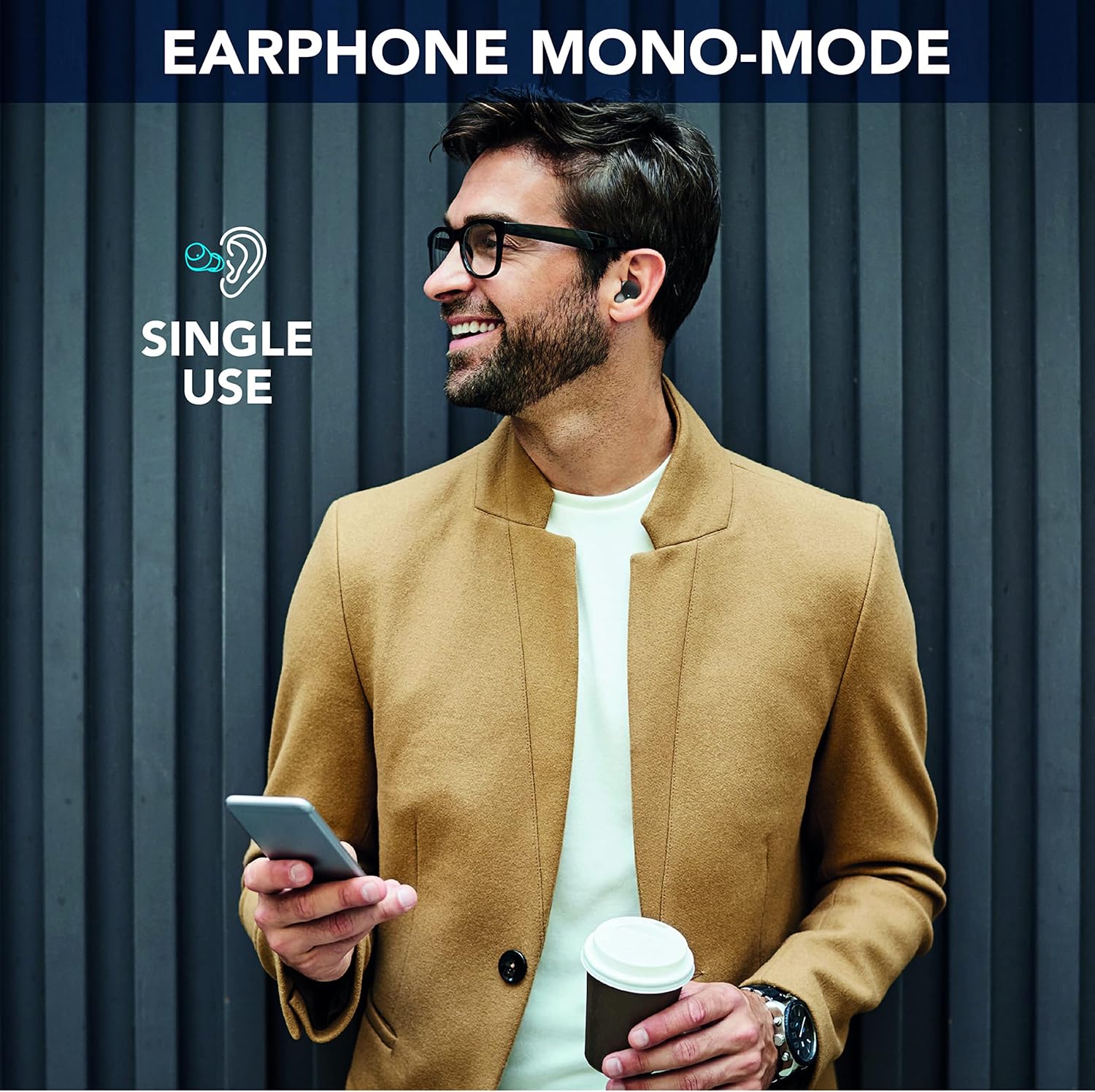
Image: A man is shown wearing a single Cellularline Wink earbud while holding a smartphone, demonstrating the "Earphone Mono-Mode" for single-ear use.
Ergonomic Fit and Compact Size
The earbuds are designed for a comfortable and secure fit, making them suitable for extended wear. Their compact size allows for easy portability in pockets or small bags.

Image: A woman is shown wearing a Cellularline Wink earbud, highlighting its "Perfect Ergonomic Fit" for comfort and stability.

Image: A hand is placing the Cellularline Wink charging case into a jeans pocket, illustrating its "Compact Size" and portability.
Maintenance
- Cleaning: Regularly clean the earbuds and charging case with a soft, dry cloth. Avoid using abrasive materials or harsh chemicals.
- Storage: When not in use, store the earbuds in their charging case to protect them and keep them charged.
- Water Resistance: These earbuds are not waterproof. Avoid exposure to water, rain, or excessive moisture to prevent damage.
- Battery Care: To prolong battery life, avoid fully discharging the earbuds and charging case frequently. Charge them regularly, even if not in constant use.
Troubleshooting
Earbuds Not Pairing or Connecting
- Ensure both earbuds are fully charged.
- Make sure Bluetooth is enabled on your device and the earbuds are within range (up to 10 meters).
- Place both earbuds back into the charging case, close the lid, wait a few seconds, then open it again to reset the connection.
- Forget the device ("Cellularline Wink") from your device's Bluetooth settings and attempt to pair again.
- If only one earbud is working, try placing both back in the case, then taking them out simultaneously.
No Sound or Low Volume
- Check the volume levels on both your connected device and the earbuds.
- Ensure the earbuds are properly seated in your ears.
- Clean any debris from the earbud grilles that might be obstructing sound.
Charging Issues
- Verify that the charging cable is securely connected to both the case and the power source.
- Try a different charging cable or power adapter.
- Ensure the charging contacts on the earbuds and inside the case are clean and free of debris.
Specifications
| Model Name | BTWINKTWSK |
| Connectivity Technology | Wireless (Bluetooth 5.0) |
| Ear Placement | In-Ear |
| Control Method | Touch Control |
| Charging Time | 1.5 hours |
| Total Play Time | Up to 25 hours (with charging case) |
| Wireless Range | 10 meters |
| Weight | 40 Grams |
| Material | Plastic |
| Water Resistance | Not waterproof |
| Included Components | 1 charging cable, 1 charging case, Wireless charging case |
Warranty Information
Specific warranty details for Cellularline products may vary by region and retailer. Please refer to the warranty card included with your product or visit the official Cellularline website for the most accurate and up-to-date information.
Information regarding the availability of spare parts for this product is currently unavailable.
Support
For further assistance, technical support, or to view frequently asked questions, please visit the official Cellularline website:
You may also contact the retailer from whom you purchased the product for support.


