
SCHWAIGER UFB3802 533-8
SCHWAIGER UFB3802 533-8 Universal Remote Control Instruction Manual
Model: UFB3802 533-8
Introduction
The SCHWAIGER UFB3802 533-8 is a versatile 8-in-1 universal remote control designed to operate up to eight different audio/video devices. This remote serves as an ideal replacement for lost or broken original remote controls, offering compatibility with a wide range of brands and an extensive code database. Please read this manual carefully to ensure proper setup and operation of your new universal remote control.

Image: Front view of the SCHWAIGER UFB3802 533-8 Universal Remote Control. This image displays the full layout of the remote's buttons, including number keys, navigation, volume, channel, and device selection buttons, all in a dark grey finish.
Setup
1. Battery Installation
The SCHWAIGER UFB3802 533-8 requires two AAA (LR03) alkaline batteries. These are typically included with the product.
- Locate the battery compartment on the back of the remote control.
- Slide the battery compartment cover downwards or press the latch and lift to open.
- Insert two AAA batteries, ensuring the correct polarity (+ and -) as indicated inside the compartment.
- Replace the battery compartment cover until it clicks securely into place.

Image: Back view of the SCHWAIGER UFB3802 533-8 Universal Remote Control. This image highlights the battery compartment cover and product information label on the rear of the remote.
2. Programming Your Devices (Code Setup)
The remote control can be programmed using direct code entry or an automatic search function. Refer to the included code list for your specific device brands. The remote has an extensive database with over 2000 codes.
General Programming Steps (Example for TV):
- Turn on the device you wish to control (e.g., your television).
- Press and hold the SET button (if available, or a combination like SET + TV1) until the indicator light stays on.
- Press the desired device button (e.g., TV1). The indicator light will blink once and then remain on.
- Enter the 3 or 4-digit code for your device brand from the code list. After entering the last digit, the indicator light should turn off.
- Test the remote by pressing the POWER button. If the device turns off, the code is correct.
- If the device does not respond, repeat the process with the next code listed for your brand.
Automatic Code Search:
- Turn on the device you wish to control.
- Press and hold the SET button (or equivalent) until the indicator light stays on.
- Press the desired device button (e.g., TV1).
- Point the remote at the device and repeatedly press the POWER button (or CH+) slowly until the device turns off.
- Once the device turns off, immediately press the SET button (or equivalent) to save the code. The indicator light will turn off.
- Test other functions like volume and channel. If they work, the programming is complete. If not, restart the automatic search.
Operating the Remote Control
Once programmed, the remote control functions similarly to your original device remotes. Ensure you select the correct device mode before operating.
Device Selection Buttons
- TV1, TV2, TV3: For controlling up to three different televisions.
- VCR: For controlling a Video Cassette Recorder.
- SAT1, SAT2: For controlling up to two different satellite receivers.
- DVD: For controlling a DVD player.
- DVB-T: For controlling a Digital Video Broadcasting - Terrestrial receiver.
Common Functions
- POWER (Red Button): Turns the selected device on or off.
- MUTE (Speaker Icon): Mutes or unmutes the audio.
- 0-9 (Number Buttons): For direct channel entry or menu navigation.
- VOL+ / VOL-: Adjusts the volume up or down.
- CH+ / CH-: Changes the channel up or down.
- MENU: Accesses the device's main menu.
- BACK / EXIT: Returns to the previous screen or exits a menu.
- FAV: Accesses favorite channels.
- LIST: Displays a list of channels or media.
- AV: Switches between input sources (e.g., HDMI, AV1).
- PICT: Adjusts picture settings.
- ZOOM: Zooms in or out on the display.
- DISP: Displays information about the current program or input.
- TEXT: Activates teletext (if supported by the device).
- Navigation (Up, Down, Left, Right, OK): For menu navigation and selection.
- SLEEP: Sets a sleep timer for the device.
- Color Buttons (Red, Green, Yellow, Blue): Functionality varies by device and menu context.
- Media Control Buttons (Play, Pause, Stop, Rewind, Fast Forward, Skip): For controlling playback on compatible devices like DVD players or VCRs.

Image: Angled view of the SCHWAIGER UFB3802 533-8 Universal Remote Control. This perspective provides a clear view of the ergonomic design and the arrangement of various function buttons, including the navigation pad and media controls.
Maintenance
Proper care will extend the life of your universal remote control.
- Cleaning: Use a soft, dry cloth to clean the remote control. Do not use abrasive cleaners, solvents, or alcohol, as these can damage the surface and buttons.
- Battery Replacement: Replace batteries when the remote's performance degrades or the indicator light does not illuminate. Always replace both batteries at the same time with new AAA alkaline batteries.
- Storage: If the remote will not be used for an extended period, remove the batteries to prevent leakage and potential damage. Store in a cool, dry place away from direct sunlight.
- Environmental Factors: Avoid exposing the remote to extreme temperatures, high humidity, or direct water contact.
Troubleshooting
If you encounter issues with your universal remote control, refer to the following common solutions:
| Problem | Possible Cause | Solution |
|---|---|---|
| Remote does not work at all. | Dead or incorrectly inserted batteries. | Check battery polarity. Replace with fresh AAA batteries. |
| Device does not respond to commands. | Incorrect device code programmed or remote not in correct device mode. | Ensure the correct device button (e.g., TV1, DVD) is selected. Reprogram the device using a different code from the code list or use the automatic search function. |
| Only some functions work. | Partially compatible code or device limitations. | Try another code for your device brand. Some advanced functions may not be supported by universal remotes. |
| Indicator light does not illuminate during programming. | Programming steps not followed correctly. | Review the programming steps carefully and repeat the process. Ensure buttons are pressed and held for the correct duration. |
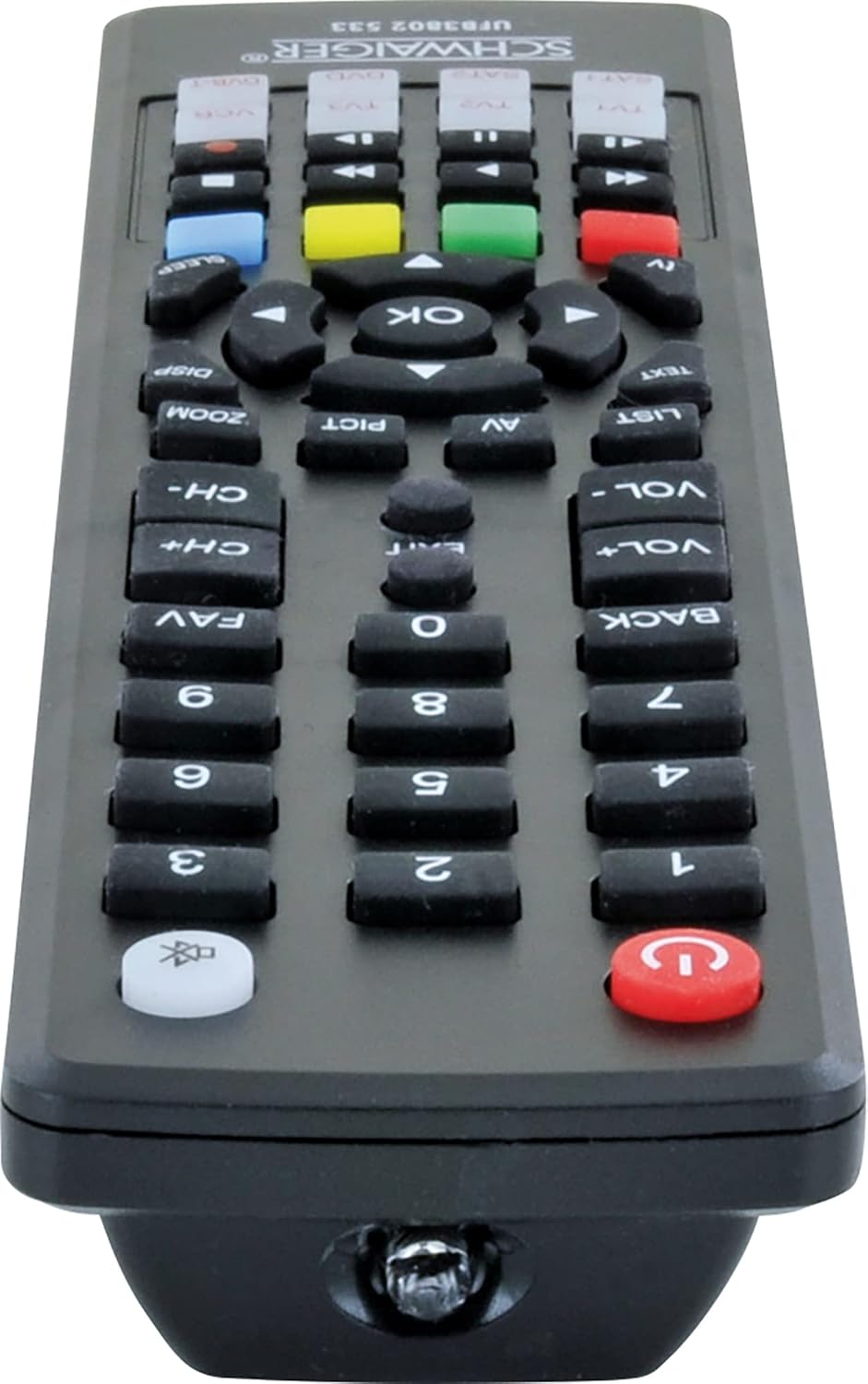
Image: Bottom view of the SCHWAIGER UFB3802 533-8 Universal Remote Control. This image shows the infrared (IR) emitter at the front tip of the remote, which transmits signals to your devices.
Specifications
- Brand: SCHWAIGER
- Model: UFB3802 533-8
- Manufacturer Model Number: 4004005032864
- Compatible Devices: Television, VCR, Satellite Receiver, DVD Player, DVB-T Receiver (up to 8 devices)
- Special Feature: Universal compatibility
- Color: Black
- Material Type: Acrylic
- Connector Type: Infrared (IR)
- Batteries Required: 2 x AAA (LR03) Alkaline (included)
- Product Dimensions: 27 x 4.3 x 4.3 cm
- Item Weight: 190 g
Warranty and Support
For warranty information or technical support, please refer to the documentation provided with your purchase or contact SCHWAIGER customer service directly. Contact details can typically be found on the manufacturer's official website or on the product packaging.
Related documentsUFB3802 533-8


Ask a question about this manual
Ask about setup, troubleshooting, compatibility, parts, safety, or missing instructions. Manuals+ will review the question and use this page’s manual context to help answer it.