
1. Product Overview
The HONOR Choice Earbuds X are True Wireless Stereo (TWS) earbuds designed for a high-quality audio experience with extended battery life and convenient features. They offer clear call quality through dual-mic noise reduction and are built for comfort with a lightweight, semi in-ear design. The earbuds are equipped with Bluetooth 5.2 for stable connectivity and IPX4 water resistance, making them suitable for various activities.

Image 1.1: HONOR Choice Earbuds X in their charging case.

Image 1.2: Overview of key features including 28-hour battery life, dual-mic noise reduction, IPX4 water resistance, Bluetooth 5.2, 12mm bio-diaphragm drivers, lightweight semi in-ear design, game mode, and AI-Voice wake-up.
2. What's in the Box
Upon opening the package, please ensure all items are present:
- HONOR Choice Earbuds X (Left and Right Earbuds)
- Charging Case
- Charging Cable (Type-C)
- User Manual (this document)
3. Setup Guide
3.1 Initial Charging
Before first use, fully charge the earbuds and the charging case. Connect the provided USB Type-C cable to the charging port on the case and a power source. The indicator light on the case will show charging status.
- Insert the earbuds into the charging case.
- Connect the USB-C cable to the charging case and a USB power adapter (not included) or a computer's USB port.
- The indicator light on the charging case will illuminate to show charging.
3.2 Pairing with a Device
The HONOR Choice Earbuds X utilize Bluetooth 5.2 for a stable connection.
- Ensure the earbuds are in the charging case and the case lid is open.
- On your smartphone or Bluetooth-enabled device, go to the Bluetooth settings.
- Select "HONOR Choice Earbuds X" from the list of available devices.
- Once connected, a confirmation sound will play, and the earbuds will be ready for use.
Note: For subsequent uses, the earbuds will automatically connect to the last paired device when taken out of the case.
3.3 Wearing the Earbuds
The earbuds feature a lightweight semi in-ear design for comfortable wear.
- Identify the left (L) and right (R) earbuds.
- Gently insert each earbud into the corresponding ear canal.
- Adjust the earbud slightly to ensure a secure and comfortable fit. A proper fit enhances sound quality and noise isolation.
4. Operating Instructions
4.1 Touch Controls
The HONOR Choice Earbuds X feature intuitive touch controls on each earbud. The following actions can be performed:

Image 4.1: Touch control diagram for the earbuds.
- Double Tap (Left/Right Earbud): Play/Pause music, Answer/End call.
- 2-second Long Press (Left/Right Earbud): Reject call.
- Triple Tap (Left/Right Earbud): Activate AI-Voice assistant.
- 3-second Long Press (Both Earbuds): Enter/Exit Game Mode.
4.2 Call Management
The earbuds are equipped with dual-mic noise reduction for clear voice pickup during calls.
- Answering a Call: Double tap either earbud.
- Ending a Call: Double tap either earbud.
- Rejecting a Call: Long press either earbud for 2 seconds.

Image 4.2: Dual-Mic Noise Reduction technology ensures clear voice during calls by filtering ambient noise.
4.3 Music Playback
- Play/Pause: Double tap either earbud.
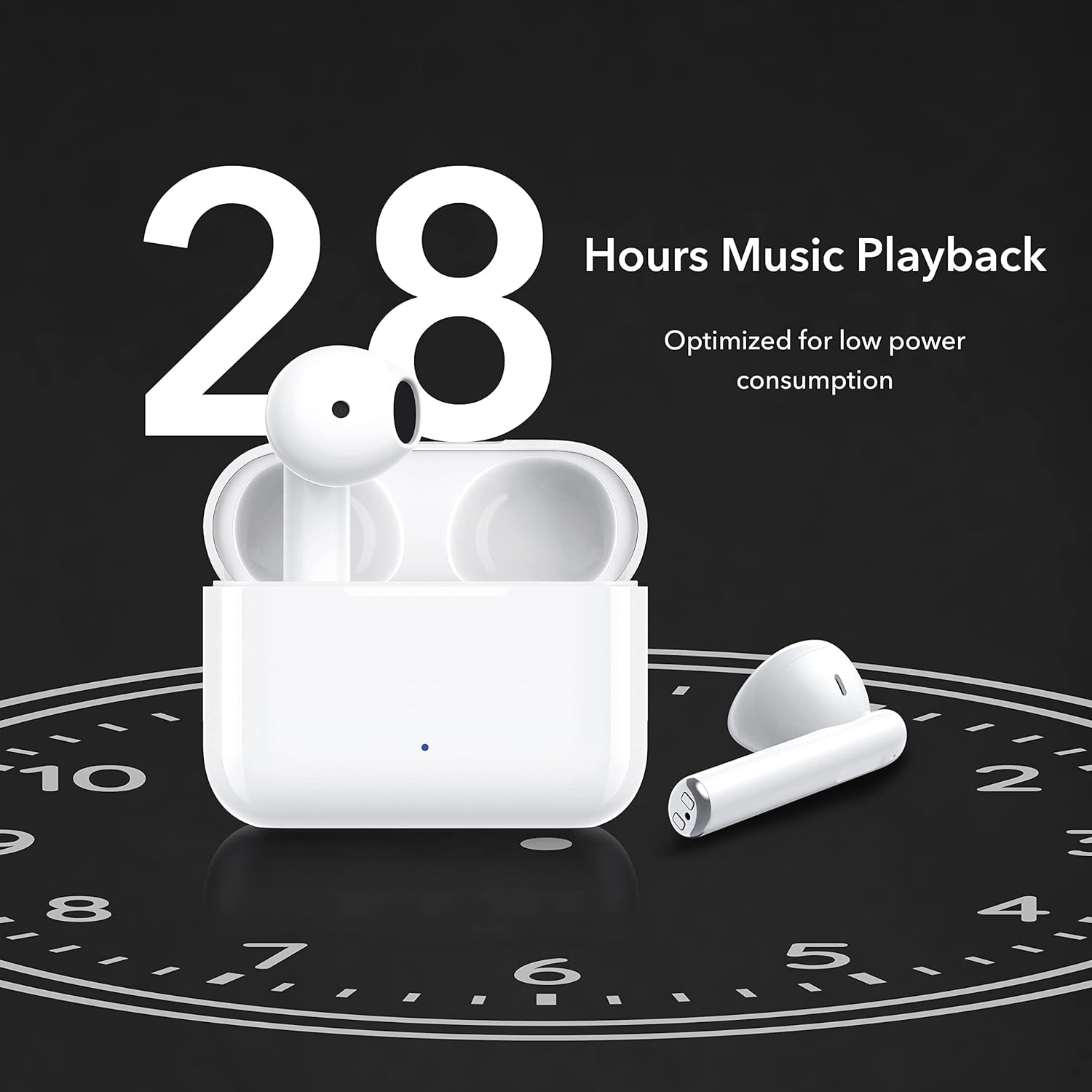
Image 4.3: The earbuds offer up to 28 hours of music playback, optimized for low power consumption.
4.4 Game Mode
Activate Game Mode for reduced audio latency, providing a more synchronized gaming experience.
- Activate/Deactivate Game Mode: Long press both earbuds simultaneously for 3 seconds.

Image 4.4: Enable Game Mode for low latency audio, ensuring you never miss a beat during gameplay.
4.5 AI-Voice Assistant
Quickly access your device's AI-Voice assistant for hands-free control.
- Activate AI-Voice: Triple tap either earbud.
5. Maintenance
Proper maintenance ensures the longevity and optimal performance of your earbuds.
5.1 Cleaning
- Regularly clean the earbuds and charging case with a soft, dry, lint-free cloth.
- Do not use abrasive materials, solvents, or aerosol sprays.
- Gently remove any earwax or debris from the earbud mesh and charging contacts using a dry cotton swab or a small, soft brush.
5.2 Water Resistance (IPX4)
The HONOR Choice Earbuds X are rated IPX4 for water resistance, meaning they are protected against splashing water from any direction. This makes them suitable for workouts and light rain.
- Do not submerge the earbuds in water.
- Avoid exposing them to high-pressure water jets.
- Ensure the earbuds and charging case are completely dry before placing them back in the case or charging.

Image 5.1: The IPX4 water resistance makes the earbuds suitable for active use, such as running.
5.3 Storage
- When not in use, store the earbuds in their charging case to protect them and keep them charged.
- Store in a cool, dry place away from extreme temperatures and direct sunlight.
6. Troubleshooting
If you encounter issues with your HONOR Choice Earbuds X, refer to the following common solutions:
6.1 Pairing Issues
- Earbuds not connecting: Ensure Bluetooth is enabled on your device. Place earbuds back in the case, close the lid, wait a few seconds, then open and try pairing again.
- Only one earbud working: Place both earbuds back in the charging case, close the lid, and then open it again. Ensure both earbuds are charged.
- Cannot find "HONOR Choice Earbuds X" in Bluetooth list: Ensure the earbuds are in pairing mode (usually by opening the case lid). Try turning Bluetooth off and on again on your device.
6.2 Sound Issues
- No sound: Check the volume level on your connected device. Ensure the earbuds are properly seated in your ears.
- Low volume: Increase the volume on your connected device. Clean any debris from the earbud mesh.
- Intermittent sound/disconnections: Ensure you are within the Bluetooth range of your device. Avoid strong electromagnetic interference.
6.3 Charging Issues
- Earbuds not charging: Ensure the charging contacts on both the earbuds and the case are clean and dry. Make sure the charging cable is securely connected.
- Charging case not charging: Try a different USB-C cable and power adapter. Ensure the charging port is free of debris.
7. Specifications
Detailed technical specifications for the HONOR Choice Earbuds X (Model: ALD-00):
| Feature | Specification |
|---|---|
| Model Name | HONOR CHOICE Earbuds X (ALD-00) |
| Connectivity Technology | Wireless (Bluetooth) |
| Bluetooth Version | 5.2 |
| Audio Driver Type | 12mm Bio-diaphragm Dynamic Driver |
| Battery Life (Earbuds + Case) | Up to 28 Hours |
| Earbud Weight | Approx. 4 g per earbud |
| Water Resistance Level | IPX4 (Water Resistant) |
| Control Type | Touch Control (Call Control, Media Control) |
| Microphone | Dual-Mic Noise Reduction for Calls |
| Special Features | Fast Charging, AI-Voice Wake-up, Game Mode |
| Charging Port | USB Type-C |
| Dimensions (Product) | 6 x 4.6 x 2.4 cm |
| Material | Plastic |
| Country of Origin | China |

Image 7.1: Internal components of an earbud, highlighting the 12mm bio-diaphragm driver.
8. Warranty and Support
For warranty information and customer support, please refer to the details below:
- Manufacturer: HONOR, INSTANT TECHNOLOGY SUPLY CHAIN HONG KONG LTD, 31/F, Fortis Tower, 77-79 Gloucester Road, Wanchai, Hong Kong
- Importer (India): PSAV Global Tech Private Limited BR-12, Sector-45, Noida, Gautam Buddha Nagar, U.P. 201301, India
- Customer Care No.: 18003098970
- E-mail: customersupport@psavglobaltech.com
- Date First Available: 31 August 2022
Please retain your proof of purchase for warranty claims.


