
VTech 80-554300
VTech Spidey and His Amazing Friends - Spidey Learning Watch Instruction Manual
Model: 80-554300
Introduction
The VTech Spidey and His Amazing Friends Spidey Learning Watch is an electronic wristwatch designed for children aged 3-6 years. It features a 3D Spidey on the cover and includes various time tools and educational games to engage young learners.

Image: Front view of the VTech Spidey Learning Watch, featuring the iconic Spidey mask on its cover.
This watch helps develop hand-eye coordination, counting, and matching skills through interactive crime-fighting adventures with the Spidey Team. It also includes practical time-telling features.
Setup
Battery Installation
The Spidey Learning Watch requires one CR2450 lithium coin battery. A battery is included for demo purposes only. For regular use, a new battery is recommended.
- Locate the battery compartment on the back of the watch.
- Using a small Phillips head screwdriver (not included), unscrew the battery compartment cover.
- Remove the old battery (if any) and dispose of it properly.
- Insert a new CR2450 lithium coin battery, ensuring the correct polarity (+/-).
- Replace the battery compartment cover and tighten the screw securely.

Image: Rear view of the watch, showing the battery compartment and the adjustable strap.
Initial Power On and Time Setting
After installing the battery, the watch should power on automatically. If not, press any button to activate it.
- To set the time, refer to the detailed instructions in the full user manual (link provided in the Support section).
- The watch features nine digital clock faces, which can be customized.
Operating Instructions
The Spidey Learning Watch is operated using the side buttons and the "OK" button located below the screen.
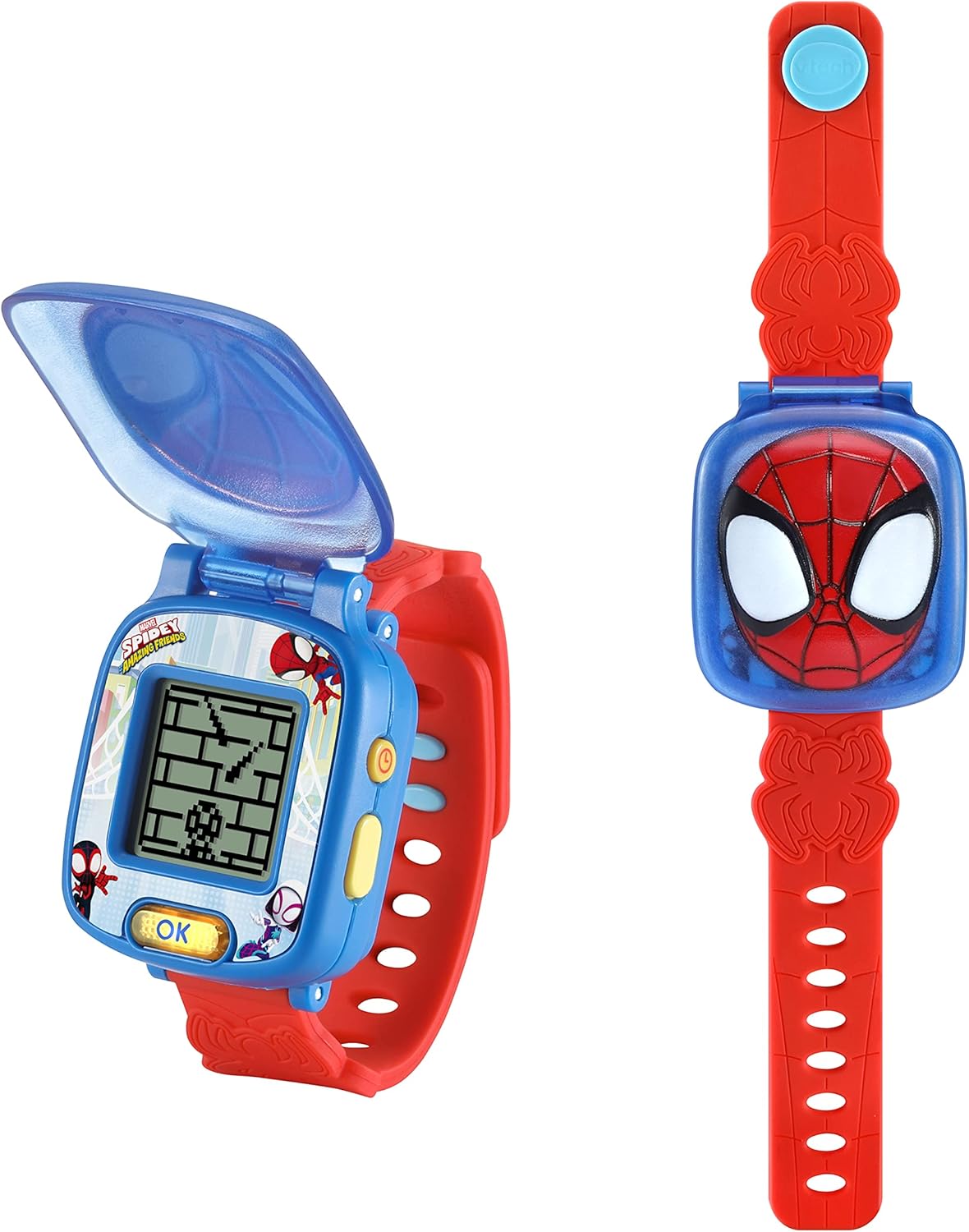
Image: The watch with its cover open, revealing the digital screen and the control buttons on the side and front.
Time Tools
The watch includes several time-related functions:
- Stopwatch: For timing activities.
- Timer: Set countdowns for various tasks.
- Alarm: Set alarms with a choice of tones.
- Cuckoo Clock: An auditory time signal feature.
Learning Games
Engage in four exciting learning games with the Spidey Team:
- Doc Ock's Lasers: Dodge lasers to help Spidey retrieve the stolen Energy Star. This game focuses on hand-eye coordination.
- Green Goblin's Bubbles: Count bubbles to blast Green Goblin's glider. This game reinforces counting skills.
- Missing Scooter: Match patterns to find the missing scooter. This game develops matching abilities.
- Rhino's Letters: Choose the correct letter to catch Rhino. This game introduces letter recognition.
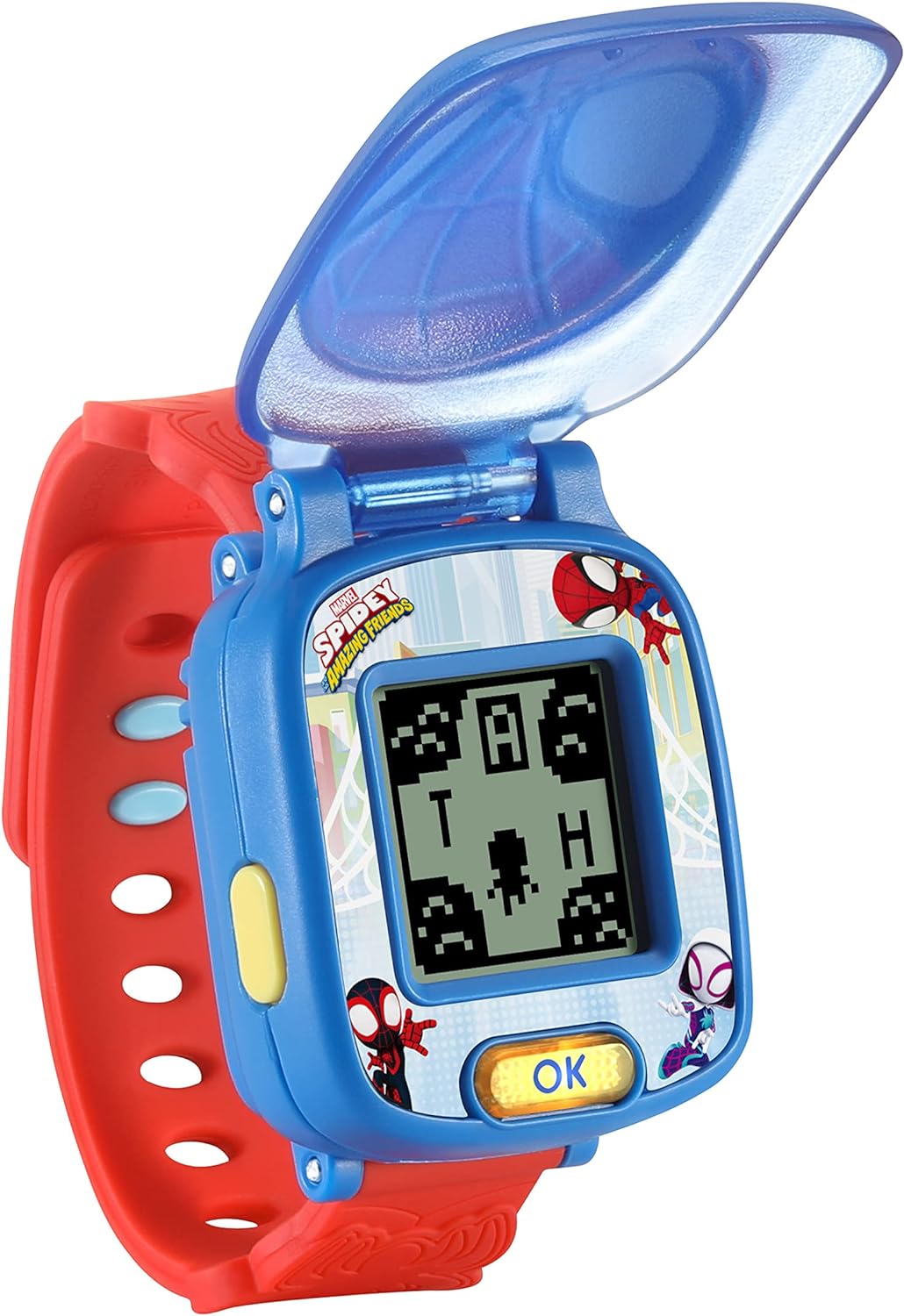
Image: The watch screen showing an active game, with pixelated characters and obstacles.
Throughout the games, you will hear fun phrases from Spidey and guidance from a narrator.
Maintenance
Cleaning
To clean the watch, wipe it with a slightly damp cloth. Do not use harsh chemicals or abrasive cleaners. Ensure the watch is completely dry before use.
Storage
When not in use for extended periods, store the watch in a cool, dry place away from direct sunlight and extreme temperatures.
Troubleshooting
Watch Not Turning On
- Check if the battery is correctly installed with the proper polarity.
- Replace the battery with a new CR2450 lithium coin battery. The included battery is for demo purposes and may have limited life.
Screen Issues or Malfunctions
- If the screen is blank or unresponsive, try removing and reinserting the battery to reset the device.
- Ensure the watch is not exposed to extreme temperatures or moisture.
Sound Problems
- Check the volume settings within the watch's menu.
- If sound is still an issue, a battery replacement or device reset may be necessary.
For more complex issues, please refer to the official VTech support resources or the full user manual.
Specifications
| Feature | Detail |
|---|---|
| Product Dimensions | 1.3 x 2.05 x 8.58 inches |
| Item Weight | 2.24 ounces |
| Item Model Number | 80-554300 |
| Manufacturer Recommended Age | 36 months - 6 years |
| Batteries Required | 1 Lithium Metal battery (CR2450), included for demo |
| Release Date | December 1, 2021 |
| Manufacturer | VTech |
Warranty & Support
Warranty Information
For detailed warranty information, please refer to the documentation included with your product packaging or visit the official VTech website. VTech typically offers a limited warranty covering defects in materials and workmanship.
Customer Support
If you require further assistance or have questions about your VTech Spidey Learning Watch, please contact VTech customer support. You can often find contact information on the VTech official website or through their brand store on Amazon:
Visit the VTech Store on Amazon
User Manual (PDF)
A comprehensive user manual in PDF format is available for download:
Related documents80-554300


Ask a question about this manual
Ask about setup, troubleshooting, compatibility, parts, safety, or missing instructions. Manuals+ will review the question and use this page’s manual context to help answer it.