
1. Introduction
The TREBLAB HD77 is a portable Bluetooth speaker designed for robust audio performance in various environments. It features 30W peak power, 360° HD sound with impactful bass, and an extended battery life of up to 20 hours. Built with durability in mind, the speaker is IPX7 waterproof and shockproof, making it suitable for outdoor use. It also supports True Wireless Stereo (TWS) pairing for an enhanced audio experience.
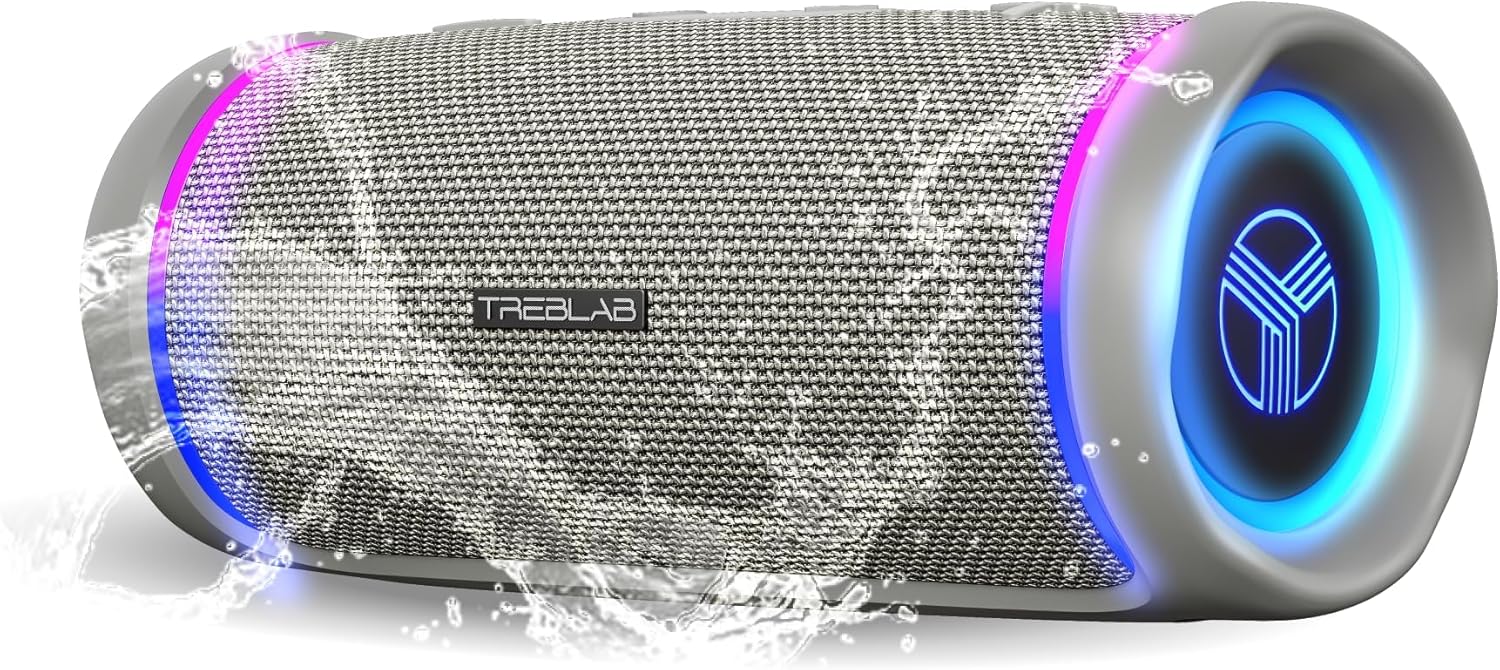
Figure 1: TREBLAB HD77 Portable Bluetooth Speaker (Gray)
2. Package Contents
Ensure all items are present in the package:
- TREBLAB HD77 Bluetooth Speaker
- 3.5 mm AUX Cable
- Carrying Strap and Carabiner
- USB/Type-C Charging Cable
- User Manual and Quick Start Guide
3. Product Overview
Buttons and Controls
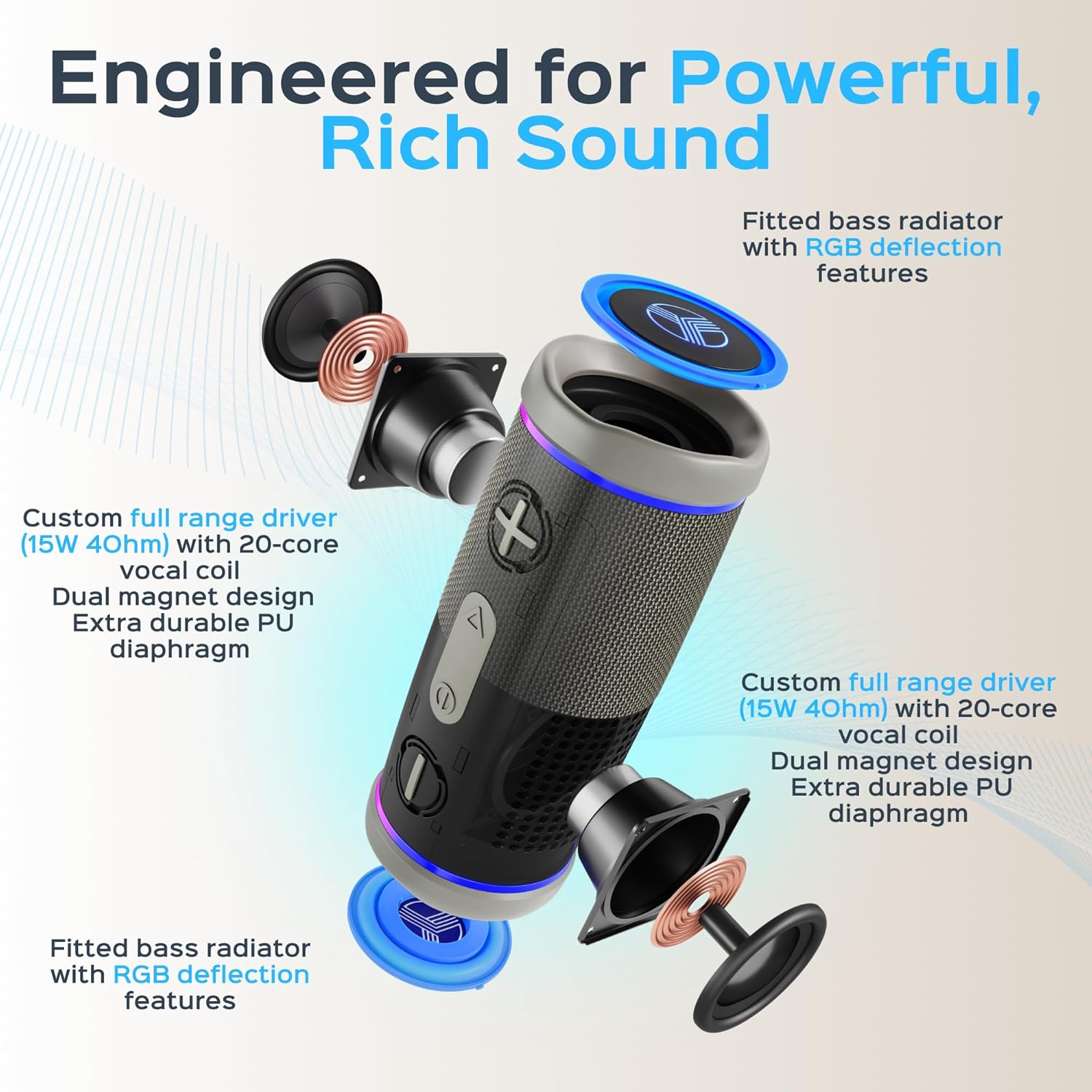
Figure 2: Top-mounted control buttons
- Power Button: Press and hold to power on/off.
- Volume Up (+): Press to increase volume.
- Volume Down (-): Press to decrease volume.
- Play/Pause Button (Triangle): Press to play or pause audio.
- TWS Button (Circle with horizontal line): Press to initiate True Wireless Stereo pairing.
Ports and Connectors

Figure 3: Protected charging and AUX ports
- USB-C Charging Port: For charging the speaker.
- 3.5mm AUX Input: For wired audio connection.
4. Setup
Charging the Speaker
Before first use, fully charge the TREBLAB HD77 speaker. A full charge takes approximately 4 hours. The speaker is equipped with a 2600mAh battery for extended playtime.
- Open the protective flap covering the charging port.
- Connect the USB/Type-C charging cable to the speaker's charging port.
- Connect the other end of the cable to a compatible USB power adapter (not included).
- The LED indicator will show charging status (refer to the Quick Start Guide for specific LED behavior).
- Once fully charged, disconnect the cable and close the protective flap to maintain water resistance.
Power On/Off
- To Power On: Press and hold the Power button until the LED indicator lights up.
- To Power Off: Press and hold the Power button until the LED indicator turns off.
Bluetooth Pairing
The TREBLAB HD77 uses Bluetooth 5.0 for a stable wireless connection.
- Ensure the speaker is powered on and in pairing mode (LED indicator will flash).
- On your audio device (smartphone, tablet, laptop), enable Bluetooth.
- Search for available Bluetooth devices and select "TREBLAB HD77" from the list.
- Once connected, the LED indicator will show a solid light (refer to the Quick Start Guide for specific LED behavior).
5. Operating Instructions
Basic Audio Functions
- Play/Pause: Press the Play/Pause button.
- Volume Adjustment: Press the Volume Up (+) or Volume Down (-) buttons.
- Skip Track: Press and hold the Volume Up (+) button for next track; press and hold the Volume Down (-) button for previous track.
True Wireless Stereo (TWS) Pairing
Connect two TREBLAB HD77 speakers for a powerful, synchronized stereo sound experience.
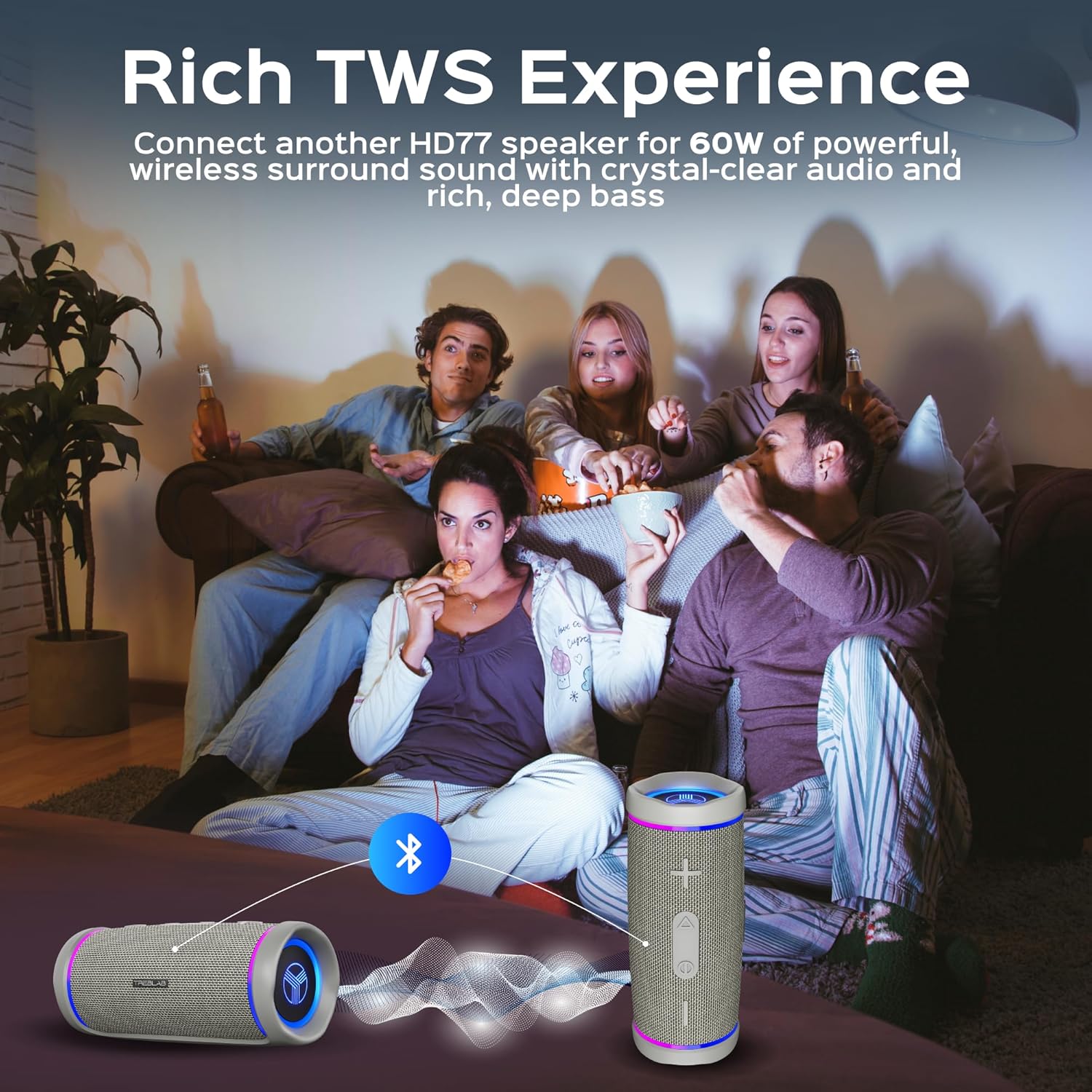
Figure 4: TWS pairing for stereo sound
- Ensure both HD77 speakers are powered on and not connected to any other Bluetooth device.
- On one speaker (this will be the master), press the TWS button. The LED indicator will flash.
- The master speaker will automatically search for the second speaker.
- Once paired, both speakers will indicate a successful TWS connection (refer to the Quick Start Guide for specific LED behavior).
- Connect your audio device to the master speaker via Bluetooth as described in the "Bluetooth Pairing" section.
Call Functions
The TREBLAB HD77 includes a built-in microphone for hands-free calling.
- Answer/End Call: Press the Play/Pause button.
- Reject Call: Press and hold the Play/Pause button.
LED Lighting
The speaker features vibrant RGB lighting. Refer to the Quick Start Guide for instructions on how to control or customize the LED light modes.
6. Maintenance
The TREBLAB HD77 is designed for durability with its IPX7 waterproof and shockproof construction. Proper care ensures longevity.

Figure 5: IPX7 waterproof design
- Cleaning: Use a soft, damp cloth to clean the speaker. Do not use harsh chemicals or abrasive materials.
- Water Exposure: While IPX7 waterproof, ensure all port covers are securely closed before exposing the speaker to water. After exposure to saltwater or chlorinated water, rinse the speaker with fresh water and dry thoroughly.
- Storage: Store the speaker in a cool, dry place away from direct sunlight and extreme temperatures.
- Shock Protection: The shockproof body provides protection against drops and impacts, but avoid unnecessary rough handling.
7. Troubleshooting
If you encounter issues with your TREBLAB HD77, try the following solutions:
- No Power: Ensure the speaker is fully charged. Try charging with a different USB-C cable and power adapter.
- Cannot Pair via Bluetooth:
- Ensure the speaker is in pairing mode (flashing LED).
- Turn off Bluetooth on your device and turn it back on.
- Forget "TREBLAB HD77" from your device's Bluetooth list and attempt to re-pair.
- Ensure the speaker is within the Bluetooth range (10 meters / 33 feet).
- No Sound:
- Check the volume levels on both the speaker and your connected device.
- Ensure the speaker is properly connected via Bluetooth or AUX cable.
- If using AUX, ensure the cable is fully inserted and functional.
- TWS Pairing Issues:
- Ensure both speakers are fully charged and not connected to any other device.
- Follow the TWS pairing instructions carefully.
- Try resetting both speakers to factory settings (refer to the Quick Start Guide for instructions).
8. Specifications
| Feature | Specification |
|---|---|
| Brand | TREBLAB |
| Model Name | HD77 |
| Speaker Type | Portable Speaker |
| Connectivity Technology | Bluetooth |
| Wireless Communication Technology | Bluetooth 5.0 |
| Speaker Maximum Output Power | 30 Watts |
| Battery Life | Up to 20 hours |
| Battery Capacity | 2600 mAh |
| Charging Time | 4 Hours |
| Water Resistance Level | IPX7 (Waterproof) |
| Special Feature | Built-in Microphone, TWS Support, RGB Lighting |
| Product Dimensions | 2.91"D x 2.91"W x 7.36"H |
| Item Weight | 1.41 Pounds |
| Color | Gray |
9. Warranty and Support
Your TREBLAB HD77 product is covered by a 1-YEAR WARRANTY. This includes up to 3 free replacement accessories within the warranty period. A 30-day return window is also provided. For any questions, difficulties, or issues, please contact TREBLAB customer support via their official selling channels or directly via email at support@treblab.com or phone at +1-833-873-2522. Support is available 24/7.
10. Safety Information
Please read all safety instructions before using the product. Keep this manual for future reference.
- Do not disassemble or modify the speaker.
- Do not expose to extreme temperatures or direct sunlight for prolonged periods.
- Keep away from children and pets.
- Use only the provided or certified charging cables.
- Ensure port covers are sealed when near water.
Legal Disclaimer: Manufacturer reserves the right to change the package contents along with the product upgrade. To learn the actual information regarding the package contents, please check the "Package Contents" section. For California Residents Only: Warning - Cancer and Reproductive Harm – P65Warnings.ca.gov.


