
Introduction
This manual provides essential information for the safe and efficient operation of your iHome iHPA-800LT Wireless Rechargeable Bluetooth Portable Party Speaker. Please read these instructions thoroughly before using the product and retain them for future reference.
The iHPA-800LT is a portable audio system designed for various entertainment needs, featuring Bluetooth connectivity, a wired microphone for karaoke, and integrated LED lighting effects. Its rechargeable battery allows for wireless operation, making it suitable for both indoor and outdoor use.
What's in the Box
Upon unpacking, please ensure all items listed below are present and in good condition:
- iHome iHPA-800LT Portable Party Speaker
- Wired Microphone
- USB Charging Cable
- Wireless Remote Control
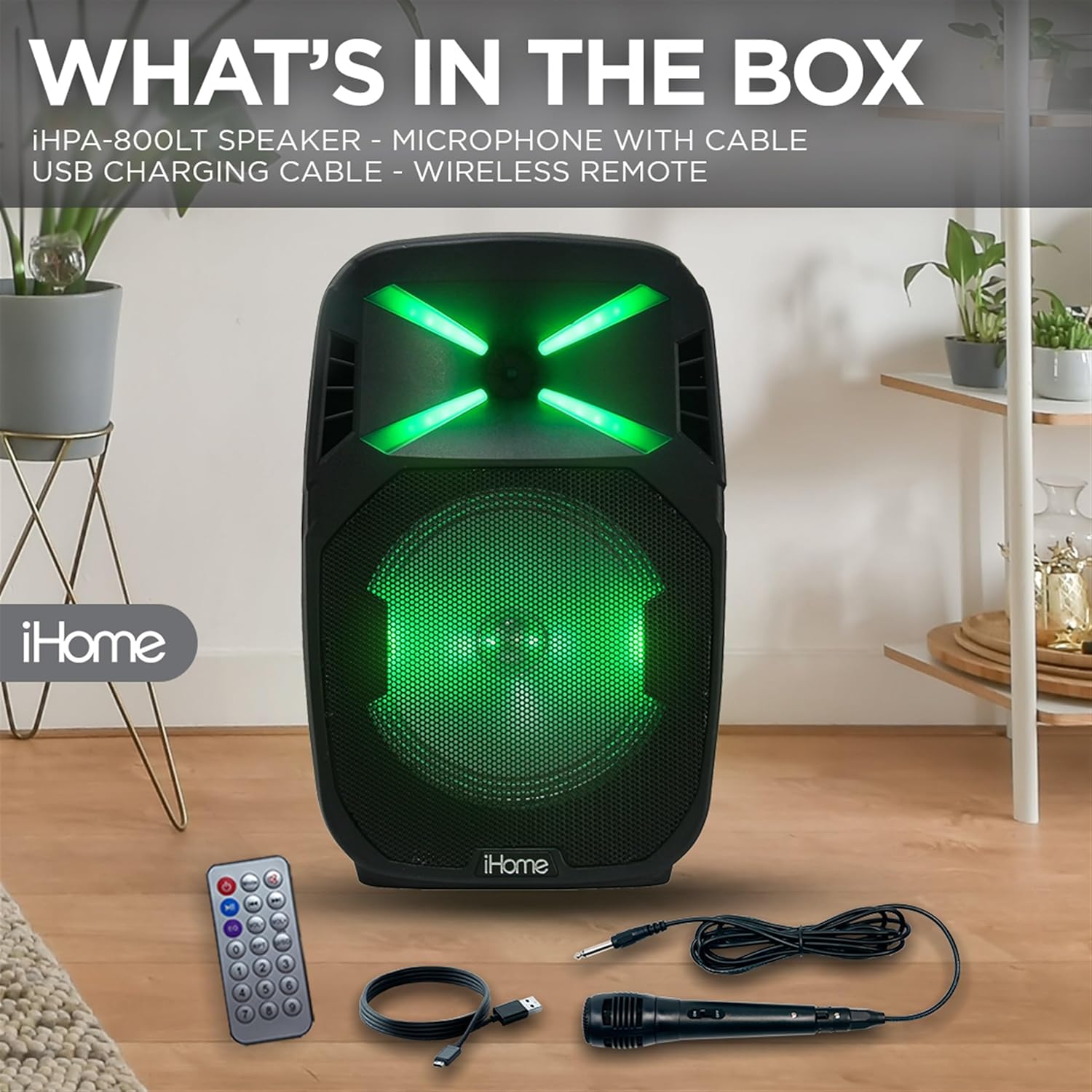
Image: The iHPA-800LT speaker and its included accessories: a wired microphone, USB charging cable, and wireless remote control.
Product Overview
Key Features
- Portable Design: Equipped with ergonomic handles and a rechargeable battery for easy transport and use in various locations.
- LED Party Lighting: Multi-color LED lights on the woofer and horn that synchronize with music.
- Powerful Sound: 100 Watts of peak power driving an 8-inch woofer for clear audio output.
- Multiple Audio Options: Supports Bluetooth, AUX input, USB, and microSD card playback.
- Karaoke Functionality: Includes a wired microphone with an adjustable echo effect.
- True Wireless Stereo (TWS): Allows two iHPA-800LT speakers to be wirelessly linked for a stereo sound experience.
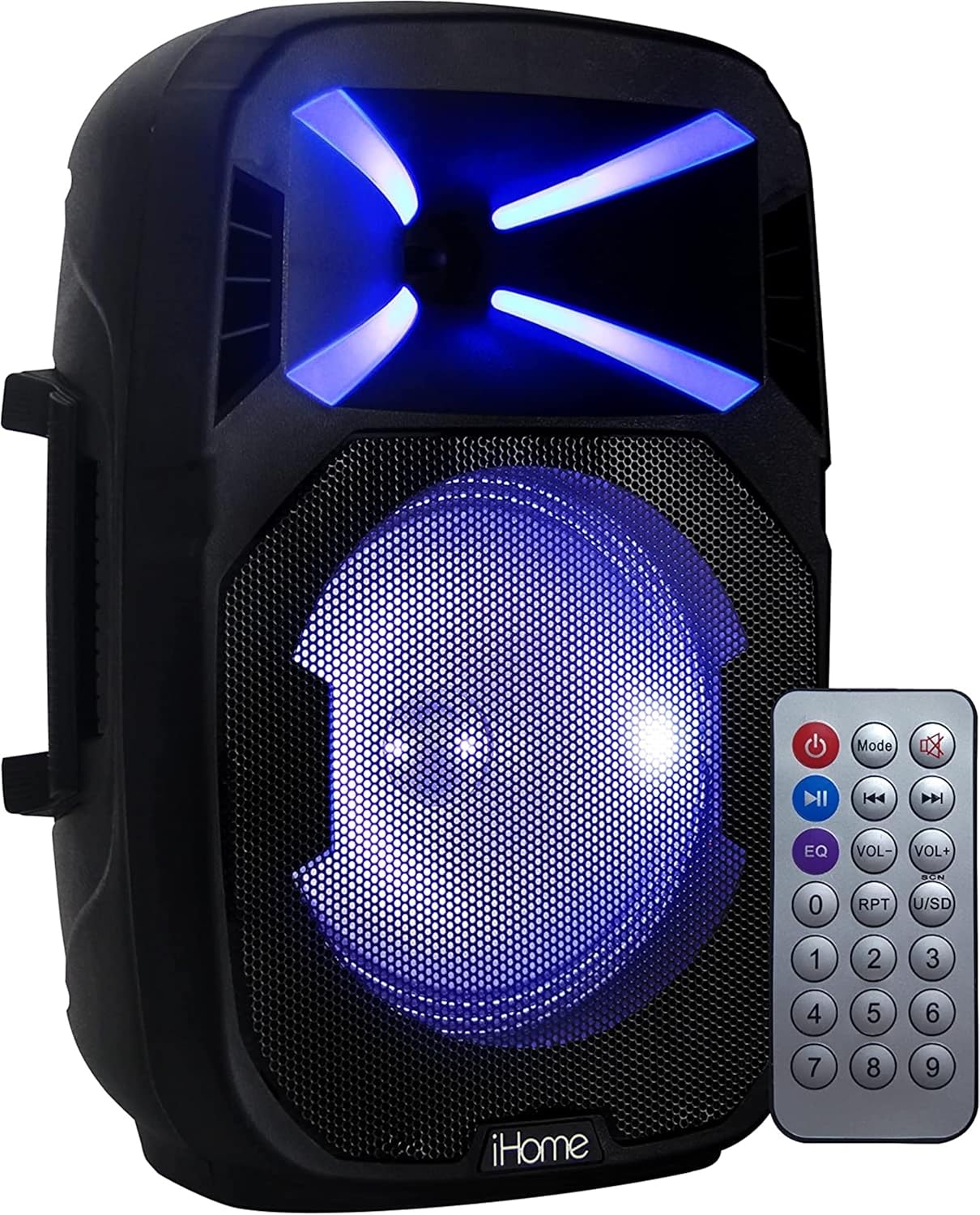
Image: The iHome iHPA-800LT speaker displaying its LED lighting and the included remote control.
Controls and Connections (Rear Panel)
The rear panel of the iHPA-800LT speaker provides access to various controls and input/output ports:
- MIC INPUT: 1/4-inch jack for connecting the wired microphone.
- MIC VOLUME: Rotary knob to adjust the microphone's volume level.
- ECHO: Rotary knob to adjust the echo effect for the microphone.
- USB PLAY: Port for USB flash drives containing audio files.
- microSD CARD: Slot for microSD cards containing audio files.
- DIGITAL DISPLAY: Shows current mode, track information, and other status indicators.
- LIGHTS: Button to cycle through or turn off LED lighting effects.
- MODE: Button to switch between input sources (Bluetooth, AUX, USB, microSD).
- BT DIS: Button to disconnect Bluetooth.
- CHARGE 5V = IN: Micro USB port for charging the speaker's internal battery.
- CHARGE LED: Indicator light for charging status.
- VOLUME POWER ON/OFF: Rotary knob to turn the speaker on/off and adjust the master volume.

Image: Detailed view of the speaker's rear panel, highlighting the microphone input, volume controls, echo effect knob, USB and microSD slots, digital display, and charging port.
Setup
Initial Charging
- Before first use, fully charge the speaker. Connect the provided USB charging cable to the 'CHARGE 5V = IN' port on the rear panel of the speaker.
- Connect the other end of the USB cable to a compatible USB power adapter (not included) or a powered USB port.
- The 'CHARGE LED' indicator will illuminate during charging and turn off once fully charged. A full charge typically takes approximately 6 hours.
Powering On/Off
To power on the speaker, rotate the 'VOLUME POWER ON/OFF' knob clockwise. To power off, rotate the knob counter-clockwise until it clicks.
Operating Instructions
Bluetooth Pairing
The iHPA-800LT supports Bluetooth 5.0 for wireless audio streaming up to 25 feet.
- Ensure the speaker is powered on and in Bluetooth mode. The digital display will show 'BT' and a blinking Bluetooth icon, indicating it's ready for pairing.
- On your mobile device (smartphone, tablet, etc.), enable Bluetooth and search for available devices.
- Select 'iHPA-800LT' from the list of devices.
- Once paired, the Bluetooth icon on the speaker's display will stop blinking and remain solid. You can now stream audio wirelessly.
- To disconnect Bluetooth, press the 'BT DIS' button on the rear panel or disconnect from your device's Bluetooth settings.

Image: The iHPA-800LT speaker connected wirelessly via Bluetooth to a smartphone, illustrating its 5.0 Bluetooth connectivity.
True Wireless Stereo (TWS) Function
To link two iHPA-800LT speakers for a true stereo experience:
- Ensure both speakers are powered on and in Bluetooth mode, but not yet paired with any device.
- On one speaker (this will be the primary speaker), press and hold the 'MODE' button for a few seconds until you hear a confirmation tone, indicating TWS pairing mode.
- The two speakers will automatically connect to each other. Once connected, the primary speaker's Bluetooth indicator will blink, and the secondary speaker's indicator will be solid.
- Now, pair your mobile device with the primary speaker as described in the Bluetooth Pairing section. Audio will play in stereo across both speakers.

Image: Two iHPA-800LT speakers demonstrating the TWS feature, allowing them to play audio in synchronized stereo.
Microphone Usage (Karaoke)
- Connect the wired microphone to the 'MIC INPUT' jack on the rear panel.
- Adjust the microphone's volume using the 'MIC VOLUME' knob.
- Use the 'ECHO' knob to add or remove an echo effect to your vocals.
Other Audio Inputs (USB, microSD, AUX)
The speaker supports playback from USB drives, microSD cards, and external devices via AUX input.
- USB/microSD: Insert a USB flash drive into the 'USB PLAY' port or a microSD card into the 'microSD CARD' slot. The speaker will automatically switch to the respective mode and begin playback. Use the remote control or panel buttons to navigate tracks.
- AUX Input: Connect an external audio device (e.g., MP3 player, laptop) to the 'AUX IN' port (if available, otherwise use Bluetooth) using a 3.5mm audio cable. Press the 'MODE' button to select AUX mode.
LED Party Lighting
The speaker features integrated multi-color LED lights that enhance the listening experience.
- Press the 'LIGHTS' button on the rear panel or the remote control to cycle through different lighting modes or to turn the lights off.
- The lights are designed to dance and change with the rhythm of the music.

Image: The iHPA-800LT speaker illuminated with multi-color LED lights, creating a party atmosphere.
Maintenance
- Cleaning: Use a soft, dry cloth to clean the exterior of the speaker. Do not use abrasive cleaners or solvents.
- Storage: Store the speaker in a cool, dry place away from direct sunlight and extreme temperatures when not in use for extended periods.
- Battery Care: To prolong battery life, avoid fully discharging the battery frequently. Recharge the speaker regularly, even if not in constant use.
- Water Exposure: This speaker is not waterproof. Avoid exposing it to water or excessive moisture.
Troubleshooting
| Problem | Possible Cause | Solution |
|---|---|---|
| Speaker does not power on. | Battery is discharged. | Connect the speaker to a power source using the USB charging cable and allow it to charge. |
| No sound output. | Volume is too low; incorrect input mode selected; device not properly connected. | Increase the master volume. Press the 'MODE' button to select the correct input source. Ensure Bluetooth device is paired or AUX/USB/microSD is properly connected. |
| Bluetooth device cannot pair. | Speaker is not in pairing mode; device is too far; interference. | Ensure speaker is in Bluetooth mode and the Bluetooth icon is blinking. Move device closer to the speaker. Avoid obstacles and other wireless devices. Try disconnecting and re-pairing. |
| Microphone not working. | Microphone not connected; MIC VOLUME is too low. | Ensure the microphone is securely plugged into the 'MIC INPUT'. Increase the 'MIC VOLUME' knob. |
| LED lights are not working. | Lights are turned off or in a static mode. | Press the 'LIGHTS' button to cycle through different lighting modes or turn them on. |
Specifications
| Feature | Detail |
|---|---|
| Model Number | iHPA-800-LT |
| Brand | iHome |
| Mounting Type | Floor Standing |
| Power Source | Battery Powered |
| Connector Type | Aux |
| Number of Channels | 1 |
| Audio Input | Microphone, AUX, Bluetooth, USB, microSD |
| Recommended Uses | For Smartphones or Tablets |
| Manufacturer | Innovative Concepts and Designs |
| UPC | 747705008008 |
| Product Dimensions (L x W x H) | 10.24 x 7.68 x 14.96 inches |
| Item Weight | 5.99 pounds |
| Batteries | 1 Lithium Metal battery required (included) |
| Connectivity Technology | AUX, Bluetooth |
| Color | Black |
| Compatible Devices | Smartphone |
| Peak Power | 100 Watts |
| Amp Type | Class D |
| Frequency Response | 50Hz-18KHz |
| SPL @ 1 Meter | 95dB |
| Charge Time / Playtime | 6 hours / 3 hours |

Image: The physical dimensions of the iHPA-800LT speaker.
Warranty and Support
For warranty information or technical support, please refer to the documentation included with your product or visit the official iHome website. Keep your purchase receipt as proof of purchase.