
Product Overview
The Casaottima 58-inch L-Shaped Gaming and Computer Desk is designed for versatile use in home offices, gaming setups, or study areas. It features a spacious desktop, an integrated monitor stand, and a convenient iron hook for accessories. Constructed from P2 MDF board and a strong metal frame, this desk offers stability and durability.

Image: The Casaottima L-shaped desk set up in a gaming environment, showcasing its ample surface area and monitor stand.
Setup Instructions
This desk is designed for straightforward assembly. All necessary tools and an easy-to-understand instruction manual are included in the package. It is recommended to assemble the desk in the desired location to avoid moving it after completion.
- Unpack Components: Carefully remove all parts from the packaging and verify against the included parts list.
- Identify Parts: Familiarize yourself with the different desk components, including the desktop panels, metal frame pieces, monitor stand, and hardware.
- Assemble Frame: Follow the step-by-step diagrams in the instruction manual to connect the metal frame pieces. Ensure all screws are finger-tightened initially.
- Attach Desktop Panels: Secure the desktop panels to the assembled frame.
- Install Monitor Stand and Hook: Attach the monitor stand and iron hook as per the instructions. The iron hook can be installed on either the left or right side.
- Final Tightening: Once all components are in place, gradually tighten all screws. Avoid overtightening to prevent damage.
- Adjust Leveling Feet: The desk includes adjustable leg pads. Adjust these to ensure the desk is stable and level on uneven floors.

Image: Detailed dimensions of the L-shaped desk, including the monitor stand, to assist with placement and assembly.
Video: An official product video demonstrating the features and potential setup of the L-shaped gaming desk.
Operating Instructions and Features
The Casaottima L-shaped desk is designed for optimal functionality and comfort. Utilize its features to enhance your workspace.
- Monitor Stand: The elevated monitor stand helps position your screen at an ergonomic height, reducing neck strain. It can be moved along the desk surface to suit your preference.
- Iron Hook: The integrated iron hook provides a convenient place to hang headphones, bags, or other accessories, keeping your desktop clear and organized. It can be installed on either the left or right side of the desk.
- Spacious Desktop: The L-shaped design offers a large surface area for multiple monitors, a keyboard, mouse, and other peripherals, making it suitable for gaming, studying, or professional work.

Image: A detailed view highlighting the headphone hook and the monitor stand, demonstrating their utility.

Image: The desk configured for a home office, showing the monitor stand in use and ample space for work materials.
Maintenance
Proper maintenance will ensure the longevity and appearance of your Casaottima desk.
- Cleaning: Wipe the desk surface with a soft, damp cloth. For stubborn marks, use a mild soap solution and dry immediately. Avoid harsh chemicals or abrasive cleaners.
- Spills: The desk surface is waterproof and wear-resistant. In case of spills, wipe them up promptly to prevent any potential damage or staining.
- Inspection: Periodically check all screws and connections to ensure they remain tight. Retighten if necessary.
- Avoid Excessive Weight: While sturdy, avoid placing excessive weight beyond the recommended limit of 100 lbs on the desk to prevent structural damage.
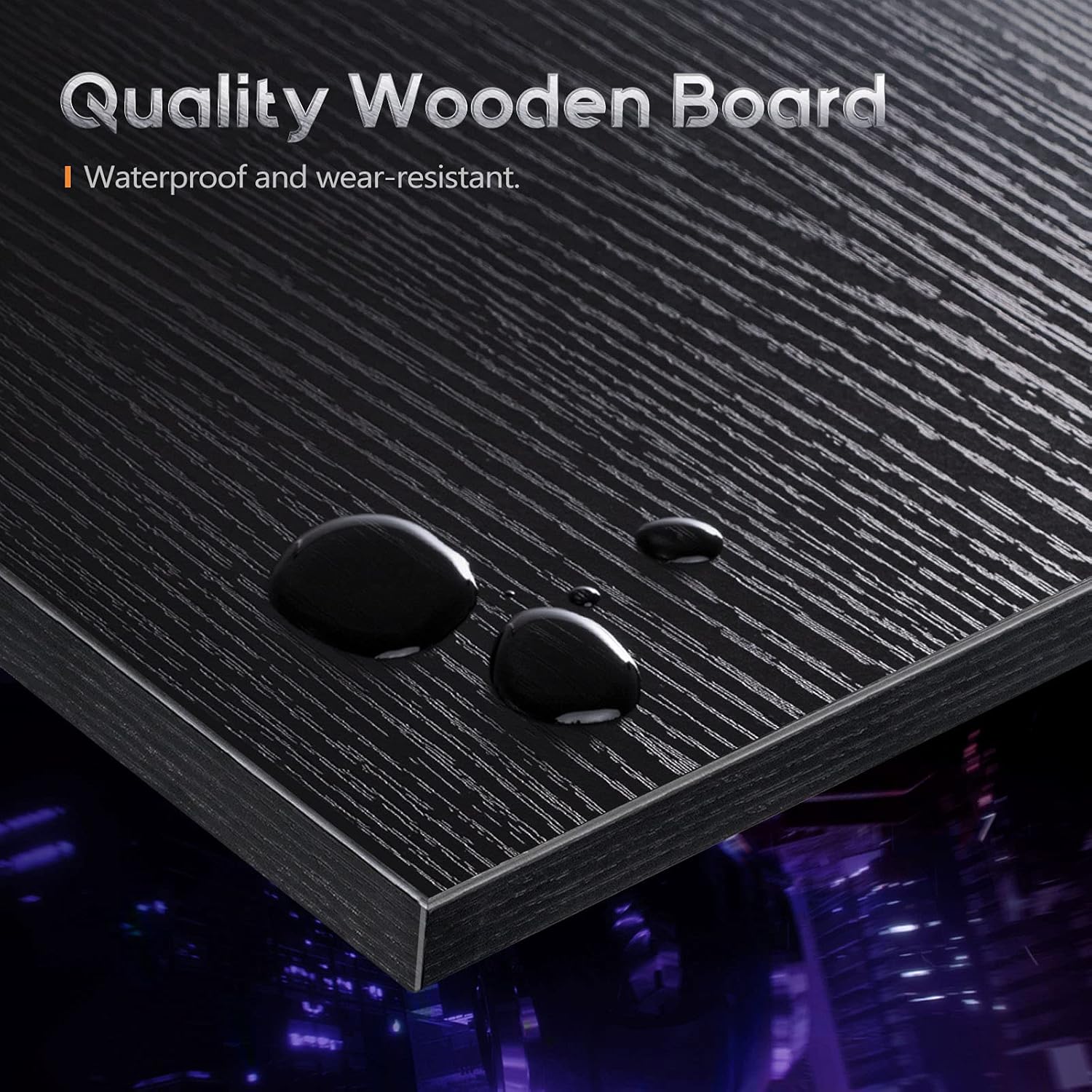
Image: A close-up demonstrating the waterproof and wear-resistant quality of the desk's wooden board surface.
Troubleshooting
If you encounter any issues with your desk, refer to the following common solutions:
- Desk Wobbles:
- Ensure all screws are securely tightened.
- Adjust the leveling feet at the bottom of the desk legs to compensate for uneven floor surfaces.
- Missing Parts:
- Double-check all packaging materials. If parts are still missing, contact customer support immediately.
- Assembly Difficulties:
- Review the instruction manual carefully. Ensure each step is followed in sequence.
- Do not fully tighten screws until all components for a section are loosely assembled.
For further assistance, please contact Casaottima customer service.
Product Specifications
| Feature | Detail |
|---|---|
| Brand | Casaottima |
| Model Number | B09MS7DSCS |
| Shape | L-Shape |
| Desk Design | Computer Desk |
| Product Dimensions (D x W x H) | 47"D x 58"W x 29.5"H |
| Color | Black |
| Style | Modern |
| Base Material | Metal (Alloy Steel) |
| Top Material Type | Engineered Wood, Metal, Wood |
| Finish Type | Powder Coated |
| Special Feature | Monitor Stand |
| Item Weight | 39 pounds |
| Maximum Weight Recommendation | 100 pounds |
| Included Components | Monitor Stand, Iron Hook |
| Recommended Uses | Gaming, Working |
Warranty Information
The Casaottima 58-inch L-Shaped Gaming and Computer Desk comes with a 3-year limited warranty from the date of purchase. This warranty covers manufacturing defects and material flaws under normal use. It does not cover damage resulting from misuse, accidents, unauthorized modifications, or normal wear and tear.
Please retain your proof of purchase for any warranty claims.
Customer Support
For any questions, concerns, or assistance with assembly, operation, or warranty claims, please contact Casaottima customer service. Our dedicated after-sale team is available to provide support.
Contact Information:
- Online Support: Visit the official Casaottima website or the retailer's support page where you purchased the product.
- Email: Refer to your product packaging or the official Casaottima website for the most current email contact.
- Phone: Refer to your product packaging or the official Casaottima website for the most current phone contact.
Please have your model number (B09MS7DSCS) and proof of purchase ready when contacting support.