
Jansite 1080P Image Vertical Flip Rear Camera
Jansite 1080P Image Vertical Flip Rear Camera User Manual
Model: 1080P Image Vertical Flip Rear Camera
Introduction
This manual provides detailed instructions for the installation, operation, and maintenance of your Jansite 1080P Image Vertical Flip Rear Camera. Please read this manual thoroughly before using the product to ensure correct usage and optimal performance.
The Jansite 1080P Image Vertical Flip Rear Camera is designed specifically for use with Jansite mirror dash cams. It supports upside-down installation, making it suitable for mounting on a car's roof or near a trailer hitch.
Package Contents
Verify that all items are present in the package:
- 1 x 1080P Backup Camera
- 1 x Double-sided Sticker
- 2 x Fixing Screws
Note: An extension cord is not included. If a 15m (49.2ft) extension cord is required, it must be purchased separately (ASIN: B09BJLV4RG).
Setup and Installation
Follow these steps for proper installation of the rear camera:
- Choose Installation Location: The camera is designed for upside-down installation (the flat side should be at the bottom). It is suitable for mounting on the roof of a vehicle or near a trailer hitch. Ensure the chosen location provides a clear view and is protected from excessive elements.
- Mount the Camera: Use the provided double-sided sticker or fixing screws to securely attach the camera to the chosen surface. Ensure the camera is firmly in place to prevent movement during vehicle operation.
- Connect the Cable: Connect the camera's 4-pin interface cable to your Jansite mirror dash cam. This camera is specifically designed for compatibility with Jansite extension cords and mirror dash cams.
- Route the Cable: Carefully route the camera cable from the installation point to the dash cam, ensuring it is not pinched, exposed to sharp edges, or interfering with vehicle components. Secure the cable with clips or ties as needed.
- Test the Connection: After installation, power on your Jansite mirror dash cam and verify that the rear camera feed is displayed correctly. Check for image clarity and proper orientation.
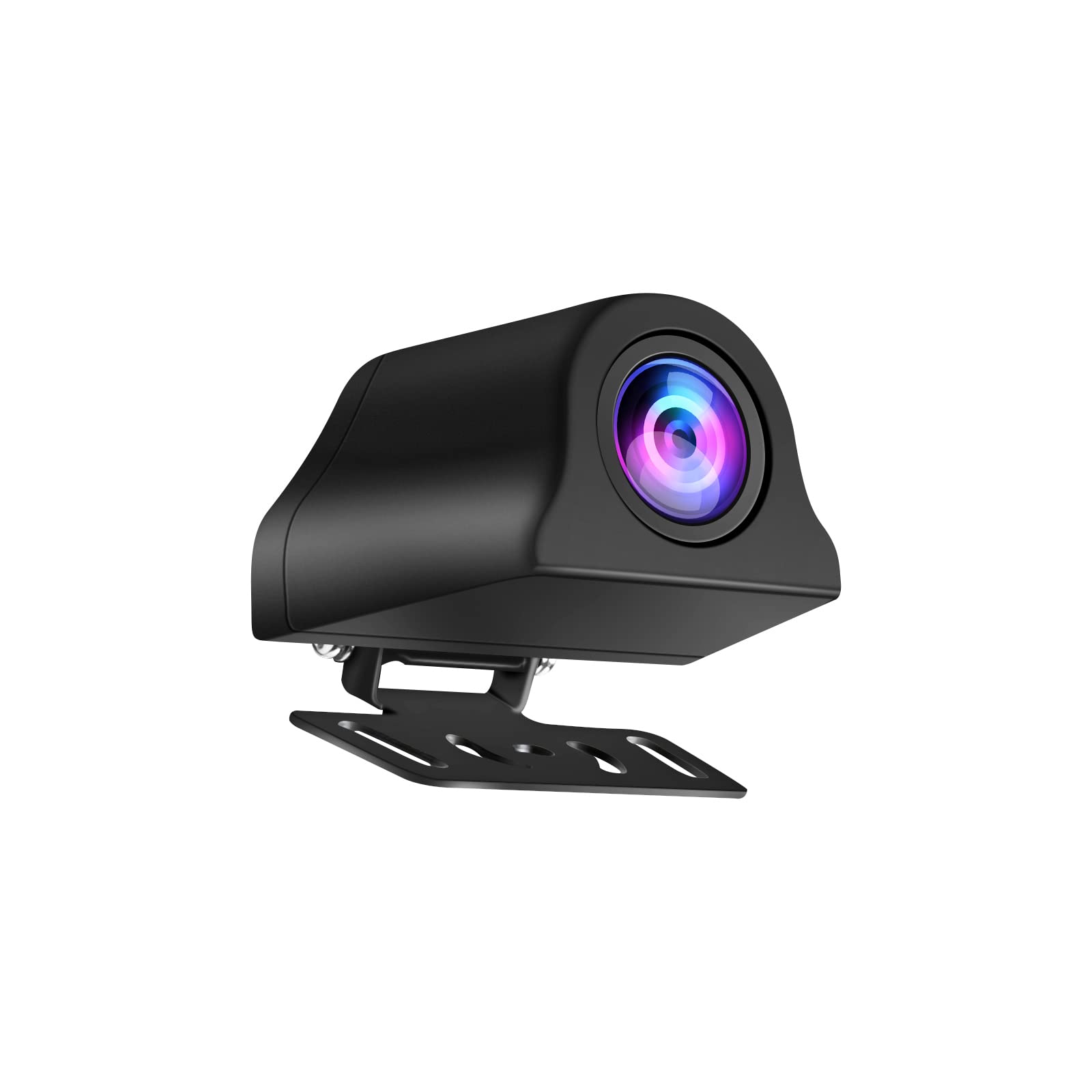
Image: The Jansite 1080P Image Vertical Flip Rear Camera, designed for upside-down mounting. This image illustrates the compact design and the 4-pin connector for integration with a compatible dash cam system.
Operating Instructions
Once installed and connected, the Jansite rear camera operates in conjunction with your Jansite mirror dash cam. Refer to your mirror dash cam's manual for specific instructions on accessing and managing the rear camera feed.
- Power On: The rear camera receives power directly from the mirror dash cam. Ensure the dash cam is powered on.
- View Feed: The rear camera feed will typically appear on the mirror dash cam display when the vehicle is in reverse, or it can be manually switched on via the dash cam's interface.
- Image Orientation: This camera is designed for vertical flip. If the image appears upside down, ensure the camera was installed in the specified upside-down orientation. The camera itself does not have internal settings for image rotation; this functionality is typically managed by the connected dash cam.
Maintenance
To ensure the longevity and optimal performance of your Jansite rear camera, follow these maintenance guidelines:
- Cleaning the Lens: Regularly clean the camera lens with a soft, damp cloth to remove dirt, dust, or water spots that may obstruct the view. Avoid abrasive cleaners.
- Cable Inspection: Periodically inspect the camera cable for any signs of wear, damage, or loose connections. Secure or replace cables as necessary.
- Mounting Security: Check the camera's mounting periodically to ensure it remains securely attached and has not loosened due to vibrations or environmental factors.
- Environmental Protection: While designed for outdoor use, avoid exposing the camera to extreme temperatures or harsh chemicals.
Troubleshooting
If you encounter issues with your Jansite rear camera, refer to the following common problems and solutions:
| Problem | Possible Cause | Solution |
|---|---|---|
| No image on dash cam display. |
|
|
| Image is blurry or unclear. |
|
|
| Image is upside down. |
|
|
Specifications
- Resolution: 1080P
- Interface: 4-pin connector (compatible with Jansite extension cords)
- Installation Type: Surface Mount
- Optical Sensor Technology: CMOS
- Lens Type: Wide Angle
- Real Angle of View: 140 Degrees
- Compatible Devices: Jansite Mirror Dash Cams
Warranty and Support
For warranty information and technical support, please refer to the documentation provided with your Jansite mirror dash cam or visit the official Jansite website. Keep your purchase receipt for warranty claims.
For further assistance, you may contact Jansite customer service through their official channels.
Ask a question about this manual
Ask about setup, troubleshooting, compatibility, parts, safety, or missing instructions. Manuals+ will review the question and use this page’s manual context to help answer it.