
Introduction
Thank you for purchasing the Gemmac Astronaut Galaxy Projector Star Night Light. This device is designed to project a captivating nebula and starry sky onto your walls and ceiling, creating a relaxing and immersive atmosphere. Please read this manual carefully before use to ensure proper operation and to maximize your enjoyment of the product.
Safety Information
To ensure safe operation and prevent damage, please observe the following precautions:
- Do not stare directly at the light source. The projector uses bright lights that can cause eye discomfort or damage.
- Keep the device away from water or other liquids to prevent electric shock.
- Do not disassemble or attempt to repair the device yourself. Contact qualified personnel for service.
- Use only the provided power adapter or one with compatible specifications.
- Keep out of reach of small children to prevent accidental ingestion of small parts or direct exposure to the light source.
- Ensure the device is placed on a stable, flat surface to prevent it from falling.
- Avoid placing the projector near heat sources or in direct sunlight.
Package Contents
Verify that all items are present in the package:
- 1 x Gemmac Astronaut Galaxy Projector
- 1 x Remote Control
- 1 x USB Power Cable
- 1 x User Manual

Image: The package includes the astronaut projector, remote control, USB power cable, and user manual.
Product Overview
The Gemmac Astronaut Galaxy Projector features a unique astronaut design with a flexible head that can be rotated to adjust the projection angle. It combines nebula and star projections for a dynamic visual experience.

Image: The Gemmac Astronaut Galaxy Projector and its remote control.

Image: Detailed view of the astronaut projector's flexible design and remote control functions.
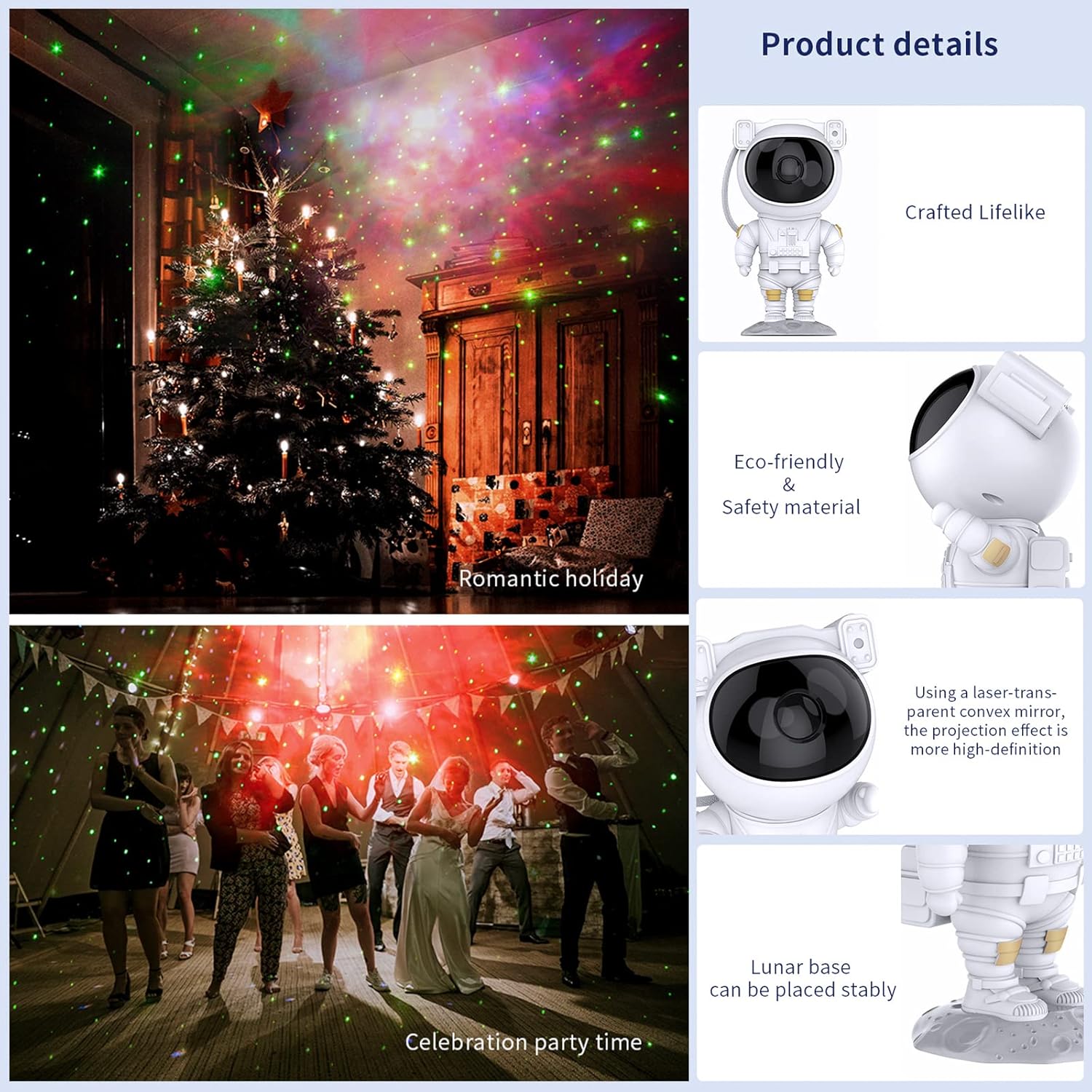
Image: Key product details including design, materials, projection lens, and stable base.
Setup
Power Connection
- Place the astronaut projector on a stable, flat surface.
- Connect the USB power cable to the projector's power input port (located on the backpack).
- Plug the other end of the USB cable into a compatible USB power adapter (not included) or a USB port.
- Ensure the power source is stable.
Operating Instructions
Device Buttons
The buttons on the back of the astronaut's backpack allow for basic control:
- Power Button: Turns the projector on or off.
- Nebula Mode Button: Cycles through different nebula colors and effects.
- Star Mode Button: Turns the star projection on or off.
Remote Control Functions
The included remote control provides comprehensive control over the projector's features:
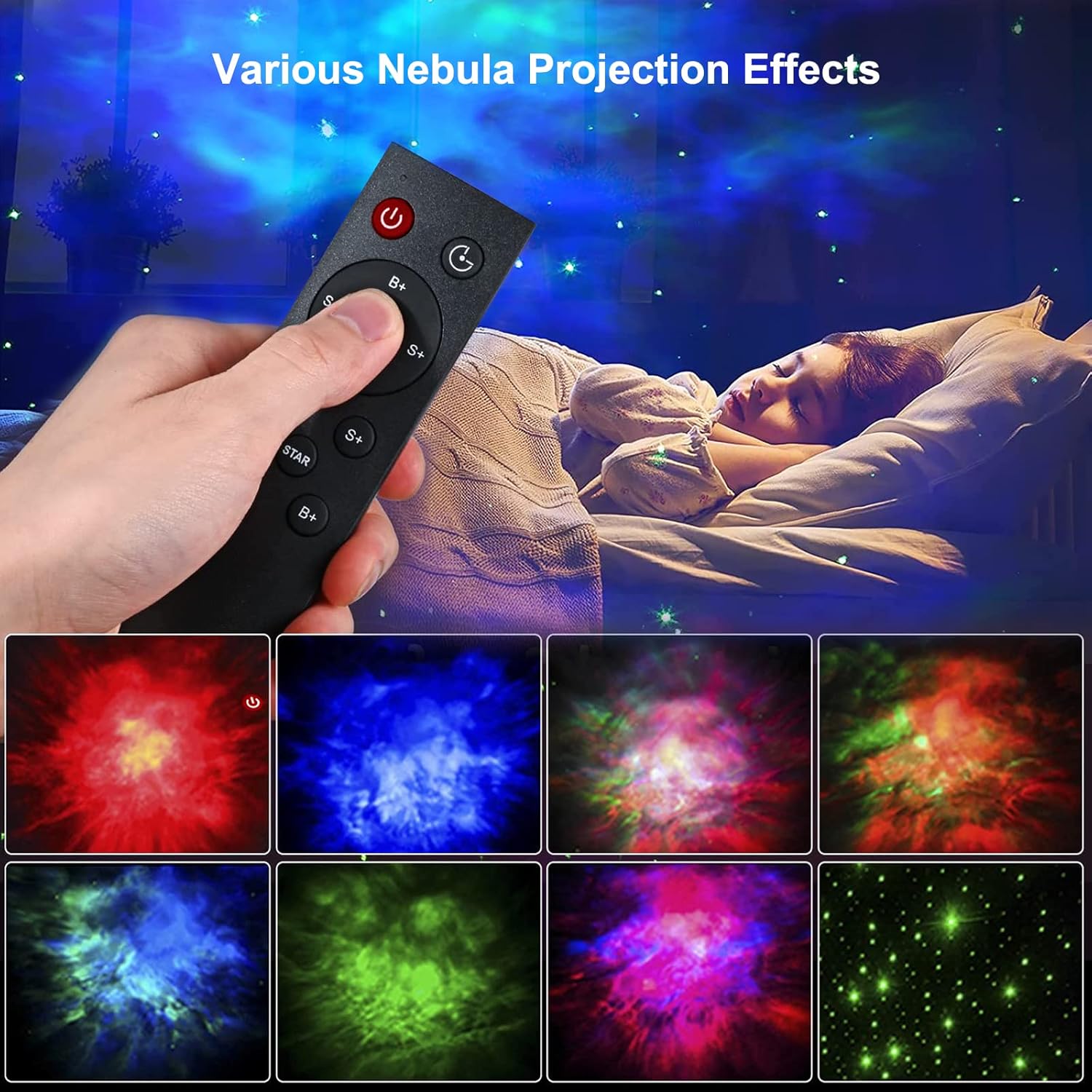
Image: Remote control in use, demonstrating various projection effects.
- Power (On/Off): Turns the projector on or off.
- Time Switch: Sets the automatic shut-off timer (e.g., 45 minutes, 90 minutes).
- Nebula Brightness (B+/B-): Adjusts the brightness of the nebula projection.
- Nebula Change Speed (S+/S-): Controls the speed of nebula movement.
- Nebula Color Switching (NEBULA): Cycles through different nebula colors.
- Star Breathing Rate (S+/S-): Adjusts the fading speed of the stars.
- Star Switch (STAR): Turns the star projection on or off.
- Star Brightness (B+/B-): Adjusts the brightness of the star projection.
Features
Nebula and Star Projection
The projector offers a combination of colorful nebula clouds and twinkling stars. These can be displayed together or independently, providing a variety of celestial scenes. The nebula colors and star brightness are adjustable to suit your preference.
Video: Demonstration of the Gemmac Astronaut Galaxy Projector's nebula and star light effects.

Image: The projector creating a green nebula and star effect in a living room setting.

Image: The projector creating a colorful nebula and star effect inside a car.
Timer Function
Utilize the timer function on the remote control to set the projector to automatically turn off after a specified duration (e.g., 45 or 90 minutes). This is ideal for bedtime use.
Adjustable Projection Angle
The astronaut's head is magnetically connected to its body, allowing you to rotate it 360 degrees. This flexibility enables you to direct the projection to any desired angle on your ceiling or walls.
Maintenance
Proper maintenance ensures the longevity and optimal performance of your projector:
- Cleaning: Use a soft, dry cloth to wipe the exterior of the projector. Do not use abrasive cleaners or solvents.
- Lens Care: Gently clean the projection lenses with a soft, lint-free cloth to maintain clear projection quality. Avoid touching the lenses directly with your fingers.
- Storage: When not in use for extended periods, store the projector in a cool, dry place, away from direct sunlight and moisture.
Troubleshooting
If you encounter any issues, please refer to the following common problems and solutions:
| Problem | Possible Cause | Solution |
|---|---|---|
| Projector does not turn on. | No power, loose connection, faulty adapter. | Check power cable connection. Ensure power adapter is working. Try a different USB port or adapter. |
| Remote control not working. | Dead batteries, remote out of range, obstruction. | Replace remote control batteries. Ensure remote is pointed at the projector and within range. Remove any obstructions between the remote and projector. |
| Projection is blurry or dim. | Dirty lens, incorrect focus, too much ambient light. | Gently clean the projection lenses. Ensure the room is dark enough for optimal projection. Adjust brightness settings via remote. |
| Stars or nebula not appearing. | Feature turned off. | Use the remote control to turn on the star or nebula projection modes. |
Specifications
| Feature | Detail |
|---|---|
| Brand | Gemmac |
| Model | Astronaut Galaxy Projector |
| Product Dimensions | 9.6"D x 4.5"W x 4.7"H |
| Item Weight | 2.4 ounces (0.15 Pounds) |
| Light Source Type | LED |
| Material | Acrylonitrile Butadiene Styrene (ABS) |
| Power Source | Corded Electric |
| Wattage | 5 watts |
| Control Method | Remote, Device Buttons |
| Special Features | Color Changing, Timer, Dimmable |
| Indoor/Outdoor Usage | Indoor |
| UPC | 755419178313 |
Warranty and Support
For warranty information or technical support, please refer to the contact details provided with your purchase documentation or visit the official Gemmac website. Keep your purchase receipt as proof of purchase.