
Nokia TWS-731
Nokia Clarity Earbuds+ User Manual
Model: TWS-731
Introduction
Welcome to the user manual for your Nokia Clarity Earbuds+. These professional wireless earphones are designed to provide an immersive audio experience with Active Noise Cancellation (ANC) and Environmental Noise Cancellation (ENC) for clear calls. This manual will guide you through the setup, operation, maintenance, and troubleshooting of your new earbuds.

Image: Nokia Clarity Earbuds+ shown with their charging case open, displaying both earbuds inside.
What's Included
Before you begin, please ensure all components are present in the package:
- Nokia Clarity Earbuds+ (Left and Right)
- Compact Charging Case
- USB Type-C Charging Cable
- Ear Tips (Small, Medium, Large sizes)
- Quick Start Guide

Image: A visual representation of the items included in the product box: the earbuds, charging case, USB cable, and ear tips.
Setup Guide
1. Charging the Earbuds and Case
For first-time use, fully charge the earbuds and the charging case. Place the earbuds into the charging case. Connect the USB Type-C cable to the charging port on the case and the other end to a USB power source (e.g., wall adapter, computer USB port). The LED indicators on the case will show charging status.
- A full charge provides up to 4.5 hours of playtime for the earbuds, with an additional 20 hours from the charging case.
- The case takes approximately one hour to fully charge.
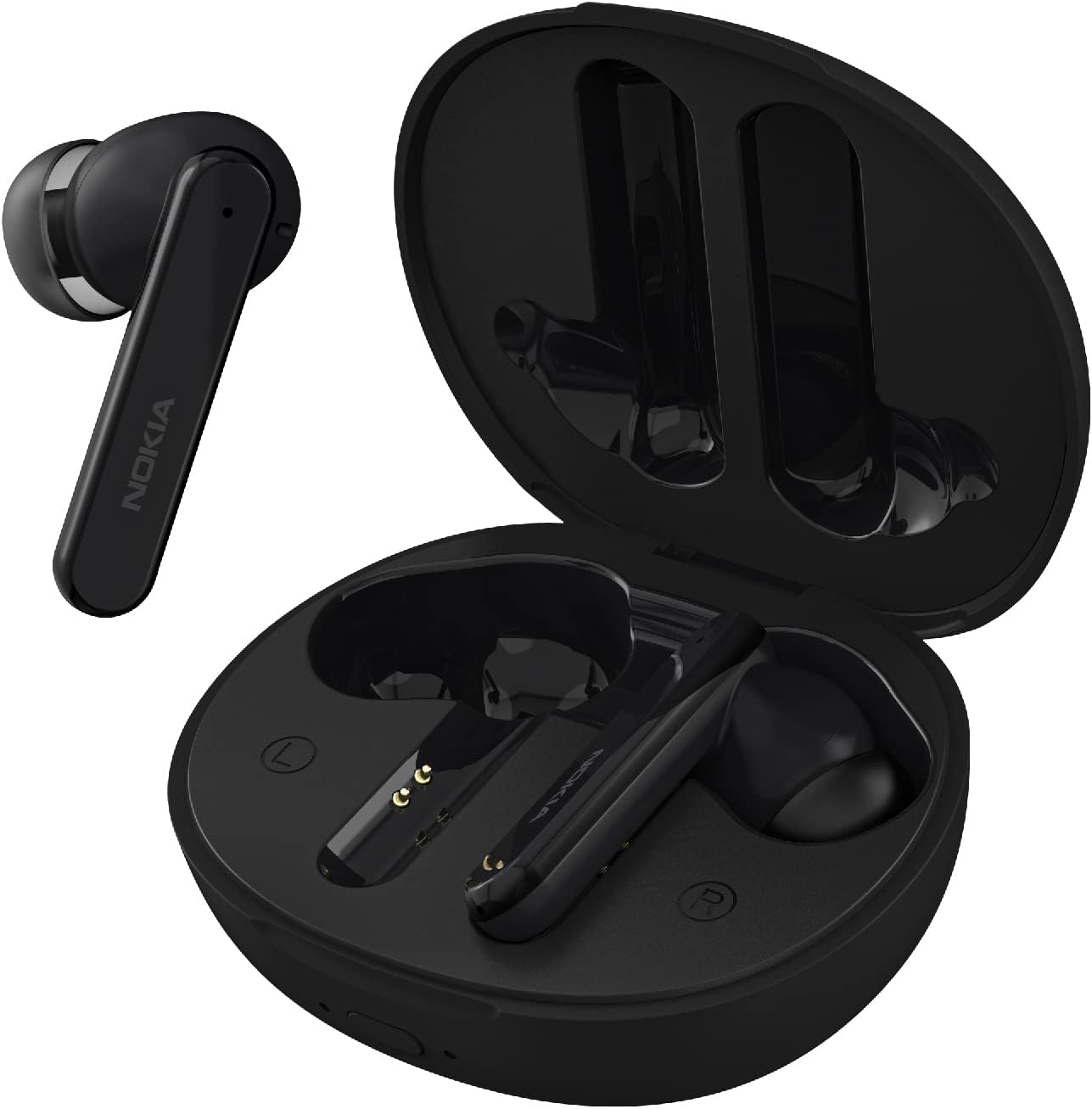
Image: The Nokia Clarity Earbuds+ are shown nestled within their open charging case, ready for charging.
2. Pairing with Your Device
The earbuds automatically enter pairing mode when removed from the charging case for the first time.
- Ensure the earbuds are charged.
- Open the charging case and remove both earbuds. They will automatically power on and attempt to pair with each other.
- On your device (smartphone, tablet, laptop), go to Bluetooth settings and enable Bluetooth.
- Select "Nokia Clarity Earbuds+" from the list of available devices.
- Once connected, you will hear an audio prompt, and the earbuds will be ready for use.
The earbuds support Bluetooth 5.2 for stable and extended connectivity, even through walls.
3. Finding the Right Fit
Proper fit is crucial for optimal sound quality and noise cancellation. Experiment with the included small, medium, and large ear tips to find the most comfortable and secure fit for your ears. The earbuds are designed with a soft rubber ring to help keep them in place.

Image: The earbuds are displayed in their charging case, highlighting their compact and lightweight design for comfortable wear.
Operating Instructions
Touch Controls
The Nokia Clarity Earbuds+ feature intuitive touch controls on each earbud. Specific functions are activated by tapping or holding the touch-sensitive area. Refer to the quick start guide for a detailed table of touch commands.
- Play/Pause: Single tap on either earbud.
- Next Track: Double tap on the right earbud.
- Previous Track: Double tap on the left earbud.
- Answer/End Call: Single tap on either earbud.
- Reject Call: Press and hold either earbud.
Active Noise Cancellation (ANC) and Ambient Mode
The earbuds offer two distinct listening modes to suit your environment:
- ANC Mode: Drowns out background noise for immersive audio. Ideal for travel or noisy environments.
- Ambient Mode: Allows you to hear your surroundings while listening to music, enhancing situational awareness.
Switch between ANC and Ambient modes using the touch controls (refer to quick start guide for specific gesture).

Image: A woman wearing the earbuds, illustrating the choice between Ambient mode for awareness and ANC mode for deep focus.
Call Management
The earbuds feature dual-mic Environmental Noise Cancellation (ENC) to ensure clear phone conversations by reducing background noise.
- Answering/Ending Calls: Use the touch controls as described above.
- Microphone Performance: The dual microphones effectively pick up your voice while minimizing ambient sounds, ensuring you are heard clearly.

Image: A woman wearing an earbud, demonstrating the dual-mic ENC feature for reducing environmental noise during calls.
Battery Life
The earbuds provide up to 4.5 hours of continuous playtime on a single charge. The compact charging case extends the total listening time to up to 24 hours (with ANC enabled).
- To check the case battery level, observe the LED indicators on the case.
- Always place earbuds back into the case when not in use to ensure they remain charged.

Image: The earbuds are shown resting on their charging case, emphasizing the extended playtime of up to 24 hours with ANC enabled.
Care and Maintenance
Cleaning
Regular cleaning helps maintain optimal performance and hygiene:
- Gently wipe the earbuds and charging case with a soft, dry, lint-free cloth.
- Remove ear tips and clean them with mild soap and water if necessary. Ensure they are completely dry before reattaching.
- Use a dry cotton swab to carefully clean the charging contacts on both the earbuds and inside the case.
- Avoid using abrasive materials, alcohol, or chemical cleaners.
Water Resistance
The Nokia Clarity Earbuds+ are IPX4 rated, meaning they are resistant to sweat and splashes of water. This makes them suitable for workouts and use in light rain.
- Do not submerge the earbuds in water.
- Do not expose the charging case to water.
- If the earbuds get wet, wipe them dry thoroughly before placing them back in the charging case.

Image: The earbuds are depicted with water splashing around them, illustrating their IPX4 sweat and splash resistance.
Storage
When not in use, store the earbuds in their charging case to protect them and keep them charged. Store the case in a cool, dry place away from extreme temperatures and direct sunlight.
Troubleshooting
| Problem | Possible Cause | Solution |
|---|---|---|
| Earbuds not pairing with device. | Bluetooth is off on device; earbuds not in pairing mode; interference. | Ensure Bluetooth is enabled. Place earbuds back in case, then remove to re-enter pairing mode. Forget device on your phone and re-pair. Move closer to your device. |
| Only one earbud playing audio. | Earbuds not paired with each other; low battery. | Place both earbuds back in the charging case, close the lid, wait a few seconds, then open and remove them. Ensure both earbuds are charged. |
| No sound or low volume. | Volume too low on device; earbuds not properly seated; dirty ear tips. | Increase volume on your connected device. Adjust earbuds for a secure fit. Clean ear tips and earbud grilles. |
| Charging case not charging. | Cable issue; power source issue. | Try a different USB-C cable and/or a different USB power adapter. Ensure the cable is securely connected. |
| Connectivity issues (cutting out). | Distance from device; interference. | Reduce distance between earbuds and connected device. Avoid areas with strong Wi-Fi or other Bluetooth signals. |
Specifications
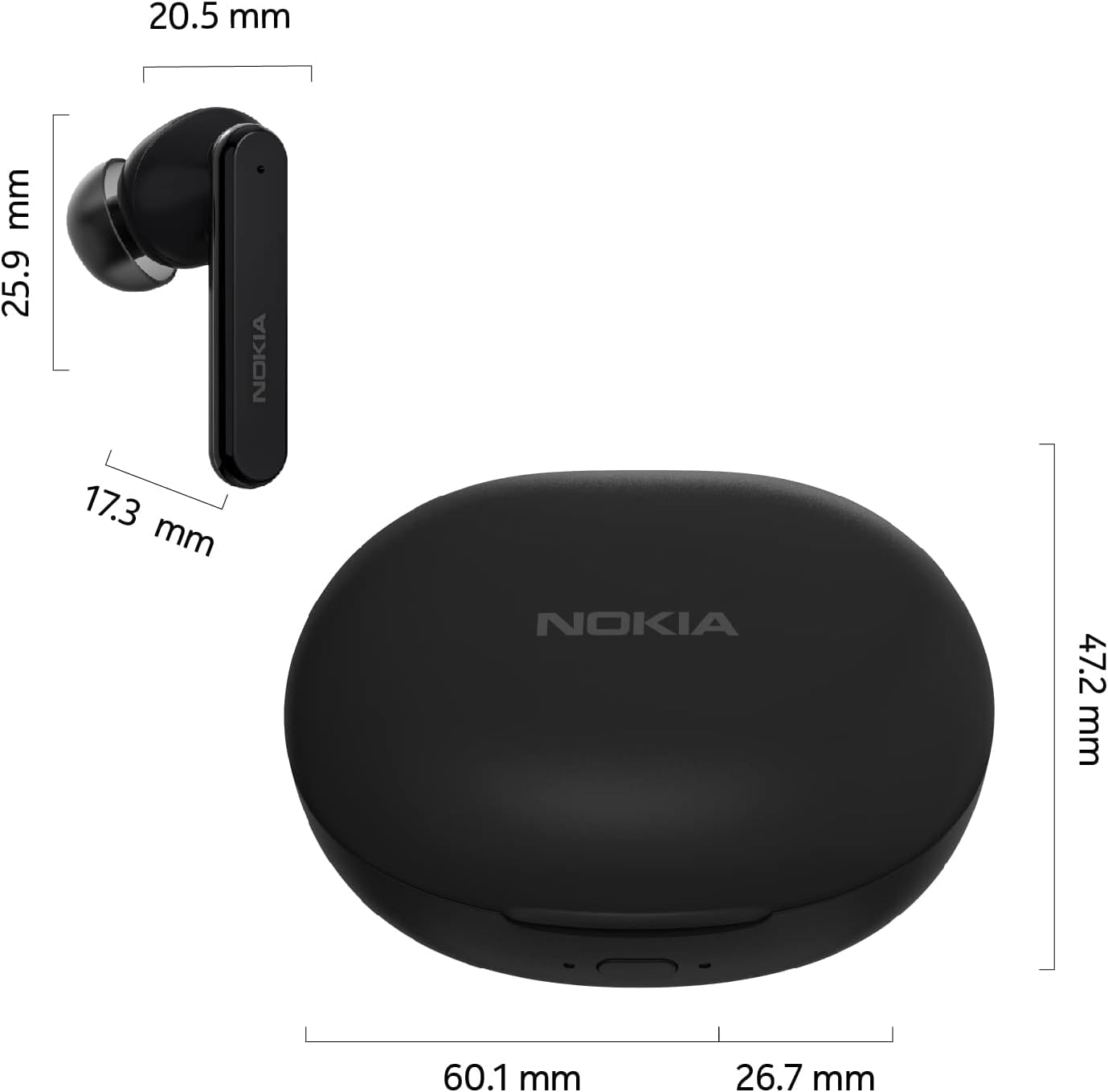
Image: Technical drawing showing the dimensions of the Nokia Clarity Earbuds+ and their charging case.
| Feature | Detail |
|---|---|
| Model Number | TWS-731 |
| Connectivity Technology | Wireless (Bluetooth 5.2) |
| Noise Control | Active Noise Cancellation (ANC), Environmental Noise Cancellation (ENC) |
| Battery Life (Earbuds) | Up to 4.5 hours |
| Total Playtime (with Case) | Up to 24 hours (with ANC enabled) |
| Water Resistance Rating | IPX4 (Sweat and Splash Resistant) |
| Driver Size | 13mm Dynamic Driver |
| Control Type | Media Control (Touch) |
| Weight (Earbud) | Approx. 4.6g per earbud |
| Color | Black |
| UPC | 810006570366 |

Image: An exploded diagram of the earbud, highlighting the large 13mm dynamic driver for immersive sound.
Warranty and Support
For warranty information and technical support, please refer to the official Nokia website or contact their customer service. Keep your proof of purchase for any warranty claims.
For further assistance, you may also refer to the contact information provided in the Quick Start Guide included with your product.
Related documentsTWS-731


Ask a question about this manual
Ask about setup, troubleshooting, compatibility, parts, safety, or missing instructions. Manuals+ will review the question and use this page’s manual context to help answer it.