
1. Product Overview
The TriPole FD01 is a compact and portable USB desk fan designed for personal cooling. It features a built-in 2000 mAh rechargeable battery, offering cordless operation for extended periods. With three adjustable wind speeds and a 180-degree adjustable head, it provides customizable airflow. Its quiet operation makes it suitable for various environments, including offices, bedrooms, and libraries. The fan's detachable design allows for easy cleaning.
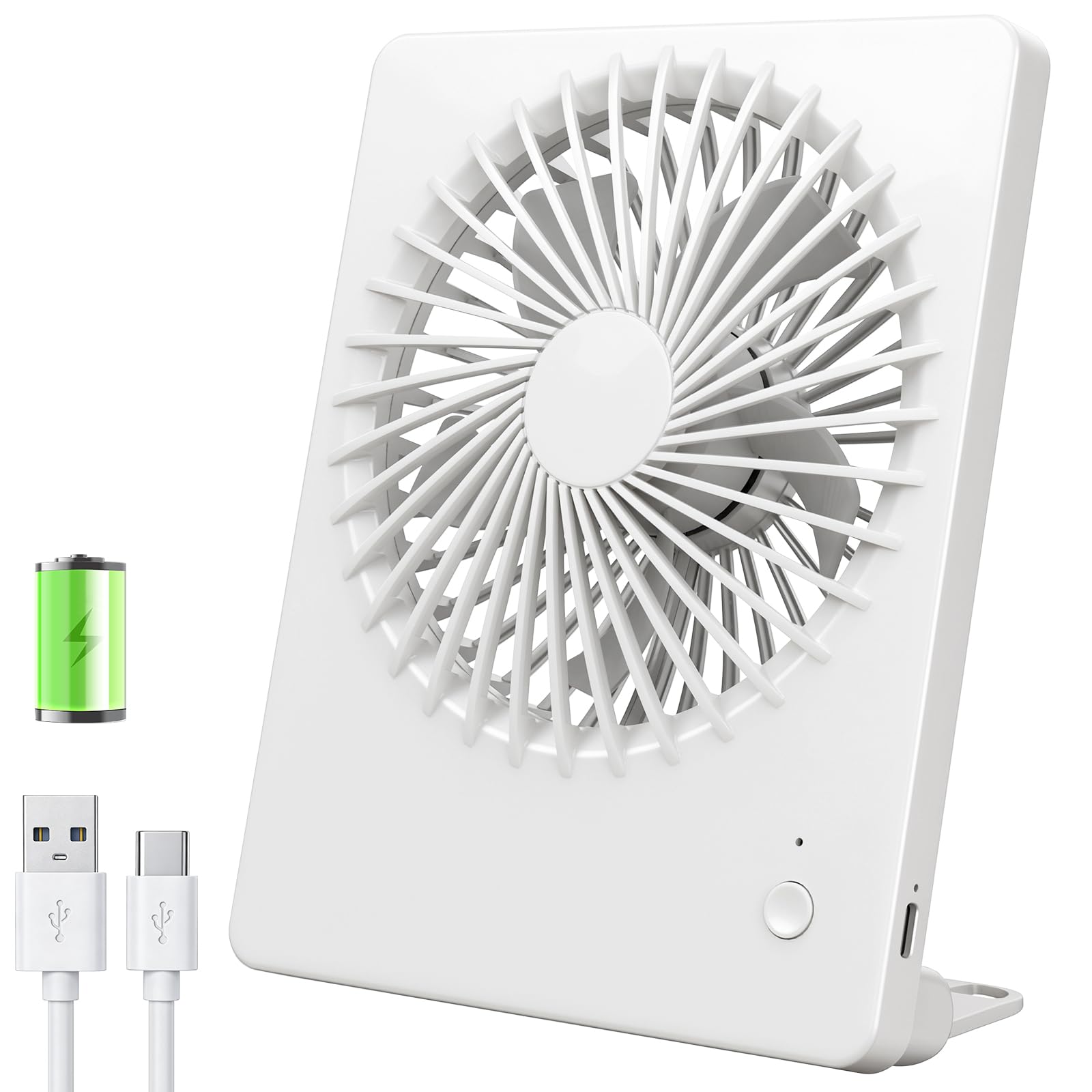
Image 1.1: The TriPole FD01 Silent USB Desk Fan in white, showcasing its compact design.
2. Package Contents
Please check the package for the following items:
- 1 x TriPole FD01 Silent USB Desk Fan
- 1 x USB Charging Cable (approximately 100 cm)
- 1 x User Manual

Image 2.1: Contents of the TriPole FD01 fan package, including the fan, USB cable, and manual.
3. Setup
3.1 Initial Charging
Before first use, fully charge the fan. Connect the provided USB cable to the fan's charging port and to a compatible USB power source (e.g., computer, power bank, wall adapter). The charging indicator light will glow red during charging and turn green when fully charged. A full charge typically takes approximately 3.5 hours.

Image 3.1: Connecting the USB cable to the fan for charging.
3.2 Positioning the Fan
Place the fan on a stable, flat surface. The integrated stand allows for easy positioning. Ensure there are no obstructions to the fan's airflow.
4. Operating Instructions
4.1 Power On/Off and Speed Adjustment
The fan is controlled by a single button located on the front panel:
- First Press: Activates Speed 1 (Soft Wind). The indicator light will be blue.
- Second Press: Switches to Speed 2 (Cool Wind). The indicator light will be green.
- Third Press: Switches to Speed 3 (Strong Wind). The indicator light will be red.
- Fourth Press: Turns the fan off.

Image 4.1: The fan operating on a desk, illustrating the three adjustable wind speeds.
4.2 Angle Adjustment
The fan head can be manually adjusted up to 180 degrees to direct airflow precisely where needed. Gently tilt the fan head to your desired angle.

Image 4.2: The fan demonstrating its 180-degree adjustable tilt feature.
4.3 Battery Life
The fan's 2000 mAh battery provides approximately 4 to 16 hours of operation, depending on the selected speed setting. The fan can also be used while charging.
5. Maintenance
5.1 Cleaning the Fan
To ensure optimal performance and hygiene, regularly clean the fan. The front cover of the fan is designed to be detachable for easy access to the blades.
- Ensure the fan is turned off and disconnected from any power source.
- Gently twist or unclip the front grille to remove it.
- Use a soft, dry cloth or a brush to remove dust from the fan blades and the inside of the grille. Do not use abrasive cleaners or immerse the fan in water.
- Once clean, reattach the front grille securely.

Image 5.1: The fan with its front cover detached for cleaning.
5.2 Storage
When not in use for extended periods, store the fan in a cool, dry place, away from direct sunlight and extreme temperatures. Ensure the battery is partially charged before storage to prolong its lifespan.
6. Troubleshooting
| Problem | Possible Cause | Solution |
|---|---|---|
| Fan does not turn on. | Battery is depleted. | Charge the fan using the provided USB cable. |
| Fan does not charge. | USB cable or power source is faulty. | Try a different USB cable or power adapter. Ensure connections are secure. |
| Weak airflow. | Fan blades are dirty. | Clean the fan blades as described in the Maintenance section. |
| Unusual noise during operation. | Obstruction in fan blades or loose parts. | Turn off the fan and check for any obstructions. Ensure the front grille is securely attached. |
7. Specifications
| Feature | Specification |
|---|---|
| Model Number | FD01 |
| Brand | TriPole |
| Color | White |
| Dimensions (L x W x H) | 14.48 x 3 x 7.87 cm |
| Weight | 255 grams |
| Battery Type | 1 Lithium-polymer (included) |
| Battery Capacity | 2000 mAh |
| Operating Time | 4 to 16 hours (depending on speed) |
| Charging Time | Approx. 3.5 hours |
| Power Source | Battery Powered, USB |
| Number of Speeds | 3 |
| Noise Level | 30-50 dB |
| Adjustable Angle | 180° |
| Power | 13 Watts |
| Voltage | 5 Volts (DC) |

Image 7.1: Illustration of the fan's 2000mAh battery capacity.
8. Safety Information
- Do not insert fingers or any objects into the fan grille when the fan is operating.
- Keep the fan away from water and other liquids. Do not use in wet environments.
- Do not attempt to disassemble or repair the fan yourself, except for cleaning the grille as instructed.
- Keep out of reach of children.
- Use only the provided USB cable or a certified equivalent for charging.
- Avoid exposing the fan to extreme temperatures or direct sunlight for prolonged periods.
9. Warranty and Support
This product comes with a standard manufacturer's warranty. For specific warranty details, please refer to the documentation provided at the time of purchase or contact your retailer.
If you have any questions, encounter issues, or require technical assistance with your TriPole FD01 Silent USB Desk Fan, please do not hesitate to contact our customer support. We are committed to providing excellent service.