
1. Introduction
Thank you for choosing the MPOW X3.0 Wireless Over-The-Ear Headphones. This manual provides detailed instructions on how to set up, operate, and maintain your headphones to ensure optimal performance and longevity. Please read this manual thoroughly before using the product.

Image 1.1: MPOW X3.0 Wireless Over-The-Ear Headphones (White Version). These headphones feature a comfortable over-ear design with soft earcups and an adjustable headband.
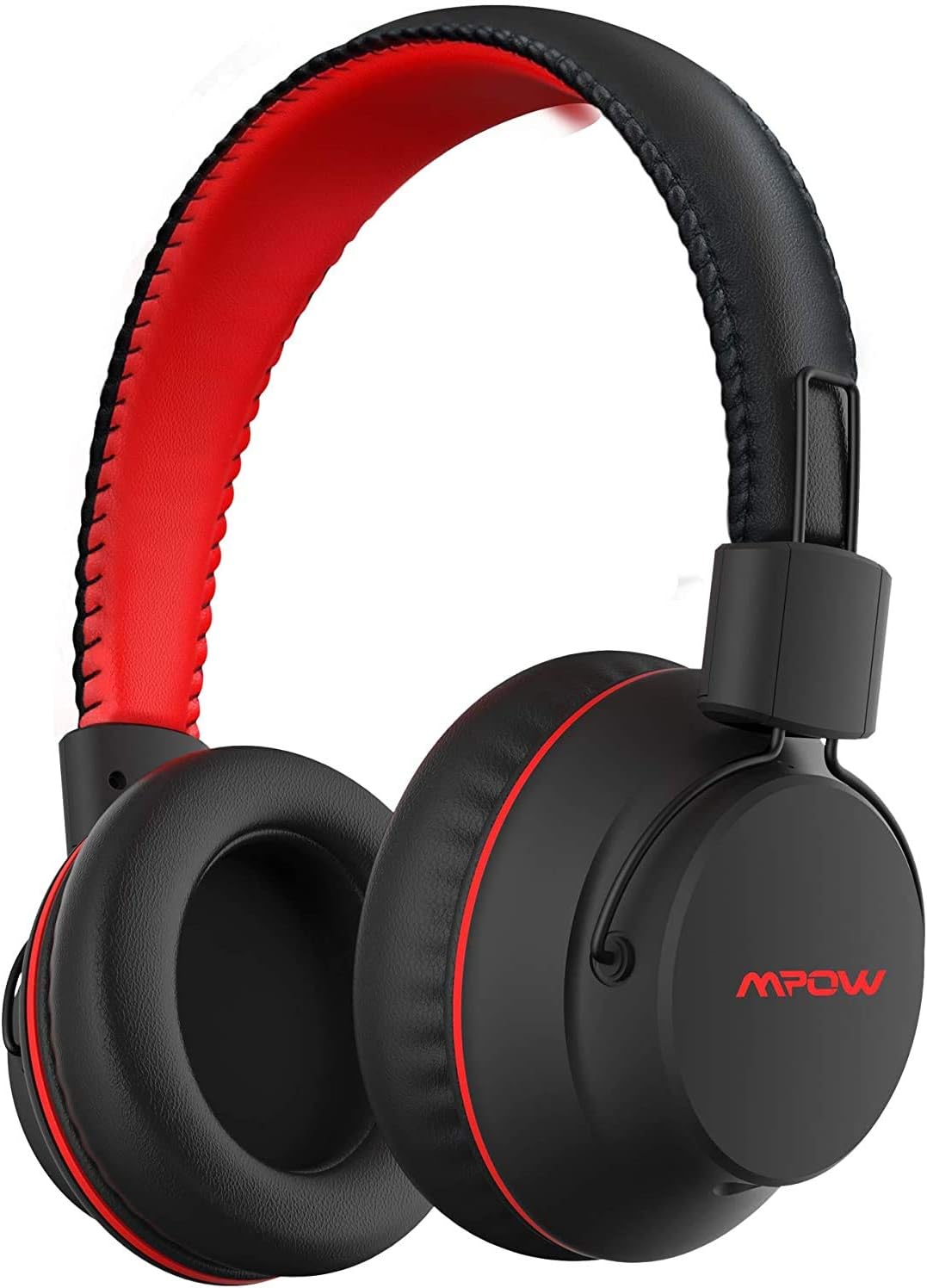
Image 1.2: MPOW X3.0 Wireless Over-The-Ear Headphones (Black and Red Version). This variant features a black exterior with red accents on the headband and earcups.
2. Package Contents
Please check the package contents upon unboxing. If any items are missing or damaged, contact customer support.
- MPOW X3.0 Wireless Over-The-Ear Headphones
- USB Charging Cable
- 3.5mm Audio Cable
- User Manual
3. Product Overview and Controls
Familiarize yourself with the various parts and controls of your MPOW X3.0 headphones.

Image 3.1: Overview of MPOW X3.0 features, highlighting wireless freedom with up to 20 hours of battery life via Bluetooth 4.1, and wired backup for unlimited playtime.
Controls:
- Power Button: Press and hold to power on/off.
- Volume Up/Next Track: Short press for volume up, long press for next track.
- Volume Down/Previous Track: Short press for volume down, long press for previous track.
- Multi-function Button (MFB): Play/pause music, answer/end calls, activate voice assistant.
- Microphone: For hands-free calls. (Note: Microphone only works in wireless Bluetooth mode).
- 3.5mm Audio Port: For wired connection.
- Micro USB Charging Port: For charging the headphones.
4. Setup
4.1 Charging the Headphones
Before first use, fully charge your headphones. The LED indicator will show charging status.
- Connect the USB charging cable to the Micro USB port on the headphones and the other end to a USB power source (e.g., computer USB port, wall adapter).
- The LED indicator will illuminate during charging and turn off when fully charged.
- Fast Charging: A 5-minute charge provides approximately 2 hours of playtime.
4.2 Bluetooth Pairing
Pair your MPOW X3.0 headphones with your Bluetooth-enabled device.
- Ensure the headphones are turned off.
- Press and hold the Power button for approximately 5-7 seconds until the LED indicator flashes red and blue alternately, indicating pairing mode.
- On your device (smartphone, tablet, PC), enable Bluetooth and search for new devices.
- Select "MPOW X3.0" from the list of available devices.
- Once successfully paired, the LED indicator will flash blue slowly, and you will hear a confirmation tone.
- If prompted for a password, enter "0000".
Note: The headphones will automatically attempt to reconnect to the last paired device when powered on.
5. Operating Instructions
5.1 Power On/Off
- Power On: Press and hold the Power button for 3 seconds.
- Power Off: Press and hold the Power button for 3 seconds.
5.2 Music Playback
- Play/Pause: Short press the MFB.
- Next Track: Long press the "Volume Up" button.
- Previous Track: Long press the "Volume Down" button.
- Volume Up: Short press the "Volume Up" button.
- Volume Down: Short press the "Volume Down" button.
5.3 Call Management
- Answer/End Call: Short press the MFB.
- Reject Call: Long press the MFB for 2 seconds.
- Redial Last Number: Double-press the MFB.
5.4 Voice Assistant Activation
- Activate Voice Assistant (Siri, Google Assistant, etc.): Double-tap the MFB.
5.5 Wired Mode
You can use the headphones with the included 3.5mm audio cable when the battery is low or for devices without Bluetooth connectivity. In wired mode, the microphone functionality is disabled.
- Connect one end of the 3.5mm audio cable to the audio port on the headphones.
- Connect the other end to the 3.5mm audio jack of your device.

Image 5.1: Wide Compatibility of MPOW X3.0 headphones, illustrating their ability to connect to various devices including MP3 players, smartphones, notebooks, iPads, PCs, and TVs, supporting both music and call functions via double-link.
6. Maintenance and Care
To ensure the longevity and optimal performance of your MPOW X3.0 headphones, follow these care guidelines:
- Cleaning: Use a soft, dry cloth to clean the headphones. Do not use abrasive cleaners or solvents.
- Storage: Store the headphones in a cool, dry place away from direct sunlight and extreme temperatures.
- Avoid Water: These headphones are not waterproof. Avoid exposure to water or excessive moisture.
- Charging: Charge the headphones regularly, even if not in use for extended periods, to maintain battery health.
7. Troubleshooting
If you encounter issues with your MPOW X3.0 headphones, refer to the following common problems and solutions:
| Problem | Possible Solution |
|---|---|
| Headphones do not power on. | Ensure the headphones are fully charged. Connect to a power source and try again. |
| Cannot pair with device. |
|
| No sound or low volume. |
|
| Microphone not working. | The microphone only functions in wireless (Bluetooth) mode. Ensure you are not using the wired connection. |
| Intermittent connection. |
|
8. Specifications
Detailed technical specifications for the MPOW X3.0 Wireless Over-The-Ear Headphones.
| Feature | Detail |
|---|---|
| Connectivity Technology | Wireless |
| Wireless Communication Technology | Bluetooth 4.1 |
| Ear Placement | Over Ear |
| Form Factor | Over Ear |
| Noise Control | Sound Isolation |
| Special Features | Fast Charging, Noise Isolation, Recharge |
| Control Method | Touch (referring to button presses) |
| Item Weight | 1.65 Pounds (approx. 748g) |
| Product Dimensions | 10 x 3.8 x 9 inches |
| Battery Life (Wireless) | Up to 20 hours |
| Fast Charge | 5 minutes charge for 2 hours playtime |
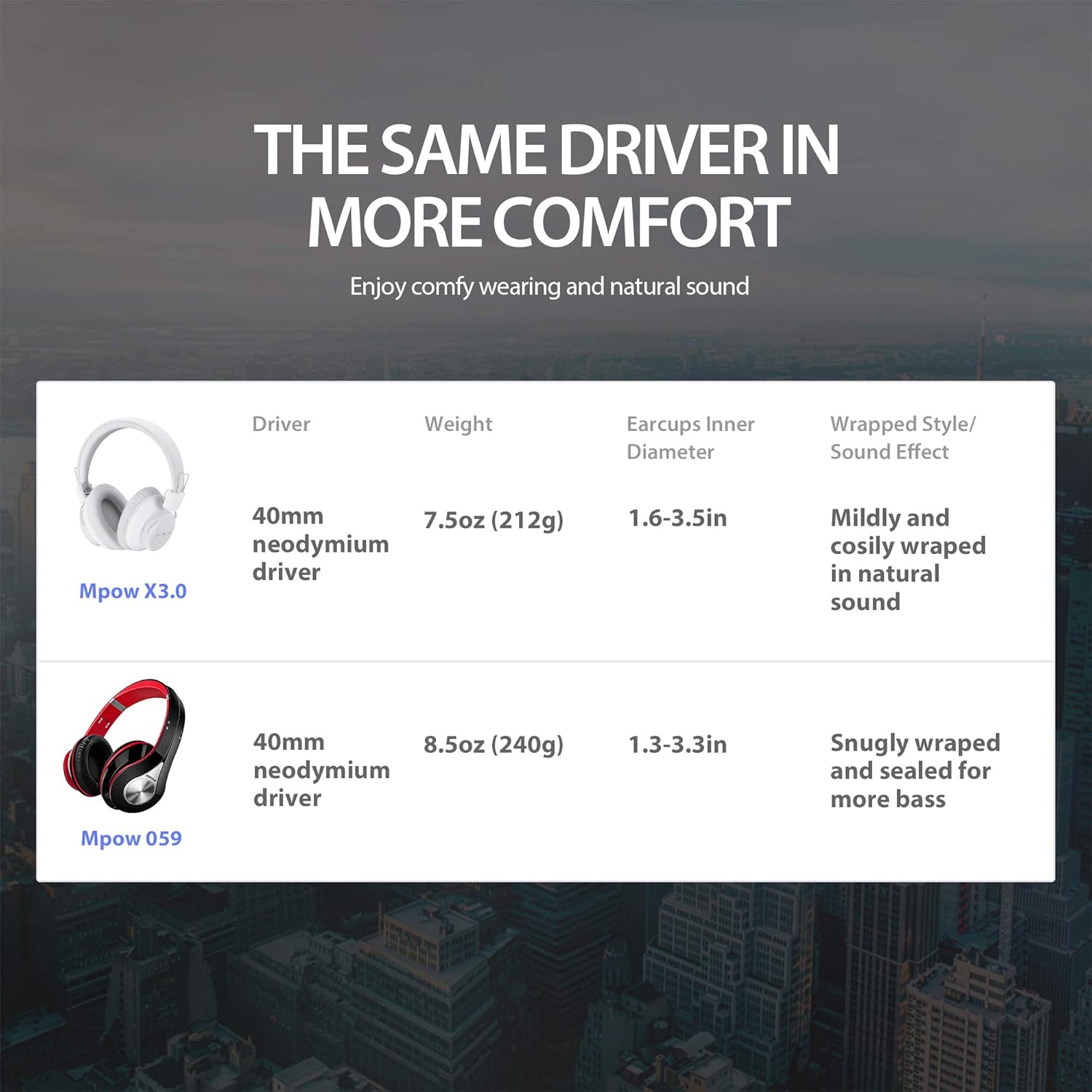
Image 8.1: Comparison of Mpow X3.0 and Mpow 059 headphones, highlighting driver size, weight, earcup inner diameter, and sound effect characteristics for each model.
9. Warranty and Support
MPOW products are designed and manufactured to the highest quality standards. This product is covered by a manufacturer's warranty. For detailed warranty information, please refer to the warranty card included in your package or visit the official MPOW website.
If you experience any issues or have questions regarding your MPOW X3.0 headphones, please contact MPOW customer support:
- Website: www.xmpow.com (or refer to product packaging for specific support contact)
- Email: Refer to the product packaging or official website for support email.
Please have your product model (X3.0) and purchase details ready when contacting support.