
1. Product Overview
The Eonon CarPlay & Android Auto Car Stereo Receiver (Model: 8"-Display (3GB)) is an advanced in-dash navigation unit designed to upgrade your vehicle's entertainment and connectivity. Featuring Android 10.0, this stereo provides seamless integration with Apple CarPlay and Android Auto, offering a modern and intuitive interface for navigation, media, and communication.
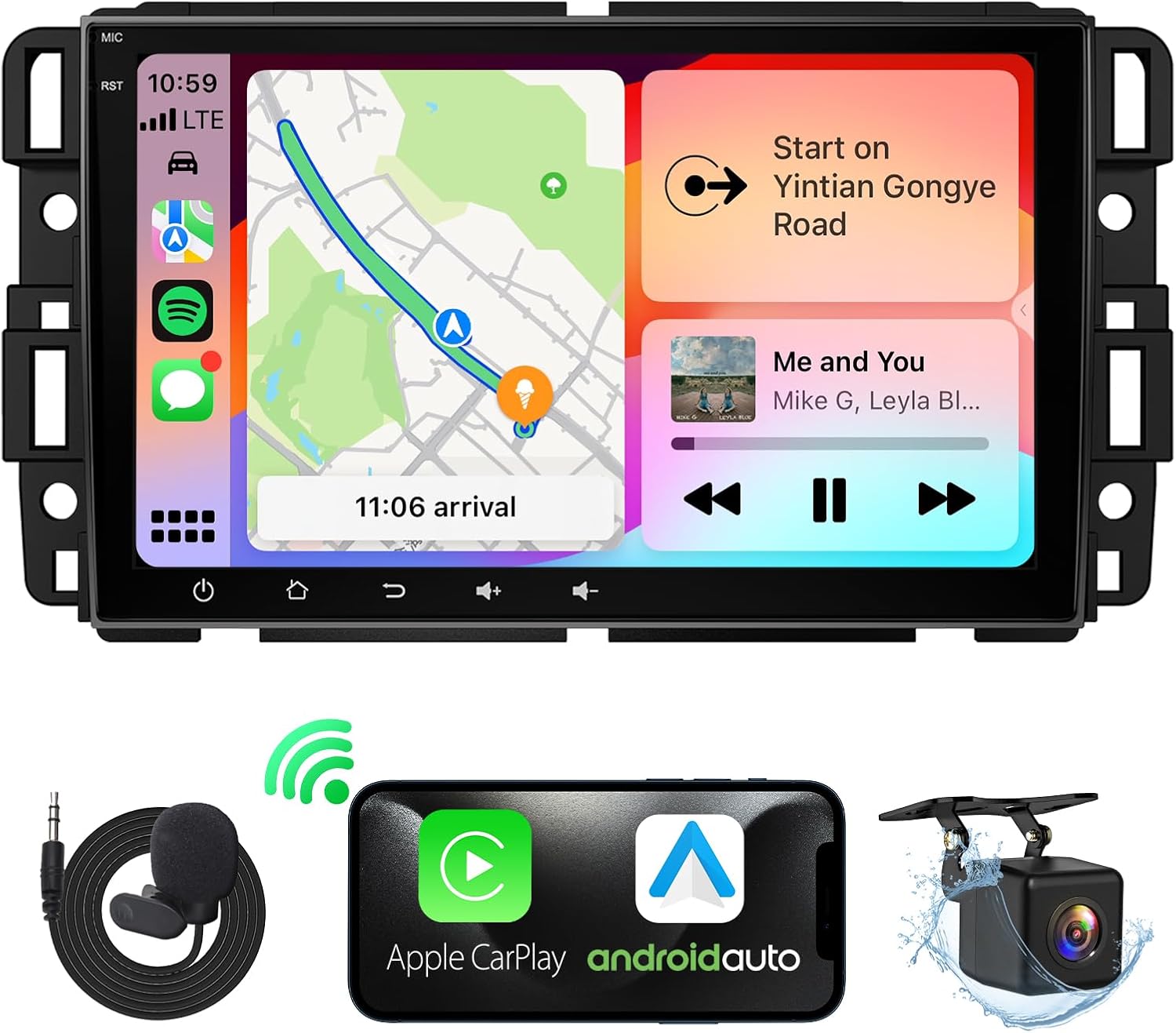
Image: The Eonon CarPlay & Android Auto Car Stereo Receiver, shown with included microphone and backup camera accessories.
2. Applicable Vehicle Models
This Eonon car stereo is compatible with a range of Chevrolet, GMC, Buick, and Hummer models. Please verify your vehicle's compatibility before installation.

Image: A detailed list of compatible vehicle models, including Chevrolet Avalanche (2007-2013), Impala (2006-2013), Tahoe (2007-2014), Silverado 1500 (2007-2013), Silverado 3500HD (2007-2013), HHR (2006-2011), Express Van (2008-2019), Suburban (2007-2014), Traverse (2008-2012), Silverado 2500HD (2007-2013), Equinox (2007-2009), Monte Carlo (2006-2007); GMC Acadia (2007-2012), Sierra (2007-2013), Yukon (2007-2014), Savana (2008-2019); Buick Enclave (2008-2012); and Hummer H2 (2008-2009).
3. Setup and Installation
For detailed installation instructions, please refer to the Installation Manual (PDF) provided with your product. The following section provides a general overview and visual aids.
3.1. Wiring Diagram
Proper wiring is crucial for the functionality of your car stereo. Refer to the diagram below for correct connections.

Image: A comprehensive wiring diagram illustrating various connection points for the car stereo. Key connections include ANT, Video Output, Audio Output (FL, FR, RL, RR), Video Input, Power Cable, CAN Bus Decoder, Speaker, Subwoofer Output, External Microphone, AUX Audio Input, Front Camera Input, Backup Camera Input, USB Ports, GPS Antenna, Radio Antenna Input, Bluetooth Antenna, WiFi Antenna, AMP Control Wire, Brake Shift Control, and RX/TX Input.
3.2. Installation Process Overview
The installation typically involves removing the old radio unit, connecting the new stereo using the provided wiring harness, and securing it in place. The process is designed to be plug-and-play for compatible vehicles.
Video: This video demonstrates the process of upgrading an old Chevy Silverado radio to the Eonon Apple CarPlay unit, showing the removal of the old unit and installation of the new one. The video highlights the plug-and-play nature of the installation.

Image: A side-by-side comparison showing a car dashboard before and after the installation of the Eonon car stereo, demonstrating the visual upgrade and integration.
4. Operating Instructions
This section covers the basic operation of your Eonon car stereo. For comprehensive details, please consult the User Manual (PDF).
4.1. CarPlay and Android Auto
Connect your smartphone via USB to access Apple CarPlay or Android Auto. This allows you to use navigation, make calls, send messages, and listen to music directly from your phone's interface displayed on the stereo screen.

Image: The Eonon car stereo screen showcasing both Apple CarPlay and Android Auto interfaces, highlighting their integration and functionality.
4.2. Navigation
The unit supports various online and offline navigation applications, providing real-time traffic updates and turn-by-turn directions.

Image: The Eonon car stereo screen displaying a navigation map, with icons for popular navigation apps like Google Maps, Apple Maps, Waze, and Sygic, indicating support for various mapping services.
4.3. Media Playback and Audio Settings
Enjoy various media formats and customize your audio experience with the built-in 36-band EQ.

Image: The Eonon car stereo screen showing a music playback interface, highlighting features such as voice control, music playback, phone call functionality, and 4x45W audio output.

Image: The Eonon car stereo screen displaying a 36-band equalizer, allowing users to fine-tune audio settings for a personalized listening experience.
4.4. Radio Functionality
The unit features a Silicon Labs SI4755 radio module with FM/AM support and RDS (Radio Data System) for enhanced radio listening.

Image: The Eonon car stereo screen showing the radio interface, indicating support for FM/AM bands and RDS functionality.
4.5. Camera Inputs
The stereo supports both front and rear camera inputs for improved safety and convenience.

Image: The Eonon car stereo screen displaying views from both front (A100) and rear (A0125) cameras, illustrating how they assist in monitoring road conditions and reversing.

Image: The Eonon car stereo screen showing a rear camera view with reversing reference lines, highlighting features like 140° rear viewing angle, 720P AHD quality, and IP68 waterproof rating for the camera.

Image: The Eonon car stereo screen showing a front camera view, emphasizing features such as a 120° viewing angle, 360° adjustable mount, 1280x720P resolution, and video playback capability.
5. Maintenance
To ensure the longevity and optimal performance of your Eonon car stereo, follow these general maintenance guidelines:
- Cleaning: Use a soft, dry cloth to clean the screen and exterior. Avoid abrasive cleaners or solvents.
- Software Updates: Regularly check for and install software updates to ensure the system runs smoothly and has the latest features and security patches.
- Environmental Conditions: Avoid exposing the unit to extreme temperatures, direct sunlight for prolonged periods, or excessive moisture.
- Cable Connections: Periodically check all cable connections to ensure they are secure and free from damage.

Image: The Eonon car stereo screen showing an online software update interface, indicating the current version and options to check for and download new updates.
6. Troubleshooting
If you encounter issues with your Eonon car stereo, refer to the following common troubleshooting steps. For more complex problems, consult the full User Manual or contact customer support.
- No Power:
- Check all power connections and fuses.
- Ensure the vehicle's ignition is on.
- No Sound:
- Verify speaker connections.
- Check volume levels and mute settings.
- Ensure the correct audio source is selected.
- Touchscreen Unresponsive:
- Restart the unit by turning off the vehicle and restarting.
- Perform a factory reset if the issue persists (note: this will erase settings).
- CarPlay/Android Auto Not Connecting:
- Ensure your phone's operating system is up to date.
- Try a different USB cable.
- Check phone settings for CarPlay/Android Auto permissions.
7. Specifications
Key technical specifications for the Eonon CarPlay & Android Auto Car Stereo Receiver:
| Feature | Detail |
|---|---|
| Product Dimensions | 7.01 x 0.79 x 2.95 inches |
| Item Weight | 3.8 pounds |
| Item Model Number | 8"-Display (3GB) |
| Screen Size | 8 Inches |
| Resolution | 1280 x 720 (IPS Display) |
| Viewing Angle | 178° |
| Memory Storage Capacity | 32 GB |
| Connectivity Technology | Bluetooth, USB |
| Audio Output Mode | Stereo (4 x 45W Amplifier) |
| Operating System | Android 10.0 (upgradable to Android 13.0) |
| Processor | Rockchip RK3562 (ARM Cortex-A53@2.0GHz) |

Image: The Eonon car stereo screen highlighting its "Top-Notch Chips" with AnTuTu running scores for RK3562, detailing CPU, GPU, and memory performance, and mentioning Android 13.0 support.

Image: The Eonon car stereo screen emphasizing its "Better Visual Experience" with an 8-inch optimal size, 1280x720 resolution IPS display, and 178° viewing angle.
8. Accessories
The following accessories are included with your Eonon car stereo:

Image: A visual representation of the accessories included with the Eonon car stereo, such as Audio Video Adapter Cable, Audio Adapter Cable, CarPlay & Android Auto USB Adapter Cable, USB Adapter Cable, Backup Camera Video Input Cable, Power Cable, Radio Antenna Adapter Cable, GPS Antenna, External Microphone, CAN Bus, Speaker, Backup Camera Video Adapter Cable, USB Adapter Cable, Adhesive Pad, Spare Fuse, and User Manual.
- Audio Video Adapter Cable (x1)
- Audio Adapter Cable (x1)
- CarPlay & Android Auto USB Adapter Cable (x1)
- USB Adapter Cable (x1)
- Backup Camera Video Input Cable (x1)
- Power Cable (x1)
- Radio Antenna Adapter Cable (x1)
- GPS Antenna (x1)
- External Microphone (x1)
- CAN Bus (x1)
- Speaker (x1)
- Backup Camera Video Adapter Cable (x1)
- USB Adapter Cable (x1)
- Adhesive Pad (x1)
- Spare Fuse (x1)
- User Manual (x1)
9. Warranty and Support
Eonon products typically come with a manufacturer's warranty. Please refer to the warranty card included in your product packaging or visit the official Eonon website for specific warranty terms and conditions.
For technical support, troubleshooting assistance, or warranty claims, please contact Eonon customer service through their official channels. You can often find contact information on their website or in the provided user manual.
Additional resources:
- Official Eonon Store: EONON Store on Amazon

