
taopod X08
taopod X08 Wireless Bluetooth Headphones User Manual
Model: X08
Introduction
This manual provides comprehensive instructions for the taopod X08 Wireless Bluetooth Headphones. Please read this manual carefully before using the product to ensure proper operation and to maximize your user experience. Keep this manual for future reference.
Package Contents
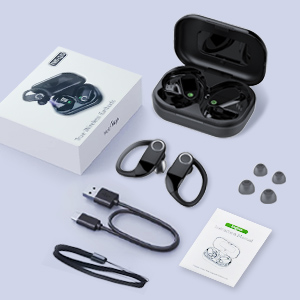
This image illustrates the complete package contents: the taopod X08 wireless earbuds, their charging case, a USB-C charging cable, various sizes of ear tips, and the user instruction manual.
- taopod X08 Wireless Earbuds (Left and Right)
- Charging Case
- USB-C Charging Cable
- Silicone Ear Tips (S, M, L sizes)
- User Manual
Product Overview
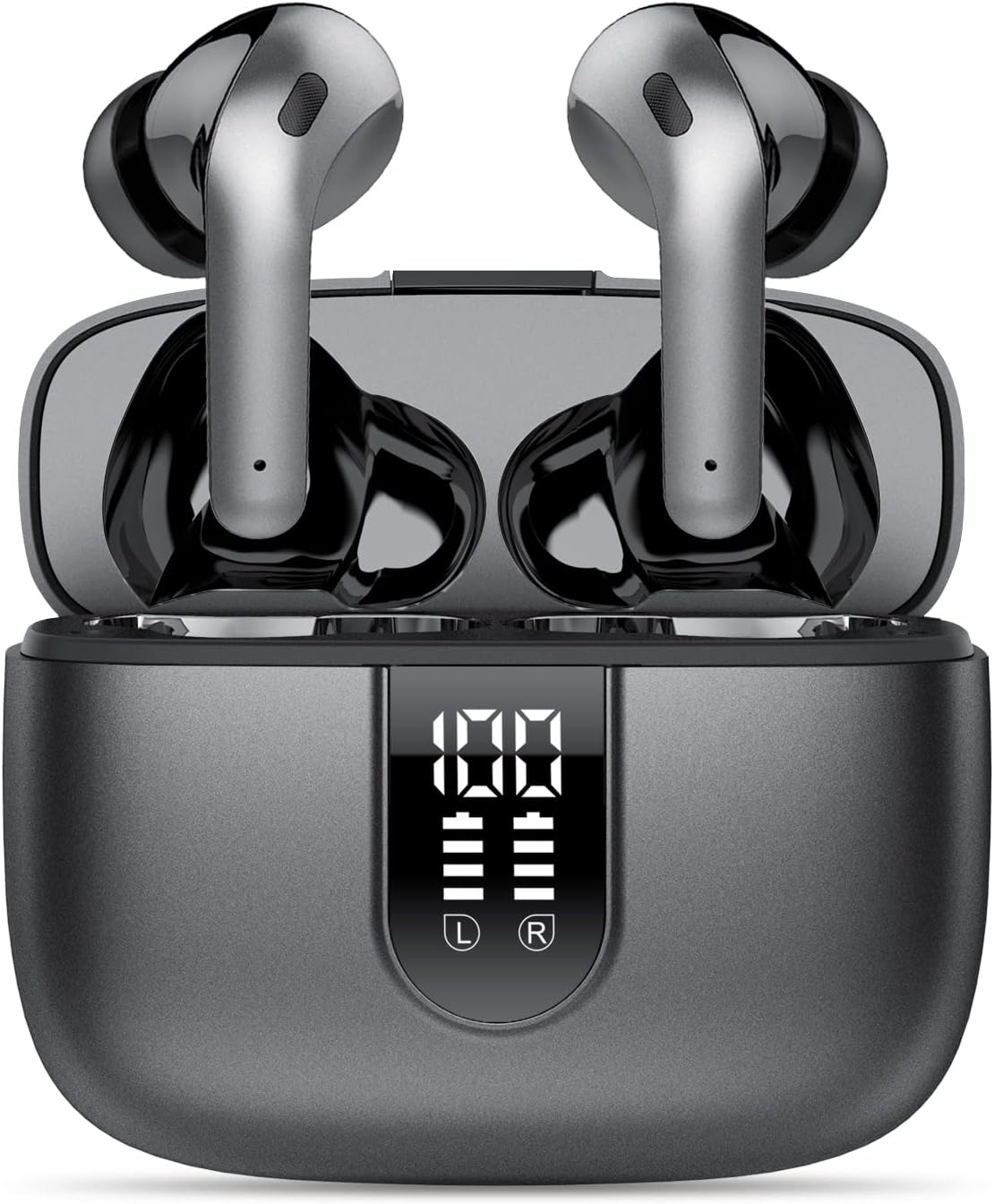
This image displays the taopod X08 wireless earbuds securely placed within their charging case. The case features an LED digital display indicating battery levels for both the case and individual earbuds.
The taopod X08 earbuds are designed for wireless audio playback and hands-free communication. They feature touch controls, a built-in microphone, and are housed in a portable charging case with a digital battery display.
Setup
1. Charging the Earbuds and Case

The image shows the taopod X08 charging case connected to a USB-C cable, indicating the charging port. One earbud is shown separately, highlighting the total playtime of 40 hours with the case and 8 hours per single charge.
- Initial Charge: Before first use, fully charge the charging case and earbuds.
- Charging the Case: Connect the provided USB-C cable to the charging port on the case and to a USB power adapter (not included). The LED display on the case will show the battery percentage.
- Charging the Earbuds: Place the earbuds into the charging case. They will automatically begin charging. The LED display will show individual earbud battery levels.
- A full charge for the earbuds provides approximately 8 hours of playtime. The charging case provides multiple recharges, extending total playtime to about 40 hours.
2. Bluetooth Pairing
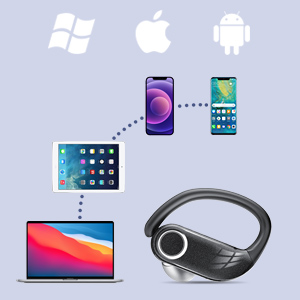
This image visually confirms the broad compatibility of the taopod X08 earbuds with various operating systems and devices, including Windows, Apple (iOS/macOS), and Android smartphones, tablets, and laptops.
- Power On: Open the charging case, and the earbuds will automatically power on and enter pairing mode.
- Activate Bluetooth: On your device (smartphone, tablet, laptop), enable Bluetooth.
- Select Device: In your device's Bluetooth settings, search for "X08" and select it to connect.
- Confirmation: Once connected, you will hear an audio prompt from the earbuds.
- Automatic Reconnection: After initial pairing, the earbuds will automatically connect to the last paired device when removed from the case, if Bluetooth is enabled on the device.
3. Wearing the Earbuds
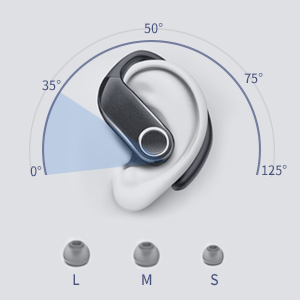
A diagram demonstrating the optimal fit angles for the earbuds in the ear, along with illustrations of large (L), medium (M), and small (S) ear tip sizes to ensure a comfortable and secure fit.
- Choose Ear Tips: Select the ear tips (S, M, L) that provide the most comfortable and secure fit for your ears. A good seal is essential for optimal sound quality and noise isolation.
- Insert Earbuds: Gently insert the earbuds into your ear canals.
- Adjust Position: Rotate the earbuds slightly to find the most secure and comfortable position. The ear hooks should rest comfortably over your ears for stability, especially during physical activity.
Operating Instructions
Power On/Off
- Power On: Open the charging case, and the earbuds will automatically power on.
- Power Off: Place the earbuds back into the charging case and close the lid. They will automatically power off and begin charging.
Touch Controls
The taopod X08 earbuds feature touch-sensitive controls on each earbud. Specific functions may vary slightly depending on your device and application.
| Action | Function |
|---|---|
| Single Tap (Left/Right) | Play/Pause music, Answer/End call |
| Double Tap (Right Earbud) | Next Track |
| Double Tap (Left Earbud) | Previous Track |
| Triple Tap (Right Earbud) | Volume Up |
| Triple Tap (Left Earbud) | Volume Down |
| Long Press (2 seconds) | Reject call, Activate Voice Assistant |
Mono and Stereo Modes
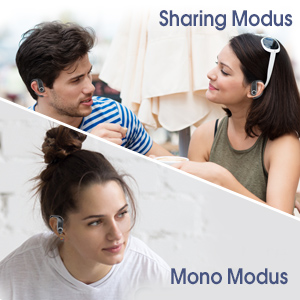
An illustration depicting two usage modes: 'Sharing Modus' where two individuals share the earbuds for a stereo experience, and 'Mono Modus' where a single user operates one earbud independently.
- Stereo Mode: Use both earbuds for a full stereo audio experience. This is the default mode when both earbuds are removed from the case.
- Mono Mode: Either earbud can be used independently. Simply remove one earbud from the case, and it will connect to your device. The other earbud can remain in the case or be used by another person (if paired separately).
Maintenance
Cleaning
- Regularly clean the earbuds and charging case with a soft, dry, lint-free cloth.
- Remove ear tips and clean them with mild soap and water, then dry thoroughly before reattaching.
- Do not use harsh chemicals or abrasive materials.
Water Resistance (IPX7)
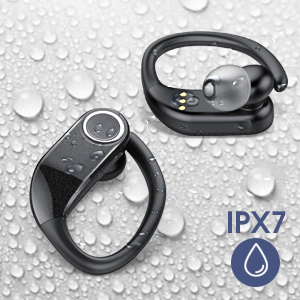
The image shows the taopod X08 earbuds covered in water droplets, visually representing their IPX7 waterproof rating, suitable for protection against sweat and rain.
- The taopod X08 earbuds are IPX7 waterproof, meaning they can withstand immersion in water up to 1 meter for 30 minutes.
- They are resistant to sweat and rain, making them suitable for sports and exercise.
- Important: The charging case is NOT waterproof. Do not expose the charging case to water or moisture.
- Ensure earbuds are completely dry before placing them back into the charging case to prevent damage.
Storage
- When not in use, store the earbuds in their charging case to protect them and keep them charged.
- Store in a cool, dry place away from extreme temperatures.
Troubleshooting
If you encounter any issues with your taopod X08 headphones, please refer to the following common solutions:
- Earbuds not pairing:
- Ensure both earbuds are charged.
- Place both earbuds back into the charging case, close the lid, then open it again to reset.
- Delete "X08" from your device's Bluetooth list and try pairing again.
- Ensure your device's Bluetooth is enabled and within range.
- Only one earbud working:
- Ensure both earbuds are charged.
- Place both earbuds back into the charging case, close the lid, then open it again. This should force them to reconnect to each other.
- If the issue persists, try resetting the earbuds and re-pairing.
- No sound:
- Check the volume level on both your device and the earbuds.
- Ensure the earbuds are properly connected to your device via Bluetooth.
- Try playing audio from a different application or source.
- Charging issues:
- Ensure the USB-C cable is securely connected to both the charging case and the power source.
- Try a different USB-C cable or power adapter.
- Clean the charging contacts on both the earbuds and inside the case with a dry cotton swab.
If these steps do not resolve the issue, please contact customer support.
Specifications
| Feature | Detail |
|---|---|
| Model Name | X08 |
| Brand | taopod |
| Connectivity Technology | Wireless (Bluetooth) |
| Ear Placement | In Ear |
| Form Factor | In Ear |
| Color | Dark grey |
| Material | Silicone |
| Control Method | Touch, Volume Control |
| Water Resistance Level | IPX7 Waterproof |
| Battery Life (Earbuds) | Up to 8 hours per charge |
| Total Playtime (with Case) | Up to 40 hours |
| Earbud Weight | Approx. 40 Grams (total for both) |
| Charging Case Weight | Approx. 39.9 Grams |
| Product Dimensions (Case) | 2.44 x 1.97 x 1.04 inches |
| Special Features | Microphone Included, Noise Cancellation, Sports-and-Exercise suitability, Water-resistant |
| Compatible Devices | Smartphones, Laptops, Tablets, Smart Speakers |
Warranty and Support
taopod products are covered by a limited warranty. For detailed warranty information, technical support, or customer service inquiries, please refer to the contact information provided on the product packaging or visit the official taopod website.
Related documentsX08


Ask a question about this manual
Ask about setup, troubleshooting, compatibility, parts, safety, or missing instructions. Manuals+ will review the question and use this page’s manual context to help answer it.