
Dreo DR-HTF007
Dreo Nomad One Tower Fan User Manual
Model: DR-HTF007
1. Product Overview
The Dreo Nomad One Tower Fan is designed to provide powerful, quiet, and customizable airflow for your indoor spaces. Featuring a sleek design, multiple speed and mode settings, and a wide oscillation angle, it ensures optimal comfort and air circulation.

Key features include:
- Powerful airflow up to 25ft/s.
- Ultra-quiet operation, as low as 28dB.
- 90° wide oscillation for expanded coverage.
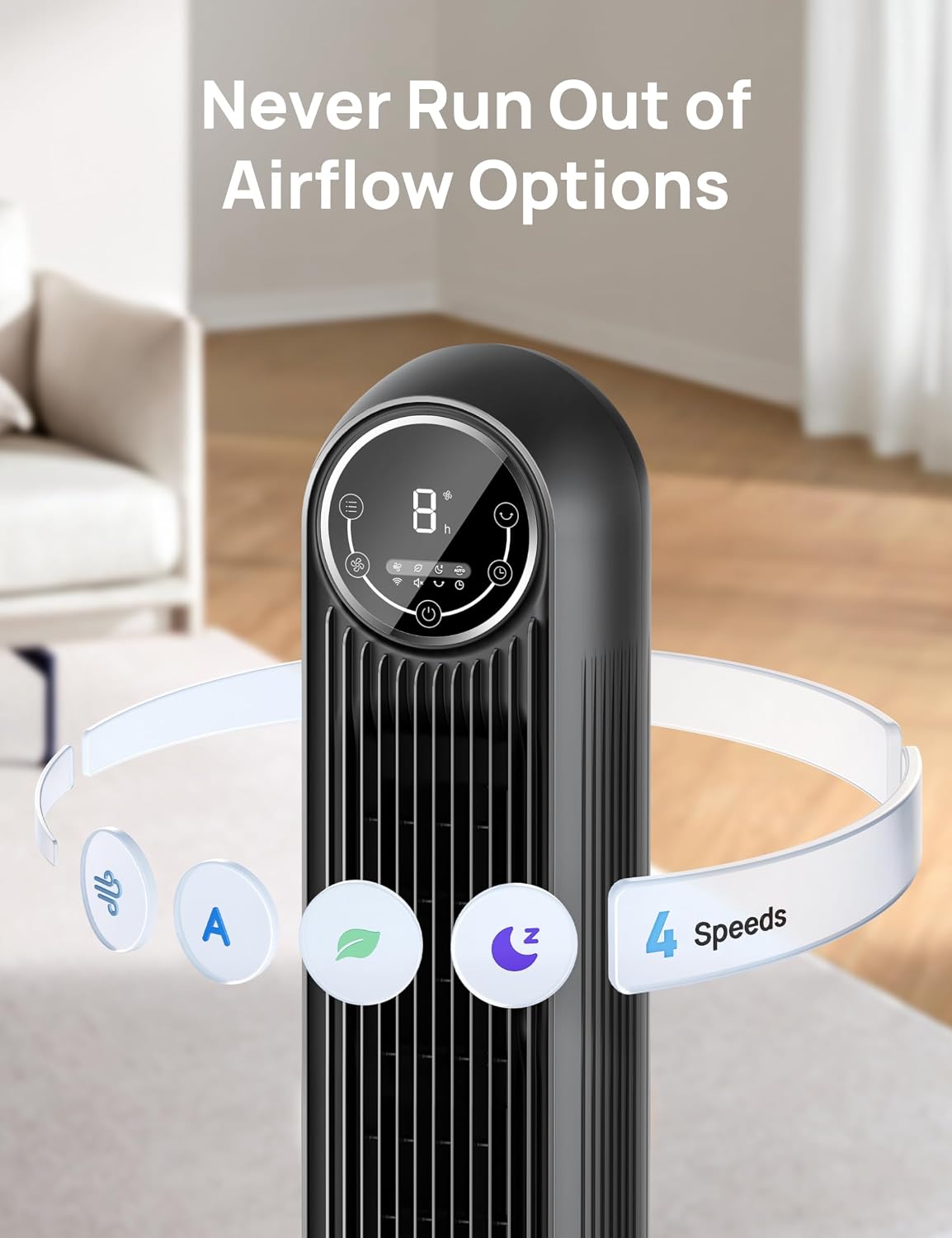
- 4 speed settings and 4 operating modes (Normal, Natural, Sleep, Auto).
- 8-hour timer function.
- Easy-to-clean design with removable rear grille.
2. Setup and Assembly
Your Dreo Nomad One Tower Fan requires minimal assembly. Please ensure all components are present before beginning.
Included Components:
- Nomad One Tower Fan Body x 1
- Front Fan Base x 1
- Rear Fan Base x 1
- Remote Control x 1 (Battery Included)
- User Manual x 1
Assembly Steps:
- Align the front and rear fan base pieces and snap them together.
- Attach the assembled base to the bottom of the tower fan body. This is a tool-free assembly process.
- Ensure the base is securely fastened to the fan body.
- Place the fan on a flat, stable surface.
- Plug the power cord into a standard electrical outlet.

3. Operating Instructions
The Dreo Nomad One Tower Fan offers various settings for personalized comfort.
Control Panel and Remote:
The fan can be operated using the intuitive LED control panel on top of the unit or the included remote control. The remote control allows for convenient adjustments from a distance.

Modes and Speeds:
Choose from 4 distinct modes and 4 speed settings:
- Normal Mode: Provides a consistent airflow at your selected speed.
- Natural Mode: Simulates natural breezes by varying fan speed.
- Sleep Mode: Operates at a lower, quieter speed with display auto-off and auto-mute for undisturbed rest.
- Auto Mode: Adjusts fan speed automatically based on the ambient room temperature for optimal comfort.

Oscillation:
Activate the 90° oscillation feature to distribute airflow across a wider area, ensuring comprehensive room coverage.
Timer Function:
Set the fan to automatically turn off after a specified period, up to 8 hours, using the timer function. This is ideal for energy saving or for use during sleep.
Quiet Operation:
Engineered with an algorithmic impeller design and the Coanda effect, the fan operates quietly, with noise levels ranging from 28dB to 48dB depending on the speed setting. This ensures a peaceful environment.
Official Product Video:
4. Maintenance
Regular cleaning ensures optimal performance and longevity of your fan.
Cleaning the Fan:
- Always unplug the fan from the power outlet before cleaning.
- The rear grille and impeller wheel are removable for easy cleaning. Locate the single screw on the back panel, remove it, and detach the panel.
- Carefully remove the impeller wheel.
- Clean the grille and impeller wheel with a soft, damp cloth or rinse under water. Ensure they are completely dry before reassembling.
- Wipe the exterior of the fan with a soft, dry cloth. Do not use abrasive cleaners or solvents.
- Reassemble the impeller wheel and rear grille, securing the screw.

5. Troubleshooting
If you encounter any issues with your Dreo Nomad One Tower Fan, please refer to the following common problems and solutions:
| Problem | Possible Cause | Solution |
|---|---|---|
| Fan does not turn on. | Not plugged in; power outlet malfunction; power button not pressed. | Ensure the fan is securely plugged into a working outlet. Press the power button on the control panel or remote. |
| Weak airflow. | Fan speed too low; air intake/outlet blocked; dust buildup. | Increase the fan speed. Check for obstructions around the air intake and outlet. Clean the fan as described in the Maintenance section. |
| Fan is noisy. | Dust buildup; unstable surface; internal component issue. | Clean the fan thoroughly. Ensure the fan is placed on a flat, stable surface. If noise persists, contact customer support. |
| Remote control not working. | Battery depleted; obstruction between remote and fan; remote not aimed correctly. | Replace the remote control battery. Ensure there are no obstructions. Aim the remote directly at the fan's receiver. |
If the problem persists after attempting these solutions, please contact Dreo Customer Support for further assistance.
6. Specifications
Detailed technical specifications for the Dreo Nomad One Tower Fan (Model: DR-HTF007).
| Specification | Value |
|---|---|
| Brand | Dreo |
| Model Name | Nomad One |
| Item Model Number | DR-HTF007 |
| Color | Black |
| Product Dimensions (D x W x H) | 11.81"D x 11.81"W x 36.22"H |
| Item Weight | 9 Pounds |
| Power Source | Corded Electric |
| Wattage | 42 watts |
| Voltage | 120.0 V |
| Noise Level | 28 dB (minimum) |
| Air Flow Capacity | 1408 Cubic Feet Per Minute |
| Speed | 1350 RPM |
| Number of Power Levels | 4 |
| Control Method | Remote, Touch |
| Blade Material | Acrylonitrile Butadiene Styrene (ABS) |
| Indoor/Outdoor Usage | Indoor |
| Specification Met | ETL |
| Batteries Required | Yes (1 Lithium Metal battery included) |

7. Warranty and Support
Dreo stands behind the quality of its products.
Warranty Information:
The Dreo Nomad One Tower Fan comes with a 12-month default warranty. You can extend this warranty up to 30 months by registering your product on the official Dreo website. Please refer to the product packaging or the official Dreo website for detailed warranty terms and conditions.
Customer Support:
For any questions, concerns, or technical assistance, please contact Dreo Customer Support. You can find contact information on the official Dreo website or in the Quick Start Guide included with your product.
An electronic version of this user manual is also available for download: Download User Manual (PDF)
Ask a question about this manual
Ask about setup, troubleshooting, compatibility, parts, safety, or missing instructions. Manuals+ will review the question and use this page’s manual context to help answer it.