
Loluka JYAW12PROLA
Loluka Smart Watch JYAW12PROLA User Manual
Model: JYAW12PROLA
1. Introduction
This manual provides detailed instructions for the setup, operation, and maintenance of your Loluka Smart Watch JYAW12PROLA. Please read this manual thoroughly to ensure proper use and to maximize the functionality of your device.
1.1 Package Contents
Upon unpacking, please verify that all items listed below are present:
- 1x Loluka Smart Watch
- 1x Watch Box
- 1x User Manual (this document)
- 1x Magnetic Charging Cable
2. Setup
2.1 Charging the Smart Watch
Before first use, fully charge your smart watch. Use the provided magnetic charging cable.
- Connect the magnetic end of the charging cable to the charging contacts on the back of the watch. Ensure a secure connection.
- Plug the USB end of the charging cable into a standard USB power adapter (not included) or a computer's USB port.
- The watch screen will indicate charging status. A full charge typically takes approximately 2-3 hours.
Note: A full charge provides approximately 2-5 days of working time and up to 15 days of standby time, depending on usage.
2.2 Powering On/Off
- To Power On: Press and hold the side button until the screen lights up.
- To Power Off: Navigate to the 'Settings' menu on the watch, then select 'Power Off' or press and hold the side button and confirm power off.
2.3 App Installation and Device Pairing
To unlock the full features of your Loluka Smart Watch, you need to install the companion application on your smartphone and pair the devices.
- Download the App: Scan the QR code provided in the watch's quick start guide or search for the designated app (e.g., 'SZOS' or similar, as mentioned in some product descriptions) in your smartphone's app store (Apple App Store for iOS, Google Play Store for Android).
- Install and Open: Install the app and open it on your smartphone.
- Enable Bluetooth: Ensure Bluetooth is enabled on your smartphone.
- Pair Device: Within the app, navigate to the 'Device' or 'Add Device' section. The app will search for available devices. Select 'JYAW12PROLA' or the corresponding device name when it appears.
- Confirm Pairing: Follow the on-screen prompts on both your phone and watch to confirm the pairing.
Compatibility: The smart watch supports iOS 10.0 or above and Android 5.0 or above smartphones. It is not compatible with PCs, iPads, or tablets.
3. Operating Instructions
The Loluka Smart Watch features a 1.3-inch full touch screen for navigation and interaction.
3.1 Basic Navigation
- Swipe Up/Down: Scroll through menus or notifications.
- Swipe Left/Right: Access different widgets or quick settings.
- Tap: Select an item or confirm an action.
- Side Button: Typically used to return to the home screen or access the main menu.
3.2 Bluetooth Call Function
Once paired with your smartphone, you can make and receive calls directly from your watch.
- Making Calls: Access the 'Dialer' or 'Contacts' function on your watch to initiate a call.
- Receiving Calls: When a call comes in, the watch will display the caller ID. You can answer or reject the call directly from the watch screen.
3.3 Message Notifications
The watch can display notifications from your smartphone, including SMS, social media alerts, and other app notifications.
- Ensure notification permissions are enabled for the companion app on your smartphone.
- Notifications will appear on the watch screen and the watch will vibrate.
3.4 Multi-Sports Modes
The watch includes multiple built-in exercise modes to track your physical activity.
- Access the 'Sports' or 'Workout' menu on your watch.
- Select the desired exercise mode (e.g., running, walking, cycling).
- The watch will track metrics such as steps, calories burned, and distance during your workout.
3.5 Sleep Tracking
The watch monitors your sleep patterns to help you understand and improve your sleep quality.
- Wear the watch while sleeping. It will automatically detect and record different sleep stages, including deep sleep and periods of wakefulness.
- View detailed sleep data in the companion app, which provides a scientific evaluation of your sleep quality over a 7-day period.

Image: The smart watch screen showing sleep monitoring data, including sleep duration and quality metrics. A person is shown sleeping in the background.
3.6 Custom Dials
Personalize your watch face with various pre-installed dials or create custom ones.
- Long-press the watch face on the home screen to access dial options.
- Swipe left or right to browse available dials and tap to select.
- The companion app may offer additional custom dial options, allowing you to upload personal images or designs.
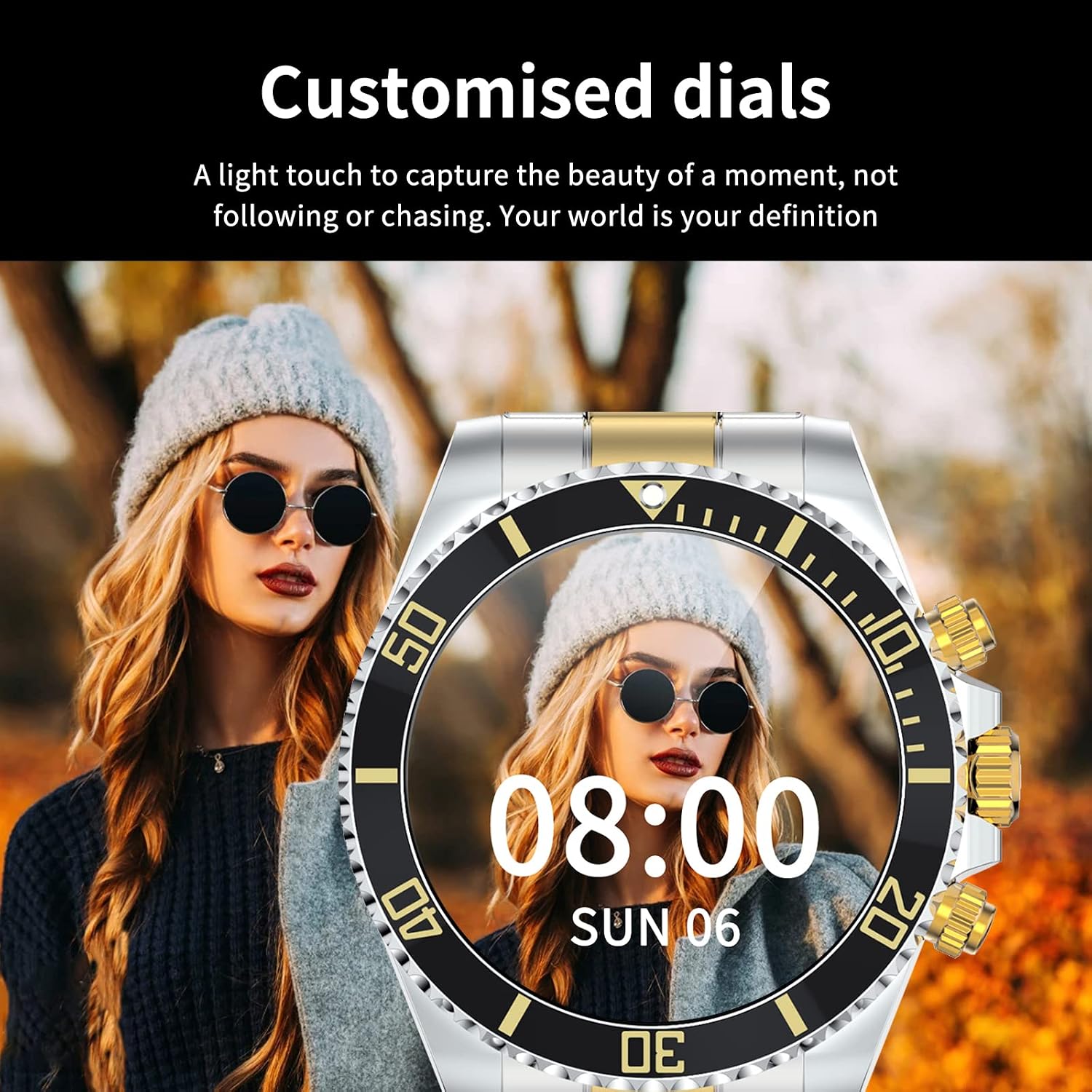
Image: A Loluka Smart Watch displaying a customized digital watch face with time and date, worn by a person.
3.7 Additional Features
- Pedometer: Tracks steps, calories burned, and distance throughout the day.
- Alarm/Sedentary Reminder: Set alarms and receive reminders to move after periods of inactivity via the companion app.
- Remote Camera Control: Use your watch as a remote shutter for your smartphone camera.
- Music Control: Control music playback on your smartphone (play, pause, skip tracks, adjust volume) directly from the watch.

Image: The smart watch displaying music control options, with a smartphone showing a music playlist in the background.
4. Maintenance
4.1 Water Resistance
The Loluka Smart Watch is rated IP67 waterproof.
- It can withstand splashes, hand washing, and rain.
- Important: The watch is NOT suitable for hot water bathing, diving, swimming, or water-related work where it would be submerged for extended periods or exposed to high-pressure water.

Image: A Loluka Smart Watch partially submerged in water, with text indicating 'IP67 life waterproof' and warnings about unsuitable activities.
4.2 Cleaning
To maintain the appearance and functionality of your watch:
- Wipe the watch and band regularly with a soft, dry, lint-free cloth.
- If necessary, use a slightly damp cloth for stubborn dirt, then dry thoroughly.
- Avoid using harsh chemicals, cleaning solvents, or strong detergents, as these can damage the watch's finish and seals.
4.3 Battery Care
- Avoid fully discharging the battery frequently.
- Store the watch in a cool, dry place when not in use for extended periods.
- Use only the provided charging cable.
5. Troubleshooting
If you encounter issues with your Loluka Smart Watch, refer to the following common solutions:
- Watch not turning on: Ensure the watch is fully charged. Connect it to the charger for at least 30 minutes.
- Cannot pair with smartphone:
- Ensure Bluetooth is enabled on your phone and the watch.
- Make sure the watch is within Bluetooth range of your phone.
- Restart both your phone and the watch.
- Ensure the companion app is updated to the latest version.
- Forget the device in your phone's Bluetooth settings and try pairing again through the app.
- Notifications not appearing:
- Check app notification settings on your phone and within the companion app.
- Ensure the watch is connected via Bluetooth.
- Inaccurate activity tracking: Ensure the watch is worn snugly on your wrist. Calibrate the watch through the app if available.
- Short battery life: Reduce screen brightness, disable unnecessary features, and ensure the watch is not constantly searching for Bluetooth connections.
If these steps do not resolve your issue, please contact customer support.
6. Specifications
| Model Number | JYAW12PROLA |
| Screen Size | 1.3-inch full color screen |
| Resolution | 240*240 pixels |
| Bluetooth | Dual Bluetooth 3.0/4.0 |
| Battery Capacity | 380mAh (1 Lithium Metal battery required) |
| Operating Type | Full Touch Screen |
| Charging Type | Magnetic Charging |
| Full Charge Time | Approx. 2-3 hours |
| Working Time | 2-5 days (typical usage) |
| Standby Time | Up to 15 days |
| Waterproof Rating | IP67 |
| Case Material | Alloy |
| Band Material | Stainless Steel |
| Clasp Type | Fold Clasp |
| Dial Case Diameter | 46mm (1.81") |
| Dial Case Thickness | 13mm (0.51") |
| Band Width | 22mm (0.86") |
| Band Length | 230mm (9.05") |
| Supported Languages | English, French, Italian, Spanish, Arabic, German, Polish, Portuguese, Malay, Czech, Turkish, Russian, Greek, Persia, Hebrew |
| OS Compatibility | iOS 10.0+ / Android 5.0+ |
7. Warranty and Support
Your Loluka Smart Watch is designed for reliability and performance. While specific warranty details are not provided in this manual, we are committed to customer satisfaction.
If you have any questions, encounter issues, or require assistance with your product, please do not hesitate to contact our customer support team. We are dedicated to offering the best possible solution to you.
Please refer to your purchase documentation or the retailer's website for contact information and any applicable warranty terms.
Ask a question about this manual
Ask about setup, troubleshooting, compatibility, parts, safety, or missing instructions. Manuals+ will review the question and use this page’s manual context to help answer it.