
Sigma C9F181
SIGMA Buster 400 FL Bicycle Headlight User Manual
Model: C9F181
1. Introduction
Thank you for choosing the SIGMA Buster 400 FL Bicycle Headlight. This manual provides essential information for the safe and efficient use of your new bicycle light. Please read it thoroughly before first use and keep it for future reference.

2. Safety Information
- Always ensure the light is securely mounted before riding.
- Do not look directly into the light beam to avoid temporary vision impairment.
- Keep out of reach of children.
- Do not disassemble or modify the light. This will void the warranty and may cause damage.
- Use only the provided USB-C cable for charging.
- The light is splash-resistant (IPX4), but do not submerge it in water.

3. Package Contents
Verify that all items are present in the package:
- SIGMA Buster 400 FL Headlight
- USB-C Charging Cable
- Handlebar Mount (Silicone with Quick Release)

4. Setup and Installation
4.1 Handlebar Mounting
- Place the silicone handlebar mount on your bicycle's handlebar.
- Ensure the mount is positioned centrally and securely.
- Slide the Buster 400 FL headlight onto the mount until it clicks into place.
- Adjust the angle of the light to illuminate the road ahead.

4.2 Optional Helmet Mounting
An optional helmet bracket accessory is available for mounting the light on a helmet.

5. Operating Instructions
5.1 Power On/Off
- To turn on the light: Double-press the power button.
- To turn off the light: Press and hold the power button for approximately 2 seconds.
5.2 Changing Light Modes
The Buster 400 FL features five preset light modes:
- High: 400 lumens, approx. 2 hours run time
- Mid: 200 lumens, approx. 4 hours run time
- Low: 100 lumens, approx. 9 hours run time
- Night Flashing: 300/100 lumens, approx. 5 hours run time
- Day Flashing: 100 lumens, approx. 25 hours run time
To cycle through the modes, press the power button once while the light is on.


5.3 Battery Indicator
The light features a six-level battery indicator to show the remaining power:
- 6 LEDs: 100-82%
- 5 LEDs: 81-63%
- 4 LEDs: 62-44%
- 3 LEDs: 43-25%
- 2 LEDs: 24-20%
- 1 LED: 19-5%
- Flashing 1 LED: <5% (Recharge immediately)
6. Charging
To charge the Buster 400 FL:
- Locate the USB-C charging port on the light.
- Connect the provided USB-C cable to the light.
- Connect the other end of the USB-C cable to a USB power source (e.g., computer, USB wall adapter).
- The battery indicator LEDs will show charging progress. All LEDs will illuminate steadily when fully charged.
7. Maintenance
- Cleaning: Wipe the light with a damp cloth. Do not use abrasive cleaners or solvents.
- Storage: Store the light in a cool, dry place when not in use. For long-term storage, charge the battery to approximately 50% every 3-6 months to maintain battery health.
- Battery Care: Avoid fully discharging the battery frequently to prolong its lifespan.
8. Troubleshooting
8.1 Light Does Not Turn On
- Ensure the battery is charged. Connect the light to a power source and check the battery indicator.
- Confirm you are double-pressing the power button to turn it on.
8.2 Light Turns Off Unexpectedly
- The battery may be low. Recharge the light.
- Ensure the light is not overheating. If it feels excessively hot, turn it off and allow it to cool down.
8.3 Light Beam Appears Weak
- The battery may be low. Recharge the light.
- Ensure the lens is clean and free of dirt or debris.
9. Specifications
| Feature | Value |
|---|---|
| Model Number | C9F181 |
| Brightness | Up to 400 lumens |
| Beam Distance | Up to 120 meters |
| Run Time (Max) | Up to 25 hours (Day Flashing mode) |
| Battery Type | Lithium-ion (1 included) |
| Charging Port | USB-C |
| Water Resistance | IPX4 (Splash resistant) |
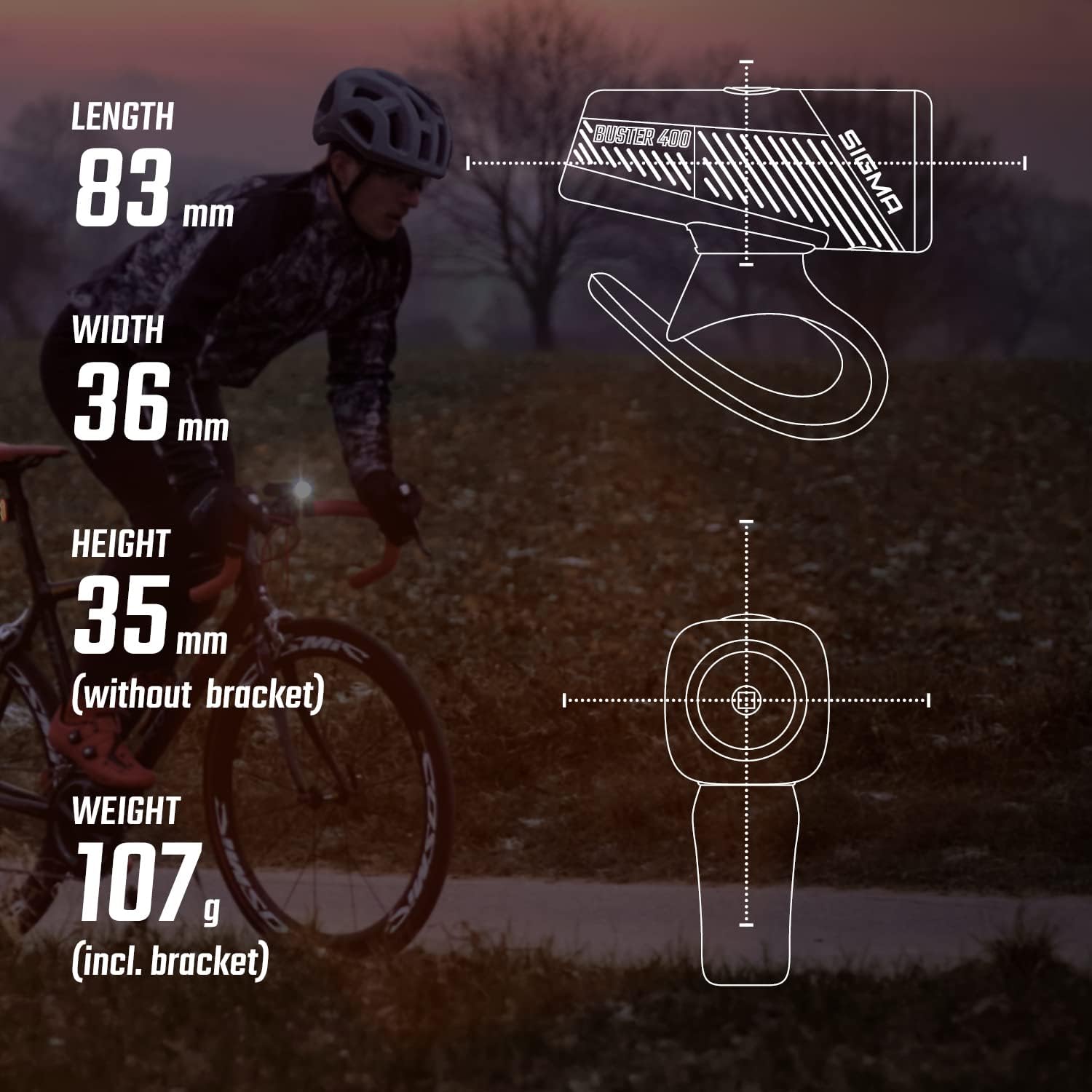
| Dimensions (L x W x H) | 8.3 x 3.6 x 3.5 cm |
| Weight | 81 grams (light only), 107 grams (incl. bracket) |
| Material | Composite |
10. Warranty and Support
SIGMA products are manufactured with high-quality materials and undergo strict quality control. For warranty claims or technical support, please contact your local SIGMA dealer or visit the official SIGMA website. Keep your proof of purchase for warranty purposes.
For more information, visit: www.sigma-sport.com
Related documentsC9F181


Ask a question about this manual
Ask about setup, troubleshooting, compatibility, parts, safety, or missing instructions. Manuals+ will review the question and use this page’s manual context to help answer it.