
1. Introduction
Thank you for purchasing the Midea Mini Rice Cooker 3000 Series, Model ARC-232. This appliance is designed for convenient cooking of rice and other dishes. Please read this instruction manual thoroughly before first use to ensure proper operation, maintenance, and safety. Keep this manual for future reference.
2. Important Safety Instructions
When using electrical appliances, basic safety precautions should always be followed to reduce the risk of fire, electric shock, and injury to persons, including the following:
- Read all instructions before using the appliance.
- Do not touch hot surfaces. Use handles or knobs.
- To protect against electrical shock, do not immerse cord, plugs, or the appliance body in water or other liquid.
- Close supervision is necessary when any appliance is used by or near children.
- Unplug from outlet when not in use and before cleaning. Allow to cool before putting on or taking off parts.
- Do not operate any appliance with a damaged cord or plug, or after the appliance malfunctions or has been damaged in any manner. Contact Midea customer service for examination, repair, or adjustment.
- The use of accessory attachments not recommended by the appliance manufacturer may cause injuries.
- Do not use outdoors.
- Do not let cord hang over edge of table or counter, or touch hot surfaces.
- Do not place on or near a hot gas or electric burner, or in a heated oven.
- Extreme caution must be used when moving an appliance containing hot oil or other hot liquids.
- Always attach plug to appliance first, then plug cord into the wall outlet. To disconnect, turn any control to “off,” then remove plug from wall outlet.
- Do not use appliance for other than intended use.
- This appliance is for household use only.
3. Product Overview
The Midea Mini Rice Cooker 3000 Series is a compact multi-cooker designed for ease of use and versatility. It features a durable stainless steel body and a non-stick inner pot.
Key Features:
- One-Touch Operation: Simple control for cooking.
- Compact 1.0L Capacity: Suitable for 2.5 cups uncooked rice, yielding up to 4-5 cups cooked rice.
- 6-hour Keep Warm Function: Automatically keeps food warm after cooking.
- Non-Stick Inner Pot: T1.2 mm thick inner pot for easy food release and cleaning.
- Multi-Usage: Capable of cooking rice, jambalaya, pasta, and more.
- Stainless Steel Body: Durable and stylish design.
Components:

Image: Control Panel with 'Warm' and 'Cook' indicators and a single control lever.
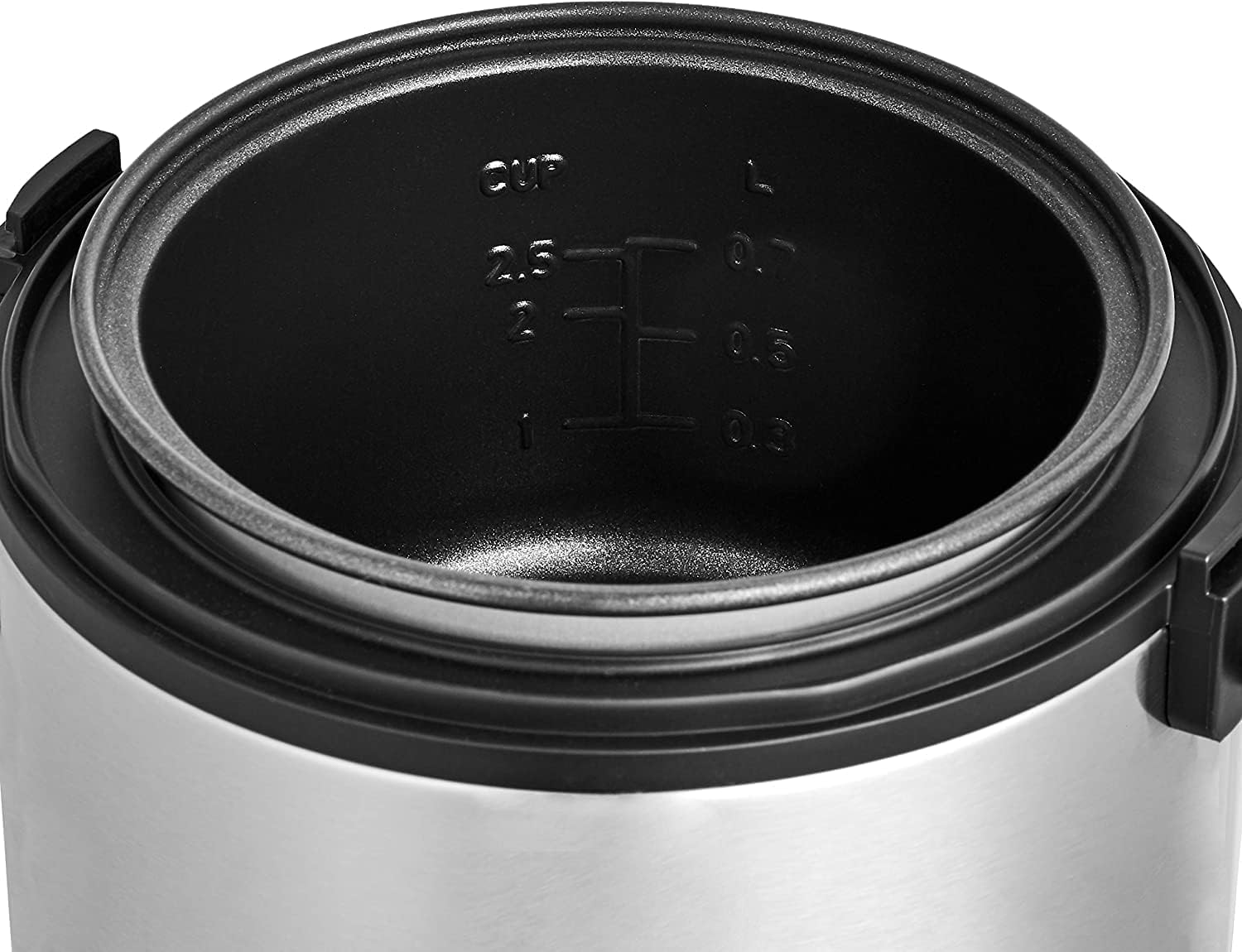
Image: Non-stick inner pot with clear measurement markings for cups and liters.
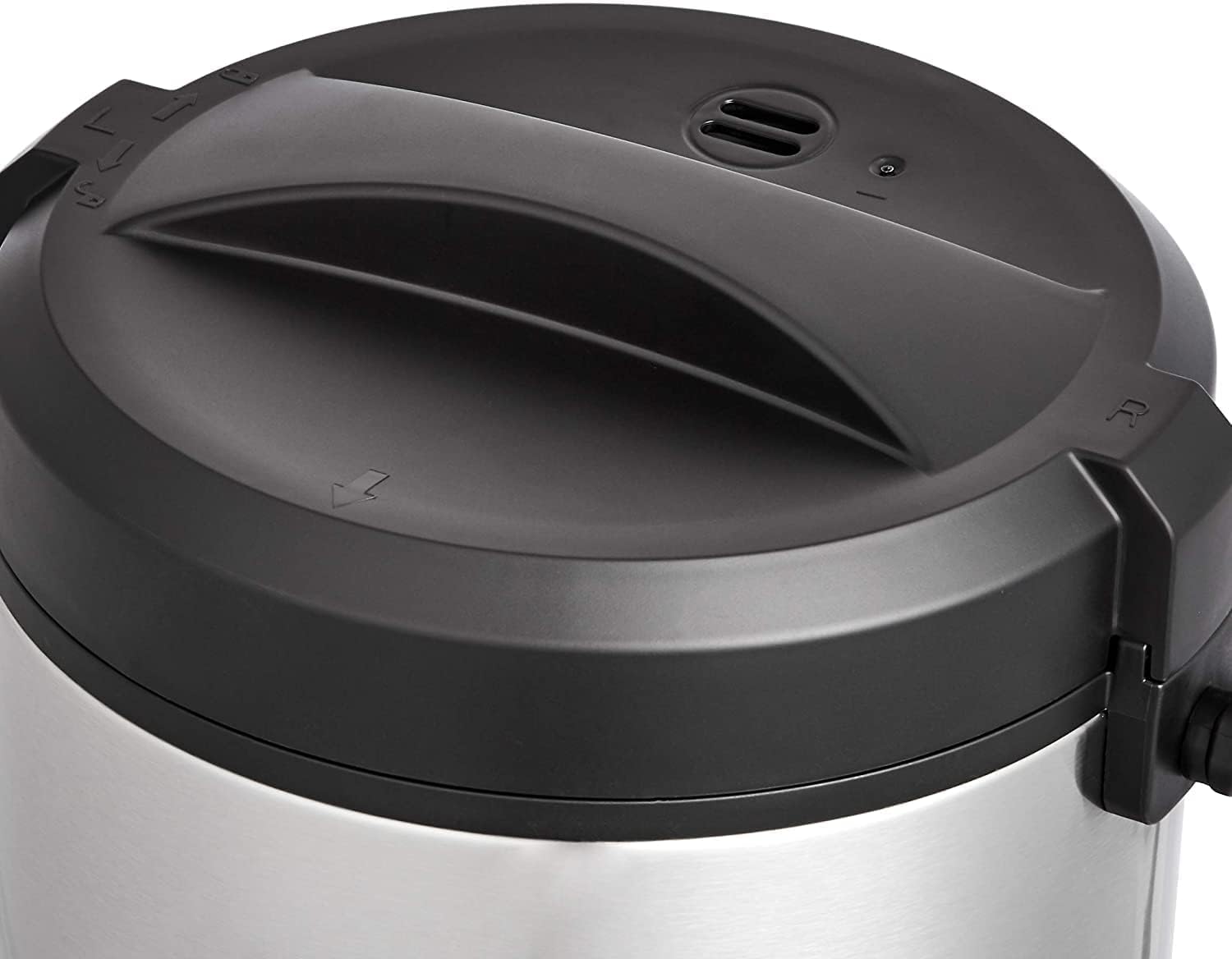
Image: Top view of the rice cooker lid, showing the handle and steam vent.

Image: The Midea Mini Rice Cooker with its approximate dimensions: 8.1 inches (width), 7.4 inches (height), and 8.6 inches (depth).
4. Setup
- Unpack: Carefully remove all packaging materials and any promotional labels from the rice cooker.
- Clean: Before first use, wash the inner pot, lid, and any accessories (such as a measuring cup or spatula, if included) in warm, soapy water. Rinse thoroughly and dry completely. Wipe the exterior of the rice cooker with a damp cloth. Do not immerse the main unit in water.
- Placement: Place the rice cooker on a stable, level, heat-resistant surface, away from walls or cabinets to allow for proper ventilation. Ensure it is out of reach of children and pets.
- Power Connection: Ensure the voltage of your power outlet matches the voltage specified on the appliance (220 Volts). Plug the power cord into a grounded electrical outlet.
5. Operating Instructions
Cooking Rice:
- Measure Rice: Use the provided measuring cup to measure the desired amount of rice. For best results, do not exceed the maximum capacity of 2.5 cups of uncooked rice.
- Rinse Rice: Rinse the rice thoroughly under cold water until the water runs clear. This helps remove excess starch.
- Add Water: Place the rinsed rice into the inner pot. Add the appropriate amount of water according to the rice type and your preference. A common ratio is 1 cup of rice to 1.5-2 cups of water, but refer to the markings inside the inner pot for guidance.
- Place Inner Pot: Ensure the exterior of the inner pot is dry, then place it into the main body of the rice cooker. Rotate it slightly to ensure it sits properly.
- Close Lid: Close the lid securely.
- Start Cooking: Plug in the rice cooker. Press the control lever down to the COOK position. The 'Cook' indicator light will illuminate.
- Automatic Keep Warm: Once cooking is complete, the rice cooker will automatically switch to the WARM mode, and the 'Warm' indicator light will illuminate. The appliance can keep rice warm for up to 6 hours.
- Serve: Open the lid carefully, avoiding steam. Fluff the rice with a spatula and serve. Unplug the appliance after use.
Other Dishes:
The Midea Mini Rice Cooker can also be used to prepare other dishes such as jambalaya, pasta, or even small cakes. Follow specific recipes for water-to-ingredient ratios and cooking times. The one-touch operation simplifies the process for various culinary creations.
6. Cleaning and Maintenance
Proper cleaning and maintenance will extend the life of your Midea Mini Rice Cooker.
- Unplug and Cool: Always unplug the rice cooker from the power outlet and allow it to cool completely before cleaning.
- Inner Pot and Lid: The non-stick inner pot and lid should be washed by hand using warm, soapy water. Use a soft sponge or cloth to avoid scratching the non-stick coating. Rinse thoroughly and dry completely.
- Exterior: Wipe the exterior of the main unit with a damp cloth. Do not use abrasive cleaners or scouring pads. Never immerse the main unit, power cord, or plug in water or any other liquid.
- Steam Vent: Ensure the steam vent on the lid is clear of any food debris.
- Storage: Store the clean and dry rice cooker in a cool, dry place.
7. Troubleshooting
If you encounter issues with your rice cooker, refer to the following common troubleshooting tips:
| Problem | Possible Cause | Solution |
|---|---|---|
| Rice not cooking | Not plugged in; Cook switch not engaged; Insufficient water. | Ensure power cord is securely plugged in; Push the control lever down to 'Cook'; Add correct amount of water. |
| Rice is too hard/dry | Not enough water; Lid not sealed properly. | Increase water slightly next time; Ensure lid is closed tightly. |
| Rice is too soft/mushy | Too much water. | Decrease water slightly next time. |
| Water boiling over | Too much water; Too much rice; Lid not seated correctly. | Reduce water or rice quantity; Ensure lid is properly closed. |
| 'Warm' light not illuminating | Cooking cycle not completed; Appliance malfunction. | Wait for cooking cycle to finish; If problem persists, contact customer service. |
If the problem persists after trying these solutions, please contact Midea customer support.
8. Specifications
Refer to the table below for detailed product specifications.

Image: A graphic displaying key features and specifications of the Midea Multi Cooker 3000 Series, including rated voltage, power, frequency, capacity, gross weight, and dimensions.
| Specification | Detail |
|---|---|
| Brand | Midea |
| Model Name | mini rice cooker |
| Item Model Number | ARC-232 |
| Capacity | 1 Liters (4 Cup) |
| Power Source | Corded Electric |
| Wattage | 800 watts |
| Voltage | 220 Volts |
| Material | Stainless Steel |
| Lid Material | Stainless Steel |
| Special Feature | Non-Stick, One-Touch Operation |
| Product Care Instructions | Hand Wash |
| Item Weight | 3.99 pounds |
| Package Dimensions | 9 x 9 x 9 inches |
| UPC | 687636004307 |
| Date First Available | November 25, 2021 |
9. Warranty and Support
Midea products are manufactured to high-quality standards. For information regarding warranty coverage, please refer to the warranty card included with your purchase or visit the official Midea website. For technical support, troubleshooting assistance, or to inquire about replacement parts, please contact Midea customer service.
Midea Customer Service: Please refer to your product packaging or the official Midea website for contact details specific to your region.
