
1. Important Safety Information
- Always place the diffuser on a flat, stable, and water-resistant surface.
- Unplug the unit from the power outlet before filling, emptying, or cleaning.
- Do not immerse the base unit in water or any other liquid.
- Keep out of reach of children and pets.
- Overheating may occur if the water runs out. Ensure the water level is maintained above the minimum line to prevent this. The unit is equipped with a safety auto-shutoff feature when a low water level is detected.
- Use only clean tap water or distilled water. Filtered water is recommended if your tap water has high mineral content.
- Use only 100% pure essential oils. Avoid corrosive oils.
2. Product Overview
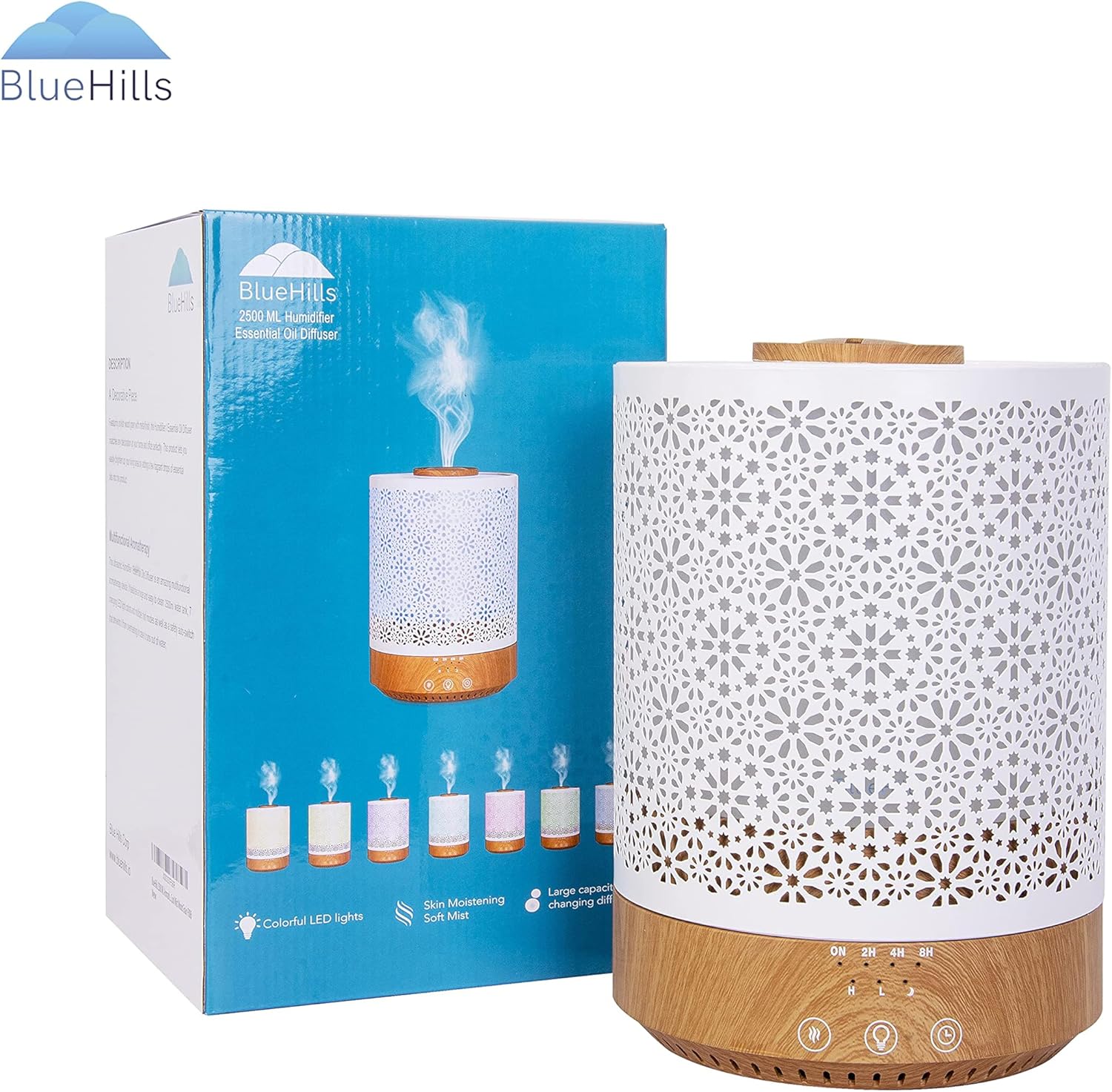
The BlueHills 2500 ML Humidifier and Essential Oil Diffuser is designed to enhance your home's atmosphere. It features a large water tank, adjustable mist output, 7 LED light colors, and an auto-shutoff safety mechanism. This device functions as both a humidifier to improve air quality and an essential oil diffuser for aromatherapy.

3. Setup
3.1 Unpacking
Carefully remove all components from the packaging. Ensure all parts are present: the main unit (base and water tank), and the decorative metal cover.
3.2 Filling the Water Tank
- Remove the decorative metal cover by lifting it upwards.
- Carefully lift the inner white water tank from the base.
- Fill the water tank with clean tap water or distilled water up to the 'MAX' line (2500 ML capacity). Do not overfill.
3.3 Adding Essential Oils
If using for aromatherapy, add 5-10 drops of your preferred 100% pure essential oil directly into the water tank. Adjust the quantity based on desired scent intensity.
3.4 Assembly
Place the inner white water tank back onto the base, ensuring it is seated correctly. Then, carefully place the decorative metal cover back over the water tank, aligning it properly.
4. Operation
4.1 Power On/Off
Plug the power adapter into a wall outlet. The unit features control buttons on the front base for operation.

4.2 Mist Settings
Press the 'Mist' button (often indicated by a wavy lines icon) to cycle through mist modes. This model offers adjustable low to high mist output. You can select between continuous or intermittent mist modes.


4.3 LED Light Settings
Press the 'Light' button (often indicated by a light bulb icon) to turn on the LED lights. The diffuser features 7 different LED light colors. You can cycle through the colors, set it to a single color, or turn the lights off completely.


4.4 Timer Function
Press the 'Timer' button (often indicated by a clock icon) to set the operating duration. Available timer settings allow the unit to run for a specified period before automatically shutting off.
4.5 Official Product Video
5. Maintenance
5.1 Cleaning
Regular cleaning is essential for optimal performance and longevity. The 2500 ML water tank is designed for easy cleaning. Simply empty any remaining water, wipe down the interior with a soft cloth, and allow it to air dry. For thorough cleaning, especially if mineral buildup occurs, use a mild detergent or a vinegar solution. Ensure the unit is unplugged before cleaning.

5.2 Water Quality
Using filtered or distilled water can help prevent mineral buildup and extend the life of your diffuser, especially in areas with hard water.
6. Troubleshooting
- No Mist Output: Check if the water tank is filled above the minimum level. Ensure the unit is properly plugged in and powered on. Clean the ultrasonic plate if there is mineral buildup.
- Lights Not Working: Verify the unit is powered on and the light function is activated. If only certain colors are not working, contact support.
- Unit Shuts Off Unexpectedly: This is likely due to the automatic safety shut-off feature when the water level is too low. Refill the tank.
- Unusual Odor: Clean the water tank and replace the water. Ensure only pure essential oils are used.
7. Specifications
| Feature | Detail |
|---|---|
| Brand | BlueHills |
| Model Name | F006 |
| Capacity | 2500 Milliliters |
| Product Dimensions | 7.2"L x 7.2"W x 10"H |
| Material | Metal, Wood |
| Special Features | Adjustable Mist, Auto Shutoff, 7 LED Light Colors |
| Light Source Type | LED |
| Wattage | 110 watts |
| Manufacturer | Blue Hills Corp |
| Item Weight | 3.11 Pounds |
| UPC | 860007164880 |
8. Warranty and Support
For warranty information or product support, please contact Blue Hills Corp directly. Refer to the product packaging or the official BlueHills website for the most up-to-date contact details and warranty terms.