Introduction
Thank you for choosing the Ledvion LED Floodlight with Motion Sensor. This manual provides essential information for the safe installation, operation, and maintenance of your floodlight. Please read these instructions carefully before use and retain them for future reference.
This LED floodlight is designed for outdoor use, featuring a durable aluminum housing with powder coating for corrosion protection. It operates reliably in temperatures from -20°C to 50°C and has an IP44 rating for splash water resistance. The integrated motion sensor provides efficient lighting for areas like garages, showrooms, and general outdoor spaces.
Safety Information
Important: Always disconnect power before installation, maintenance, or repair. Installation should be performed by a qualified electrician.
- Only use this device for its intended purpose.
- Do not use the device if it is damaged or defective.
- If the external flexible cable or cord of this luminaire is damaged, the product must be shut down immediately. Before replacing, turn off power and allow the device to cool to avoid electric shock.
- This product may only be used in combination with the original driver.
- This product should only be opened by an authorized technician. Any modification is not allowed and repairs should not be attempted by yourself.
- To disconnect voltage, pull the plug.

Figure 1: Packaging with safety information and QR code. For detailed safety data, scan the QR code or visit qr.ledvion.com/DOC.
Product Overview
Features
- High Quality Construction: Strong quality aluminum base with powder coating for corrosion resistance.
- Efficient Illumination: 10 Watt power, 1100 Lumen output, 6000K color temperature (Cool White).
- Durable Design: Equipped with OSRAM LED chips and a durable heatsink to prevent overheating, ensuring a long lifespan of over 60,000 operating hours.
- Weather Resistant: IP44 certified, making it splash-waterproof and suitable for outdoor use. Operates in temperatures from -20°C to 50°C.
- Integrated Motion Sensor: Adjustable Passive Infrared (PIR) sensor with a detection range of up to 6 meters (+/- 2 meters) and a 120° sensor angle.
- Easy Installation: Features an adjustable bracket for simple wall mounting.
Components
The Ledvion LED Floodlight with Motion Sensor includes:
- LED Floodlight unit with integrated motion sensor.
- Adjustable mounting bracket.
- Pre-wired cable (approx. 500mm).
- Quick connector (included as per product title).
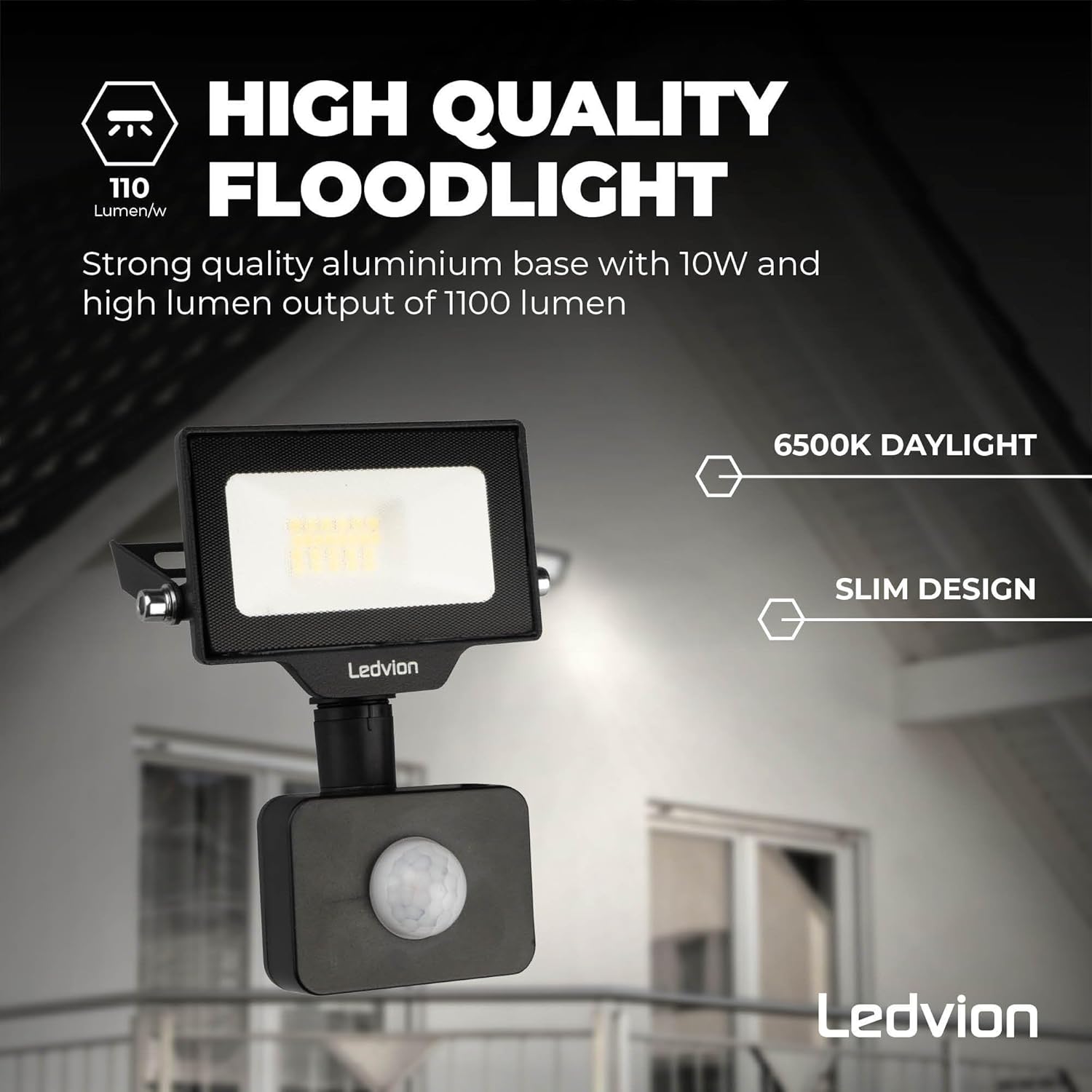
Figure 2: High-quality floodlight design with integrated motion sensor.
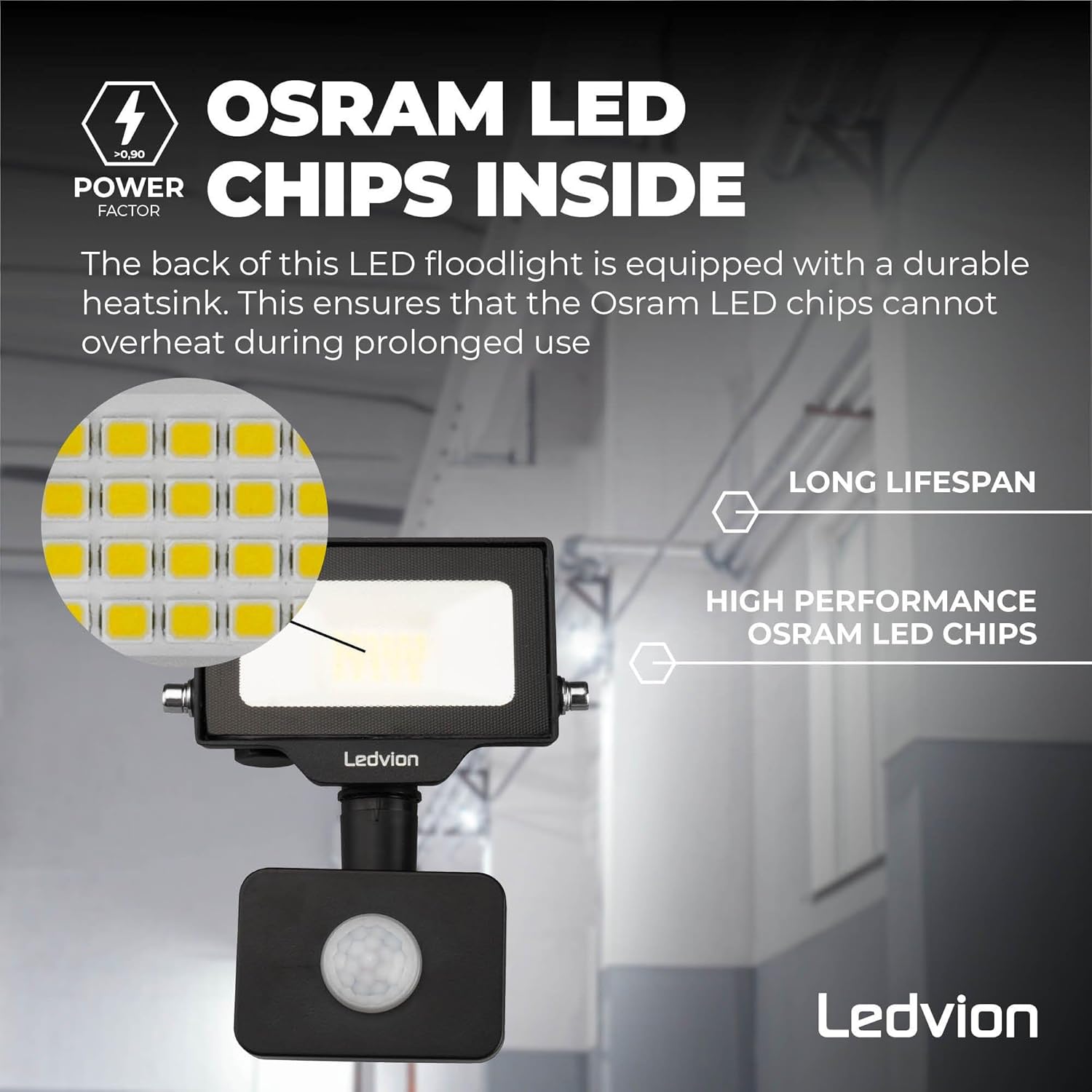
Figure 3: Internal view highlighting OSRAM LED chips and the heatsink for optimal performance and longevity.
Setup and Installation
Before installation, ensure the power supply is disconnected. This floodlight is designed for wall mounting.
- Choose Location: Select a suitable outdoor location for mounting, such as a garage wall or building facade, ensuring the motion sensor has an unobstructed view of the desired detection area.
- Mark Drilling Points: Use the adjustable mounting bracket as a template to mark the drilling points on the wall. Refer to Figure 5 for bracket dimensions.
- Drill Holes: Drill appropriate holes for your mounting screws (not included).
- Mount Bracket: Securely attach the mounting bracket to the wall using suitable screws and wall plugs.
- Connect Wiring: Connect the floodlight's pre-wired cable to your main power supply. This is a hardwired connection. Ensure all connections are secure and insulated. The product includes a quick connector for simplified wiring.
- Attach Floodlight: Mount the floodlight unit onto the secured bracket.
- Adjust Angle: Adjust the floodlight's angle to illuminate the desired area.
- Restore Power: Once installation is complete and all connections are secure, restore power to the circuit.

Figure 4: Product dimensions (101mm width, 130mm height).

Figure 5: Mounting bracket dimensions (70mm, 40mm, 6mm) and cable length (500mm).

Figure 6: Example installation of the floodlight above a garage.
Operating Instructions
The Ledvion LED Floodlight features an integrated Passive Infrared (PIR) motion sensor. This sensor detects movement within its detection zone and activates the light.
Motion Sensor Adjustment
The motion sensor can typically be adjusted for sensitivity (detection range) and illumination duration. Refer to the sensor unit on your floodlight for specific adjustment dials or switches. Common adjustments include:
- SENS (Sensitivity): Adjusts the detection range. Turn clockwise to increase sensitivity (longer range), counter-clockwise to decrease. The sensor has a detection range of up to 6 meters (+/- 2 meters).
- TIME: Adjusts how long the light stays on after motion is detected. Turn clockwise for longer illumination, counter-clockwise for shorter.
- LUX (Light Sensor): Determines the ambient light level at which the sensor becomes active. Turn towards the sun icon for daylight operation (always on when motion detected), or towards the moon icon for night-only operation.
The sensor has a 120° detection angle.
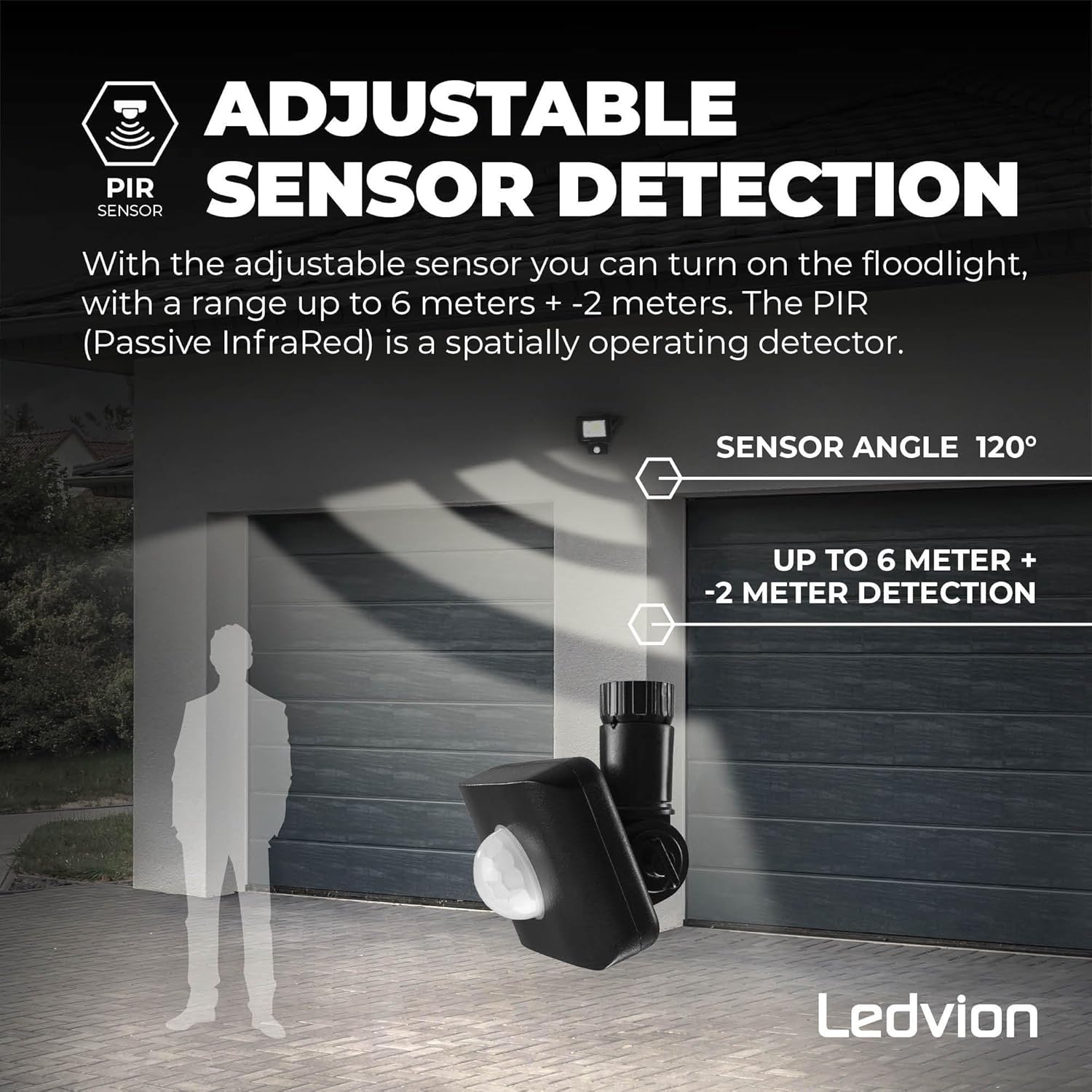
Figure 7: Adjustable sensor detection with a 120° angle and up to 6 meters detection range.
Maintenance
- Cleaning: Clean the floodlight and sensor regularly with a soft, damp cloth. Do not use abrasive cleaners or solvents. Ensure the sensor lens is clean for optimal performance.
- Inspection: Periodically check the mounting and wiring for any signs of damage or wear.
- No User Serviceable Parts: The LED chips and internal components are not user-serviceable. Do not attempt to open the floodlight housing.
Troubleshooting
| Problem | Possible Cause | Solution |
|---|---|---|
| Light does not turn on. | No power supply. Sensor settings incorrect. Faulty wiring. | Check power connection and circuit breaker. Adjust LUX setting (e.g., to moon icon for night operation). Verify wiring connections (consult a qualified electrician). |
| Light stays on continuously. | Sensor settings incorrect (LUX or TIME). Constant motion in detection area. Sensor malfunction. | Adjust LUX setting (e.g., to moon icon for night operation) or TIME setting. Relocate floodlight or adjust sensor angle to avoid constant triggers. Contact customer support. |
| Light turns on randomly. | Sensor too sensitive. Environmental factors (e.g., moving branches, animals). | Reduce SENS sensitivity. Adjust sensor angle to exclude nuisance triggers. |
| Light flickers. | Unstable power supply. Loose wiring connection. Product defect. | Check power supply stability. Inspect and secure wiring connections. Contact customer support. |
Specifications
| Attribute | Detail |
|---|---|
| Brand | Ledvion |
| Model Number | LV50016_1 |
| Power Consumption | 10 Watt |
| Luminous Flux | 1100 Lumen |
| Color Temperature | 6000 Kelvin (Cool White) |
| Voltage | 230 Volt |
| Ingress Protection (IP) Rating | IP44 (Splash-waterproof) |
| Material | Aluminum (powder-coated finish) |
| Dimensions (L x W x H) | 13 x 10 x 11 cm |
| Weight | 263 g |
| Lifespan | >60,000 operating hours |
| Operating Temperature | -20°C to 50°C |
| Motion Sensor Type | Passive Infrared (PIR) |
| Motion Sensor Detection Range | Up to 6 meters (+/- 2 meters) |
| Motion Sensor Detection Angle | 120° |
| Power Source | Hardwired |
| Energy Efficiency Rating | E |

Figure 8: Energy efficiency label. For more details, visit eprel.ec.europa.eu/qr/1665538.
Warranty
This Ledvion product comes with a 5-year warranty against manufacturing defects. The warranty is void if the product has been modified, improperly installed, or damaged due to incorrect use. Please retain your proof of purchase for warranty claims.
Support
For technical assistance, warranty claims, or further information, please contact Ledvion customer support. Refer to the contact information provided with your purchase or visit the official Ledvion website.
Manufacturer: Ledvion
Address: Habraken 1205, 5507 TB Veldhoven, The Netherlands
Website: www.ledvion.com


