
1. Introduction
This manual provides comprehensive instructions for the N\C P6 Smart Watch. Please read this guide carefully to ensure proper setup, operation, and maintenance of your device. The P6 Smart Watch is designed to work seamlessly with both Android and iOS smartphones, offering features such as heart rate monitoring, GPS, notifications, and fitness tracking.
2. What's in the Box
- N\C P6 Smart Watch
- Charging Cable
- User Manual (this document)
3. Setup
3.1 Charging the Device
Before initial use, fully charge your N\C P6 Smart Watch. Connect the magnetic charging cable to the charging contacts on the back of the watch and plug the USB end into a standard USB power adapter (not included) or a computer's USB port. The watch display will indicate charging status.
3.2 Pairing with Your Smartphone
- Download the Companion App: Search for the official N\C P6 companion app in your smartphone's app store (Google Play Store for Android or Apple App Store for iOS). Install the app.
- Enable Bluetooth: Ensure Bluetooth is enabled on your smartphone.
- Open the App: Launch the companion app and follow the on-screen instructions to create an account or log in.
- Add Device: Within the app, navigate to the 'Add Device' or 'Pair Device' section. The app will search for available Bluetooth devices. Select 'P6 Smart Watch' from the list.
- Confirm Pairing: A pairing request may appear on both your phone and the watch. Confirm the pairing on both devices.
Once successfully paired, the watch will synchronize time and data with your smartphone.
3.3 Wearing the Watch
Wear the N\C P6 Smart Watch snugly on your wrist, about one finger's width above your wrist bone. Ensure the sensors on the back of the watch are in contact with your skin for accurate heart rate and other health data measurements.
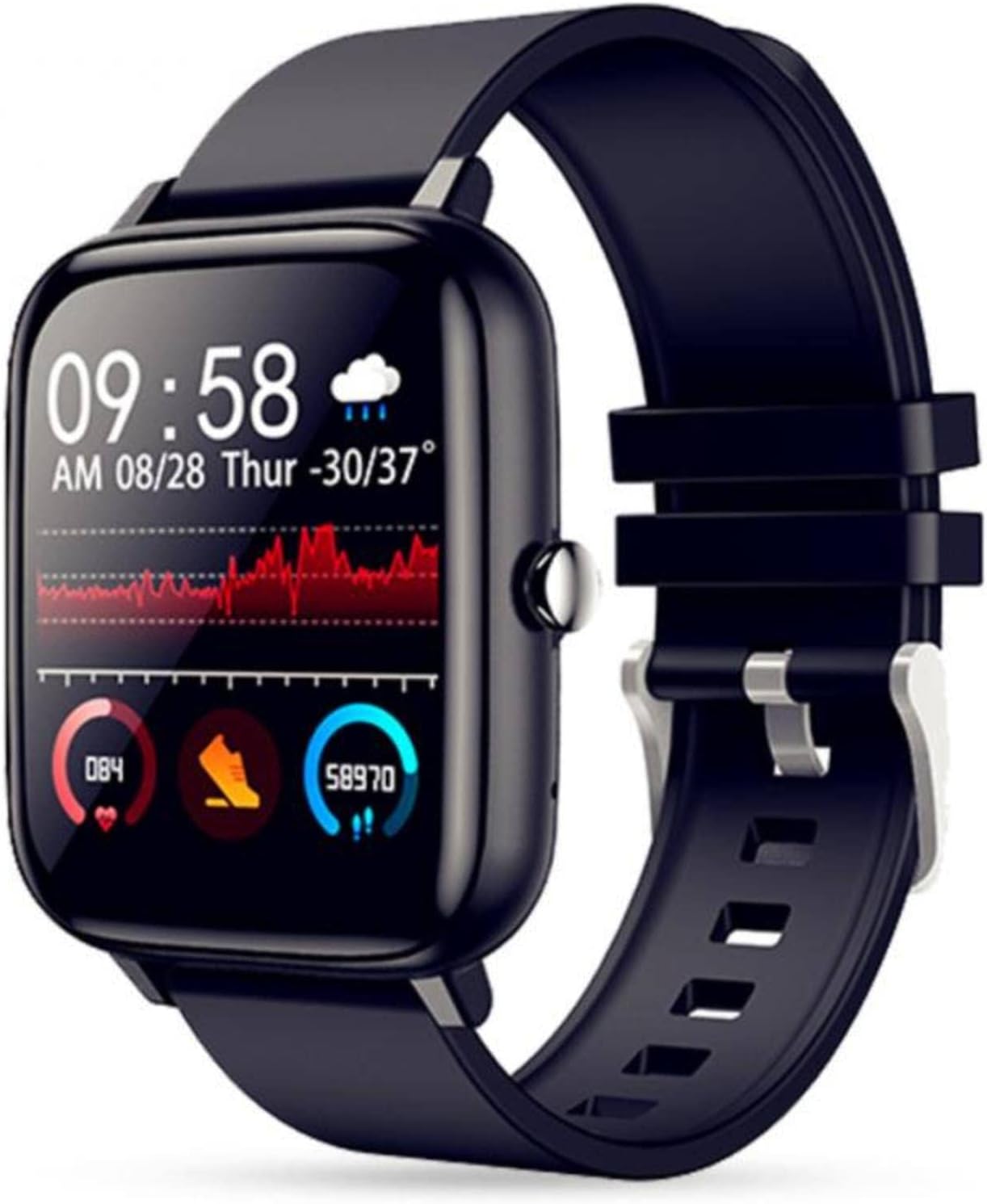
Image: Black N\C P6 Smart Watch displaying fitness data, heart rate, steps, and weather information.
4. Operating the Device
4.1 Basic Navigation
- Touch Screen: Swipe left, right, up, or down to navigate through menus and features. Tap to select an item.
- Side Button: Press the side button to return to the main watch face or to turn the screen on/off. A long press may access power options.
4.2 Watch Faces
The N\C P6 Smart Watch supports multiple dial selections, allowing you to customize the appearance to match your personal style. You can also upload photos from your smartphone to create custom watch faces, making your watch unique.

Image: Screenshot of a smartphone application demonstrating how to set a custom watch face using a personal photo, with options for text color and position.
4.3 Key Features
- Heart Rate Monitoring: The watch continuously monitors your heart rate. View your current heart rate and historical data in the companion app.
- GPS: With built-in GPS, the watch can track your outdoor activities, providing accurate route and distance data without needing your phone.
- Notifications: Receive real-time notifications for SMS, MMS, calls, and messages from social media applications like QQ, WeChat, Facebook, Instagram, and Twitter directly on your watch.
- Fitness Tracking: Track your daily steps, distance, calories burned, and active minutes. Set goals and monitor your progress through the app.
- Calendaring: Stay organized with calendar reminders and event notifications synced from your smartphone.
- Bluetooth Calls & Music: The watch supports Bluetooth connectivity for making and receiving calls directly from your wrist and controlling music playback on your paired smartphone.
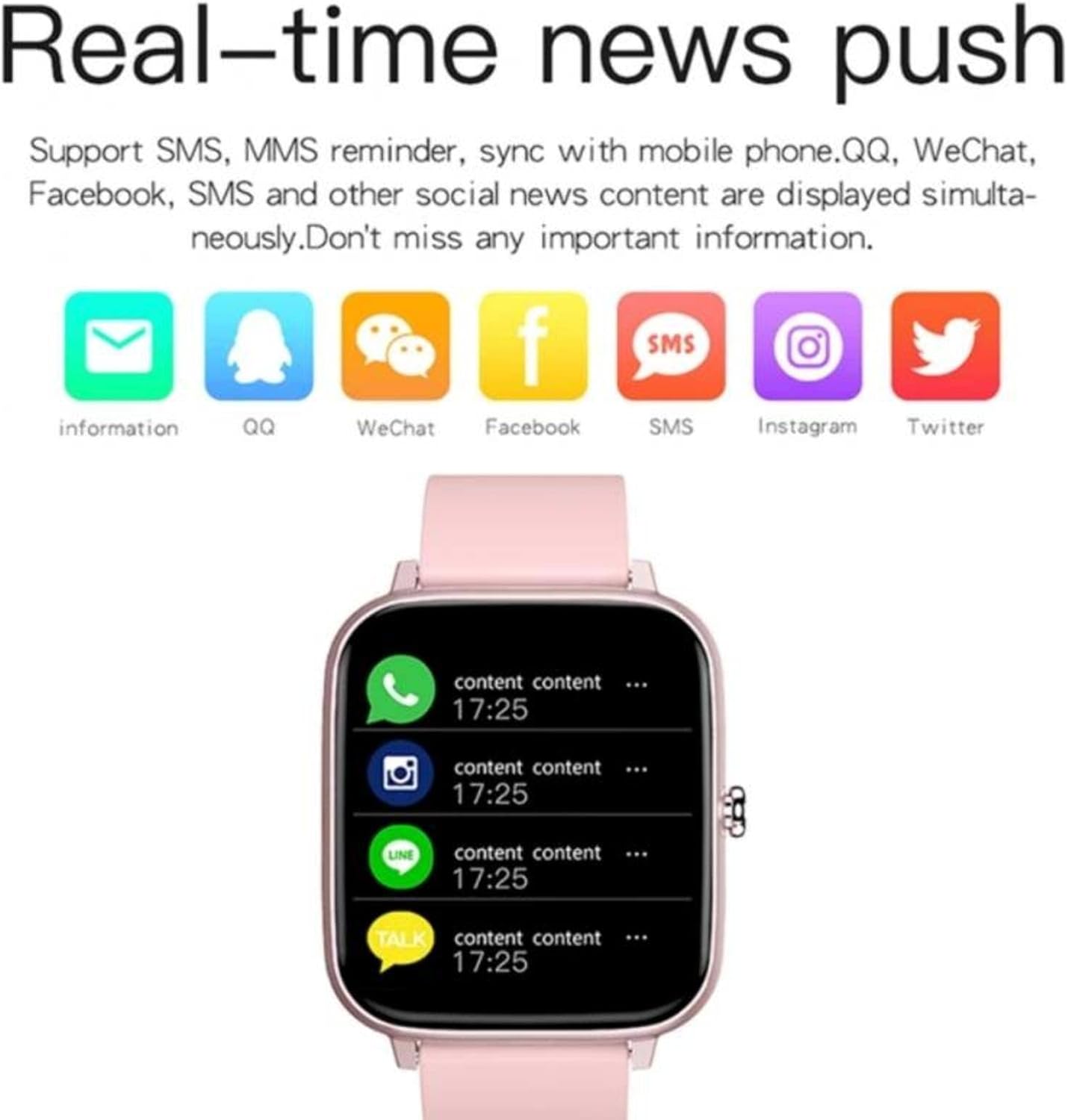
Image: A pink N\C P6 Smart Watch displaying a list of incoming notifications from various messaging and social media applications.

Image: A collage showcasing several features of the N\C P6 Smart Watch. It includes images of the watch in black, green, and pink, highlighting its color display, large capacity 180 mAh battery, stereo surround speakers for music, and various customizable watch faces.
5. Maintenance
5.1 Cleaning
Regularly clean your watch and strap to prevent skin irritation and maintain device performance. Use a soft, damp cloth to wipe the watch body and strap. Avoid using harsh chemicals or abrasive materials.
5.2 Water Resistance
The N\C P6 Smart Watch is designed with a degree of water resistance. However, it is not suitable for diving or high-pressure water activities. Avoid prolonged exposure to water and ensure the watch is dry before charging.
5.3 Strap Replacement
The watch features a one-click quick release mechanism for easy strap replacement. This allows you to effortlessly change straps to match your style or activity.

Image: An assortment of N\C P6 Smart Watches in different colors (black, pink, green) displayed alongside various quick-release straps in corresponding and complementary colors, illustrating the ease of strap interchangeability.
6. Troubleshooting
- Watch Not Turning On: Ensure the watch is fully charged. Connect it to the charging cable and allow it to charge for at least 30 minutes before attempting to power it on.
- Unable to Pair: Make sure Bluetooth is enabled on your smartphone and the watch is within range. Restart both your phone and the watch, then try pairing again through the companion app.
- Inaccurate Readings (Heart Rate/Steps): Ensure the watch is worn snugly on your wrist, with the sensors in proper contact with your skin. Clean the sensor area if necessary.
- Notifications Not Appearing: Check your smartphone's app settings to ensure the companion app has permission to send notifications. Also, verify that notification settings are enabled within the watch's app.
- App Not Syncing Data: Ensure your smartphone has an active internet connection and Bluetooth is connected to the watch. Close and reopen the app, or restart your phone and watch.
7. Specifications
| Feature | Specification |
|---|---|
| Model Name | P6 |
| Screen Size | 1.54 Inches |
| Battery Capacity | 120 mAh |
| Connectivity | Bluetooth, Cellular |
| Operating System Compatibility | Android, iOS |
| Special Features | Calendaring, GPS, Heart Rate Monitoring, Notifications |
| Date First Available | 25 Nov. 2024 |
8. Warranty and Support
The N\C P6 Smart Watch comes with a standard manufacturer's warranty. For specific warranty terms and conditions, please refer to the product packaging or contact your retailer. For technical support or further assistance, please reach out to the seller or manufacturer's customer service.


