
1. Product Overview
The Dekain TLP-LX45 projector lamp is a high-quality replacement designed for Toshiba TLP-X4500 and TLP-X4500U projectors. It is built with original bulbs from leading OEM manufacturers such as Ushio, Philips (UHP), Osram (P-VIP), Panasonic, and Phoenix, ensuring optimal performance and longevity. Each lamp module includes durable, compatible housing for a proper fit and is rigorously tested to meet original equipment manufacturer standards for quality, function, and performance. This ensures superior brightness and a lifespan up to three times longer than economic lamps.
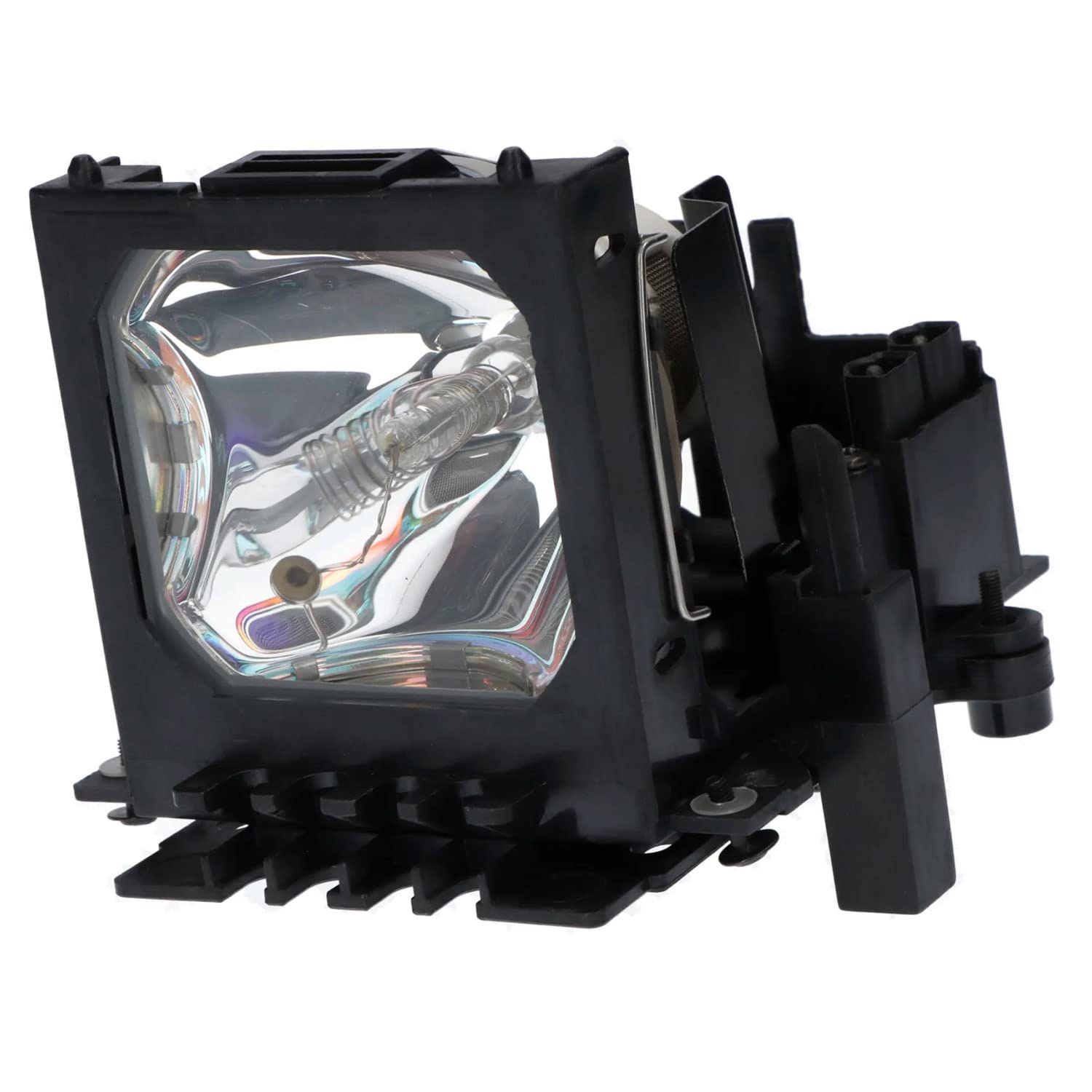
Image 1: Dekain TLP-LX45 Projector Lamp. This image shows the complete lamp module, including the bulb and its housing, ready for installation.
2. Key Features
- Original OEM Bulbs: Utilizes bulbs from reputable OEM manufacturers (UHP, P-VIP, Ushio, Panasonic, Phoenix) for consistent quality.
- Durable Housing: Comes with a compatible housing made from robust materials, ensuring a secure and proper fit within your projector.
- Performance Tested: Each lamp is tested to meet OEM standards for quality, function, and performance, guaranteeing optimal brightness and clarity.
- Extended Lifespan: Engineered for a lifespan up to three times longer than standard economic lamps, reducing the frequency of replacements.
- Easy Installation: Designed for straightforward installation, allowing users to replace the lamp quickly and efficiently.

Image 2: Visual comparison illustrating the superior image quality provided by Dekain OEM lamps compared to generic alternatives. The image shows two parrots, one with vibrant colors (Dekain OEM) and the other with duller colors (Generic Copy Lamp).
3. Installation Instructions
Follow these steps to safely replace your projector lamp:
- Power Off and Disconnect: Ensure your projector is completely shut down and unplugged from the power source.
- Allow Cooling: Let the projector cool down for at least 30 minutes. The lamp can be extremely hot and cause burns if handled too soon.
- Locate Lamp Compartment: Refer to your projector's user manual to locate the lamp compartment cover. It is usually secured by screws.
- Remove Cover: Carefully unscrew and remove the lamp compartment cover.
- Remove Old Lamp: Gently unfasten any screws holding the old lamp module in place. Use the handle or designated grip to pull the old lamp straight out. Avoid touching the glass part of the lamp.
- Insert New Lamp: Align the new Dekain lamp module with the slot and slide it in firmly until it is securely seated. Ensure the plug is connected well.
- Secure New Lamp: Fasten the screws to hold the new lamp module in place.
- Replace Cover: Reattach the lamp compartment cover and secure it with its screws.
- Power On and Reset Timer: Plug in the projector and power it on. Navigate to the projector's menu and reset the lamp timer. This is crucial for accurate lamp life tracking.
Important: Always handle the lamp module by its housing and avoid touching the bulb directly, as oils from your skin can reduce lamp life.
4. Operating Guidelines
To maximize the lifespan and performance of your Dekain projector lamp:
- Proper Shutdown: Always allow the projector to complete its cooling cycle before unplugging or moving it. Abrupt power cuts can damage the lamp.
- Avoid Frequent On/Off: Minimize turning the projector on and off rapidly. Each startup puts stress on the lamp.
- Optimal Environment: Operate the projector in a well-ventilated area to prevent overheating, which can shorten lamp life.
- Eco Mode: If your projector has an "Eco Mode" or "Low Power Mode," use it when maximum brightness is not required. This can significantly extend lamp life.
5. Maintenance
Regular maintenance helps ensure optimal performance and extends the life of your projector and lamp:
- Clean Air Filters: Periodically clean or replace the projector's air filters according to your projector's manual. Clogged filters restrict airflow, leading to overheating and reduced lamp life.
- Dust Removal: Keep the projector free from dust. Use compressed air to gently clean vents and external surfaces.
- Inspect Lamp Compartment: During lamp replacement, inspect the lamp compartment for any dust or debris and clean if necessary.
6. Troubleshooting
If you encounter issues after installing your new lamp, consider the following:
- Lamp Not Lighting Up:
- Ensure the lamp module is fully seated and secured.
- Check that the lamp compartment cover is correctly closed and all screws are tightened.
- Verify the projector is properly plugged in and receiving power.
- Reset the lamp timer in the projector's menu.
- Dim Image or Poor Color:
- Confirm the lamp timer was reset after installation.
- Check projector settings for brightness and color modes.
- Ensure the projector's air filters are clean to prevent overheating, which can affect lamp performance.
- Projector Overheating:
- Clean the projector's air filters.
- Ensure adequate ventilation around the projector.
- Verify the lamp is correctly installed and not obstructing airflow.
If issues persist, contact Dekain customer service for assistance.
7. Specifications
| Feature | Detail |
|---|---|
| Brand | Dekain |
| Model Number | TLP-LX45 |
| Compatible Projectors | Toshiba TLP-X4500, TLP-X4500U |
| Light Source Type | Projector Lamp (Original OEM Bulb) |
| Part Number | TLP-LX45 |
| Unit Count | 1.0 Count |
| Item Weight | 14.4 ounces |
| Package Dimensions | 6 x 6 x 5 inches |
| UPC | 768788163088 |
8. Warranty and Support
Dekain stands by the quality of its projector lamps with comprehensive warranty and support:
- 30 Days Money Back Guarantee: If you are not satisfied with your purchase, you can return it within 30 days for a full refund.
- 240 Days Free Replacement Warranty: The lamp is covered by a 240-day free replacement warranty against manufacturing defects or performance issues.
- Customer Service: Dekain customer service is committed to responding to inquiries within 12 hours. For support, please refer to the contact information provided with your purchase or on the Dekain official website.
Important Information on Choosing a Projector Lamp
Video 1: This video from Dekain Enterprise provides valuable insights into selecting an original projector lamp. It covers key considerations such as compatibility, quality (emphasizing OEM bulbs), warranty terms, lamp brightness, and expected lifespan, helping users make an informed decision.