
OKAI Neon Series (ES20)
OKAI Neon Electric Scooter User Manual
Model: Neon Series (ES20)
1. Introduction
Welcome to the OKAI Neon Electric Scooter user manual. This guide provides essential information for the safe assembly, operation, maintenance, and troubleshooting of your new electric scooter. Please read this manual thoroughly before your first ride to ensure optimal performance and safety.
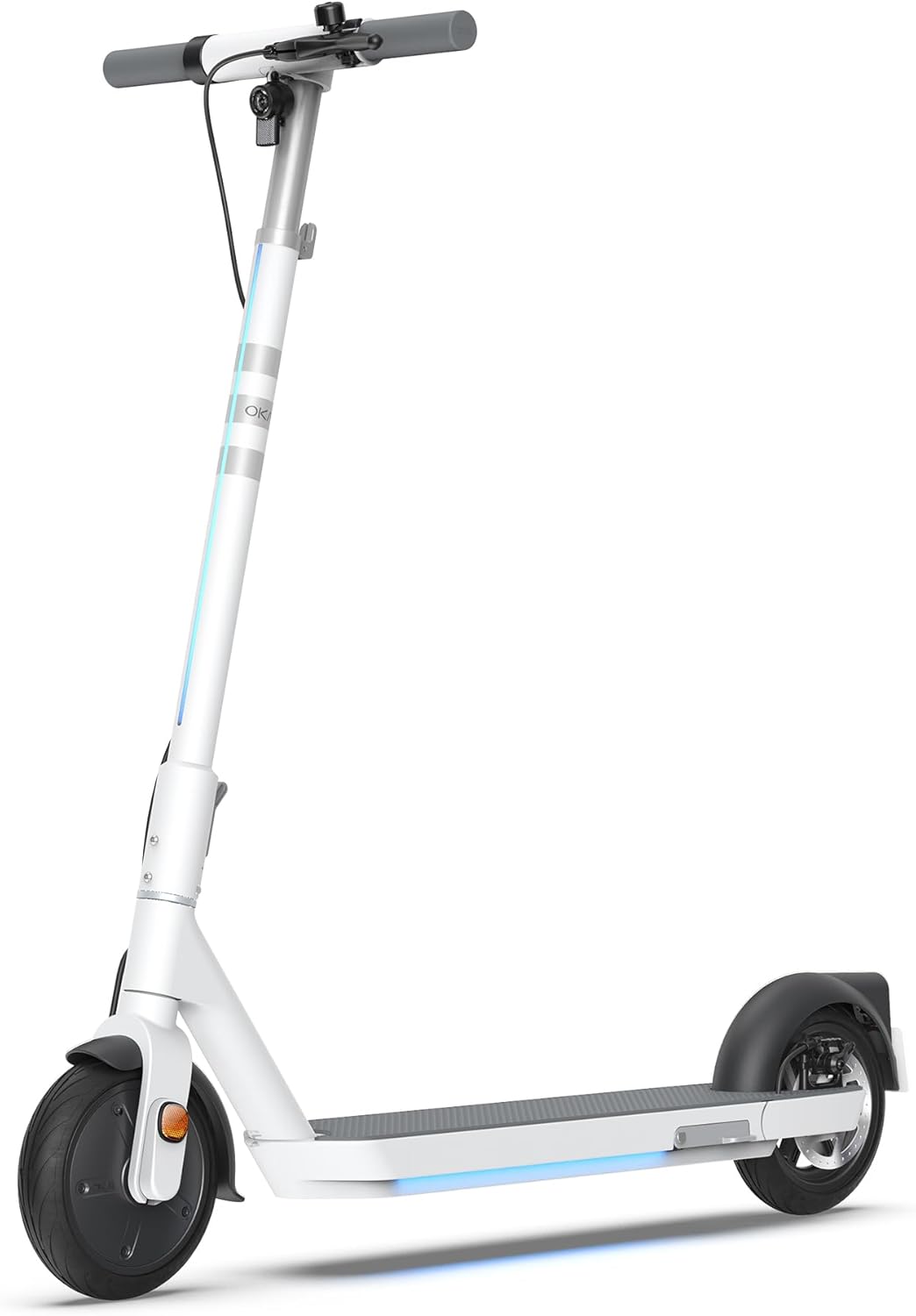
Figure 1: The OKAI Neon Electric Scooter, showcasing its sleek white design and integrated lighting.
2. Safety Information
Riding an electric scooter carries inherent risks. To minimize these risks, always adhere to the following safety guidelines:
- Always wear a helmet and appropriate safety gear (knee pads, elbow pads) when riding.
- Ensure all components are securely fastened before each ride.
- Do not ride in wet conditions, heavy rain, or through puddles.
- Adhere to local traffic laws and regulations.
- Maintain a safe speed and distance from other vehicles and pedestrians.
- Avoid riding under the influence of alcohol or drugs.
- The maximum weight limit for this scooter is 220 pounds (100 kg). Do not exceed this limit.
- This scooter is designed for adult use.
3. Package Contents
Verify that all items are present and in good condition upon unboxing:
- OKAI Neon Electric Scooter
- Charging Adapter
- User Manual (this document)
- Assembly Tools (if required)
- NFC Key Card
4. Setup and Initial Charge
4.1 Unboxing and Assembly
Carefully remove the scooter and all accessories from the packaging. The OKAI Neon Electric Scooter typically comes pre-assembled with minimal setup required. Follow these steps:
- Lift the handlebar stem until it clicks into place. Ensure the folding mechanism is securely locked.
- Attach the handlebars to the stem, ensuring all cables are properly connected and not pinched. Tighten any screws as instructed in the quick start guide (if provided separately).
4.2 Initial Charging
Before your first ride, fully charge the scooter's battery. This helps prolong battery life.
- Locate the charging port on the scooter.
- Connect the charging adapter to the scooter's charging port, then plug the adapter into a standard wall outlet.
- The scooter's display will indicate charging status. A full charge typically takes approximately 5.5 hours.
- Once fully charged, disconnect the charger.
5. Operating Instructions
5.1 Powering On/Off
- To power on: Press and hold the power button on the handlebar until the display illuminates.
- To power off: Press and hold the power button until the display turns off.
5.2 Riding Basics
To begin riding, place one foot on the deck and push off with the other foot to gain some initial momentum. Once moving, gently press the accelerator lever to engage the motor. For braking, use the hand levers for the electric brake (front) and disc brake (rear).

Figure 2: Key features including the smart display, disc brake, 300W power motor, and hidden rear suspension.
5.3 Speed Modes
The OKAI Neon Electric Scooter features multiple speed modes to suit different riding conditions and rider preferences. Refer to the scooter's display or the OKAI app to switch between modes. The maximum speed is approximately 15.5 MPH (25 km/h).
5.4 Folding Mechanism
The scooter features a one-click folding design for easy storage and transport. To fold, locate the folding latch near the base of the handlebar stem, release it, and carefully fold the stem down until it locks into place with the rear fender.
5.5 App Connectivity and Customization
Enhance your riding experience by connecting your OKAI Neon Electric Scooter to the OKAI app. The app allows for:
- Adjusting ambient light settings.
- Monitoring real-time ride updates and battery status.
- Customizing dashboard settings.
- Locking/unlocking the scooter (using the NFC key card or app).
Download the official OKAI app from your device's app store and follow the in-app instructions to pair your scooter.
6. Maintenance
Regular maintenance ensures the longevity and safe operation of your OKAI Neon Electric Scooter.
6.1 Battery Care
- Charge the battery fully before first use.
- Avoid completely draining the battery. Recharge after each use, or at least once a month if not used regularly.
- Store the scooter in a cool, dry place, away from direct sunlight and extreme temperatures.
- Use only the official OKAI charging adapter.
6.2 Tire Pressure
The front tire is pneumatic, and maintaining correct tire pressure is crucial for ride comfort, range, and safety. Check tire pressure regularly. While specific recommended PSI is not provided in this manual, generally, electric scooters require tire pressure between 30-50 PSI. Consult a professional if unsure or if you experience frequent deflation.
6.3 Cleaning and Storage
- Clean the scooter with a damp cloth. Do not use high-pressure water jets or corrosive cleaners.
- Ensure the charging port cover is securely closed before cleaning.
- Store the scooter indoors in a dry environment when not in use.
6.4 Brake Inspection
Regularly inspect the front electric brake and rear disc brake for proper function. Ensure brake levers are responsive and brake pads are not excessively worn. Adjust or replace components as needed, or seek professional assistance.
7. Troubleshooting
This section addresses common issues you might encounter with your OKAI Neon Electric Scooter.
| Problem | Possible Cause | Solution |
|---|---|---|
| Scooter does not power on. | Low battery; loose connections; power button issue. | Charge the battery fully. Check all visible cable connections. Ensure the power button is not stuck. |
| Motor not engaging. | Low battery; kick-start not performed; faulty accelerator. | Ensure battery is charged. Push off to gain initial speed before pressing accelerator. Contact support if issue persists. |
| Reduced range or speed. | Low tire pressure; heavy load; riding uphill; cold weather; battery degradation. | Check and inflate tires to recommended pressure. Reduce load. Battery performance can be affected by temperature. |
| Brakes feel weak or unresponsive. | Worn brake pads; loose brake cable; air in hydraulic system (disc brake). | Inspect brake pads for wear and replace if necessary. Adjust brake cable tension. For hydraulic issues, seek professional service. |
| Error codes on display (e.g., E3). | Sensor malfunction; motor issue; controller issue. | Refer to the OKAI app or contact customer support with the specific error code for diagnosis. |
If you encounter an issue not listed here or if the suggested solutions do not resolve the problem, please contact OKAI customer support.
8. Specifications
| Feature | Detail |
|---|---|
| Brand | OKAI |
| Model Name | Neon Series (ES20) |
| Color | White |
| Max Speed | Up to 15.5 MPH (25 km/h) |
| Max Range | Up to 25 Miles (40 km) |
| Weight Limit | 220 Pounds (100 kg) |
| Charging Time | Approx. 5.5 Hours |
| Product Dimensions (L x W x H) | 45" x 17.7" x 44.5" (114.3 cm x 44.9 cm x 113 cm) |
| Item Weight | 35.2 Pounds (16 kg) |
| Frame Material | Aluminum |
| Wheel Size | 9 Inches |
| Brake Style | Front: Electric Brake, Rear: Disc Brake |
| Suspension Type | Rear Suspension |
| Special Features | Dual Braking System, Cruise Control, Wide Platform, Lockable, Foldable, Ambient Light |

Figure 3: Dimensions of the OKAI Neon Electric Scooter.
9. Warranty and Customer Support
9.1 Warranty Information
The OKAI Neon Electric Scooter comes with a 1 Year Limited Warranty. This warranty covers manufacturing defects under normal use. Please retain your proof of purchase for warranty claims. For full warranty terms and conditions, refer to the official OKAI website or contact customer support.
9.2 Customer Support
For technical assistance, warranty claims, or any other inquiries, please contact OKAI customer support. You can find contact information on the official OKAI website or through the OKAI app. OKAI offers 100% local customer support.
Visit the official OKAI Store on Amazon: OKAI Store
Related documentsNeon Series (ES20)


Ask a question about this manual
Ask about setup, troubleshooting, compatibility, parts, safety, or missing instructions. Manuals+ will review the question and use this page’s manual context to help answer it.