
Welcome to Your New ODK L-Shaped Desk
This manual provides comprehensive instructions for the assembly, operation, and maintenance of your ODK L-Shaped Computer Gaming Desk. Designed for versatility and durability, this desk offers ample space for both work and play. Please read this manual carefully before assembly and use to ensure safe and optimal performance.
Safety Precautions
- Ensure all parts are present and undamaged before beginning assembly. Do not use if any parts are missing or broken.
- Assemble the desk on a soft, clean surface to prevent scratches.
- It is recommended that two people assemble this desk for ease and safety.
- Do not exceed the maximum load capacity of 60kg for the main tabletop and 25kg for each shelf.
- Keep small parts away from children during assembly.
- Regularly check all screws and connections to ensure they remain tight.
- Avoid placing hot items directly on the desk surface without protection.
What's Included
Before you begin, please verify that all components listed below are present in your package. If anything is missing or damaged, please contact customer support.
| Part | Description | Quantity |
|---|---|---|
| Tabletop Panels | Main L-shaped desk surfaces | 2 |
| Shelf Panels | Adjustable storage shelves | 2 |
| Steel Frame Components | Legs and support beams | Various |
| Cross Bracing | For enhanced stability | 1 |
| Adjustable Feet | For leveling the desk | 4 |
| Monitor Stand | Elevated platform for monitor | 1 |
| Headphone Hook | Convenient storage for headphones | 1 |
| Cable Grommet | For cable management | 1 |
| Assembly Hardware | Screws, bolts, Allen wrench | Various |
| Instruction Manual | This document | 1 |
Assembly Instructions
Follow these steps carefully to assemble your ODK L-Shaped Desk. It is recommended to have a second person assist with assembly.
- Unpack and Identify Parts: Lay out all components on a soft, clean surface. Refer to the "What's Included" section to identify each part.
- Assemble the Main Frame: Attach the steel frame components to the main tabletop panels using the provided screws. Ensure all connections are secure but do not overtighten yet.
- Install Cross Bracing: Secure the cross-bracing at the back of the desk frame. This enhances stability and prevents wobbling.

Image: The desk's sturdy structure with cross bracing for enhanced stability.
- Attach Shelf Supports: Fasten the shelf supports to the designated areas on the left side of the desk frame. Note: The shelves are designed for the left side only for this model.
- Insert Shelf Panels: Slide the shelf panels into the supports. These shelves are adjustable in height to accommodate various items.
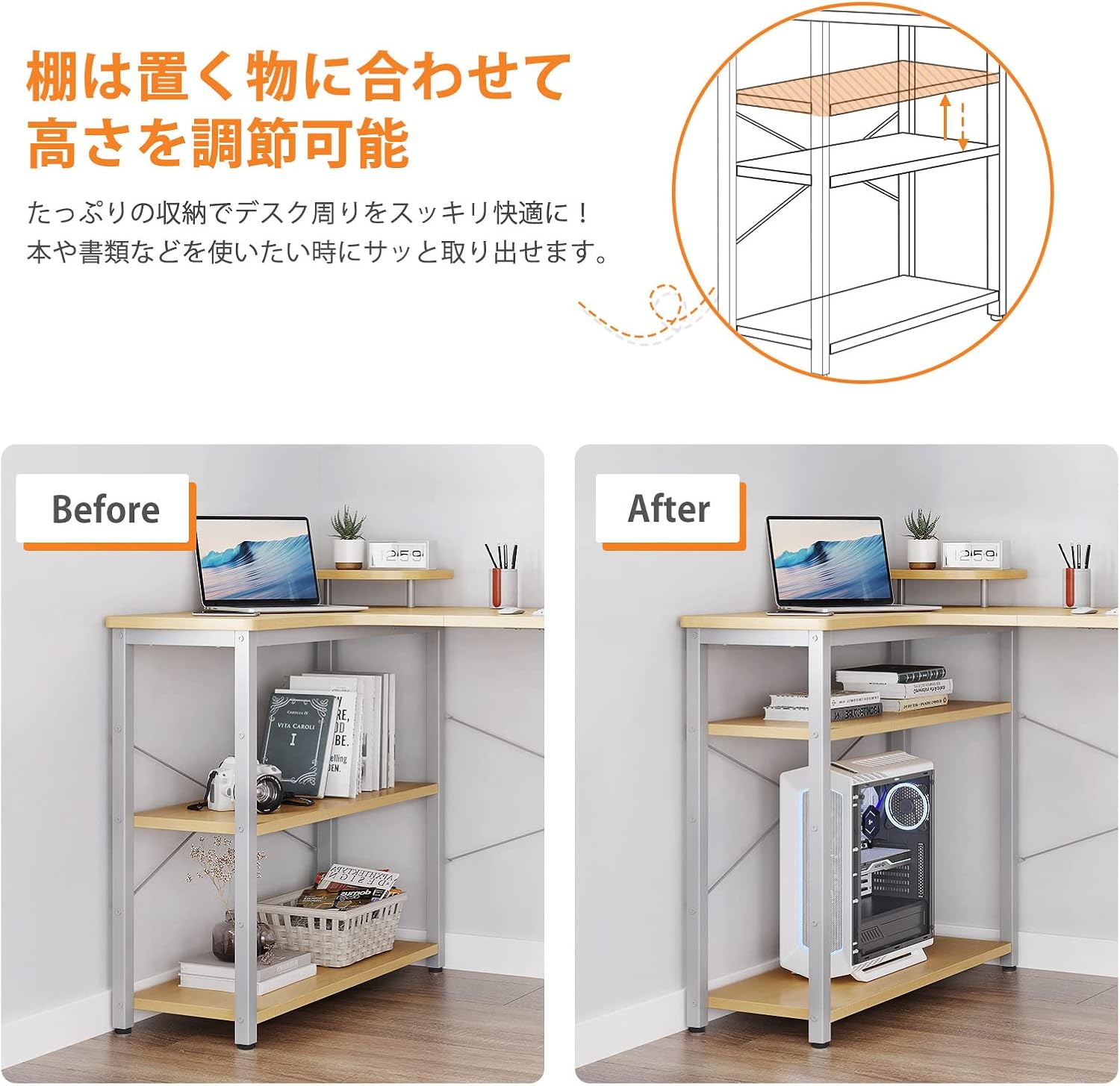
Image: The adjustable shelves provide flexible storage options.
- Install Adjustable Feet: Screw the adjustable feet into the bottom of each leg. These can be rotated to level the desk on uneven floors.

Image: Adjustable feet for leveling the desk on uneven surfaces.
- Attach Monitor Stand: Place the monitor stand on the designated area of the desk.

Image: The elevated monitor stand helps improve posture.
- Install Headphone Hook and Cable Grommet: Attach the headphone hook to the side of the desk frame and insert the cable grommet into the pre-drilled hole for cable management.

Image: Convenient headphone hook for easy access.

Image: Cable management grommet keeps your workspace tidy.
- Final Tightening: Once all parts are in place, carefully tighten all screws and bolts. Do not overtighten.

Image: Desk dimensions (110x80x74cm) and load capacities (60kg for tabletop, 25kg per shelf).
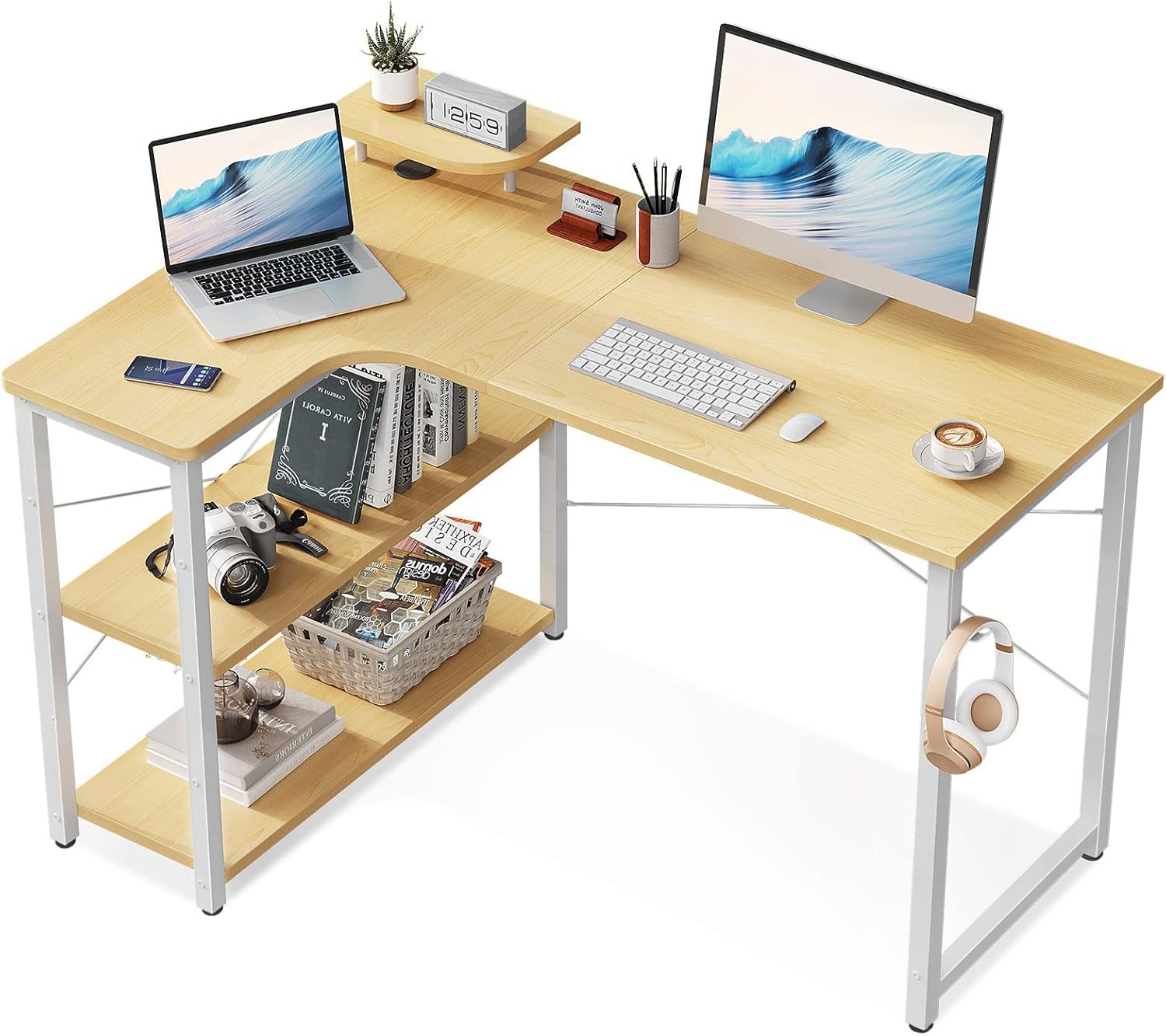
Image: The ODK L-shaped desk fully assembled and ready for use.
Usage Guidelines
Your ODK L-Shaped Desk is designed for versatile use in various environments, including home offices, gaming setups, and study areas. Here are some guidelines for optimal use:
- Maximize Workspace: The L-shaped design allows you to utilize corner spaces efficiently, providing a large surface area for multiple monitors, laptops, and other equipment.

Image: Enjoy a spacious and comfortable workspace.
- Utilize Storage: The integrated shelves provide convenient storage for books, documents, and other office supplies, keeping your main desk surface clutter-free.
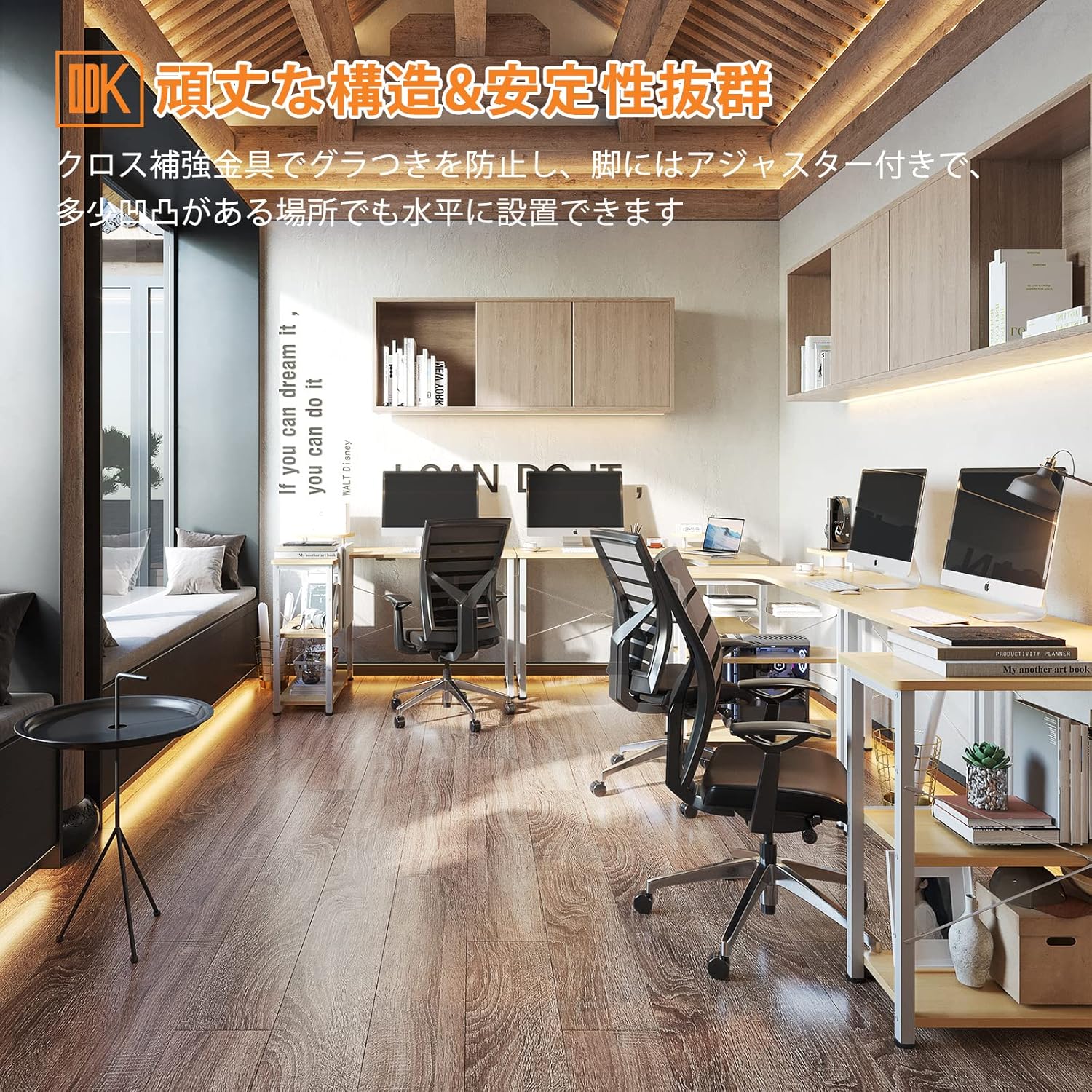
Image: The integrated shelves offer practical storage solutions.
- Ergonomic Setup: Use the included monitor stand to elevate your screen to an ergonomic eye level, which can help improve posture and reduce strain during long work or gaming sessions.

Image: Ideal for gaming setups, providing ample space for equipment.
- Cable Management: Route your cables through the built-in grommet to maintain a tidy and organized workspace.
- Safety Edges: The desk features a fillet design on the tabletop edges, which is a rounded corner for enhanced safety and to prevent accidental bumps.

Image: The fillet design on the tabletop edges enhances safety.
Care and Maintenance
To ensure the longevity and appearance of your ODK L-Shaped Desk, follow these simple care instructions:
- Cleaning: Wipe the desk surface with a soft, damp cloth. For stubborn stains, use a mild soap solution and dry immediately. Avoid abrasive cleaners or harsh chemicals.
- Spills: Promptly wipe up any spills to prevent water damage or staining, especially since the melamine surface is water-resistant but not waterproof.
- Heat Protection: Always use coasters or protective pads under hot items to prevent heat marks on the tabletop.
- Sunlight Exposure: Avoid prolonged direct sunlight exposure, which can cause fading or discoloration over time.
- Regular Checks: Periodically check all screws and connections to ensure they are tight. Retighten if necessary to maintain stability.
Troubleshooting Common Issues
If you encounter any issues with your ODK L-Shaped Desk, please refer to the table below for common problems and their solutions. If the problem persists, contact customer support.
| Problem | Possible Cause | Solution |
|---|---|---|
| Desk is wobbly | Loose screws or uneven floor | Tighten all assembly screws. Adjust the leveling feet at the bottom of the legs. |
| Parts do not fit | Incorrect orientation or wrong parts | Refer to the assembly instructions and diagrams. Ensure you are using the correct parts for each step. Do not force parts together. |
| Scratches on surface | Sharp objects or abrasive cleaning | Use protective mats for sharp items. Clean with a soft cloth and avoid abrasive materials. |
| Missing hardware | Packaging error | Check all packaging materials thoroughly. Contact customer support for replacement parts. |
Product Specifications
| Feature | Detail |
|---|---|
| Brand | ODK |
| Model Number | B01XS01737JP |
| Dimensions (L x W x H) | 110 x 80 x 74 cm (approx.) |
| Weight | Approx. 14.5 kg |
| Material | Engineered Wood (Melamine Laminated Board), Metal (Steel Frame) |
| Color | Natural |
| Tabletop Load Capacity | 60 kg |
| Shelf Load Capacity | 25 kg per shelf |
| Assembly Required | Yes (Customer Assembly) |
| Special Features | L-shaped design, Integrated storage shelves, Monitor stand, Headphone hook, Cable grommet, Adjustable feet, Fillet edge design |
Warranty and Customer Support
ODK provides a 1-year manufacturer's warranty for this product, covering defects in materials and workmanship from the date of purchase. This warranty does not cover damage caused by improper assembly, misuse, accidents, or normal wear and tear.
If you experience any issues or have questions regarding your ODK L-Shaped Desk, please do not hesitate to contact our customer support team. We are committed to providing high-quality products and services.
For support, please refer to the contact information provided on your purchase receipt or visit the official ODK store on Amazon: ODK Amazon Store.


