
1. Introduction
Thank you for choosing the ODK L-Shaped Computer Gaming Desk. This versatile and stylish desk is designed to optimize your workspace, whether for gaming, remote work, or study. Its L-shaped design maximizes corner space, providing ample room for your computer, peripherals, and other essentials. The integrated storage rack offers convenient access to books and documents, keeping your area tidy.
Constructed with a sturdy steel frame and high-strength melamine laminated board, this desk ensures durability and stability. The desktop features a fillet design for enhanced safety. Please read this manual carefully before assembly and use to ensure proper setup and long-lasting enjoyment of your new desk.
2. Safety Information
- Always follow the assembly instructions carefully.
- Do not exceed the maximum load capacity of the desktop (60 kg) or shelves (25 kg each).
- Keep small parts and packaging materials away from children to prevent choking hazards.
- Ensure all screws and fasteners are tightened securely before use. Periodically check and re-tighten if necessary.
- Avoid placing hot items directly on the desktop surface without protection.
- Do not stand or sit on the desk.
- Place the desk on a level surface to prevent wobbling. Use the adjustable feet to stabilize if needed.
- Handle large components with care during assembly to avoid injury. Two people are recommended for assembly.
3. Package Contents
Please verify that all parts are present before beginning assembly. If any parts are missing or damaged, please contact customer support.
| Part | Description | Quantity |
|---|---|---|
| A | Main Desktop Panel (L-shaped) | 1 |
| B | Side Shelf Panels | 2 |
| C | Monitor Stand Shelf | 1 |
| D | Steel Frame Legs | Various |
| E | Cross Bracing Bars | 2 |
| F | Adjustable Feet | 4 |
| G | Headphone Hook | 1 |
| H | Cable Management Grommet | 1 |
| I | Assembly Hardware (Screws, Allen Wrench, etc.) | 1 set |
4. Setup & Assembly
Assembly is straightforward, but having a second person can make the process easier. Please follow these steps:
Step 4.1: Unpack and Identify Parts
Carefully unpack all components and lay them out on a clean, soft surface to prevent scratches. Identify each part using the package contents list.
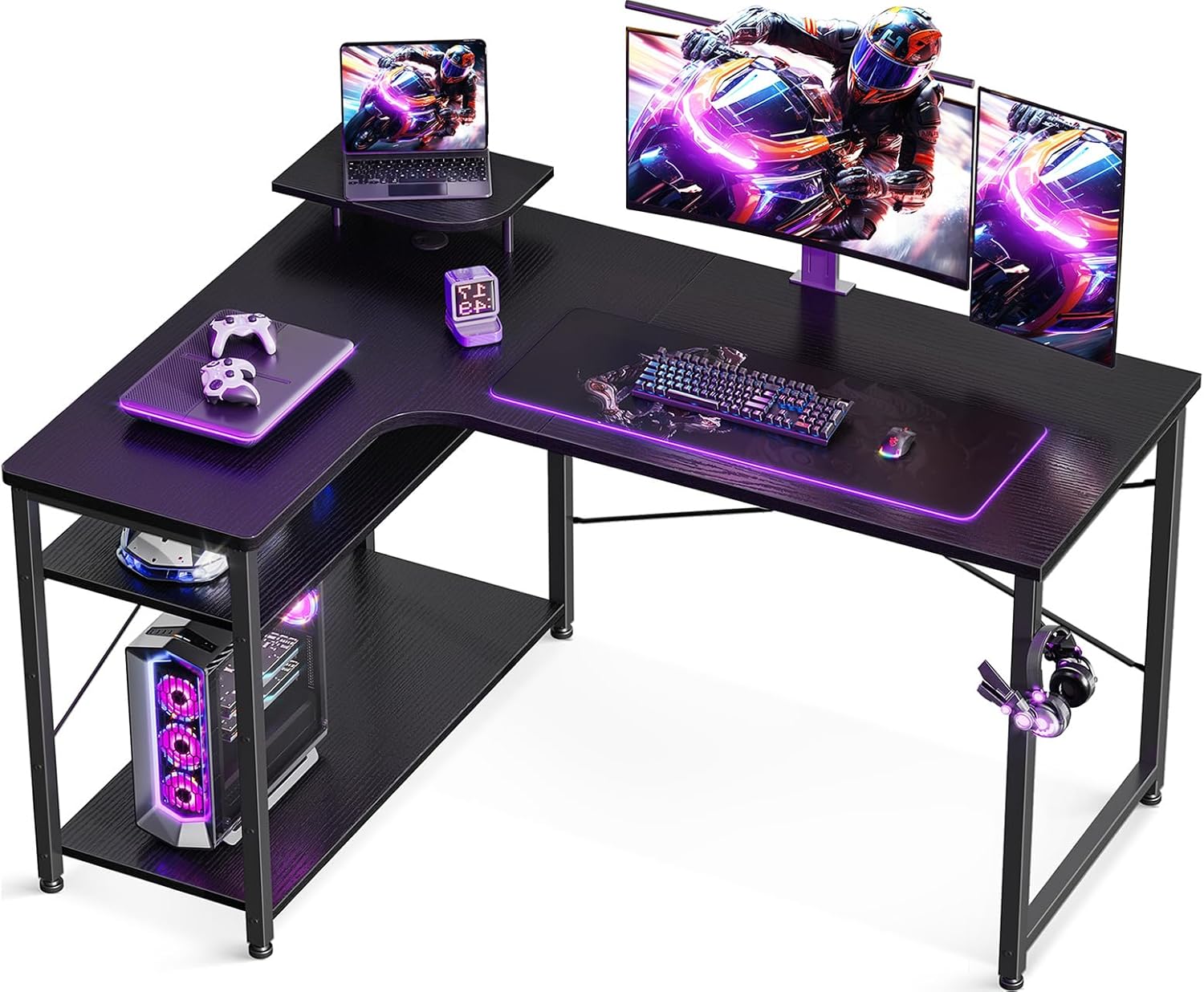
Image: All components of the ODK L-shaped desk, including the desktop, shelves, and metal frame parts, are laid out on a floor, ready for assembly.
Step 4.2: Assemble the Frame
Attach the steel frame legs (D) to the main desktop panel (A) using the provided hardware (I). Ensure all connections are firm but do not fully tighten screws yet.

Image: A detailed diagram illustrating the attachment points of the steel frame to the desktop, highlighting the screw locations for secure fastening.
Step 4.3: Install Cross Bracing and Adjustable Feet
Secure the cross bracing bars (E) to the rear of the frame to enhance stability. Install the adjustable feet (F) into the bottom of each leg. These feet can be rotated to level the desk on uneven floors.

Image: A close-up view of the adjustable foot mechanism at the base of a desk leg, showing how it can be rotated to adjust height and level the desk.

Image: A close-up of the cross-bracing mechanism, illustrating how the metal bars intersect and are secured to provide structural stability and prevent wobbling.
Step 4.4: Attach Side Shelves and Monitor Stand
Mount the side shelf panels (B) to the designated frame sections. The height of the shelves can be adjusted to accommodate different items. Attach the monitor stand shelf (C) to the main desktop. Insert the cable management grommet (H) into its opening.
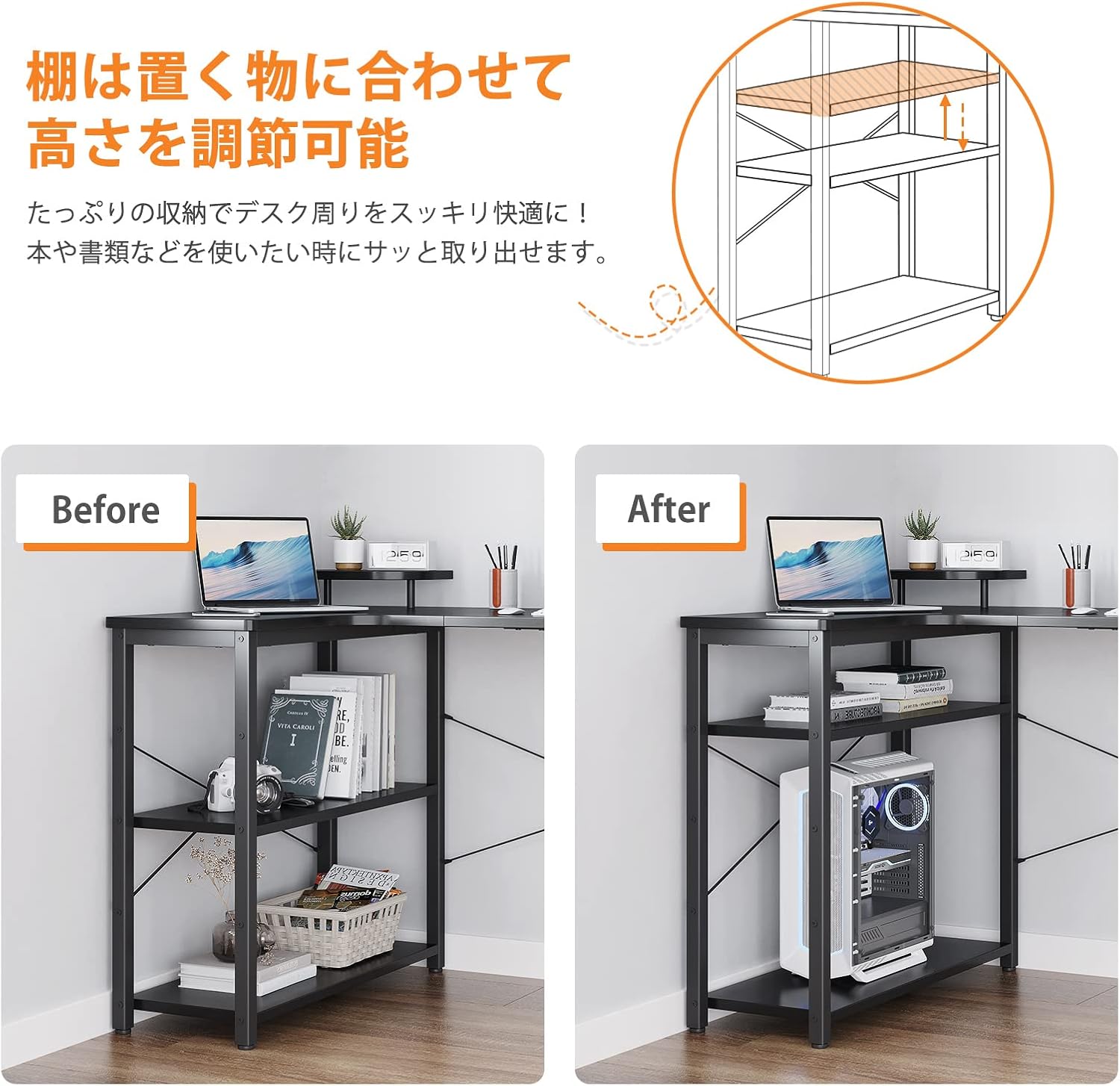
Image: The ODK L-shaped desk fully assembled, showcasing the integrated side shelves and the elevated monitor stand, with a laptop and other items placed on it.

Image: A close-up view of the monitor stand, showing its elevated design and the smooth, rounded edges of the desktop surface.

Image: A close-up of the cable management grommet integrated into the desk surface, designed to neatly route cables and keep the workspace organized.
Step 4.5: Final Tightening and Accessory Attachment
Once all parts are in place, gradually tighten all screws. Attach the headphone hook (G) to a convenient location on the frame. Ensure the desk is stable and level before placing any items on it.

Image: A close-up of the metal headphone hook attached to the side of the desk frame, providing a convenient storage solution for headphones.
5. Operating Instructions
The ODK L-Shaped Desk is designed for versatile use in various environments.
- Workspace Optimization: Utilize the L-shaped design to create a spacious work area. Place your main monitor and keyboard on one side, and a secondary monitor, laptop, or documents on the other.
- Integrated Storage: The built-in shelves provide convenient storage for books, files, gaming consoles, or CPU towers. Arrange them to suit your needs.
- Monitor Stand: Use the elevated monitor stand to raise your screen to an ergonomic viewing height, reducing neck and eye strain.
- Cable Management: Route your cables through the integrated grommet to keep your desktop tidy and organized.
- Headphone Storage: Hang your headphones on the dedicated hook for easy access and to keep them off the desk surface.
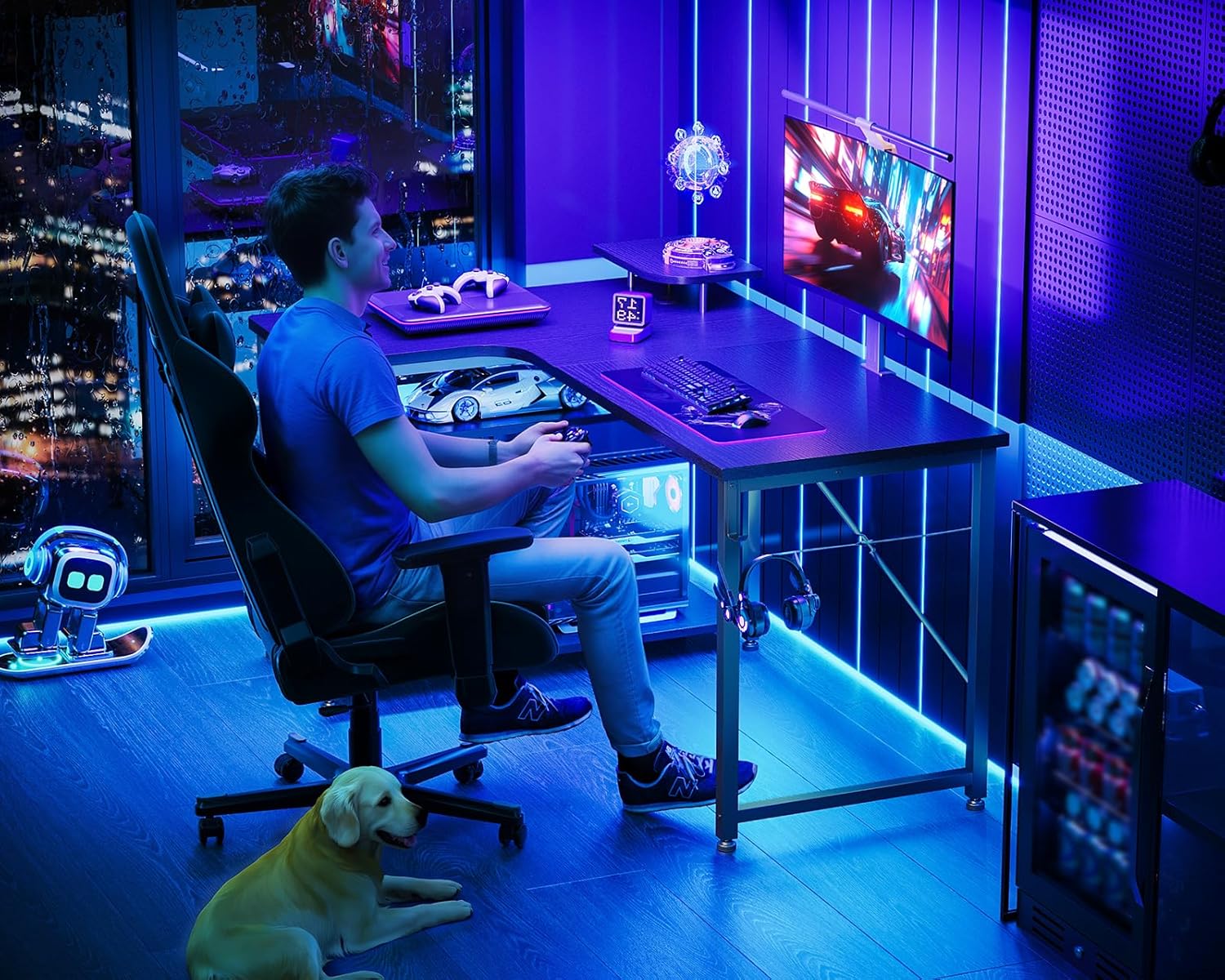
Image: A person seated at the ODK L-shaped desk, which is set up as a gaming station with multiple monitors, a keyboard, and a mouse, demonstrating its use in a gaming environment.

Image: The ODK L-shaped desk configured for an office or study environment, featuring a computer, printer, and various office supplies, highlighting its versatility for work-from-home setups.
6. Maintenance
- Cleaning: Wipe the desk surface with a soft, damp cloth. For stubborn stains, use a mild soap solution and then dry thoroughly. Avoid abrasive cleaners or harsh chemicals.
- Spills: Immediately wipe up any liquid spills to prevent damage to the melamine surface.
- Heat Protection: Although the surface is heat-resistant, it is recommended to use coasters or heat pads for very hot items to prolong the desk's lifespan.
- Screw Tightness: Periodically check all screws and fasteners to ensure they remain tight. Re-tighten if any looseness is detected to maintain stability.
- Avoid Scratches: While scratch-resistant, avoid dragging sharp or heavy objects across the surface. Use desk mats if desired.

Image: A close-up view of the black melamine laminated desktop surface, showing its wood grain texture and a glass of water, demonstrating its resistance to moisture.
7. Troubleshooting
| Problem | Possible Cause | Solution |
|---|---|---|
| Desk wobbles or is unstable. | Uneven floor; loose screws; improper assembly of cross bracing. | Adjust the leveling feet at the bottom of the legs. Ensure all screws are fully tightened. Verify cross bracing is correctly installed. |
| Parts do not align during assembly. | Incorrect orientation of parts; screws tightened too early. | Loosen all screws slightly, adjust parts into correct position, then gradually tighten. Refer to the assembly diagrams. |
| Missing parts. | Packaging error. | Double-check all packaging materials. If still missing, contact ODK customer support with your purchase details. |
| Surface scratches or damage. | Rough handling; sharp objects. | For minor scratches, a furniture marker might help. For significant damage, contact support for advice. Prevent future damage by using desk mats. |
8. Specifications
- Model: B01XS01734JP
- Brand: ODK
- Type: L-shaped Computer/Gaming Desk with Storage Rack
- Color: Black
- Material: Engineered Wood (Melamine Laminated Board), Metal (Steel Frame)
- Finish Type: Powder Coated (Frame)
- Overall Dimensions: Approximately 110 cm (Width) x 80 cm (Depth) x 74 cm (Height)
- Product Weight: Approximately 14.5 kg (32 lbs)
- Package Weight: Approximately 16.3 kg (35.9 lbs)
- Desktop Load Capacity: 60 kg (132 lbs)
- Shelf Load Capacity: 25 kg (55 lbs) per shelf
- Special Features: Space-saving L-shape, Integrated Storage Shelves, Monitor Stand, Headphone Hook, Cable Management Grommet, Adjustable Feet, Fillet Design for Safety.
- Assembly Required: Yes

Image: A technical diagram showing the precise dimensions of the ODK L-shaped desk, including width, depth, and height, along with load capacities for the desktop and shelves.
9. Warranty & Support
Manufacturer Warranty: This ODK product comes with a 1-year manufacturer's warranty from the date of purchase. This warranty covers defects in materials and workmanship under normal use.
What is Covered: Defects in materials and workmanship.
What is Not Covered:
- Damage caused by improper assembly or installation.
- Damage caused by misuse, abuse, neglect, or accident.
- Normal wear and tear.
- Damage caused by unauthorized repairs or modifications.
- Damage caused by exceeding load capacities.
Customer Support: If you encounter any issues with your ODK L-Shaped Computer Gaming Desk, or if you have questions regarding assembly, parts, or warranty claims, please contact ODK customer support. Please have your purchase receipt and model number (B01XS01734JP) ready when contacting support.
For the most up-to-date contact information, please visit the official ODK store page on Amazon or the ODK website.
Thank you for choosing ODK.


