
OREI UHD88-EXB400R-K
OREI 8X8 4K HDMI Matrix Switcher Extender
Model: UHD88-EXB400R-K | Brand: OREI
HDBaseT UltraHD 4K @ 60Hz 4:4:4 Over Single CAT5e/6/7 Cable with HDR, CEC & IR Control, RS-232
Introduction
The OREI 8X8 4K HDMI Matrix Switcher Extender is a professional distribution product designed for seamless audio and video transmission. It features 8 HDMI inputs and 8 HDBaseT outputs, along with 8 additional HDMI loop-out ports at the local source. This system supports Ultra HD 4K resolution at 60Hz (4:4:4) with HDR, CEC, and IR control, extending signals up to 400 feet over a single CAT5e/6/7 cable. It is ideal for various applications including 4K Blu-Ray players, game consoles, media players, satellite receivers, computers, and laptops.

Figure 1: OREI 8X8 4K HDMI Matrix Switcher Extender with included receivers.
Key Features
- 8x8 Matrix Switching: Connects 8 HDMI sources to 8 HDBaseT outputs with 8 local HDMI loop-outs.
- 4K Ultra HD Support: Supports 4K @ 60Hz (4:4:4), 4K @ 30Hz, 1080p, 720p, and other resolutions.
- HDBaseT Technology: Extends HDMI signals up to 400 feet (121 meters) over single CAT5e/6/7 cable with zero latency.
- Power Over Cable (PoC): Only requires one power adapter at the transmitter end, simplifying installation.
- Advanced Control: Controllable via Front Panel, IR remote, RS-232, LAN, and Web GUI.
- HDCP 2.2/1.4 Compliant: Ensures compatibility with the latest content protection standards.
- Full EDID Management: Allows for flexible adjustment of frame rate, resolution, and audio style.
- Bi-Directional IR Control: IR transport channel supports both forwards and backwards signals.

Figure 2: Key features of the OREI 8X8 4K HDMI Matrix Switcher Extender.
Setup
Follow these steps to set up your OREI 8X8 4K HDMI Matrix Switcher Extender:
- Unpack Components: Carefully unpack the main matrix unit, 8 HDBaseT receivers, power adapter, IR cables, RS-232 cable, remote, mounting ears, and Phoenix connectors.
- Connect HDMI Sources: Connect your HDMI source devices (e.g., Blu-Ray player, game console) to the HDMI input ports on the main matrix unit.
- Connect HDBaseT Outputs: Run high-quality CAT5e/6/7 cables from the HDBaseT output ports on the matrix unit to the CAT IN ports on each of the 8 HDBaseT receivers. CAT6 is recommended for optimal performance.
- Connect HDMI Displays: Connect your HDMI displays (TVs, projectors) to the HDMI OUT ports on each HDBaseT receiver.
- Connect Local Loop-Outs (Optional): If desired, connect additional HDMI displays to the HDMI loop-out ports on the main matrix unit for local monitoring.
- Connect IR Cables: Connect the IR-Receiver cables to the IR IN ports on the receivers and the IR-Blaster cables to the IR OUT ports on the matrix unit. Position the IR blasters near the IR sensors of your source devices.
- Power On: Connect the 100-240V power adapter to the main matrix unit. Only the transmitter requires power due to Power Over Cable (PoC) functionality.
- Verify Connections: Ensure all cables are securely connected. The system will perform a power-on self-test.

Figure 3: Detailed connection diagram for the matrix system.
Video 1: Official OREI guide on how to use the HDMI Matrix Extender.
Operating
The OREI 8X8 Matrix offers multiple control options:
- Front Panel Buttons: Use the INPUT and OUTPUT buttons on the front panel to select which source is routed to which display. The LED display will show the current routing.
- IR Remote Control: Use the included IR remote to switch inputs and outputs from a distance. Ensure the remote is pointed towards the IR window on the front panel.
- RS-232 Control: Connect a computer via the RS-232 port for advanced control and integration with automation systems.
- LAN/Web GUI Control: Access the Web GUI via a LAN connection for intuitive control and configuration through a web browser.
The system supports full EDID management, allowing you to adjust video and audio settings to ensure optimal compatibility and performance across all connected devices.
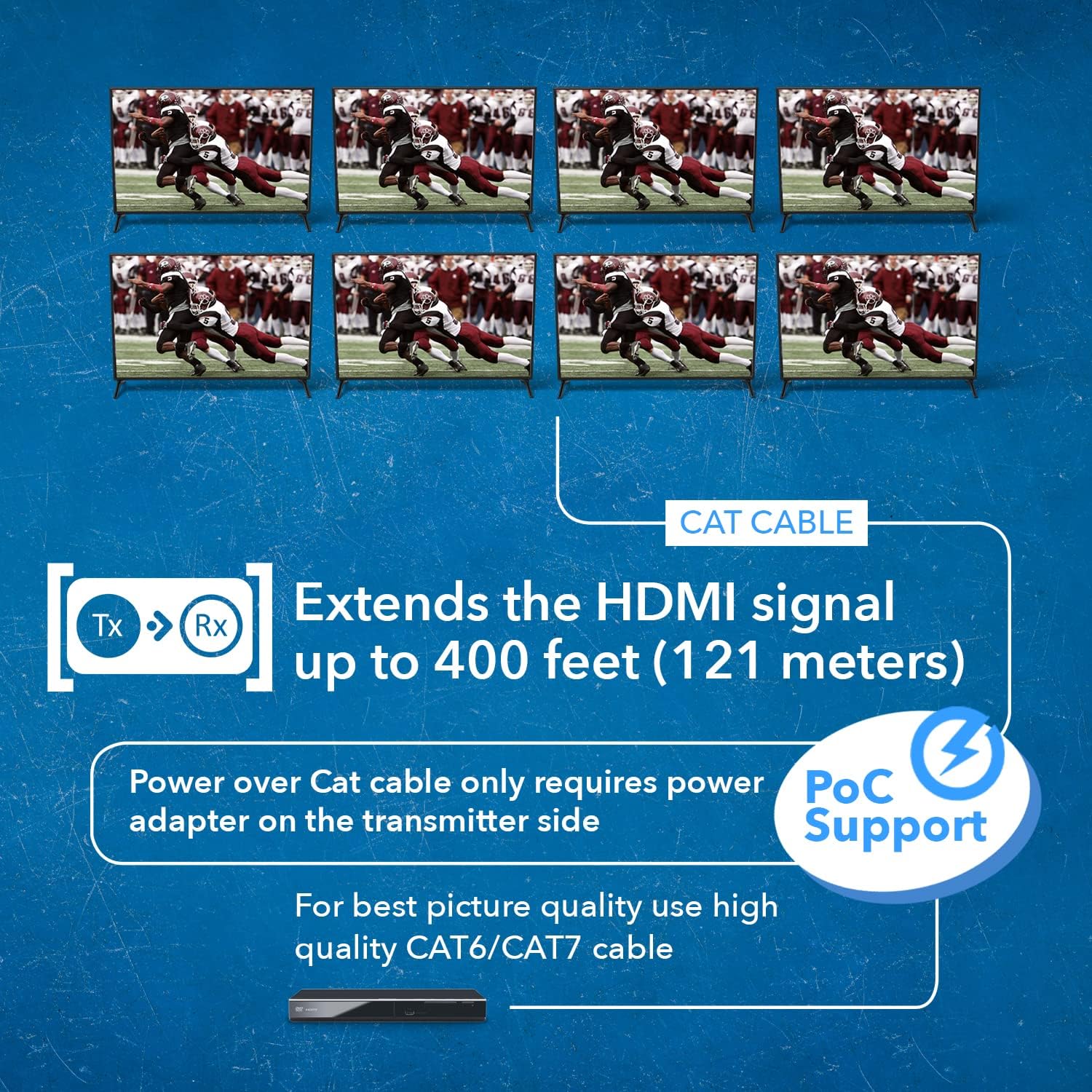
Figure 4: The system extends 4K signals up to 400 feet and supports Power over Cable.
Maintenance
To ensure the longevity and optimal performance of your OREI 8X8 HDMI Matrix Switcher Extender, follow these maintenance guidelines:
- Keep Clean: Regularly wipe the unit with a soft, dry cloth. Avoid using liquid or aerosol cleaners.
- Ensure Ventilation: Do not block the ventilation slots on the unit. Ensure adequate airflow to prevent overheating.
- Cable Management: Keep cables organized and free from kinks or excessive bending to prevent signal degradation.
- Firmware Updates: Periodically check the OREI website for any available firmware updates to ensure the latest features and bug fixes.
Troubleshooting
If you encounter issues with your OREI 8X8 HDMI Matrix Switcher Extender, refer to the following common troubleshooting tips:
- No Video/Audio Output:
- Check all HDMI and CAT cables for secure connections.
- Ensure the matrix unit is powered on and the power indicator light is solid.
- Verify that the correct input is selected for the desired output.
- Test with different HDMI cables or source devices to rule out cable/source issues.
- Check EDID settings on the matrix unit to ensure compatibility with displays.
- Intermittent Signal/Flickering:
- Use high-quality CAT6/7 cables, especially for longer runs.
- Avoid signal converters or adapters in the signal path.
- Ensure proper termination of CAT cables.
- Check for electromagnetic interference (EMI) from other electronic devices.
- Control Issues (IR/RS-232/LAN):
- For IR, ensure IR blasters are correctly positioned and not obstructed.
- For RS-232/LAN, verify correct cable connections and software/GUI settings.
- Restart the matrix unit and control device.
- "Lights not in line with channels":
- This typically indicates a mismatch between the selected input/output and the actual active connection. Double-check your routing configuration via the front panel or GUI.
- "Splitter fried displays":
- While rare, ensure proper grounding and power stability. Use surge protectors. If displays are damaged, contact OREI support and the display manufacturer.
Specifications
| Feature | Description |
|---|---|
| Product Dimensions | 14.5 x 17 x 3 inches |
| Item Weight | 2.4 pounds |
| Item Model Number | UHD88-EXB400R-K |
| Color | Black |
| Connector Type | HDMI |
| Compatible Devices | Gaming Console, Blu-Ray Player |
| Cable Type | HDMI |
| Manufacturer | OREI |
| Country of Origin | China |
Warranty & Support
The OREI 8X8 4K HDMI Matrix Switcher Extender comes with a 1-Year Manufacturer's Warranty.
For technical assistance, troubleshooting, or warranty claims, please contact OREI Support. OREI offers lifetime technical support for their products.
You can also refer to the official User Manual (PDF) available for download from the product's Amazon page for more detailed information and diagrams.
User Manual (PDF): Download Here
Related documentsUHD88-EXB400R-K


Ask a question about this manual
Ask about setup, troubleshooting, compatibility, parts, safety, or missing instructions. Manuals+ will review the question and use this page’s manual context to help answer it.