1. Introduction
This manual provides essential information for the safe operation, maintenance, and troubleshooting of your yeedi vac 2 pro Robot Vacuum and Mop Combo. Please read this manual thoroughly before using the product and retain it for future reference.
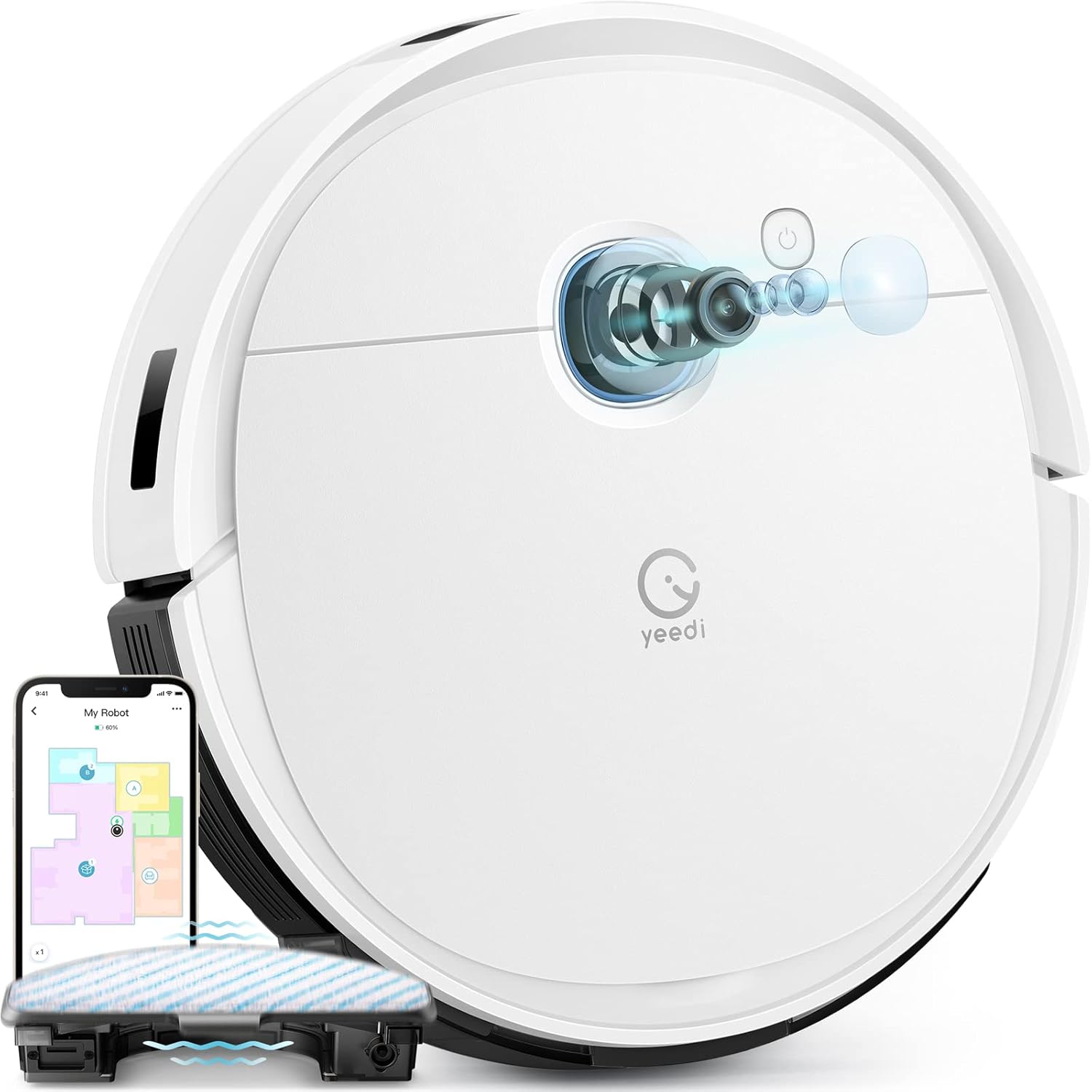
Image 1.1: The yeedi vac 2 pro Robot Vacuum and Mop Combo, showcasing its sleek design and integrated app control interface.
2. Product Features
The yeedi vac 2 pro is designed to provide comprehensive floor cleaning with advanced functionalities.
- All-in-One Cleaning: Simultaneous vacuuming and oscillating mopping with 3000Pa suction for effective removal of dirt and dried-on stains on various floor types.
- Advanced 3D Obstacle Avoidance: Detects and navigates around common household obstacles such as shoes, pet bowls, and toys, reducing the need for pre-cleaning preparation.
- Smart Visual Navigation: Utilizes visual navigation technology for precise mapping of your home layout, enabling efficient cleaning paths and full floor coverage.
- Intelligent Carpet Detection: Automatically adjusts cleaning mode; avoids carpets during mopping and increases suction power when vacuuming carpets.
- Customizable Cleaning via App: Control vacuuming and water flow levels, select specific areas for cleaning, define cleaning sequences, and manage editable home maps through the yeedi app. Compatible with Amazon Alexa and Google Assistant.
- Extended Runtime: Up to 240 minutes of cleaning on a single charge, suitable for large homes. Features automatic recharging and resume cleaning functionality.
- Optional Auto Dustbin Empty: Compatible with the yeedi self-empty station (sold separately) for up to 60 days of hands-free dust disposal.

Image 2.1: Close-up view of the oscillating mopping system, designed to mimic hand-mopping for effective stain removal.

Image 2.2: The robot vacuum navigating around various obstacles, demonstrating its 3D obstacle avoidance capabilities.
3. Setup
3.1 Unpacking and Placement
- Carefully remove all components from the packaging.
- Remove all protective films and stickers from the robot and charging dock.
- Place the charging dock against a wall in an open area, ensuring there are no obstacles within 0.5 meters (1.6 feet) to either side and 1.5 meters (4.9 feet) in front.
- Connect the power adapter to the charging dock and plug it into a power outlet.
3.2 Initial Charging
Place the robot onto the charging dock. Ensure the charging contacts on the robot align with those on the dock. The robot will begin charging automatically. For first-time use, fully charge the robot before operation.
3.3 App Installation and Connection
- Download the 'yeedi' app from your mobile device's app store (iOS or Android).
- Open the app and follow the on-screen instructions to create an account.
- Add your yeedi vac 2 pro by selecting the model from the device list.
- Follow the app's instructions to connect the robot to your 2.4GHz Wi-Fi network. (Note: 5GHz Wi-Fi is not supported).
4. Operating Instructions
4.1 Starting a Cleaning Cycle
You can start a cleaning cycle using the physical button on the robot or through the yeedi app.
- Robot Button: Press the power button once to start or pause cleaning.
- yeedi App: Open the app, select your robot, and tap 'Start Cleaning'.
4.2 Mopping Function
To use the mopping function, ensure the water tank is filled and the mopping pad is attached.
- Fill the water tank with clean water. Do not use cleaning solutions not approved by Yeedi.
- Attach the mopping pad securely to the water tank module.
- Insert the water tank module into the robot.
- Start a cleaning cycle. The robot will automatically engage mopping mode on hard floors and avoid carpets.

Image 4.1: Illustration of the robot's carpet detection feature, showing it avoiding carpets in mopping mode and boosting suction in vacuuming mode.
4.3 App Control and Mapping
The yeedi app provides advanced control and customization options.
- Map Creation: The robot will create a map of your home during its first few cleaning cycles. Ensure all doors are open and obstacles are minimized for accurate mapping.
- Customization: Use the app to set virtual boundaries, no-go zones, specific cleaning areas, and adjust suction power or water flow levels.
- Multi-Floor Mapping: The robot supports saving multiple maps, allowing it to operate efficiently in multi-story homes.

Image 4.2: Screenshots of the yeedi app interface, demonstrating options for setting cleaning sequences, cleaning specific areas, and customizing settings.

Image 4.3: Visual representation of the robot's ability to create and save multiple floor maps, beneficial for multi-level homes.
5. Maintenance
Regular maintenance ensures optimal performance and extends the lifespan of your yeedi vac 2 pro.
5.1 Dustbin and Filters
- Empty the dustbin after each cleaning cycle.
- Clean the filter regularly by tapping out dust. Replace the filter every 3-6 months, or as needed.
5.2 Main Brush and Side Brushes
- Remove the main brush and clean any tangled hair or debris using the cleaning tool provided.
- Check side brushes for wear and tear. Replace if damaged or excessively worn.
5.3 Mopping Pad and Water Tank
- Remove and wash the mopping pad after each use. Allow it to air dry completely.
- Empty any remaining water from the water tank after mopping.
5.4 Sensors and Charging Contacts
- Wipe all sensors (anti-drop, anti-collision, etc.) and charging contacts on both the robot and the charging dock with a clean, dry cloth.
6. Troubleshooting
This section addresses common issues you might encounter with your yeedi vac 2 pro.
| Problem | Possible Cause | Solution |
|---|---|---|
| Robot does not start or respond. | Low battery; power switch off; robot stuck. | Charge the robot; ensure power switch is ON; clear any obstructions. |
| Robot cannot connect to Wi-Fi. | Incorrect Wi-Fi password; 5GHz network; poor signal. | Verify password; ensure 2.4GHz network is used; move robot closer to router. |
| Poor cleaning performance. | Full dustbin; clogged filter; worn brushes. | Empty dustbin; clean/replace filter; clean/replace brushes. |
| Mopping function not working. | Empty water tank; dry mopping pad; incorrect installation. | Fill water tank; wet mopping pad; ensure water tank is correctly installed. |
| Robot gets stuck frequently. | Excessive obstacles; dirty sensors. | Clear floor of small objects; clean all sensors. |
7. Specifications
| Feature | Detail |
|---|---|
| Brand | Yeedi |
| Model Name | Vac 2 Pro |
| Item Model Number | K960 |
| Suction Power | 3000Pa |
| Battery Life | Up to 240 minutes runtime |
| Battery Type | Lithium Ion (1 required, included) |
| Water Tank Capacity | 420 Milliliters |
| Product Dimensions | 24.25"L x 16"W x 4.5"H |
| Item Weight | 13.16 pounds |
| Control Method | App, Voice (Amazon Alexa, Google Assistant) |
| Wi-Fi Compatibility | 2.4GHz only |
8. Warranty and Support
8.1 Warranty Information
The yeedi vac 2 pro comes with a 1-year worry-free warranty. In the event of a quality issue occurring within the warranty period, Yeedi commits to replacing your robot vacuum with a new one.
8.2 Customer Support
For any inquiries, technical assistance, or warranty claims, please contact Yeedi's responsive customer service. Refer to the yeedi app or the official Yeedi website for contact details.

Image 8.1: Information regarding Yeedi's customer service, 1-year free maintenance, and free replacement policy for quality issues.


