
1. Product Overview
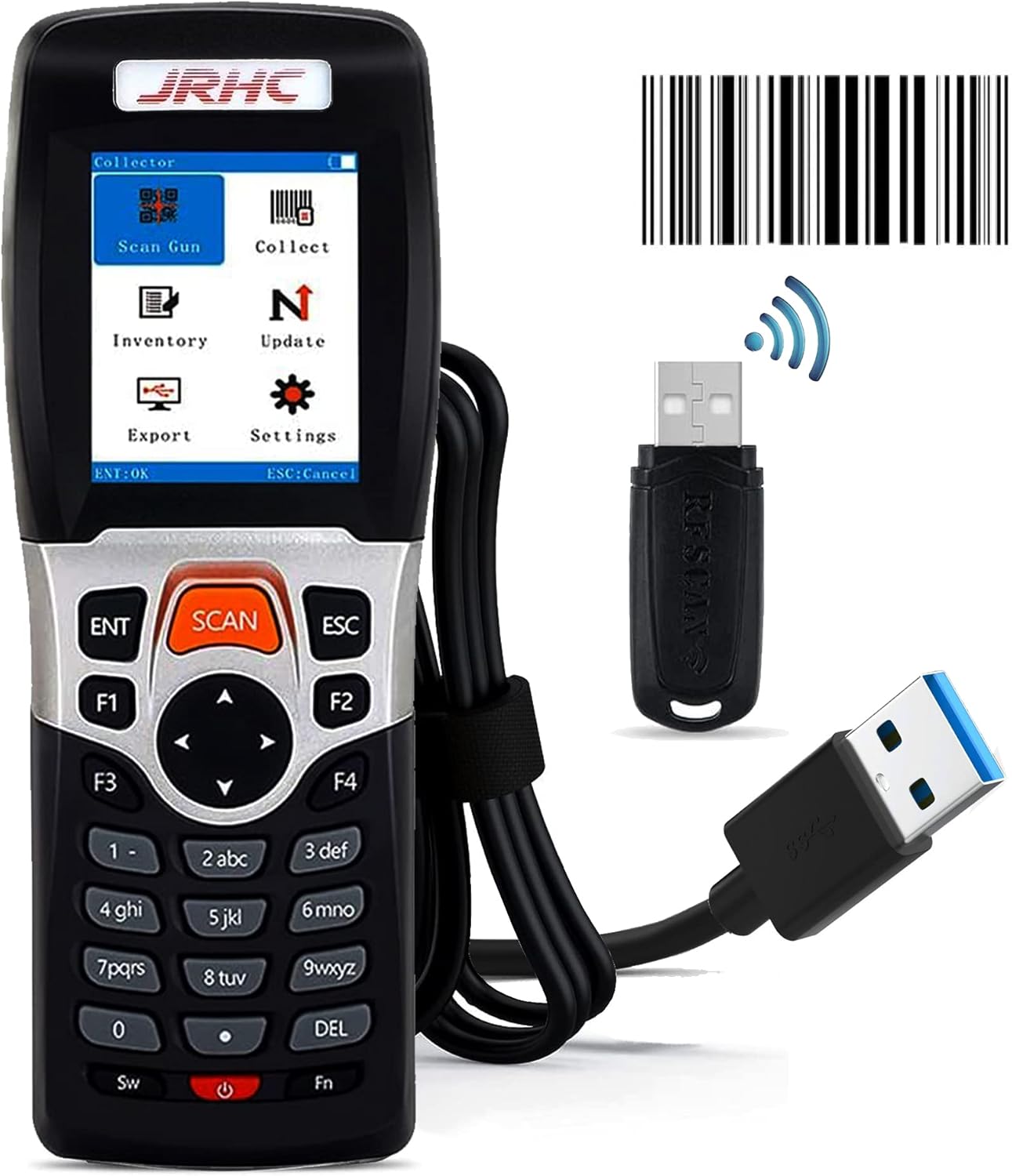
The JRHC S-3309L is a versatile 4-in-1 wireless barcode scanner designed for efficient data collection and inventory management. It functions as a USB wireless barcode scanner, data collector, and inventory device, compatible with Windows, Mac, and various editable software applications like Word, Excel, and TXT.

2. Setup and Connection
2.1 Unboxing and Components
Upon unboxing, ensure all components are present:
- JRHC S-3309L Barcode Scanner
- 2.4G Wireless USB Receiver
- USB Charging/Data Cable
- User Manual

2.2 Charging the Device
The scanner requires 2 AA batteries (not included). To replace batteries, open the battery compartment on the back of the device and insert new AA batteries, ensuring correct polarity.

2.3 Connection Options (Plug and Play)
The JRHC S-3309L offers both wireless and wired connectivity, providing flexibility for various work environments. No software or app installation is required for basic functionality.
- 2.4G Wireless Connection: Insert the 2.4G wireless USB receiver into your computer's USB port. The scanner will automatically pair.
- USB Wired Connection: Connect the scanner directly to your computer using the provided USB cable.


2.4 Transmission Range
The 2.4G wireless barcode scanner utilizes long-distance transmission technology for strong penetrating power and fast data transfer.
- Outdoor Open Environment: Up to 150 meters (492 feet).
- Indoor Environment (with walls): Up to 50 meters (164 feet).

3. Operating Modes
The JRHC S-3309L integrates multiple functions to streamline your workflow.
- Scan Gun Mode: For real-time scanning and direct data input.
- Collect Mode: Gathers scanned data for later processing.
- Inventory Mode: Facilitates inventory counting and management.
- Offline Storage Mode: The device can store up to 100,000 barcodes internally when out of range or disconnected, which can be uploaded later.


4. Scanning Capabilities
The JRHC S-3309L is a 1D barcode scanner capable of reading various types of 1D barcodes, even under challenging conditions. It does not scan 2D barcodes or screen barcodes.
4.1 Supported 1D Barcode Types
- Codabar
- Code 11
- Code 93
- MSI
- Code 128
- EAN
- UPC
- Code 39
- UPC-A
- ISBN
- Industrial 25
- Standard 25
- Matrix
4.2 Enhanced Scanning Performance
The 650nm laser supports rapid scanning and uploading of blurred or damaged barcodes, as well as reflective or partially missing barcodes, under both strong and low light conditions.

5. Customization and Settings
The scanner features a 2.2-inch TFT color LCD screen and a 23-key silicone keypad for easy navigation and configuration.
5.1 Menu Navigation
Use the directional keys and 'ENT' (Enter) button to navigate through the on-screen menu for various settings.
5.2 Adjustable Settings
Settings typically include options for:
- Keyboard Layout: Adjust for different regional keyboard standards.
- Sound: Control beep volume and frequency.
- Vibration: Enable or disable vibration feedback upon successful scan.
- Sleep Time: Configure the idle time before the device enters sleep mode to conserve battery.
6. Maintenance and Durability
6.1 Ergonomic Design
The scanner's body is ergonomically designed for comfortable handling during extended use and easy portability. The 23-key silicone material touch ensures a longer service life for the keypad.
6.2 Shockproof Construction
Constructed with an ABS shell, the device is environmentally friendly, shockproof, and drop-proof, enhancing its durability in various work environments.

7. Troubleshooting
If you encounter issues with your JRHC S-3309L scanner, consider the following common solutions:
- Connection Issues: Ensure the USB receiver is properly inserted or the USB cable is securely connected. Verify that the scanner is within the effective wireless range.
- Scanning Problems: Check if the barcode is a supported 1D type. Ensure the barcode is clean and not excessively damaged. Adjust scanning distance.
- No Power: Replace the AA batteries with fresh ones.
- Data Transfer: Confirm the correct operating mode (e.g., Scan Gun, Inventory) is selected for your task.
For further assistance, refer to the detailed troubleshooting section in the included user manual or contact JRHC customer support.
8. Specifications
| Feature | Specification |
|---|---|
| Model | S-3309L |
| Product Dimensions | 6 x 2.6 x 0.59 inches |
| Item Weight | 4.9 ounces |
| Power Source | Battery Powered (2 AA batteries required) |
| Connectivity Technology | Wireless (2.4G), USB Wired |
| Compatible Devices | Windows, Mac, Laptop |
| Barcode Types Supported | 1D (Codabar, Code 11, Code93, MSI, Code 128, EAN, UPC, Code 39, UPC-A, ISBN, Industrial 25, Standard25, Matrix) |
| Display | 2.2 Inch TFT Color LCD Screen |
| Offline Storage | Up to 100,000 barcodes |
| Wireless Range (Outdoor) | Up to 150 meters (492 feet) |
| Wireless Range (Indoor) | Up to 50 meters (164 feet) |
9. Usage Scenarios
The JRHC S-3309L is suitable for a wide range of applications, including:
- Libraries
- Warehouses
- Retail Stores
- Supermarkets
- Express Logistics
