
1. Introduction
Thank you for purchasing the ETA ETA121090010 Galateo Microwave Oven. This manual provides essential information for the safe and efficient use of your appliance. Please read these instructions carefully before use and retain them for future reference.
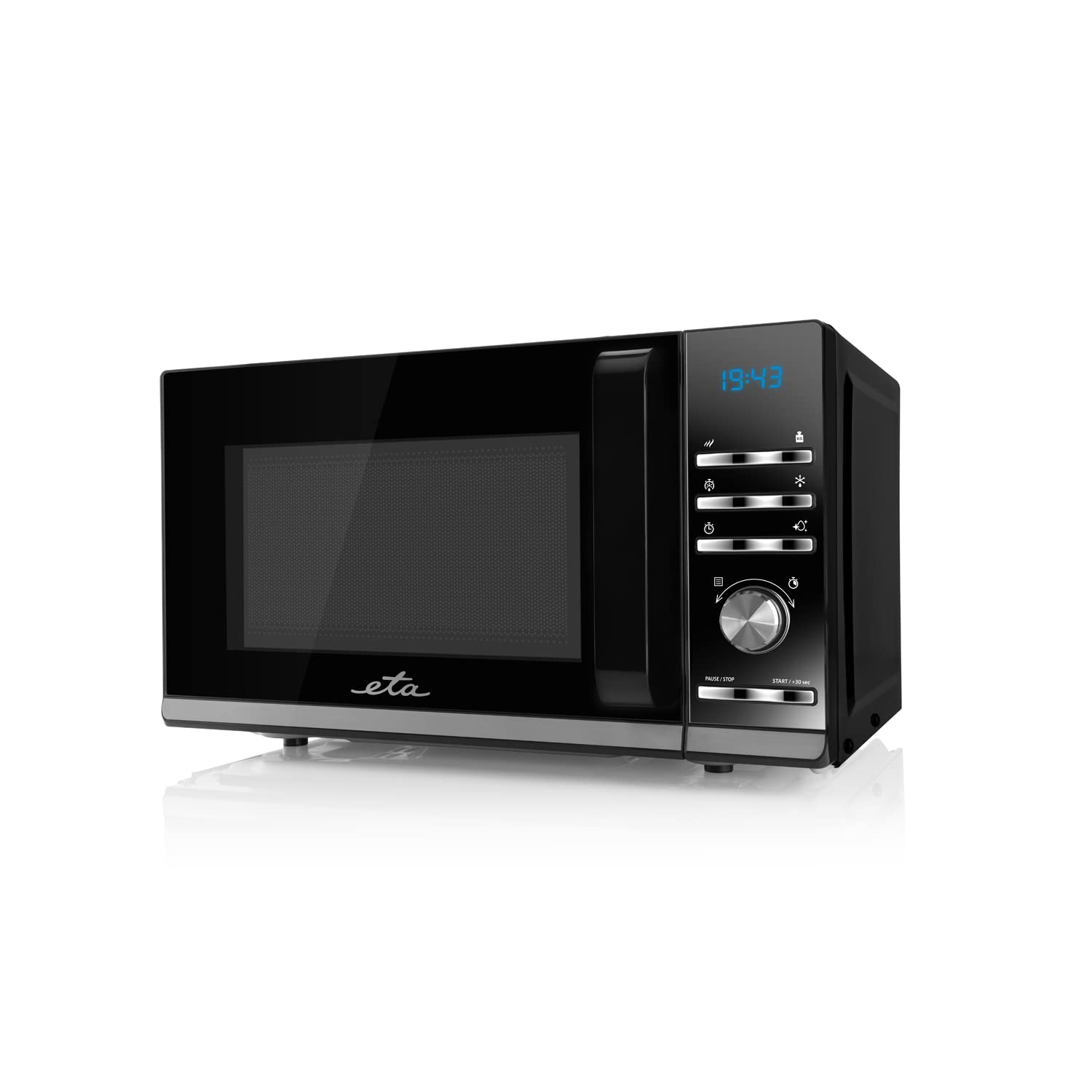
Image 1.1: Front view of the ETA ETA121090010 Galateo Microwave Oven. The appliance features a black finish with a glass door and a control panel on the right side.
2. Important Safety Instructions
Always follow basic safety precautions when using electrical appliances to reduce the risk of fire, electric shock, injury to persons, or exposure to excessive microwave energy.
- Read all instructions before using the appliance.
- Do not attempt to operate this oven with the door open as this can result in harmful exposure to microwave energy.
- Do not place any object between the oven front face and the door or allow soil or cleaner residue to accumulate on sealing surfaces.
- Do not operate the oven if it is damaged. It is particularly important that the oven door closes properly and that there is no damage to the: (1) door (bent), (2) hinges and latches (broken or loosened), (3) door seals and sealing surfaces.
- The oven should not be adjusted or repaired by anyone except properly qualified service personnel.
- Ensure the appliance is properly grounded.
- Do not use corrosive chemicals or vapors in this appliance.
- This appliance is intended for household use only.
3. Setup and Installation
3.1 Unpacking
Carefully remove the microwave oven from its packaging. Retain the packaging materials for future transport or disposal. Check the appliance for any signs of damage. If any damage is found, do not operate the oven and contact your retailer.
3.2 Placement
Place the microwave oven on a flat, stable surface that can support its weight. Ensure there is adequate ventilation around the appliance. Maintain a minimum clearance of 10 cm (4 inches) at the rear and sides, and 30 cm (12 inches) above the oven for proper airflow.
3.3 Electrical Connection
Plug the power cord into a grounded electrical outlet. Ensure the voltage and frequency of your power supply match the specifications listed on the appliance's rating label.

Image 3.1: The microwave oven showing approximate dimensions: 46 cm width, 26 cm height, and 36 cm depth. These dimensions are crucial for proper placement and ventilation.
4. Operating Instructions
The ETA Galateo microwave oven features an intuitive control panel with buttons and a rotary knob for easy operation.

Image 4.1: Detailed view of the control panel, featuring a digital display, function buttons, and a central rotary knob for time and power adjustments. Buttons include power level, defrost, timer, and start/pause controls.
4.1 Basic Microwave Cooking
- Place food in a microwave-safe container on the turntable.
- Close the oven door securely.
- Press the "Microwave Power" button (indicated by wavy lines) to select the desired power level (5 levels available).
- Turn the rotary knob to set the cooking time (up to 95 minutes).
- Press the "START / +30 sec" button to begin cooking.
4.2 Defrosting
The oven offers 3 defrost settings for various food types.
- Place the frozen food in the oven.
- Press the "Defrost" button (indicated by a snowflake icon) to cycle through the 3 available defrost settings.
- Use the rotary knob to adjust the weight or time as required by the selected defrost program.
- Press the "START / +30 sec" button to begin defrosting.
4.3 Quick Start / +30 Seconds
Pressing the "START / +30 sec" button once will start cooking at full power for 30 seconds. Each subsequent press will add 30 seconds to the cooking time.
4.4 Pause / Stop
Press the "PAUSE / STOP" button once to pause cooking. Press it twice to cancel the current program and return to standby mode.
4.5 Automatic Cleaning and Disinfection Function
This model includes an automatic cleaning and disinfection function. Refer to the specific instructions in the full manual for details on how to activate and use this feature effectively.
5. Maintenance and Cleaning
Regular cleaning and proper maintenance will ensure the longevity and efficient operation of your microwave oven.
- Interior Cleaning: After each use, wipe the interior of the oven with a damp cloth to remove food splatters. For stubborn stains, use a mild detergent or a microwave-safe cleaner. Never use abrasive cleaners or scouring pads.
- Exterior Cleaning: Clean the exterior surfaces with a soft, damp cloth. Avoid using harsh chemicals or solvents.
- Door and Seals: Regularly clean the door, door seals, and adjacent parts with a damp cloth to remove any spills or residue. This helps maintain a proper seal.
- Turntable: The glass turntable and roller ring can be removed for cleaning. Wash them in warm, soapy water or in a dishwasher. Ensure they are completely dry before placing them back in the oven.
- Odors: To remove odors, combine a cup of water with several lemon slices or a tablespoon of vinegar in a microwave-safe bowl. Heat on high for 5-7 minutes, then let it stand in the oven for a few minutes before wiping the interior.
- Power Off: Always unplug the microwave oven from the power outlet before cleaning.
6. Troubleshooting
If you encounter problems with your microwave oven, refer to the following table for common issues and solutions.
| Problem | Possible Cause | Solution |
|---|---|---|
| Oven does not start. | Power cord not plugged in. Door not closed properly. Fuse blown or circuit breaker tripped. | Ensure power cord is securely plugged in. Close the door firmly. Check household fuse/circuit breaker. |
| Food is not heating. | Incorrect power level or cooking time set. Microwave-safe dish not used. | Adjust power level and cooking time. Use only microwave-safe cookware. |
| Sparking inside the oven. | Metal or foil in the oven. Food residue on oven walls. | Remove any metal objects. Clean the oven interior thoroughly. |
| Turntable does not rotate. | Turntable not correctly placed. Roller ring dirty or obstructed. | Ensure turntable and roller ring are correctly positioned and clean. |
If the problem persists after trying these solutions, please contact qualified service personnel.
7. Technical Specifications
| Feature | Detail |
|---|---|
| Brand | ETA |
| Model Number | ETA121090010 |
| Product Type | Microwave Oven |
| Color | Black |
| Capacity | 20 Liters |
| Microwave Power | 700 W |
| Power Levels | 5 |
| Defrost Settings | 3 |
| Maximum Timer | 95 minutes |
| Special Features | Turntable, Automatic Cleaning and Disinfection Function |
| Input Device | Buttons, Rotary Knob |
| Product Dimensions (W x H x D) | Approx. 46 cm x 26 cm x 36 cm |
| Weight | 250 g Note: The weight of 250g appears to be an error in the source data. Actual microwave oven weight is typically much higher. |
| ASIN | B09M6X85WW |

Image 7.1: Overview of the microwave oven highlighting its key features: 700W microwave power, 5 power levels, 3 defrost settings, timer up to 95 minutes, automatic cleaning and disinfection function, and 20-liter volume.
8. Warranty and Support
Specific warranty information for the ETA ETA121090010 Galateo Microwave Oven is not provided within this manual. For details regarding warranty coverage, terms, and conditions, please refer to the warranty card included with your product or contact ETA customer support directly.
For technical support, service, or spare parts, please visit the official ETA website or contact their authorized service centers. Always provide your model number (ETA121090010) when seeking support.


