
Coby CHBT808BL
Coby Metal Folding Bluetooth Headphones User Manual
Model: CHBT808BL | Brand: Coby
Introduction
Thank you for choosing the Coby Metal Folding Bluetooth Headphones. These over-ear headphones are designed to provide a high-fidelity, wireless audio experience with ultimate portability and comfort. Featuring a durable metal frame and advanced Bluetooth 5.3 connectivity, they are perfect for extended listening sessions on the go. This manual will guide you through the setup, operation, and maintenance of your new headphones.

Image: Front view of the Coby Metal Folding Bluetooth Headphones in blue.
What's in the Box
- Coby Metal Folding Bluetooth Headphones
- USB Charging Cable
- 3.5mm Aux Cable
- User Manual
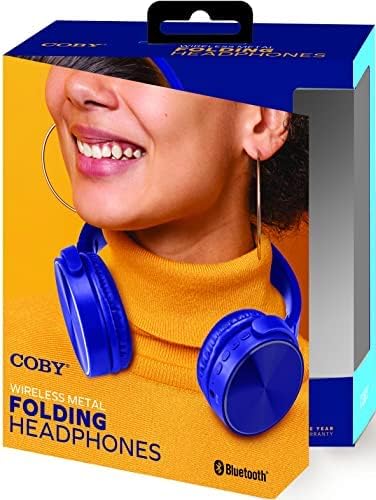
Image: The retail packaging for the Coby Metal Folding Bluetooth Headphones.
Product Features
- Premium Wireless Audio Portability: High-fidelity sound with a super-comfort, metal profile that folds for supreme portability and convenience.
- Bluetooth Enabled Wireless Playback: Enjoy up to 10 hours of listening, wirelessly paired to your Bluetooth device up to 33 feet away.
- High-Fidelity Sound: Equipped with 40mm diameter speaker drivers for full bass reproduction and clear stereo sound. Sensitivity: 100db + 3db.
- Premium Comfort by Design: Adjustable, padded headband and foam-cushioned ear pads provide a comfortable fit for extended use.
- Light and Portable: Folding, swivel-joint design allows for easy storage and transport.
- Exclusive Features: Includes a 3.5mm Aux in port for wired listening, one-touch call answering, TF Card slot, and USB port for versatile media access.
- Seamless Connectivity: Features Bluetooth version 5.3 for lightning-fast pairing and uninterrupted audio streaming.

Image: A woman wearing the Coby headphones around her neck, showcasing their portability.
Setup
1. Charging the Headphones
Before first use, fully charge your headphones. Connect the provided USB charging cable to the charging port on the headphones and the other end to a USB power source (e.g., computer USB port, wall adapter). The LED indicator will show charging status and turn off or change color when fully charged. A full charge takes approximately 2 hours and provides up to 10 hours of playback time.
2. Bluetooth Pairing
- Ensure the headphones are turned off.
- Press and hold the Power button until the LED indicator flashes blue and red alternately, indicating pairing mode.
- On your device (smartphone, tablet, laptop), enable Bluetooth and search for new devices.
- Select "CHBT808BL" from the list of available devices.
- Once connected, the LED indicator will flash blue slowly or remain solid blue. You are now ready to enjoy your music wirelessly.
3. Wired Connection (3.5mm Aux)
For wired listening or when the battery is depleted, use the included 3.5mm Aux cable. Plug one end into the 3.5mm Aux in port on the headphones and the other end into your audio device's 3.5mm audio jack. The headphones will automatically switch to wired mode.
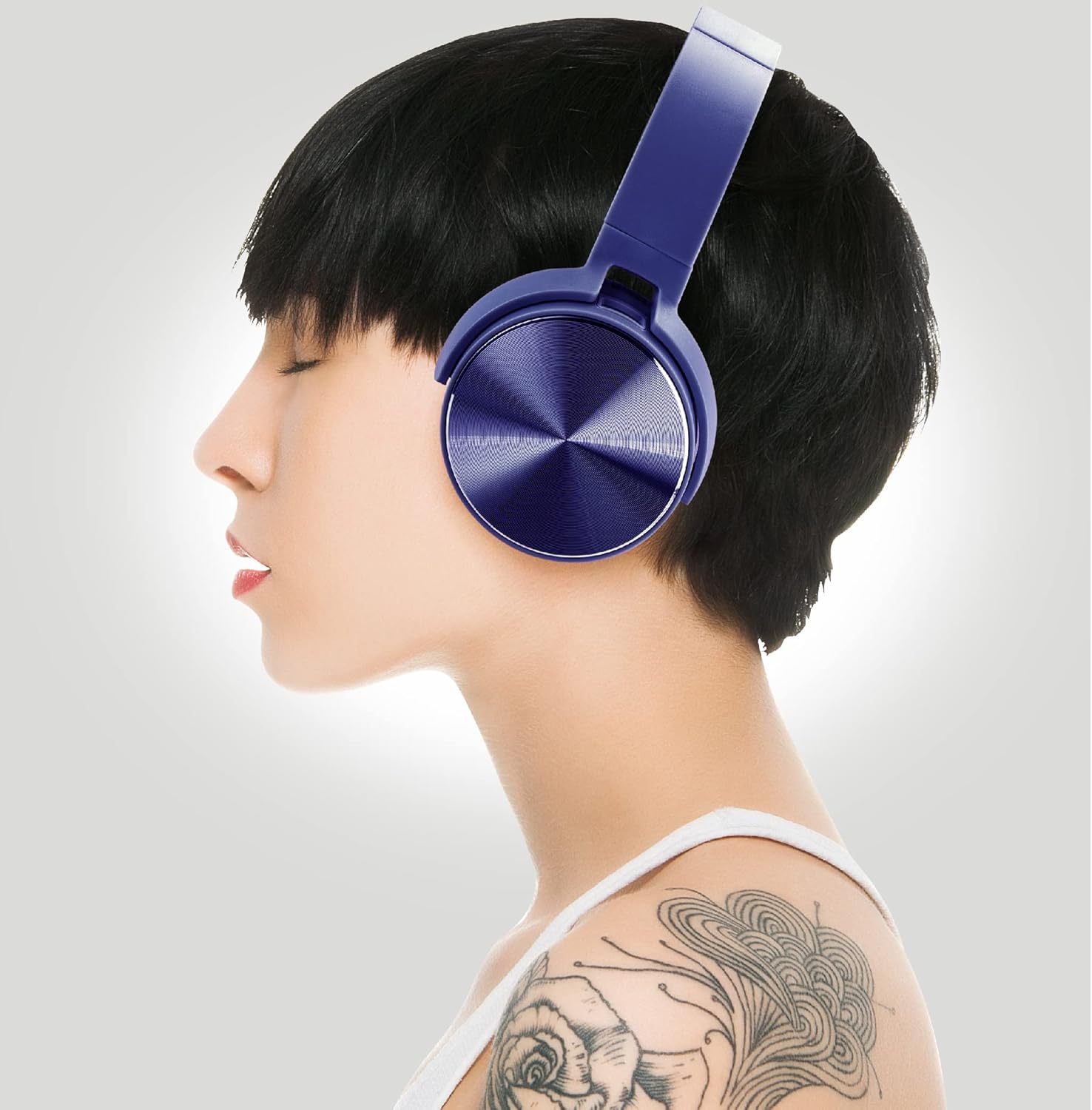
Image: A woman wearing the Coby headphones, illustrating their comfortable fit.
Operating Instructions
1. Basic Controls
The headphones feature intuitive on-board controls for easy management of your audio and calls:
- Power On/Off: Press and hold the Power button.
- Play/Pause: Press the Play/Pause button once.
- Volume Up/Down: Press the Volume + or Volume - buttons.
- Next Track: Press and hold the Volume + button.
- Previous Track: Press and hold the Volume - button.
- Answer/End Call: Press the Play/Pause button once during an incoming call or active call.
- Reject Call: Press and hold the Play/Pause button during an incoming call.
2. TF Card and USB Playback
Insert a TF (microSD) card or a USB drive into the respective ports on the headphones. The headphones will automatically detect the media and begin playback. Use the on-board controls to manage your music.
Video: An official product video demonstrating the features and usage of the Coby Metal Folding Bluetooth Headphones.

Image: A user enjoying music with the Coby headphones in a dynamic environment.
Maintenance
- Cleaning: Use a soft, dry cloth to clean the headphones. Do not use abrasive cleaners or solvents.
- Storage: When not in use, store the headphones in a cool, dry place, away from direct sunlight and extreme temperatures. Utilize the folding design for compact storage.
- Battery Care: To prolong battery life, avoid fully discharging the headphones frequently. Charge them regularly, even if not used for extended periods.

Image: A user relaxing with the Coby headphones, highlighting their comfort for long listening sessions.
Troubleshooting
| Problem | Possible Cause | Solution |
|---|---|---|
| Headphones do not power on | Low battery | Charge the headphones fully. |
| Cannot pair with device | Headphones not in pairing mode / Device Bluetooth off / Out of range | Ensure headphones are in pairing mode (flashing blue/red). Turn on Bluetooth on your device. Move device closer to headphones (within 33 ft). |
| No sound | Volume too low / Not connected / Aux cable issue | Increase volume on headphones and device. Re-pair Bluetooth. Check 3.5mm Aux cable connection. |
| Poor sound quality | Interference / Low battery | Move away from other wireless devices. Charge headphones. |

Image: A man wearing the Coby headphones while outdoors, demonstrating their suitability for various environments.
Specifications
| Model Number | CHBT808BL |
| Connectivity Technology | Wireless (Bluetooth 5.3), Wired (3.5mm Aux) |
| Bluetooth Range | Up to 10 meters (33 feet) |
| Audio Driver Size | 40 Millimeters |
| Impedance | 32 Ohm |
| Sensitivity | 100db + 3db |
| Frequency Range | 20 Hz - 20 kHz |
| Battery Life | Up to 10 Hours |
| Charging Time | Approx. 2 Hours |
| Material | Metal |
| Dimensions (L x W x H) | 7.48 x 6.5 x 3.45 inches |
| Item Weight | 11.3 ounces |
| Manufacturer | Summit Electronics, LLC |
Safety Information
- Avoid prolonged listening at high volumes to prevent hearing damage.
- Do not expose the headphones to water, moisture, or extreme temperatures.
- Keep out of reach of children.
- Do not attempt to disassemble or modify the headphones. This will void the warranty and may cause damage.
- Dispose of the product responsibly according to local regulations.
Warranty and Support
For warranty information and customer support, please refer to the documentation included with your purchase or visit the official Coby website. You may also contact Summit Electronics, LLC for assistance.
Related documentsCHBT808BL


Ask a question about this manual
Ask about setup, troubleshooting, compatibility, parts, safety, or missing instructions. Manuals+ will review the question and use this page’s manual context to help answer it.