Introduction
Thank you for choosing the Spokey VECTOR Air Exercise Bike. This manual provides essential information for the safe and efficient assembly, operation, and maintenance of your new fitness equipment. Please read this manual thoroughly before use and keep it for future reference.

Figure 1: Spokey VECTOR Air Exercise Bike, front view. This image shows the overall design of the exercise bike, highlighting its robust frame and the central fan mechanism.
1. Setup and Assembly
Before beginning assembly, ensure all parts are present and undamaged. Place all components on a clear, flat surface. It is recommended to have two people for assembly.
1.1 Unpacking and Part Identification
- Carefully remove all components from the packaging.
- Check the parts list against the contents of the box. If any parts are missing or damaged, do not proceed with assembly and contact customer support.
1.2 Frame Assembly
Attach the front and rear stabilizers to the main frame using the provided bolts and washers. Ensure they are securely tightened to provide a stable base for the bike.
1.3 Pedal and Crank Arm Installation
Identify the left (L) and right (R) pedals. The right pedal screws in clockwise, and the left pedal screws in counter-clockwise. Ensure pedals are fully tightened to prevent loosening during use.

Figure 2: Close-up view of the pedal and crank arm. This image illustrates the robust design of the pedal, which is crucial for secure foot placement during exercise.
1.4 Handlebar and Console Attachment
Connect the moving handlebars to the main frame. Then, attach the console to its designated mount on the handlebar post. Connect any necessary sensor cables from the main unit to the console.
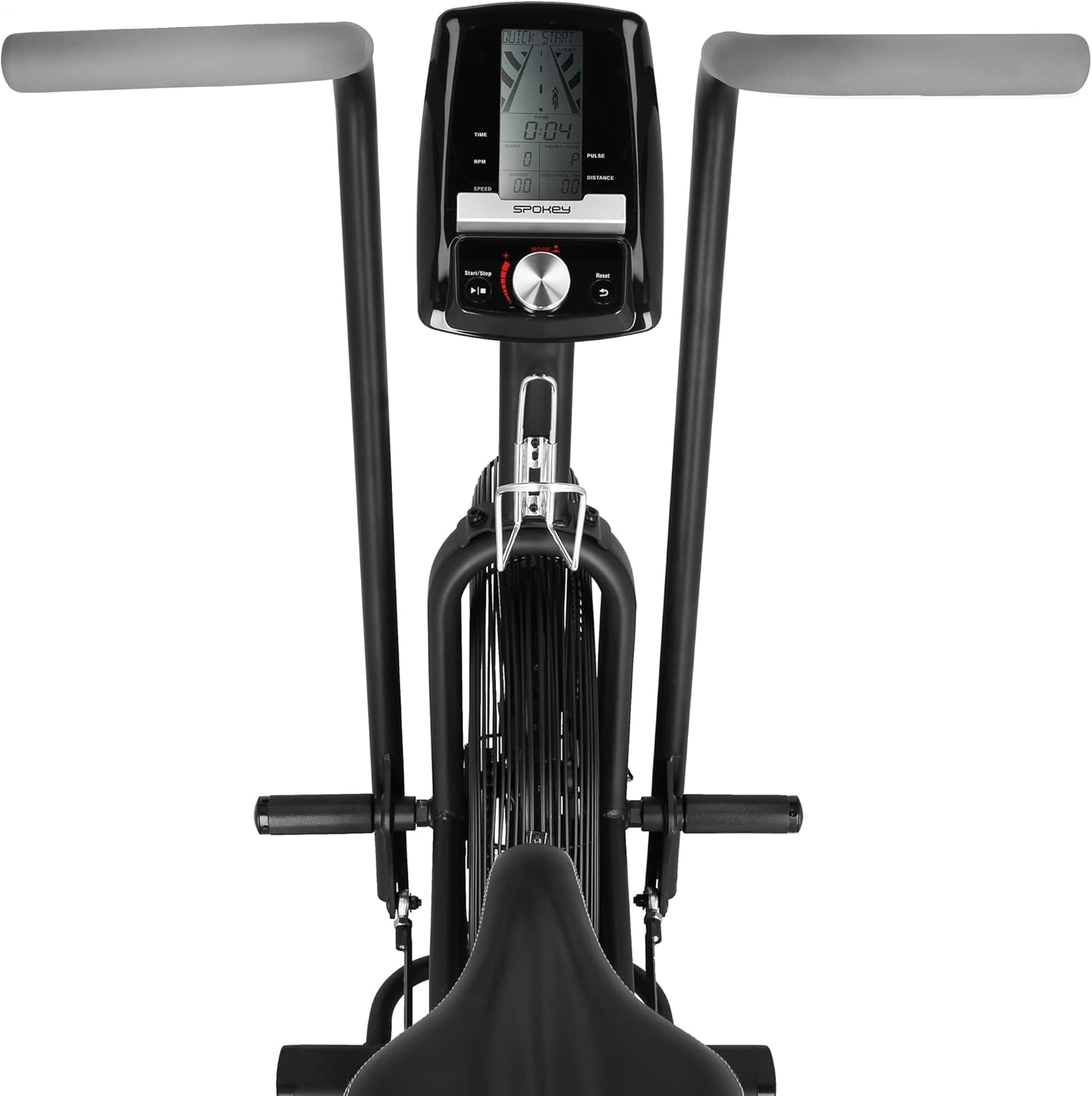
Figure 3: Top view of the exercise bike, showing the console and handlebars. This perspective highlights the central display unit and the ergonomic design of the moving handlebars.
1.5 Seat Installation and Adjustment
Mount the seat post into the frame and secure it. The Spokey VECTOR Air allows for both vertical and horizontal seat adjustment. Adjust the seat to a comfortable position where your leg is slightly bent at the knee when the pedal is at its lowest point.

Figure 4: Close-up of the seat adjustment mechanism. This image demonstrates the vertical and horizontal adjustment points, allowing users to customize their riding position.
1.6 Bottle Holder Attachment
Attach the bottle holder to the designated area on the frame using the provided screws. This allows for convenient hydration during your workout.

Figure 5: Image of the bottle holder attached to the exercise bike frame. This accessory provides a convenient place to keep a water bottle during workouts.
2. Operating Instructions
Familiarize yourself with the bike's functions before starting your workout.
2.1 Console Functions
The console displays various workout metrics such as time, speed, distance, calories burned, RPM, and pulse. Use the buttons on the console to navigate through modes, set targets, and select programs.
- MODE: Press to cycle through display functions or confirm settings.
- SET: Used to set target values for time, distance, or calories in manual mode.
- RESET: Press and hold to clear all current workout data.
- PROGRAMS: Select from 5 targeted programs or 1 trainer program for varied workouts.
Figure 6: Detailed view of the exercise bike's console. This image shows the digital display and control buttons for monitoring workout progress and selecting programs.
2.2 Air Resistance Mechanism
The Spokey VECTOR Air Exercise Bike utilizes an air resistance system. The resistance level is directly proportional to your pedaling and arm movement speed. The faster you move, the greater the resistance, providing a dynamic and challenging workout.

Figure 7: Close-up of the air resistance fan mechanism. This image illustrates the large fan that generates resistance based on the intensity of the user's workout.
2.3 Starting a Workout
- Adjust the seat to your preferred height and horizontal position.
- Step onto the pedals and grasp the handlebars.
- Begin pedaling and moving the handlebars. The console will automatically activate and display your workout data.
- Select a program or continue in manual mode.
3. Maintenance
Regular maintenance ensures the longevity and safe operation of your Spokey VECTOR Air Exercise Bike.
3.1 Cleaning
- Wipe down the bike after each use with a damp cloth to remove sweat and dust.
- Avoid using abrasive cleaners or solvents, as they may damage the finish or electronic components.
- Keep the console free from moisture.
3.2 Inspection
- Periodically check all bolts, nuts, and connections to ensure they are tight. Tighten any loose fasteners.
- Inspect the pedals, crank arms, and handlebars for any signs of wear or damage.
- Ensure the chain drive mechanism is clean and free from obstructions.
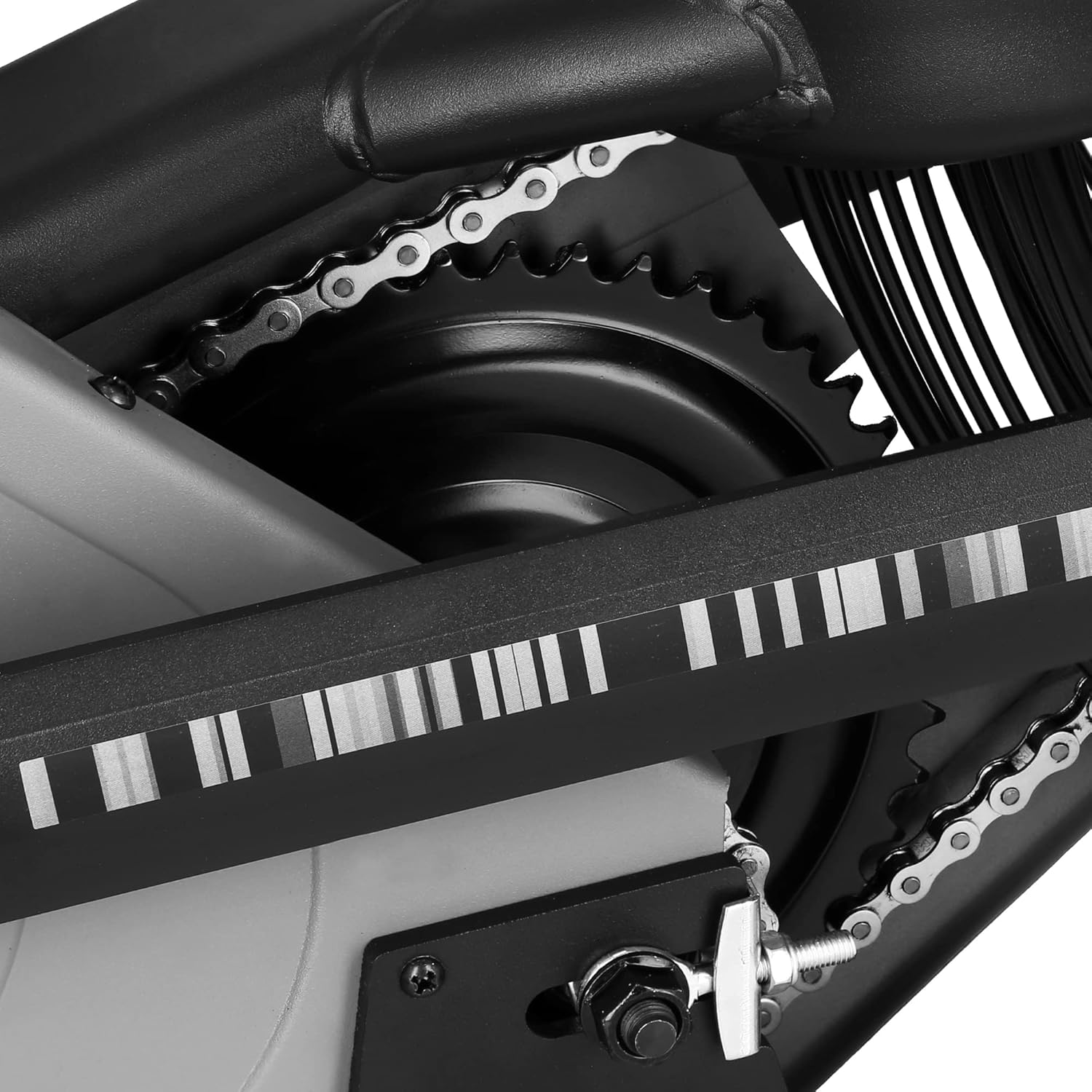
Figure 8: Close-up view of the chain drive mechanism. Regular inspection of this component is important for smooth operation and to prevent wear.
3.3 Storage
Store the exercise bike in a dry, cool place away from direct sunlight and extreme temperatures. Do not place heavy objects on the bike.
4. Troubleshooting
This section addresses common issues you might encounter with your exercise bike.
4.1 Console Not Displaying Data
- Check Batteries: Ensure the batteries are correctly installed and not depleted. Replace if necessary.
- Cable Connection: Verify that all sensor cables from the bike to the console are securely connected.
4.2 Bike Feels Unstable
- Leveling: Ensure the bike is placed on a flat, level surface. Use the leveling feet on the stabilizers if available.
- Tighten Bolts: Re-check all assembly bolts and nuts, especially on the stabilizers and main frame, and tighten them securely.
4.3 Unusual Noises During Operation
- Loose Parts: Inspect for any loose components, such as pedals, seat, or handlebars, and tighten them.
- Friction: Ensure no parts are rubbing against each other. Check the fan mechanism for any obstructions.
- Lubrication: If the noise persists and seems to come from moving parts, consult a professional for lubrication advice.
5. Specifications
Below are the technical specifications for the Spokey VECTOR Air Exercise Bike.
| Feature | Specification |
|---|---|
| Model | VECTOR Air |
| Brand | SPOKEY |
| Material | Alloy Steel |
| Resistance Mechanism | Air |
| Power Source | Battery Powered (for console) |
| Special Features | Adjustable Seat (Vertical & Horizontal) |
| Maximum Weight Capacity | 150 kg |
| Product Dimensions (L x W x H) | 129 x 68 x 125 cm |
| Recommended Use | Indoor |

Figure 9: Diagram illustrating the dimensions of the Spokey VECTOR Air Exercise Bike. This image provides a visual reference for the bike's length, width, and height, along with maximum user weight and seat height range.
6. Warranty Information
The Spokey VECTOR Air Exercise Bike comes with a manufacturer's warranty against defects in materials and workmanship. The specific terms and duration of the warranty may vary by region and retailer. Please retain your proof of purchase for warranty claims.
This warranty typically covers manufacturing defects and does not cover damage resulting from improper assembly, misuse, neglect, accidents, or normal wear and tear. For detailed warranty information, please refer to the warranty card included with your product or contact your retailer.
7. Customer Support
If you have any questions, require assistance with assembly, or encounter issues not covered in this manual, please contact your retailer or the Spokey customer service department. Have your product model (VECTOR Air) and ASIN (B09LZ7JTPP) ready when contacting support.
For the most up-to-date contact information, please visit the official Spokey website or refer to the contact details provided with your purchase.


