
XTOOL D9S
XTOOL D9S Automotive Diagnostic Tool User Manual
Model: XTOOL D9S
Brand: XTOOL
1. Introduction
The XTOOL D9S is a professional-grade automotive diagnostic tool designed to provide comprehensive vehicle diagnostics, maintenance, and advanced functions. This manual provides detailed instructions on setting up, operating, and maintaining your D9S device to ensure optimal performance and accurate vehicle analysis.
2. Safety Information
Always observe the following safety precautions when using the XTOOL D9S:
- Ensure the vehicle's ignition is off before connecting or disconnecting the VCI (Vehicle Communication Interface) module.
- Do not operate the device in wet conditions or near flammable liquids/gases.
- Wear appropriate personal protective equipment, such as safety glasses and gloves, when working on vehicles.
- Refer to the vehicle's service manual for specific diagnostic procedures and safety warnings.
- Keep the device away from strong electromagnetic fields.
3. Package Contents
Verify that all items listed below are included in your XTOOL D9S package:
- XTOOL D9S Smart Diagnostic Tablet
- VCI (Vehicle Communication Interface) Module
- USB 3.0 to Type-B Main Cable
- USB 3.0 Data Cable (for PC connection)
- Power Cable (EU & US versions)
- Charger for Tablet
- Non-OBD2 Connectors Kit (various adapters for specific vehicle models)

Image: Contents of the XTOOL D9S package, including the tablet, VCI, cables, and various connectors.
4. Product Overview
The XTOOL D9S system consists of a diagnostic tablet and a wireless VCI module. The tablet features a 9.7-inch display, 4GB RAM, 128GB storage, and runs on Android 10.0. The VCI module connects to the vehicle's OBD-II port and communicates wirelessly with the tablet via Wi-Fi for fast and stable data transfer.

Image: The XTOOL D9S diagnostic tablet and its accompanying wireless VCI module.

Image: An overview highlighting key features of the XTOOL D9S, including memory, screen size, battery, and new functionalities like FCA AutoAuth and Wi-Fi communication.
5. Setup
5.1 Initial Charging
Before first use, fully charge the XTOOL D9S tablet using the provided charger and power cable. The charging indicator will show the charging status.
5.2 Connecting the VCI Module
The VCI module connects wirelessly to the tablet. Simply plug the VCI into the vehicle's OBD-II port. The VCI will automatically link with the tablet. No additional networking equipment is required for this connection.

Image: Visual guide demonstrating how to connect the VCI module to the vehicle's OBD2 port and its wireless connection to the XTOOL D9S tablet.
5.3 Wi-Fi Setup
For software downloads and online features, connect the tablet to a stable internet connection via Wi-Fi. Navigate to the tablet's settings to configure Wi-Fi access.
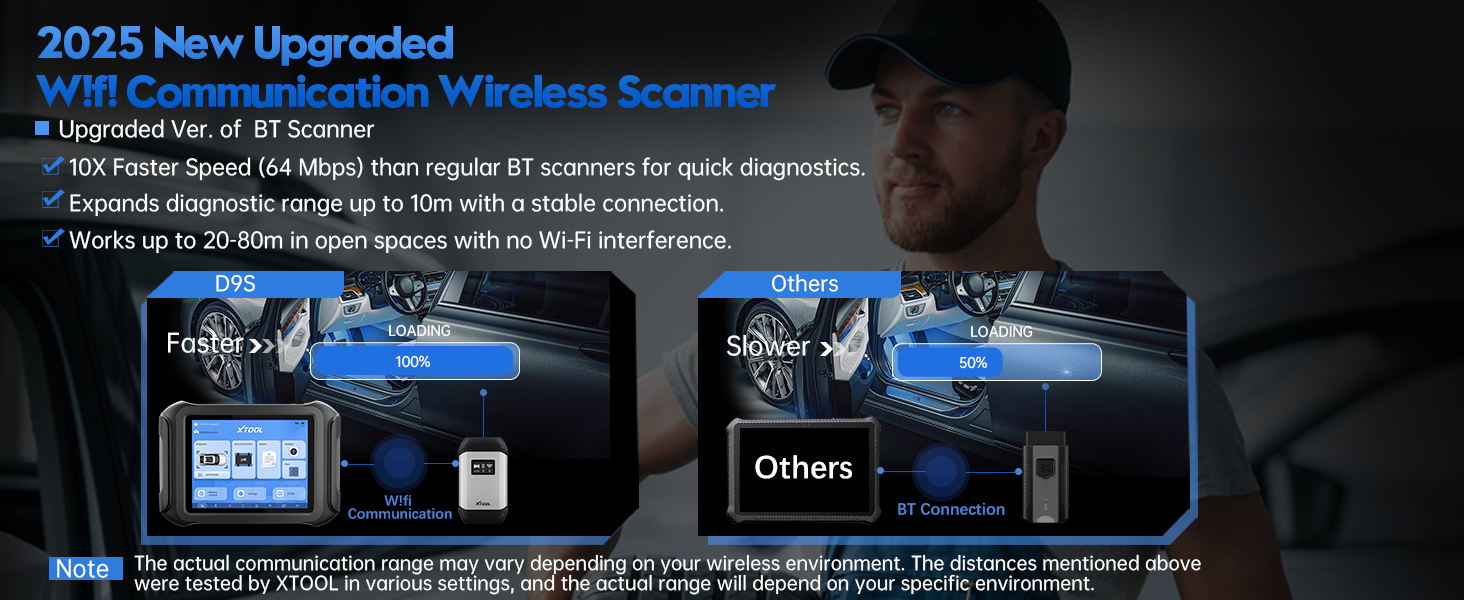
Image: Comparison illustrating the faster data transfer speed and extended range of Wi-Fi communication compared to traditional Bluetooth connections for diagnostic tools.
5.4 Software Updates
Regularly update the software to ensure access to the latest vehicle models, functions, and bug fixes. Connect to Wi-Fi and navigate to the 'Update' section on the tablet's main interface.
Video: Demonstrates the process of updating the XTOOL D9S software to the 2024 Upgraded V2.0 Diagnostic Report version, showcasing new features and improvements.
6. Operating the XTOOL D9S
6.1 Basic Diagnostics (OE-Level All Systems)
The D9S provides comprehensive OE-level diagnostics for all available vehicle systems. This includes reading and clearing Diagnostic Trouble Codes (DTCs), viewing live data streams, and accessing ECU information.
- Read Codes: Retrieve current, pending, and historic DTCs from all accessible modules.
- Clear Codes: Erase DTCs from the vehicle's memory after repairs are completed.
- Live Data: Display real-time data parameters in text, graph, or analog form. Up to 8 live data streams can be graphed simultaneously.
- Freeze Frame: View a snapshot of sensor values at the moment a DTC was set.
- ECU Information: Retrieve vehicle information such as VIN, calibration IDs, and calibration verification numbers.

Image: Illustrates the comprehensive OE-level diagnostic capabilities of the XTOOL D9S across various vehicle systems, including reading DTCs, live data, and special functions.

Image: Shows the live data stream feature of the XTOOL D9S, demonstrating how engine performance, fuel system, and other parameters can be monitored and graphed for detailed analysis.
6.2 Advanced Functions
The D9S offers a suite of advanced functions for in-depth vehicle service and customization:
- ECU Coding & Online Coding: Modify vehicle settings, enable/disable features, and adapt components. Supports Benz, Audi, Skoda, etc.
- Bidirectional Controls (Active Tests): Perform active tests to command vehicle components and systems (e.g., activate fuel pump, cycle ABS pump, test injectors).
- Topology Mapping: Visually display the communication network between vehicle modules, helping to quickly identify faulty systems. Available for GM, Ford, Toyota, Honda, Nissan, Mazda, and BMW.
- 42+ Special Functions: Includes Oil Reset, EPB, SAS, BMS, Throttle Relearn, TPMS Reset, Transmission Adaptations, Suspension Calibration, and more.
- Programmable Module Installation (PMI): Copy and install data from original modules to new ones for Ford/Lincoln/Mazda vehicles.
- FCA AutoAuth: Provides seamless access to FCA vehicles (Chrysler, Jeep, Dodge 2018+, Fiat 2017+) without gateway restrictions.

Image: A visual representation of the XTOOL D9S's advanced capabilities, including ECU Coding, VAG Guided Function, PMI, and customization settings.

Image: Depicts the ECU Coding and Online Coding features, allowing users to enable/disable features, adapt components, and customize vehicle settings for enhanced performance.

Image: Illustrates the Programmable Module Installation (PMI) function, which allows copying and installing data from an original module to a new one, particularly for Ford/Mazda vehicles.

Image: Shows the Bidirectional Controls feature, enabling users to send commands to and receive information from various vehicle components and systems for active testing.

Image: A detailed view of the Topology Mapping feature on the XTOOL D9S, which visually indicates potential issues within the vehicle's systems, streamlining repairs and component access.

Image: Illustrates the integration of FCA AutoAuth with the XTOOL D9S, simplifying diagnostics for compatible FCA vehicles by eliminating gateway restrictions and allowing quicker access to systems.
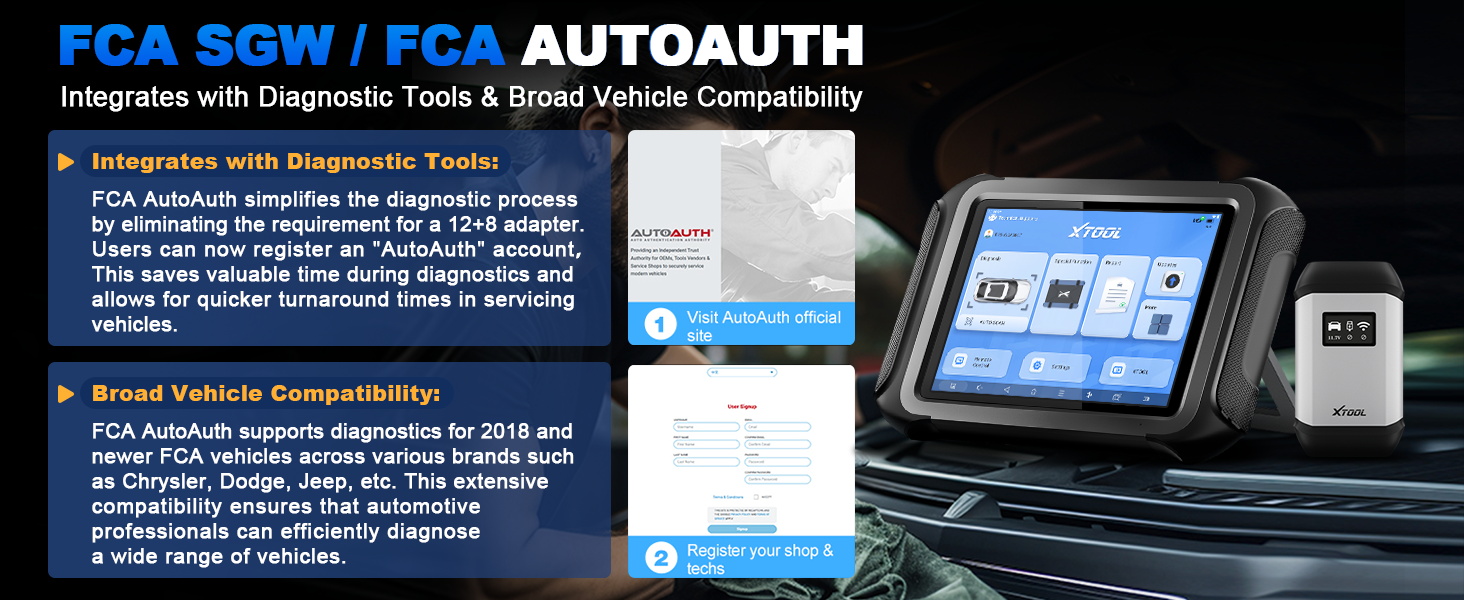
Image: Displays a selection of over 42 advanced maintenance functions available on the XTOOL D9S, covering various resets, relearns, initializations, matching, and adaptations.
6.3 Guided Functions
The D9S provides guided functions for specific vehicle brands to simplify complex procedures:
- VAG Guided Functions: Streamline diagnostic and maintenance procedures for Volkswagen Audi Group (VAG) vehicles.
- BMW Guided Functions (New 2025 Upgrade): Simplifies complex diagnostics for BMW vehicles, providing step-by-step guidance. Supports only BMW E Chassis vehicles.

Image: Illustrates the VAG Guided Functions feature, designed to save time and make diagnostics quick and straightforward for Volkswagen Audi Group vehicles.
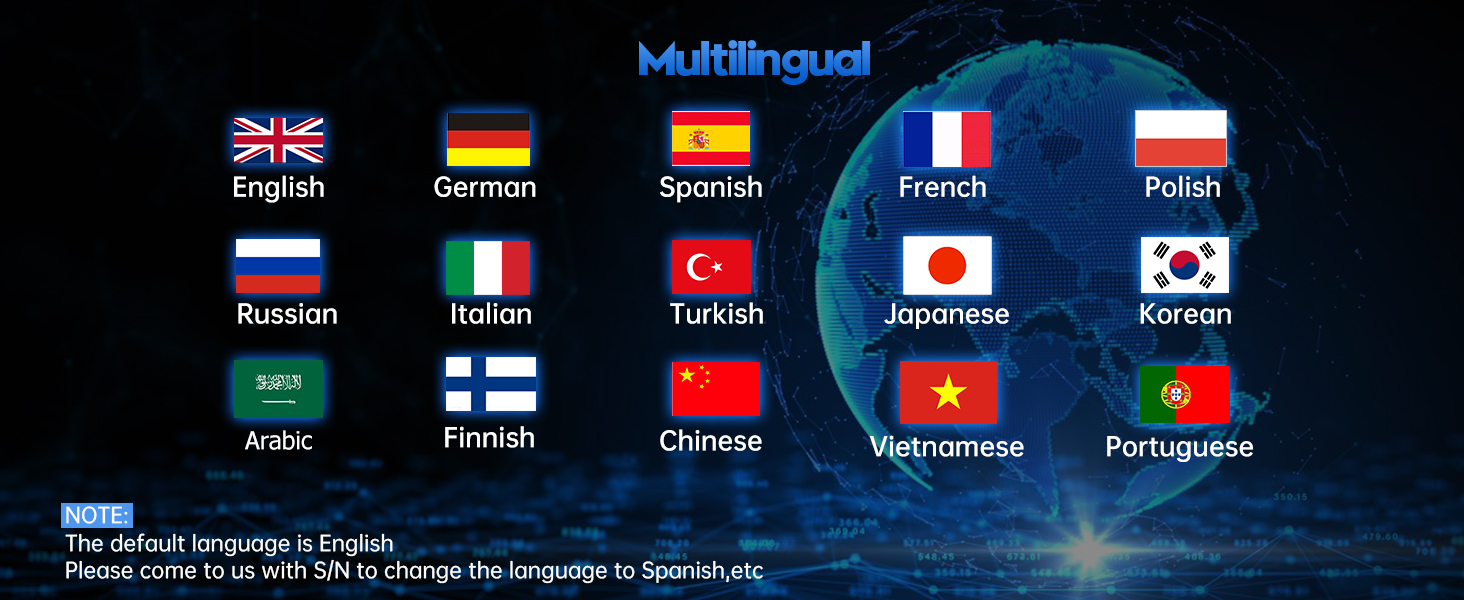
Image: Highlights the 2025 upgraded Guided Function for BMW, which provides diagnostic steps, module testing, and wiring diagrams to simplify complex procedures for BMW E Chassis vehicles.
6.4 Diagnostic Report Generation (V2.0)
The D9S allows for the generation of customizable diagnostic reports (V2.0). These reports can include logos, customer information, attachments, and highlight critical systems for improved readability. Reports can be saved, shared via email, or printed.

Image: Shows the features of the upgraded V2.0 Diagnostic Report, including options to add logos, customer information, revise report names, select content, and save/share reports via email.

Image: Illustrates the process of generating, sharing, and printing diagnostic reports from the XTOOL D9S, enabling technicians to quickly identify problems and communicate findings.
6.5 Pre/Post Scan
The Pre/Post Scan feature integrates repair information to help users obtain valuable diagnostic data and assess whether a problem has been fixed after repairs.

Image: Demonstrates the Pre/Post Scan feature, which helps users obtain valuable diagnostic information and verify if a problem has been resolved after repairs.
7. Maintenance
- Software Updates: Regularly check for and install software updates to ensure optimal performance and compatibility with new vehicle models and features.
- Cleaning: Use a soft, damp cloth to clean the tablet screen and body. Avoid abrasive cleaners or solvents.
- Storage: Store the device in its protective case in a cool, dry place when not in use.
- Battery Care: To prolong battery life, avoid fully discharging the battery frequently and store the device with a partial charge if not used for extended periods.
8. Troubleshooting
| Problem | Possible Cause | Solution |
|---|---|---|
| Device does not power on. | Low battery; Power adapter issue. | Charge the device fully; Check power adapter and cable. |
| VCI not connecting to tablet. | VCI not properly plugged into OBD-II port; Wi-Fi interference. | Ensure VCI is securely connected; Move away from strong Wi-Fi interference sources. |
| Software update failure. | Unstable internet connection; Insufficient storage. | Ensure stable Wi-Fi connection; Clear some storage space on the tablet. |
| Cannot diagnose certain vehicle models/functions. | Software not updated; Vehicle not supported; Specific function not available for model. | Perform software update; Verify vehicle compatibility with XTOOL support; Check function compatibility. |
Video: A short demonstration highlighting the speed of the XTOOL D9S, emphasizing its faster performance compared to Bluetooth scanners, which can aid in quicker troubleshooting.
9. Specifications
| Feature | Detail |
|---|---|
| Model | XTOOL D9S |
| Operating System | Android 10.0 |
| Memory | 4GB RAM + 128GB Storage |
| Display | 9.7 inches |
| Battery | 7.4V6400mAh (equivalent to 3.7V12800mAh) |
| Communication | Wi-Fi (2.4GHz & 5GHz) |
| Supported Protocols | CAN FD, DoIP, RP1210, OBDII |
| Dimensions | 19.69 x 5.51 x 13.78 inches |
| Item Weight | 15.57 pounds |
| Languages Supported | 15 languages including English, Spanish, French, German, Russian, Italian, etc. |
10. Warranty and Support
XTOOL provides comprehensive support for the D9S Automotive Diagnostic Tool:
- Warranty: 2-Year Warranty.
- Software Updates: 3-Year Free Software Updates. After this period, you can retain the last update's functions even without renewal.
- Technical Support: Lifetime Technical Support.
- For technical assistance or inquiries, please contact XTOOL customer service.

Image: Highlights the 2-year warranty, 3-year free software updates, and lifetime technical support provided for the XTOOL D9S.
Related documentsD9S


Ask a question about this manual
Ask about setup, troubleshooting, compatibility, parts, safety, or missing instructions. Manuals+ will review the question and use this page’s manual context to help answer it.