
Introduction
This manual provides essential information for the safe and effective use of your GYMAX 2-in-1 Folding Rollator Walker. This versatile mobility aid functions as both a four-wheel rollator walker and a transport chair, designed to enhance mobility and provide support for walking, sitting, and standing. Constructed from durable aluminum alloy, it offers stability, portability, and adjustable features to suit various user needs.

Image: The GYMAX 2-in-1 Folding Rollator Walker in its primary configuration, showcasing its four wheels, seat, backrest, and handles.
Safety Information
- Always ensure all locking mechanisms are engaged before use.
- Regularly inspect the brakes, wheels, and frame for any signs of wear or damage.
- Do not exceed the maximum weight capacity of 300 lbs (136 kg).
- Use caution on uneven surfaces or inclines.
- Ensure the user is properly seated and footrests are engaged when using as a transport chair.
- Seek assistance if you are unable to operate or assemble the device safely.
Setup
1. Unfolding the Rollator
Carefully remove the rollator from its packaging. Stand the unit upright. Pull the sides of the frame apart until the seat is flat and the frame is fully extended. Ensure all components click into place securely.
2. Adjusting Handle Height
The armrest bar is adjustable to 6 different height levels. Locate the adjustment pins on the handle posts. Press the pins and slide the handles up or down to your desired height. Ensure both handles are at the same height and the pins are fully engaged in the adjustment holes before use. The ideal height allows your elbows to be slightly bent when holding the handles.
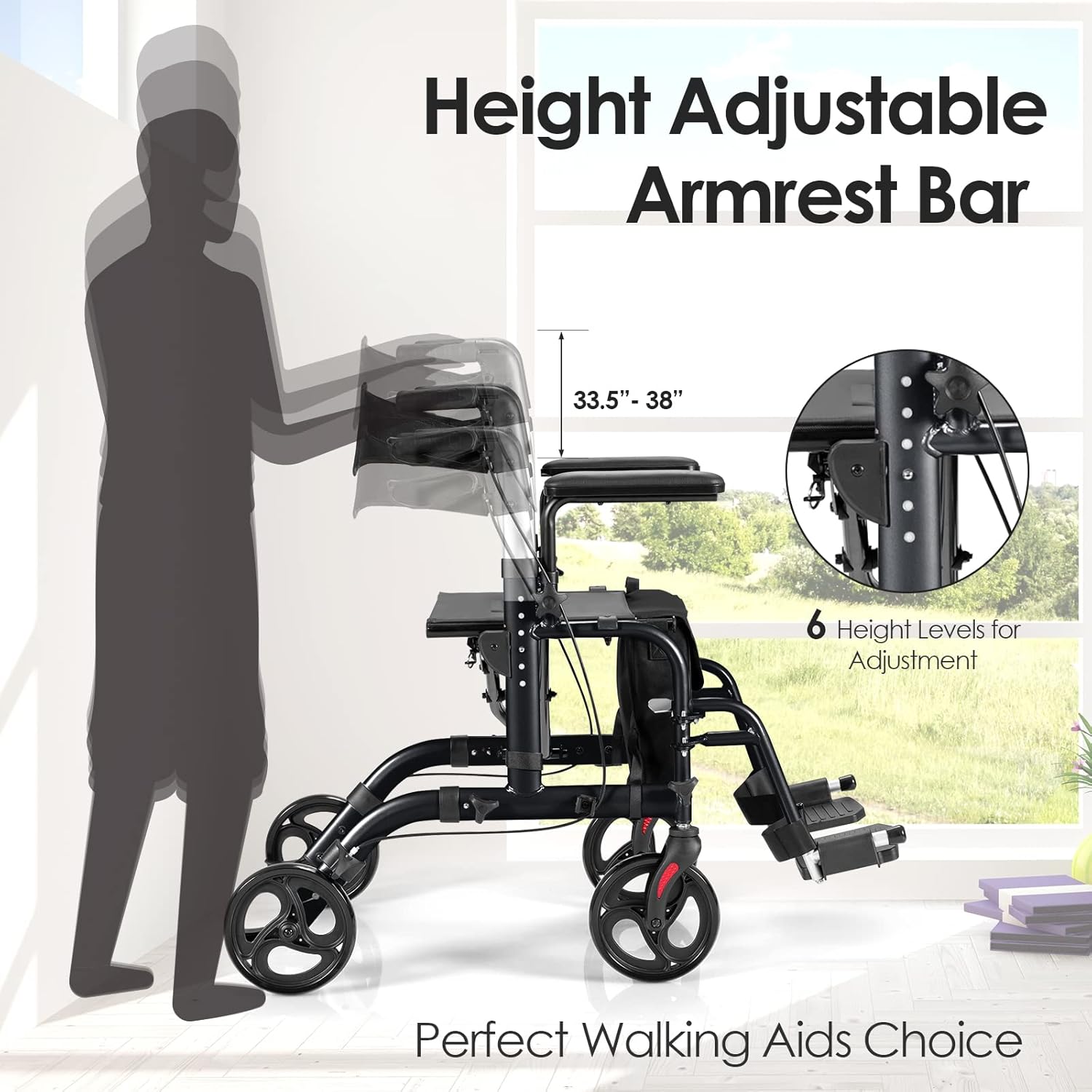
Image: A diagram illustrating the 6-level height adjustment mechanism for the armrest bar, with a silhouette of a person indicating proper height alignment.
3. Attaching Footrests (for Transport Chair Mode)
When converting to a transport chair, the foldable footrests can be easily unfolded. Locate the buckle mechanism on the footrests and release them to extend forward. Ensure they are securely locked in the extended position.

Image: Detailed view highlighting the soft padded armrest, the reversible backrest, and the buckle mechanism for folding the footrest.
Operating Instructions
1. Using as a Rollator Walker
- Ensure the brakes are released before starting to walk.
- Use the walker for support while walking, maintaining a comfortable distance from the frame.
- To slow down, pull the hand brake levers upwards.
- To lock the wheels for standing or sitting, push the hand brake levers downwards until they click into place. Always ensure brakes are locked before sitting on the seat.

Image: An illustration demonstrating the two actions for the hand brakes: pulling up to slow the rollator and pushing down to lock the wheels.
2. Converting to a Transport Chair
- To convert the walker into a wheelchair, flip the backrest over to face the front.
- Attach the footrests to the front by unfolding them and ensuring they are securely locked.
- The user can then sit on the seat, facing the direction of travel, with their feet on the footrests.
- An attendant can push the chair using the handles.

Image: A visual representation of the rollator's wide application, showing it being used for walking, standing, and as a transport chair with a convenient pedal.
3. Folding for Storage and Transportation
To fold the rollator for storage or transportation, ensure the footrests are folded back. Locate the strap in the middle of the seat. Pull this strap upwards to collapse the rollator into a compact size. This one-hand folding design makes it easy to store at home or transport in a vehicle.

Image: A series of images demonstrating the foldable design and compact size of the rollator, showing it fitting into a car trunk and being stored under furniture.
4. Using the Storage Bag and Holders
The rollator includes a removable storage bag for personal items. Additionally, a cane/umbrella holder is provided for convenience.
Maintenance
- Cleaning: Wipe down the frame and seat with a damp cloth and mild detergent. Avoid abrasive cleaners.
- Inspection: Regularly check all screws, bolts, and fasteners to ensure they are tight. Inspect the wheels for wear and tear, and ensure they roll smoothly. Verify that the brakes engage and disengage properly.
- Storage: Store the rollator in a dry place, away from extreme temperatures and direct sunlight.
Troubleshooting
- Brakes not engaging/disengaging: Check the brake cables for proper tension. If loose, they may need adjustment by a qualified technician. Ensure no debris is obstructing the brake mechanism.
- Wheels not rolling smoothly: Inspect wheels for debris (hair, lint) caught in the axles. Clean as necessary. Ensure wheels are securely attached.
- Rollator feels unstable: Verify that all frame connections are fully engaged and locked. Ensure handle height adjustment pins are securely in place.
- Difficulty folding: Ensure the seat strap is pulled firmly upwards. Check for any obstructions preventing the frame from collapsing.
Specifications
| Overall Dimension (L x W x H) | 40.5” x 25” x 33.5”-38” (103.5 cm x 63 cm x 85 cm-96 cm) |
| Folding Dimension (L x W x H) | 30” x 12” x 33.5” (76.5 cm x 30 cm x 85 cm) |
| Net Weight | 21.5 lbs (9.73 kg) |
| Weight Capacity | 300 lbs (136 kg) |
| Material | Aluminum Alloy |
| Wheel Size | 8-inch Solid Wheels |
| Adjustable Height Levels | 6 levels (33.5"-38") |
| ASIN | B09LXRWG39 |
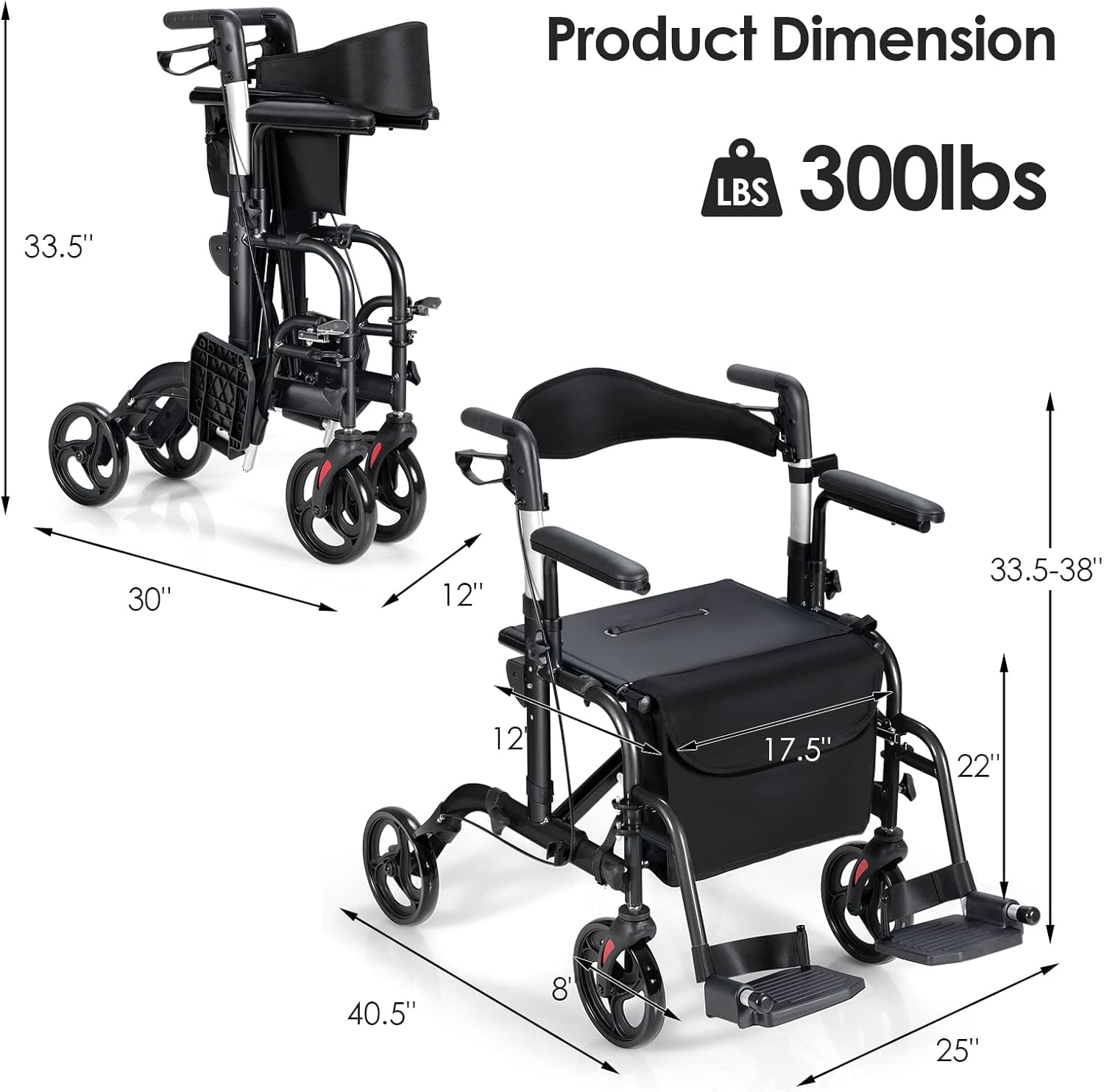
Image: A detailed diagram illustrating the various dimensions of the rollator in both unfolded and folded states, along with its 300 lbs weight capacity.
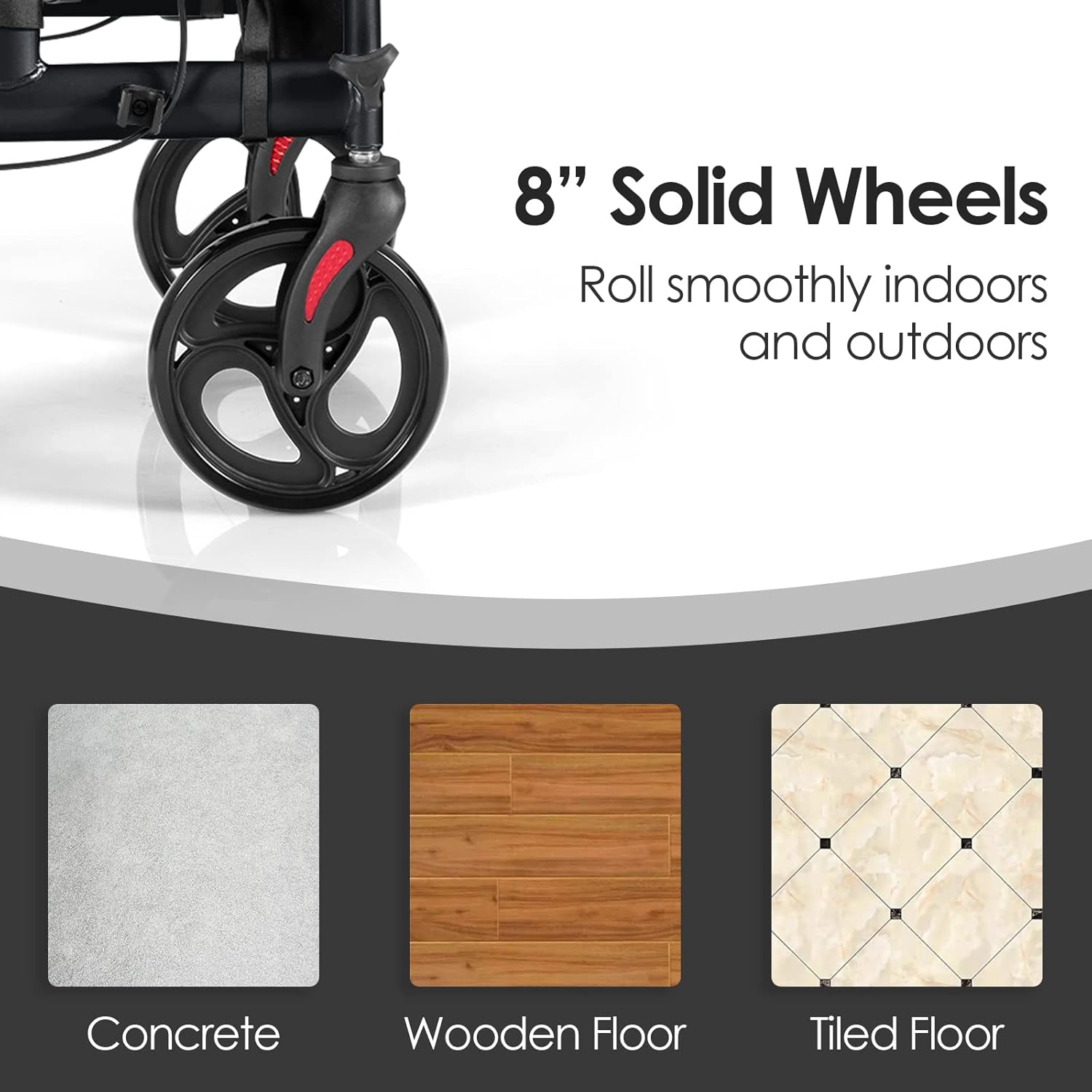
Image: A close-up view of the 8-inch solid wheels, indicating their suitability for various surfaces such as concrete, wooden floors, and tiled floors.
Warranty Information
Please refer to the product packaging or the manufacturer's official website for specific warranty details. Typically, GYMAX products come with a limited warranty covering manufacturing defects. Keep your proof of purchase for any warranty claims.
Support
For technical assistance, replacement parts, or further inquiries, please contact GYMAX customer support. Contact information can usually be found on the product packaging, the GYMAX official website, or through your retailer.