
1. Introduction
Thank you for choosing the ANTELA C37-E14 Smart WiFi LED Bulb. This manual provides essential information for the safe and efficient use of your smart bulbs. Please read these instructions carefully before installation and operation, and retain them for future reference.
These smart bulbs offer advanced features including voice control, app remote control, customizable colors, and scheduling, enhancing your home lighting experience.
2. Product Overview
2.1 What's in the Box
- 4 x ANTELA C37-E14 Smart WiFi LED Bulbs
- 1 x Instruction Manual
2.2 Key Features
- Voice Control: Compatible with Amazon Alexa and Google Assistant for hands-free operation.
- Remote Control: Manage your lighting from anywhere using the 'Smart Life' mobile application.
- Customizable Lighting: Access 16 million RGB colors and adjustable white light from 2700K (warm white) to 6500K (cool white).
- Dimmable: Adjust brightness and saturation to create the perfect ambiance.
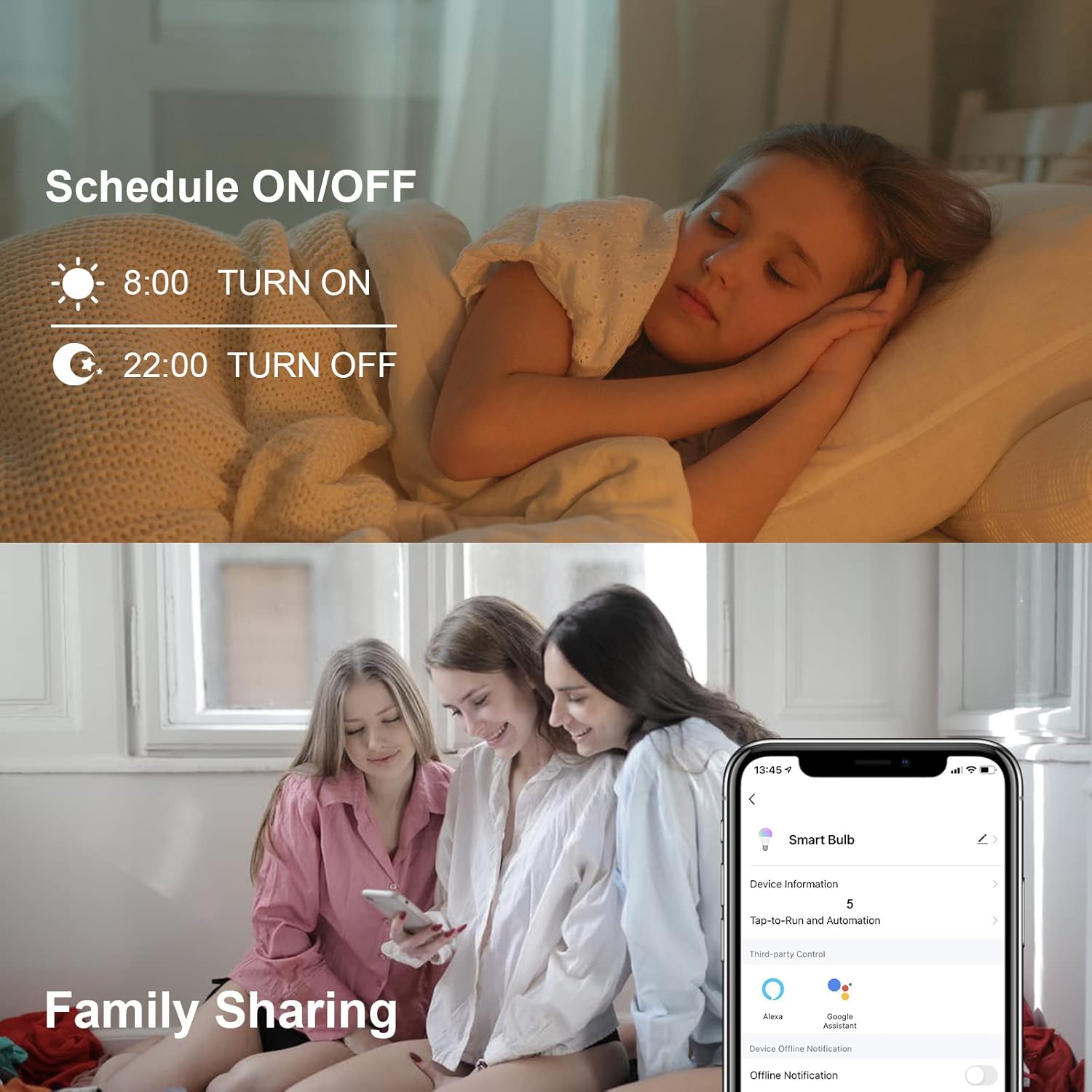
- Scheduling & Timers: Set schedules for automatic ON/OFF to save energy and enhance convenience.
- Music Sync: Bulbs can change colors and brightness in rhythm with music.
- Group Control: Control multiple bulbs simultaneously as a single group.
- Family Sharing: Share control of your smart bulbs with family members.
- Easy Installation: Standard E14 base, no hub required, works with 2.4GHz Wi-Fi networks.

Four ANTELA C37-E14 Smart WiFi LED Bulbs, showcasing their vibrant color capabilities and integration with the mobile application.
3. Setup
3.1 Physical Installation
- Ensure the power to the light fixture is turned OFF before installation.
- Carefully screw the ANTELA C37-E14 Smart WiFi LED Bulb into a standard E14 light socket.
- Turn the power back ON to the light fixture. The bulb should flash rapidly, indicating it's in pairing mode. If it does not flash, turn it OFF/ON three times to reset.
3.2 App Download and Pairing
- Download the 'Smart Life' app from the App Store (iOS) or Google Play Store (Android).
- Register or log in to your 'Smart Life' account.
- Ensure your mobile device is connected to a 2.4GHz Wi-Fi network. The bulbs do not support 5GHz Wi-Fi.
- In the 'Smart Life' app, tap the '+' icon in the top right corner to add a device.
- Select 'Lighting' > 'Light Source (Wi-Fi)'.
- Confirm that the bulb is flashing rapidly. If not, reset it by turning it OFF/ON three times.
- Enter your 2.4GHz Wi-Fi network password and tap 'Next'.
- The app will begin pairing with the bulb. Once connected, the bulb will stop flashing and glow steadily.
- You can now rename your bulb for easier control (e.g., 'Living Room Light').
4. Operating Instructions
4.1 Voice Control (Alexa & Google Assistant)
After successfully pairing your bulb with the 'Smart Life' app, you can link your 'Smart Life' account to Amazon Alexa or Google Assistant for voice control.
- For Alexa: Open the Alexa app, go to 'Skills & Games', search for 'Smart Life', enable the skill, and link your account. Then, 'Discover Devices'.
- For Google Assistant: Open the Google Home app, go to 'Set up device' > 'Works with Google', search for 'Smart Life', link your account.
Example Voice Commands:
- "Alexa, turn on Living Room Light."
- "Hey Google, set Bedroom Light to blue."
- "Alexa, dim Kitchen Light to 50%."
- "Hey Google, change Dining Room Light to warm white."

Illustration of voice control functionality, demonstrating how the ANTELA Smart WiFi LED Bulb can be controlled using Amazon Alexa or Google Assistant with simple voice commands.
4.2 App Control
The 'Smart Life' app provides full control over your ANTELA Smart WiFi LED Bulbs.
- Color & Brightness Adjustment: Select from 16 million colors or adjust the white light temperature (2700K-6500K). Easily dim or brighten the light.
- Scene Modes: Choose from pre-set scenes or create custom scenes for different moods and activities.
- Scheduling: Set timers for the bulbs to turn ON/OFF at specific times, or create countdown timers.
- Music Sync: Activate the music sync feature to have your lights react to the rhythm of your music.
- Group Control: Create groups of multiple bulbs to control them simultaneously with a single command.
- Family Sharing: Share control of your smart bulbs with other family members through the app, allowing them to manage the lighting from their own devices.

An infographic detailing the ANTELA Smart WiFi LED Bulb's features, including 16 million colors, E14 base, 385 lumens, 4.5W power, CRI >80, 15,000 hours lifespan, 220-240V compatibility, and adjustable color temperature from 2700K warm white to 6500K cool white.

Demonstration of remote control capabilities, allowing users to manage the ANTELA Smart WiFi LED Bulb's lighting from anywhere using the dedicated mobile application.
Visual representation of the music sync feature, where the ANTELA Smart WiFi LED Bulbs can change colors and brightness in rhythm with playing music.

Depiction of scheduling and family sharing features. Users can set automatic ON/OFF times for the ANTELA Smart WiFi LED Bulb and share control with family members through the app.

Example of group control, illustrating how multiple ANTELA Smart WiFi LED Bulbs can be managed simultaneously as a single group via the mobile application.
5. Maintenance
To ensure optimal performance and longevity of your ANTELA Smart WiFi LED Bulbs, follow these maintenance guidelines:
- Cleaning: Ensure the bulb is turned OFF and cooled before cleaning. Wipe the bulb with a soft, dry cloth. Do not use liquid cleaners or abrasive materials.
- Environment: Avoid installing the bulb in excessively hot, humid, or dusty environments. It is designed for indoor use in dry conditions.
- Power: Do not exceed the specified voltage (240 Volts).
6. Troubleshooting
If you encounter issues with your ANTELA Smart WiFi LED Bulb, refer to the following common solutions:
- Bulb not flashing during pairing: Turn the bulb OFF/ON three times to reset it into rapid flashing pairing mode.
- Bulb not connecting to Wi-Fi:
- Ensure your Wi-Fi network is 2.4GHz. 5GHz networks are not supported.
- Check your Wi-Fi password for accuracy.
- Move the bulb closer to your Wi-Fi router during the pairing process.
- Restart your Wi-Fi router.
- Voice control not working:
- Ensure your 'Smart Life' account is correctly linked to Alexa or Google Assistant.
- Verify the device name in the 'Smart Life' app matches the name you are using in voice commands.
- Check your internet connection.
- Bulb unresponsive: Try turning the light fixture OFF and then ON again. If the issue persists, reset the bulb by turning it OFF/ON three times and re-pair it with the app.
7. Specifications
| Brand | ANTELA |
| Model | C37-E14 |
| Light Type | LED |
| Bulb Base | E14 |
| Power | 4.5 Watt |
| Incandescent Equivalent | 45 Watts |
| Voltage | 240 Volts |
| Luminous Flux | 385 Lumens |
| Color Temperature | 2700K - 6500K (Warm White to Cool White) |
| Light Color | Multicolor (RGB) |
| Color Rendering Index (CRI) | >80 |
| Lifespan | 15,000 hours |
| Wi-Fi Frequency | 2.4 GHz (IEEE 802.11 b/g/n) |
| Energy Efficiency Class | F |
| Energy Consumption | 5 kWh/1000h |

The energy efficiency label for the ANTELA C37-E14 Smart WiFi LED Bulb, indicating an energy class of F and an energy consumption of 5 kWh per 1000 hours. For more details, visit the EPREL database.
8. Warranty and Support
ANTELA products are designed for reliability and performance. For warranty information or technical support, please refer to the contact details provided with your purchase or visit the official ANTELA website. Please have your model number (C37-E14) and purchase details ready when contacting support.


