
1. Introduction
Thank you for choosing the LEXENT MEVAGISSEY 16L Smart Dehumidifier Air Purifier. This appliance is designed to improve your indoor air quality by effectively removing excess moisture and purifying the air. It combines the functions of a dehumidifier and an air purifier, featuring UVC sterilization and smart home integration. Please read this manual thoroughly before operation to ensure safe and efficient use.
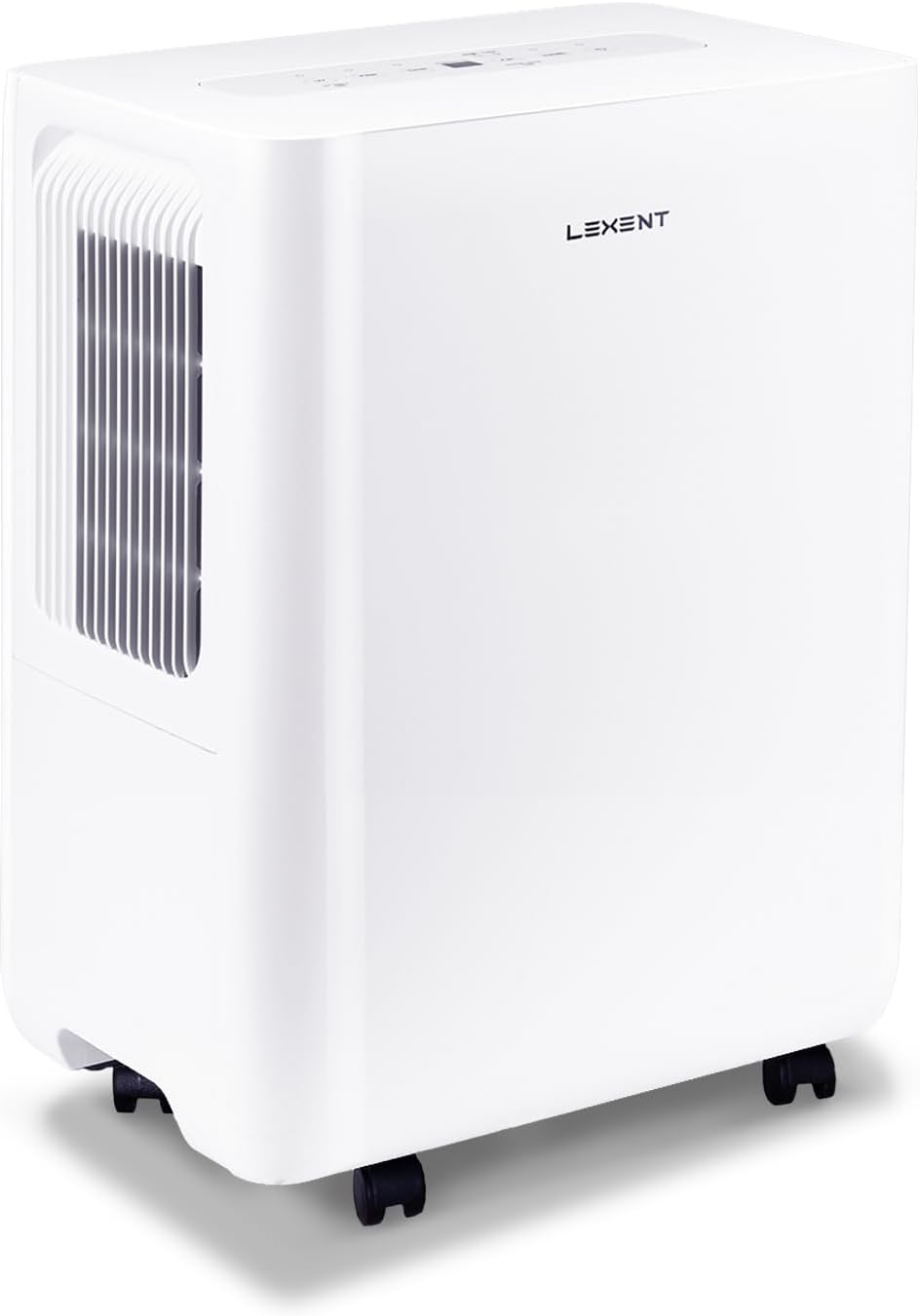
Image 1.1: The LEXENT Mevagissey 16L Smart Dehumidifier Air Purifier, a compact white unit with a front grille and casters.
2. Key Features
- 2-in-1 Functionality: Combines efficient dehumidification with air purification.
- UVC Sterilization: Integrated UVC lamp for a healthier atmosphere, reducing germs, fungi, and bacteria.
- High Extraction Rate: Removes up to 16 liters of moisture per day.
- 1.8L Water Tank: Features an automatic shut-off when full to prevent spills.
- Continuous Drainage Option: Allows for permanent operation without manual tank emptying.
- Smart Home Integration: Wi-Fi connectivity for remote control via a smartphone app.
- Digital Humidity Sensor: Real-time display of room humidity levels.
- 24-Hour Timer: Program precise operating periods to save energy.
- Advanced 4-Stage Air Purification: Includes Air-in filter, Pre-dust filter, Silver Ion, Anion, and Catechin filters to remove dust, pollen, bacteria, and odors.
- Eco-Friendly Refrigerant: Uses R-290 refrigerant with zero ozone depletion potential (ODP) and very low global warming potential (GWP).
- Quiet Operation: Operates at a low noise level of approximately 41 dB.

Image 2.1: An illustration highlighting the key features including efficient dehumidification, fan mode, air purification, UVC sterilization, 1.8L water tank, 24-hour timer, clean refrigerant, and R290 refrigerant.

Image 2.2: Visual representation of the advanced low noise compressor, hydrophilic film evaporator, and innovative centrifugal blade design, emphasizing quiet, energy-efficient, and air-purifying operation.
3. Setup
3.1 Unpacking and Initial Placement
- Carefully remove the dehumidifier from its packaging.
- Remove any protective materials or tape. Ensure the casters (wheels) are properly installed; they may be located inside the water tank for shipping.
- Place the unit upright on a flat, stable surface. Allow the unit to stand upright for at least 2-4 hours before plugging it in, especially if it was transported horizontally. This allows the refrigerant to settle.
- Ensure there is at least 20 cm (8 inches) of clear space around the air inlet and outlet to allow for proper airflow.
- Position the dehumidifier in a room or area where humidity control is desired. The unit is suitable for rooms up to 77 m² (approximately 350 sq ft).
3.2 Power Connection
- Ensure the power cord is securely connected to the unit.
- Plug the power cord into a grounded electrical outlet (220V).
3.3 Wi-Fi Setup (Smart Home Integration)
The Mevagissey dehumidifier can be controlled remotely via a smartphone app. Follow these general steps for Wi-Fi setup:
- Download the official LEXENT smart home app from your device's app store.
- Create an account or log in if you already have one.
- Follow the in-app instructions to add a new device. This typically involves putting the dehumidifier into pairing mode (often indicated by a flashing Wi-Fi light on the control panel).
- Connect your smartphone to your home's 2.4 GHz Wi-Fi network (5 GHz networks are generally not supported by smart home devices).
- Enter your Wi-Fi network password into the app.
- The app will attempt to connect to the dehumidifier. Once connected, the Wi-Fi indicator on the unit will become solid.
Note: Some users may experience difficulties with Wi-Fi connectivity. Ensure your Wi-Fi signal is strong where the unit is placed and that your router settings are compatible with smart home devices.

Image 3.1: An overview of the unit's thoughtful design, including the easy-to-use control panel, handle, plug holder, 360-degree castors, and permanent drain option.
4. Operating Instructions
4.1 Control Panel Description

Image 4.1: Detailed view of the control panel with numbered buttons and indicators: 1. Wi-Fi link state, 2. UVC Sterilization, 3. Timer set, 4. Fan mode (Two Speed), 5. Humidity (%) control, 6. On/Off.
- 1. Wi-Fi Indicator: Shows the status of the Wi-Fi connection.
- 2. UV Button: Activates or deactivates the UVC sterilization function.
- 3. Timer Button: Sets the 24-hour timer for automatic on/off.
- 4. Fan Button: Selects between two fan speeds (High/Low).
- 5. Humidity Button: Adjusts the desired humidity level (%).
- 6. Power Button: Turns the unit On or Off.
- Digital Display: Shows current humidity, timer settings, or error codes.
- Child Lock: Press and hold the Fan button for 3 seconds to activate/deactivate.
4.2 Basic Operation
- Power On/Off: Press the Power button (6) to turn the unit on or off.
- Set Desired Humidity: Press the Humidity button (5) repeatedly to cycle through desired humidity levels (e.g., 40%, 50%, 60%, Auto). The unit will operate until the room humidity reaches the set level.
- Adjust Fan Speed: Press the Fan button (4) to switch between High and Low fan speeds.
- Activate UVC Sterilization: Press the UV button (2) to turn the UVC lamp on or off.
- Set Timer: Press the Timer button (3) to set the desired operating duration (in hours) for automatic shut-off or power-on.
4.3 Continuous Drainage
For continuous operation without needing to empty the water tank, you can connect a drainage hose (not included) to the permanent drainage outlet on the back of the unit. Ensure the hose is sloped downwards to allow gravity drainage into a suitable receptacle or drain.
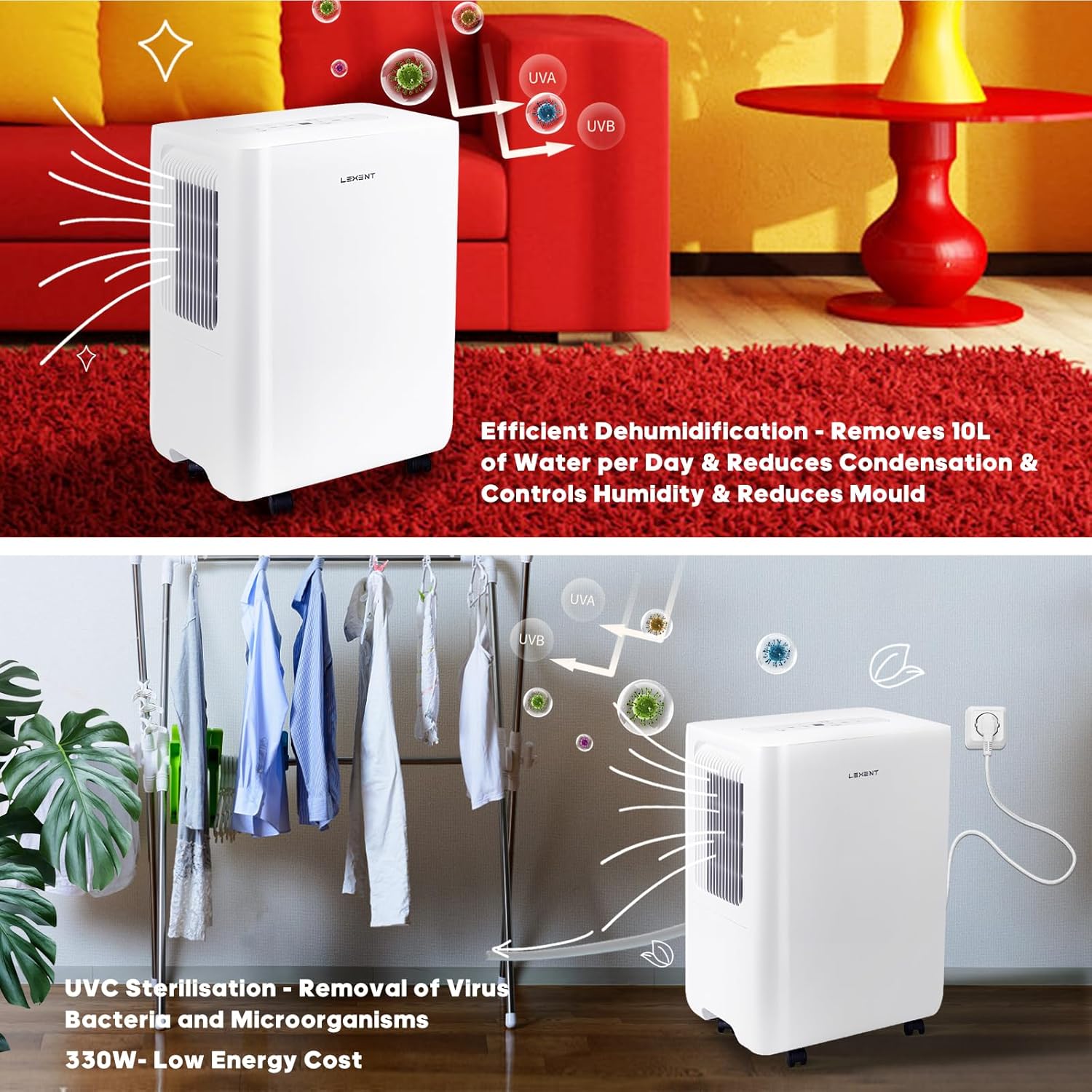
Image 4.2: The dehumidifier effectively removing moisture from laundry and purifying the air with UVC sterilization, demonstrating its dual functionality and low energy consumption.
5. Maintenance
5.1 Emptying the Water Tank
When the water tank is full, the unit will automatically shut off and emit an audible alert. The digital display may show a 'Full' indicator. To empty the tank:
- Gently pull out the water tank from the front of the unit.
- Carefully carry the tank to a sink or drain.
- Pour out the collected water.
- Slide the empty tank back into the unit until it clicks into place. The unit will resume operation automatically.

Image 5.1: Illustration of the 1.8L water tank and the automatic shut-off mechanism that prevents spills when the tank is full.
5.2 Cleaning the Air Filters
The unit features a washable pre-dust filter and a multi-stage purification system. Regular cleaning is essential for optimal performance.
- Turn off and unplug the dehumidifier before cleaning.
- Locate the air filter access panel (typically on the back or side).
- Remove the pre-dust filter. This filter can be washed with warm, soapy water. Rinse thoroughly and allow it to air dry completely before reinserting.
- The Silver Ion / Anion / Catechin filter is part of the 4-stage purification system. Refer to the product packaging or manufacturer's website for specific cleaning or replacement instructions for these advanced filters.
- Reinstall all filters securely.
5.3 General Cleaning
Wipe the exterior of the unit with a soft, damp cloth. Do not use abrasive cleaners or solvents. Ensure no water enters the internal components.
6. Troubleshooting
If you encounter issues with your dehumidifier, please refer to the following common problems and solutions:
- Unit does not turn on:
- Check if the power cord is securely plugged into a working outlet.
- Ensure the water tank is correctly inserted and not full.
- Unit is running but not collecting water:
- The room temperature might be too low (below 5°C), causing the evaporator coils to freeze. Move the unit to a warmer environment or allow it to defrost.
- Ensure the air filters are clean and not obstructed.
- Verify that the desired humidity level is set lower than the current room humidity.
- Unit is making a loud beeping sound:
- This typically indicates that the water tank is full and needs to be emptied.
- Wi-Fi connection issues:
- Ensure your smartphone is connected to a 2.4 GHz Wi-Fi network during setup.
- Check your Wi-Fi signal strength at the unit's location.
- Restart your router and the dehumidifier, then attempt to reconnect via the app.
- Refer to the app's troubleshooting guide for specific error messages.
- Reduced air purification effectiveness:
- Clean or replace the air filters as per maintenance instructions.
- Ensure the UVC lamp is activated.
7. Specifications
| Feature | Specification |
|---|---|
| Brand | LEXENT |
| Model Name | Mevagissey 16L-UV |
| Model Number | GDN16BF-K5EBA1C |
| Dehumidification Capacity | 16 Liters/day |
| Water Tank Volume | 1.8 Liters |
| Dimensions (L x W x H) | 24 x 35.2 x 49 cm |
| Weight | 13 Kilograms |
| Power | 330 Watts |
| Voltage | 220 Volts |
| Noise Level | 41 dB |
| Number of Speeds | 2 (Fan) |
| Recommended Floor Area | Up to 77 m² (350 sq ft) |
| Special Features | UVC Sterilization, Smart Home Integration (via app), Automatic Shut-off (full tank) |
| Refrigerant | R-290 |
8. Warranty and Support
For warranty information, technical support, or to purchase replacement parts, please refer to the official LEXENT website or contact the retailer from whom you purchased the product. Keep your proof of purchase for warranty claims.