
1. Introduction
Thank you for choosing the WiZ Connected 40W B12 Smart Candle-Shape LED Bulb. This smart light bulb is designed to enhance your living space with customizable lighting, offering 16 million colors and tunable warm to cool white light. It connects directly to your existing Wi-Fi network, allowing control via smartphone app, voice commands, and integration with smart home ecosystems. This manual will guide you through the installation, setup, and operation of your new smart bulb.
Video: Explore the World of WiZ - This video provides an overview of the WiZ smart lighting ecosystem and its capabilities.
2. Safety Information
Please read and understand all safety instructions before installing or using your WiZ Smart LED Bulb. Failure to follow these instructions may result in electric shock, fire, or other hazards.
- Indoor Use Only: This bulb is designed for indoor use in dry locations. Do not expose to water or moisture.
- Proper Installation: Ensure the power is turned off at the switch before installing or removing the bulb. Screw the bulb firmly into an E12 medium base fixture.
- Voltage Compatibility: Use only with 100-120V, 60Hz electrical systems.
- Dimmer Compatibility: This bulb is dimmable via the WiZ app or compatible smart controls, not with standard incandescent dimmers. Using it with incompatible dimmers may cause damage or malfunction.
- Ventilation: Ensure adequate ventilation around the bulb. Do not install in fully enclosed fixtures that restrict airflow.
- Cleaning: Clean only with a soft, dry cloth. Do not use liquid or abrasive cleaners.
- Disposal: Dispose of the bulb according to local regulations for electronic waste.
3. Product Features
The WiZ Connected Smart LED Bulb offers a range of advanced features for a personalized lighting experience:
- SpaceSense Motion Activation: Activate lights with motion detection using a minimum of two WiZ smart light bulbs in the same room, at least 2m/6.56ft apart.
- 16 Million Colors: Choose from a vast spectrum of colors to create any desired ambiance.
- Human-Centric Lighting: Adjust between different shades of warm to cool white light to suit your activities and time of day.
- Easy Setup: Simple installation by screwing in the bulb, downloading the WiZ Connected app, and connecting to 2.4GHz Wi-Fi.
- Multiple Control Options: Control lights with your smartphone, voice commands (Alexa, Google Assistant, Siri, SmartThings), the WiZ remote control, or existing wall switches (WiZclick feature).
- Automation & Scheduling: Schedule lights to automatically turn on/off, dim, or change color based on your daily or weekly routines.
- Energy Monitoring: The WiZ Connected app provides an overview of your lights' energy consumption.
- Matter Compatible: Ensures seamless integration and improved compatibility, reliability, and security within your smart home.
4. Setup Guide
Follow these steps to set up your WiZ Smart LED Bulb:
4.1 Initial Installation
- Power Off: Ensure the power to the light fixture is turned off at the wall switch before installation.
- Screw In Bulb: Carefully screw the WiZ Smart LED Bulb into a standard E12 medium base light fixture.
- Power On: Turn the power back on at the wall switch. The bulb should light up.

Image: Easy Plug & Play Setup - A visual guide showing the physical installation of the bulb and the initial app interface.
4.2 WiZ App Setup
The WiZ Connected app is essential for controlling your smart bulb.
- Download the App: Download the "WiZ Connected" app from the Apple App Store or Google Play Store.
- Create Account: Open the app and follow the on-screen instructions to create a new account or log in.
- Connect to Wi-Fi: Ensure your smartphone is connected to a 2.4GHz Wi-Fi network. WiZ bulbs require a 2.4GHz connection for initial setup and operation.
- Add Device: In the app, tap the '+' icon to add a new device. The app will guide you through the pairing process, often using Bluetooth for initial detection.
- Name Your Light: Assign a descriptive name to your bulb (e.g., "Living Room Lamp") for easy identification and voice control.
- Configure Power Switch (WiZclick): The app allows you to configure what happens when you toggle your physical wall switch. For example, switch ON once for light mode 1 (e.g., Warm White) and switch ON twice in a row for light mode 2 (e.g., Daylight).
Video: WiZ Setup Guide - A step-by-step video demonstrating how to set up your WiZ smart bulb using the app.
5. Operating Instructions
Once set up, you can control your WiZ Smart LED Bulb in various ways:
5.1 App Control
- On/Off & Dimming: Use the main toggle and slider in the app to turn the bulb on/off and adjust brightness.
- Color Selection: Access the color palette to choose from 16 million colors or select different shades of warm to cool white light.
- Dynamic Modes: Explore pre-set dynamic light modes for various moods and occasions (e.g., Fireplace, Ocean, Party).
- Schedules: Set up daily or weekly schedules for your lights to automate their behavior.
- Circadian Rhythm: Enable Circadian Rhythm to automatically adjust light color and brightness throughout the day to mimic natural light patterns.
- Custom Scenes: Create and save your own custom light scenes for quick access.

Image: Preset Dynamic Modes - Examples of various dynamic lighting modes available through the WiZ app.
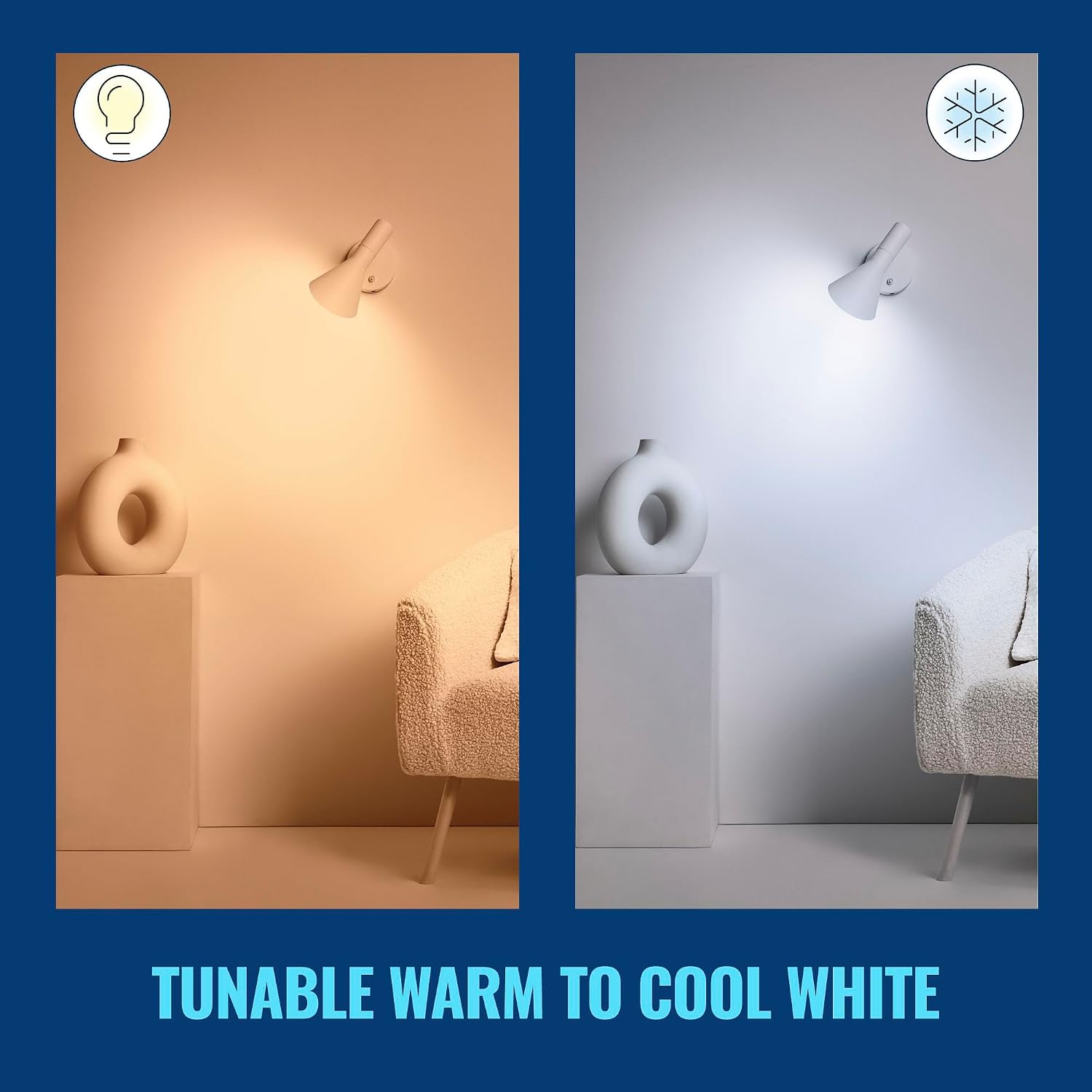
Image: Tunable Warm to Cool White - Demonstrates the ability to adjust the white light temperature from warm to cool.
5.2 Voice Control
Integrate your WiZ bulb with popular voice assistants:
- Amazon Alexa: Link your WiZ account in the Alexa app to control lights with commands like "Alexa, turn on Living Room Lamp."
- Google Assistant: Connect WiZ to Google Home for commands such as "Hey Google, set bedroom light to blue."
- Siri Shortcuts: Create custom Siri Shortcuts for quick voice commands.
- SmartThings: Integrate with SmartThings for broader smart home control.

Image: Control as You Like - Overview of different control options and smart home integrations.
5.3 SpaceSense Motion Detection
SpaceSense uses Wi-Fi signals to detect movement in a room without additional sensors.
- Activation: Requires at least two WiZ bulbs in the same room, positioned at least 2 meters (6.56 feet) apart.
- Configuration: Enable and configure SpaceSense within the WiZ app to define sensitivity levels and actions upon motion detection (e.g., turn on, change brightness).
- Benefits: Provides automatic lighting when entering a room and turns off when no movement is detected, enhancing convenience and energy efficiency.

Image: SpaceSense™ Motion Activation - Illustrates how lights automatically turn on when motion is detected.
Video: WiZ SpaceSense Explained - This video details the SpaceSense feature, showing how smart lighting responds to movement.
6. Maintenance
The WiZ Smart LED Bulb requires minimal maintenance.
- Cleaning: Ensure the bulb is cool and the power is off before cleaning. Wipe the bulb with a soft, dry cloth. Do not use liquid or abrasive cleaners, as they may damage the bulb's surface or internal components.
- Firmware Updates: Keep your WiZ app and bulb firmware updated to ensure optimal performance and access to new features. The app will notify you of available updates.
7. Troubleshooting
If you encounter issues with your WiZ Smart LED Bulb, try the following solutions:
| Problem | Possible Solution |
|---|---|
| Bulb not turning on | Check if the light fixture has power. Ensure the bulb is screwed in correctly. Test the bulb in another working fixture. |
| Bulb not connecting to Wi-Fi | Ensure your Wi-Fi router is broadcasting a 2.4GHz network. Move the bulb closer to the router. Restart your router and the bulb (turn off/on at the switch). Check Wi-Fi password. |
| App not detecting bulb | Ensure Bluetooth is enabled on your smartphone. Make sure the bulb is powered on and within range. Try restarting the app. |
| Voice control not working | Verify that your WiZ account is correctly linked to your voice assistant (Alexa, Google Home). Check your internet connection. Ensure the bulb is online in the WiZ app. |
| SpaceSense not detecting motion | Ensure at least two WiZ bulbs are installed in the room, at least 2m/6.56ft apart. Check SpaceSense settings in the WiZ app for proper configuration and sensitivity. Ensure no large objects are blocking Wi-Fi signals between bulbs. |
For further assistance, please refer to the WiZ Connected support website or contact customer service.
8. Specifications
Detailed technical specifications for your WiZ Connected 40W B12 Smart LED Bulb:
| Attribute | Detail |
|---|---|
| Brand | WiZ Connected |
| Model Name | PLC 3.9W (40W)B12 WIFI COLOR 1PK |
| Model Number | 603522 |
| Light Type | LED |
| Wattage | 3.9 Watts (40W Incandescent Equivalent) |
| Bulb Shape Size | B12 |
| Bulb Base | E12 |
| Brightness | 355 Lumens |
| Light Color | Multicolor (16 Million Colors) & Tunable White |
| Voltage | 100-120 Volts |
| Frequency | 60 Hertz |
| Connectivity Technology | Wi-Fi (2.4GHz), Bluetooth |
| Connectivity Protocol | Wi-Fi |
| Controller Type | Amazon Alexa, Google Assistant, IFTTT, Siri, SmartThings |
| Indoor Outdoor Usage | Indoor |
| Color Rendering Index (CRI) | 90.0 |
| Material Type | Synthetic Polymer (PMMA) |
| Item Weight | 2.08 ounces |
| Item Dimensions (W x H) | 1.54"W x 4.49"H |
| UPC | 046677603526 |

Image: Product Dimensions and Features Overview - Visual representation of the bulb's size and key functionalities.
9. Warranty & Support
Your WiZ Connected 40W B12 Smart Candle-Shape LED Bulb comes with a manufacturer's warranty and dedicated support.
9.1 Manufacturer's Warranty
This product is covered by a 2-year manufacturer's warranty. This warranty covers defects in materials and workmanship under normal use. Please retain your proof of purchase for warranty claims.
9.2 Customer Support
For technical support, troubleshooting assistance, or warranty inquiries, please visit the official WiZ Connected website or contact their customer service department. Contact information can typically be found on the product packaging or the WiZ Connected website.


