
1. Overview
Thank you for choosing the Oster Black Digital Fryer 3.2L. This appliance utilizes hot air circulation technology to prepare crispy and delicious food with minimal to no oil. Its intuitive touch panel and compact design make it a convenient addition to any kitchen.

Figure 1: Oster Black Digital Fryer 3.2L with Touch Panel.
2. Safety Instructions
Please read all safety instructions carefully before using the appliance to prevent personal injury or damage to the product.
- Always place the fryer on a stable, heat-resistant surface.
- Do not immerse the appliance body, cord, or plug in water or any other liquid.
- Ensure the voltage indicated on the appliance matches your local power supply before connecting.
- Keep children and pets away from the appliance during operation.
- Do not block the air inlet or outlet vents during operation.
- Always unplug the appliance when not in use and before cleaning.
- Allow the appliance to cool completely before handling or cleaning.
- Do not operate the appliance if the cord or plug is damaged, or if the appliance malfunctions.
- The basket and internal components become very hot during use. Use oven mitts when handling.

Figure 2: Product safety certification.
3. Setup
Before first use, follow these steps:
- Remove all packaging materials, stickers, and labels from the appliance.
- Clean the basket and pan thoroughly with hot water, dish soap, and a non-abrasive sponge.
- Wipe the inside and outside of the appliance with a damp cloth.
- Ensure all parts are completely dry before use.
- Place the appliance on a stable, level, and heat-resistant surface, away from walls or other appliances to allow for proper air circulation.
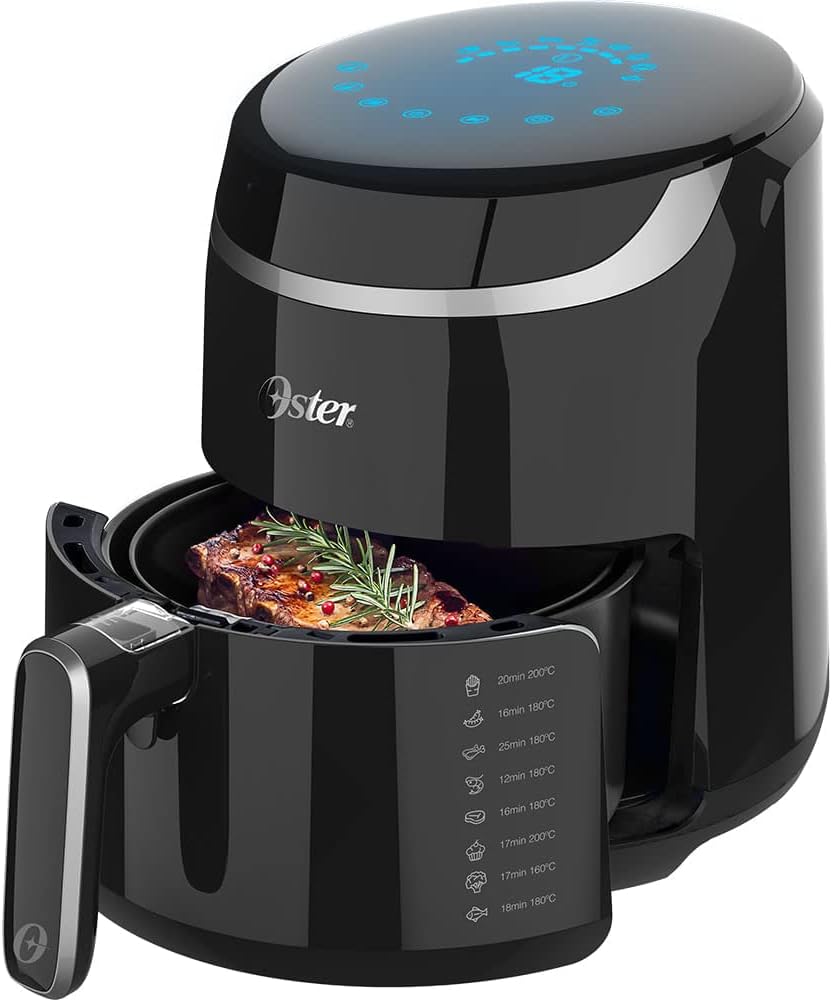
Figure 3: Removable non-stick basket and interior view.
4. Operating Instructions
4.1 Control Panel
The Oster Digital Fryer features an intuitive touch control panel for easy operation. The panel allows you to select pre-programmed functions, adjust temperature, and set the timer.
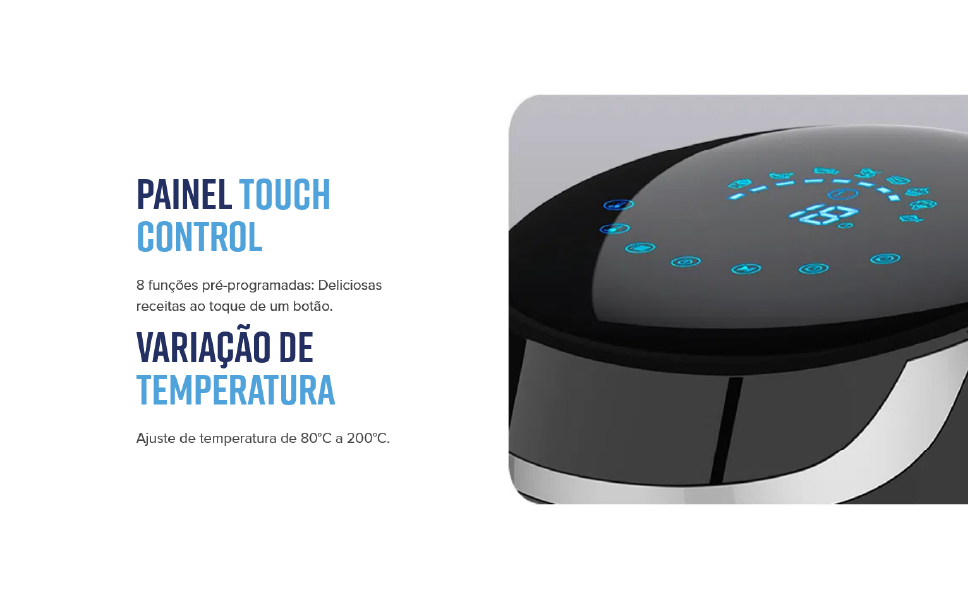
Figure 4: Detailed view of the touch control panel.
4.2 Pre-programmed Functions
The fryer comes with 8 pre-programmed functions for common dishes. Simply select the desired icon on the touch panel.
| Food Item | Time | Temperature |
|---|---|---|
| Fries | 20 min | 200°C |
| Chicken | 16 min | 180°C |
| Shrimp | 12 min | 180°C |
| Meat | 25 min | 180°C |
| Cake | 16 min | 180°C |
| Fish | 17 min | 200°C |
| Pizza | 17 min | 160°C |
| Vegetables | 18 min | 180°C |
Note: These are recommended settings. Cooking times and temperatures may vary based on food quantity and desired crispness.
4.3 Manual Operation
To operate manually:
- Place food in the non-stick basket.
- Insert the basket into the fryer.
- Plug the appliance into a 220V power outlet.
- Use the temperature control to set the desired temperature (90°C to 200°C).
- Use the timer control to set the desired cooking time (up to 60 minutes).
- Press the start button to begin cooking. The fryer will automatically shut off when the timer expires.

Figure 5: Food placed in the fryer basket.
5. Maintenance and Cleaning
Regular cleaning ensures optimal performance and extends the life of your fryer.
- Always unplug the fryer and allow it to cool completely before cleaning.
- The removable non-stick basket and pan are dishwasher safe for easy cleaning.
- For manual cleaning, wash the basket and pan with hot water, dish soap, and a non-abrasive sponge.
- Wipe the exterior of the appliance with a damp cloth. Do not use abrasive cleaners or scouring pads.
- Ensure all parts are completely dry before storing or next use.
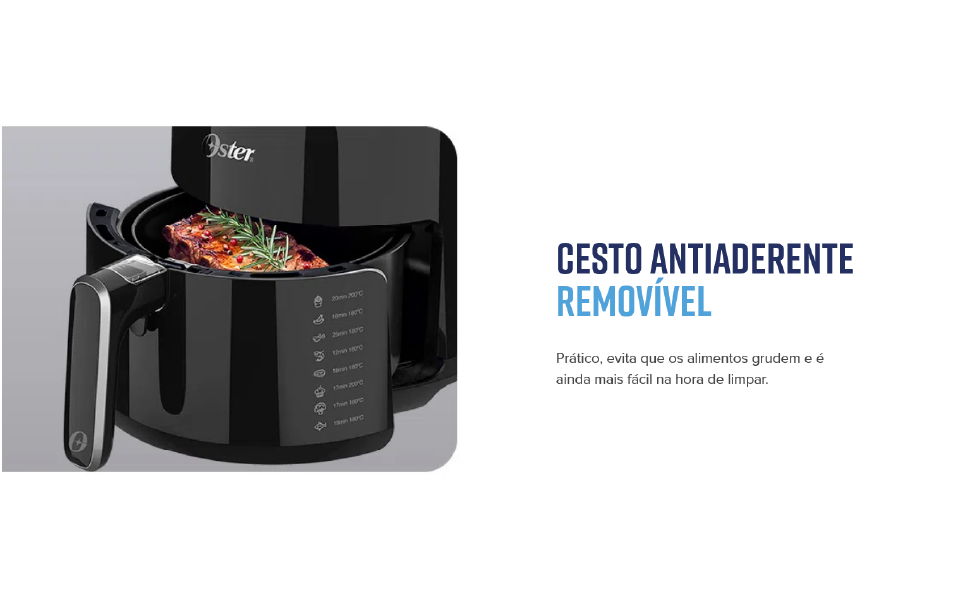
Figure 6: Removable non-stick basket for easy cleaning.
6. Troubleshooting
Refer to the table below for common issues and their solutions.
| Problem | Possible Cause | Solution |
|---|---|---|
| Appliance does not turn on | Not plugged in; Power outlet malfunction | Ensure the plug is securely inserted; Test with another outlet |
| Food is not crispy | Too much food in the basket; Incorrect temperature/time settings | Cook in smaller batches; Adjust temperature and time as needed |
| White smoke coming from appliance | Grease residue from previous use; Fatty food being cooked | Clean the basket and pan thoroughly; Remove excess fat from food |
| Appliance emits unusual odor | First use odor; Food residue | Normal for first few uses; Ensure thorough cleaning after each use |
7. Specifications
Detailed technical specifications for your Oster Black Digital Fryer 3.2L.
| Feature | Detail |
|---|---|
| Brand | Oster |
| Model | Black Digital Fryer 3.2L |
| Capacity | 3.2 Liters |
| Color | Black |
| Material | Stainless Steel (internal) |
| Output Power | 1500 Watts |
| Control Method | Touch Panel |
| Minimum Temperature Setting | 90°C |
| Maximum Temperature Setting | 200°C |
| Timer | Up to 60 minutes |
| Air Frying Technology | Hot Air Circulation |
| Non-stick Coating | Yes |
| Dishwasher Safe Parts | Basket and Pan |
| Dimensions (D x W x H) | 34 x 28 x 33 cm |

Figure 7: Product dimensions.
8. Warranty and Support
Oster products are manufactured to high-quality standards. For warranty information, product registration, or technical support, please refer to the warranty card included with your purchase or visit the official Oster website. Keep your proof of purchase for warranty claims.
For further assistance, you may contact Oster customer service through their official channels.
