
Olafus 3-LBG55M
Olafus 65W Motion Sensor Outdoor Light Instruction Manual
Brand: Olafus
Model: 3-LBG55M
1. Introduction and Overview
This manual provides detailed instructions for the installation, operation, and maintenance of your Olafus 65W Motion Sensor Outdoor Light. Designed for outdoor use, this floodlight offers powerful illumination and enhanced security features.
Key features include: 6000 lumens ultra-bright output, an enhanced motion sensor with up to 72 ft detection range and 180° coverage, triple-headed adjustable lights for wide area illumination (up to 1150ft²), and an IP65 waterproof rating for durability in various weather conditions.
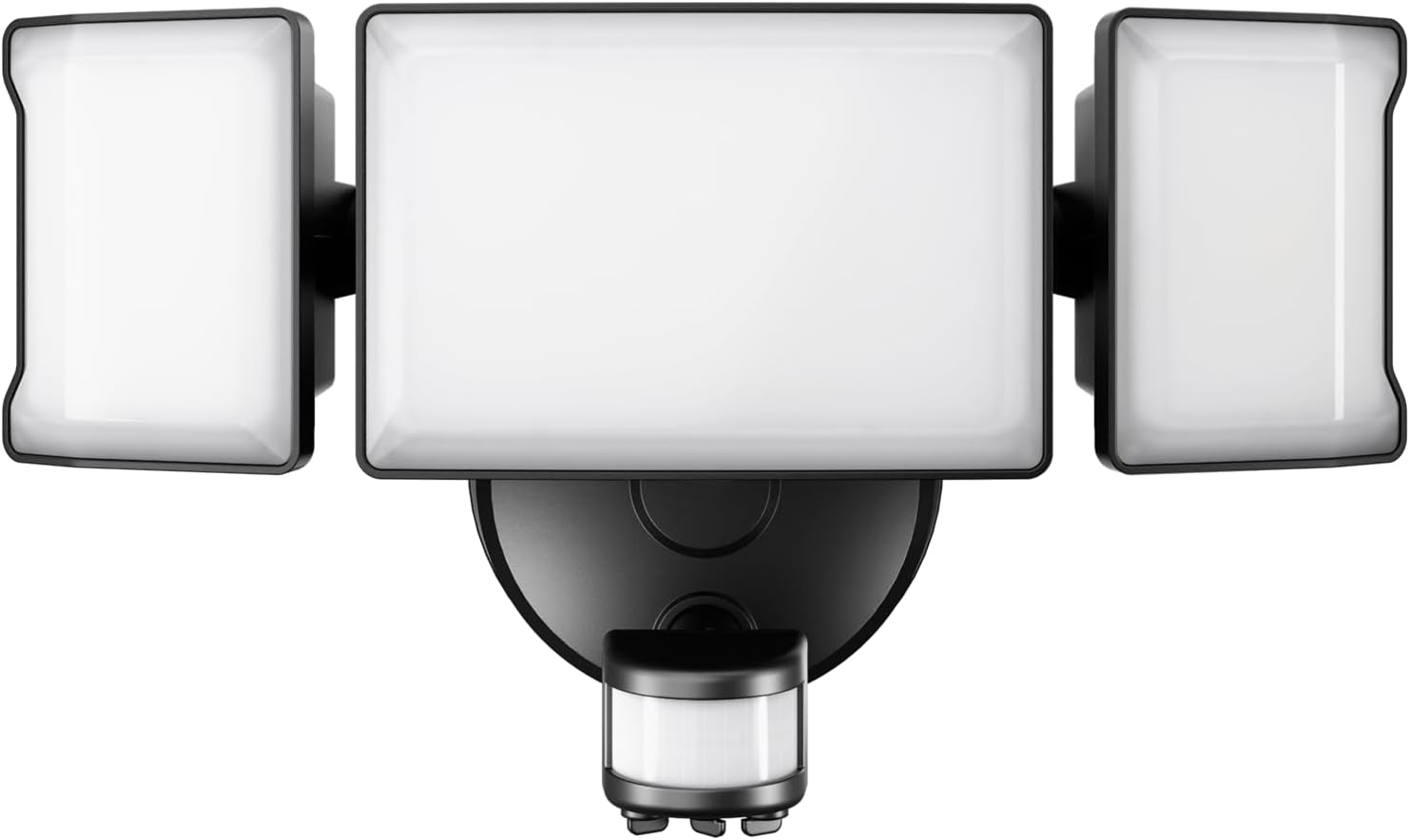
Figure 1: Olafus 65W Motion Sensor Outdoor Light, front view.
2. Safety Information
Please read all safety instructions carefully before installation and operation. Failure to follow these instructions may result in electric shock, fire, or other hazards.
- WARNING: Risk of electric shock. Disconnect power at the fuse or circuit breaker before installing or servicing.
- Ensure the power supply voltage is compatible with the light fixture (110 Volts).
- All wiring connections must be made in accordance with local and national electrical codes. If you are unsure about the installation, consult a qualified electrician.
- Do not install on surfaces that are unstable or prone to vibration.
- Keep flammable materials away from the light fixture.
- Do not look directly into the LED light source when illuminated, as it may cause eye strain.
3. Package Contents
Verify that all components are present and undamaged before beginning installation.
- Olafus 65W Motion Sensor Outdoor Light Unit
- Mounting Hardware (screws, wire nuts, mounting bracket)
- Instruction Manual
4. Specifications
| Feature | Specification |
|---|---|
| Brand | Olafus |
| Model Name | 3-LBG55M |
| Wattage | 65 Watts (Max Compatible) / 55 Watts (Operating) |
| Brightness | 6000 Lumens |
| Color Temperature | 6500 Kelvin (Daylight White) |
| Material | Aluminum |
| Water Resistance Level | IP65 Waterproof |
| Motion Sensor Range | Up to 72 ft |
| Motion Sensor Coverage | 180° |
| Light Coverage Area | Up to 1150 sq ft |
| Adjustable Heads | Yes (3 heads, 270-degree coverage) |
| Power Source | Corded Electric (Hardwired) |
| Voltage | 110 Volts |
| Product Dimensions | 10.7"L x 5.82"W x 4.72"H |
| Item Weight | 2.16 Pounds |
5. Setup and Installation
This floodlight requires hardwired installation. Ensure power is disconnected at the circuit breaker before proceeding.
- Prepare the Installation Area: Ensure the electrical box is clear and accessible. Turn off power to the circuit at the main breaker.
- Install the Mounting Bracket: Secure the metal mounting bracket to the wall or soffit using the provided screws. Ensure it is firmly attached.

Figure 2: The mounting bracket is secured to the wall, ready for wiring connections.
- Connect the Wires: Carefully connect the wires from the floodlight to the corresponding wires from the electrical box using wire nuts.
- Connect the black wire from the floodlight to the black (live) wire from the wall.
- Connect the white wire from the floodlight to the white (neutral) wire from the wall.
- Connect the green (ground) wire from the floodlight to the ground wire from the wall.
- Mount the Light Fixture: Once wiring is complete, carefully tuck all wires into the electrical box. Align the floodlight unit with the mounting bracket and secure it in place with the provided screws.

Figure 3: The floodlight features three adjustable heads for broad coverage.
- Adjust Light Heads: Adjust the three light heads to direct illumination to your desired areas. The heads offer 270-degree adjustable coverage.

Figure 4: Example of the floodlight illuminating a wide outdoor area.
- Restore Power: Turn the power back on at the circuit breaker.
6. Operating Instructions
The Olafus Motion Sensor Outdoor Light features adjustable settings for optimal performance.

Figure 5: Dials for adjusting delay, sensing distance, and day/night mode.
- Sensing Distance: Adjust the sensitivity of the motion sensor. The detection range is between 16.4 ft (Min) and 72 ft (Max).
- Delay Setting (Time Duration): Set how long the light remains on after motion is detected. This can typically be adjusted from 60 seconds (Min) to 600 seconds (Max).
- Day/Night Mode:
- "+" Setting: Light works during cloudy days and at night.
- "-" Setting: Light works only at night.
The light will automatically turn on when motion is detected within its range and settings, providing illumination for security and convenience.

Figure 6: Illustration of the motion detection range for people, dogs, and cars.
7. Maintenance
Regular maintenance ensures optimal performance and longevity of your floodlight.
- Cleaning: Periodically clean the light fixture and motion sensor lens with a soft, damp cloth. Do not use abrasive cleaners or solvents.
- Inspection: Regularly check for any loose connections or damage to the wiring and housing.
- Weather Resistance: The IP65 rating ensures protection against dust and water jets. While designed to withstand rain, sleet, and snow, avoid submerging the unit.

Figure 7: The IP65 waterproof design ensures durability in various weather conditions.
8. Troubleshooting
If you experience issues with your Olafus Motion Sensor Outdoor Light, refer to the following common problems and solutions:
| Problem | Possible Cause | Solution |
|---|---|---|
| Light does not turn on. | No power, loose wiring, faulty sensor, incorrect Day/Night mode setting. | Check circuit breaker. Verify all wire connections are secure. Adjust Day/Night mode setting. Test sensor by walking into detection area. |
| Light stays on continuously. | Continuous motion in detection area, incorrect Time Duration setting, faulty sensor. | Ensure no constant motion is triggering the sensor. Adjust Time Duration setting. If problem persists, sensor may be faulty. |
| Motion sensor is not detecting. | Obstruction, incorrect Sensing Distance setting, sensor dirty. | Clear any obstructions from the sensor's view. Increase Sensing Distance. Clean the sensor lens. |
| Light is too dim or too bright. | Not applicable (fixed brightness). | This model has a fixed brightness of 6000 lumens and is not dimmable. |
9. Warranty and Support
Olafus provides a warranty for this product, typically detailed in the documentation included with your purchase or available on the official Olafus website. Please refer to your product packaging or the manufacturer's website for specific warranty terms and conditions.
For technical support, troubleshooting assistance, or warranty claims, please contact Olafus customer service through their official channels. Keep your purchase receipt and model number (3-LBG55M) handy for faster service.
Ask a question about this manual
Ask about setup, troubleshooting, compatibility, parts, safety, or missing instructions. Manuals+ will review the question and use this page’s manual context to help answer it.