
1. Introduction
This manual provides instructions for the installation and use of the Crivnhar Tool Drill Mount Holder. This product is designed to securely store your Makita 18V Li-ion power tools, helping to organize your workspace in a garage, workshop, or work truck.
2. Product Overview
The Crivnhar Tool Drill Mount Holder is a heavy-duty ABS plastic dock hanger engineered for durability and ease of use. It provides a secure mounting solution for your power tools, preventing damage and clutter. Each holder is lightweight yet robust, designed for repeated tool insertion and removal without deformation.

Image: Crivnhar 18V Tool Drill Mount Holders shown in an organized workshop setting.
3. Package Contents
The package includes the following items:
- Tool Holder(s) (Quantity varies by pack size, e.g., 10 holders for a 10-pack)
- Mounting Screws (4 screws per holder, e.g., 40 screws for a 10-pack)

Image: Detailed view of the tool mount holder with dimensions (2.95" x 3.7") and the included 20mm x 4mm screws. The holder weighs 39g.
4. Compatibility
This tool mount holder is specifically designed for Makita 18V Li-ion power tools. It features a precision design to ensure a secure fit, preventing wobbling or slipping. It is NOT compatible with Makita 18V NI-CD tools.

Image: Examples of compatible Makita 18V Li-ion tools, such as drills, impact drivers, and jigsaws, securely docked in the Crivnhar tool holders.
5. Installation
The Crivnhar Tool Drill Mount Holder is designed for easy installation on various surfaces. Follow these steps for secure mounting:
- Select Location: Choose a suitable location on a wall, panel, workbench, overhead rack, or within a work truck. Ensure the surface is sturdy enough to support the weight of your tools.
- Position Holder: Place the tool holder in the desired position. Use a pencil to mark the four screw holes.
- Drill Pilot Holes (Optional but Recommended): For wood or metal surfaces, drilling small pilot holes (slightly smaller than the screw diameter) can prevent splitting and make screw insertion easier. For drywall or concrete, appropriate anchors (not included) may be required.
- Fasten Holder: Align the holder with the marked holes and use the provided screws to fasten it securely to the surface. Ensure all four screws are tightened firmly.
- Test Security: Gently pull on the installed holder to ensure it is firmly attached before docking any tools.

Image: Visual guide demonstrating the installation process. The holder is fastened with four screws, and a drill is shown being pushed down into the holder to lock it in place.

Image: An example of multiple tool holders installed under a shelf, demonstrating an organized storage solution for various power tools.
6. Operation
Using the Crivnhar Tool Drill Mount Holder is straightforward:
- To Dock a Tool: Align the groove of your Makita 18V Li-ion tool with the corresponding slot on the mount holder. Push the tool firmly downwards until it clicks and locks securely into place.
- To Remove a Tool: Gently pull the tool upwards from the holder. The secure design allows for easy removal when needed.
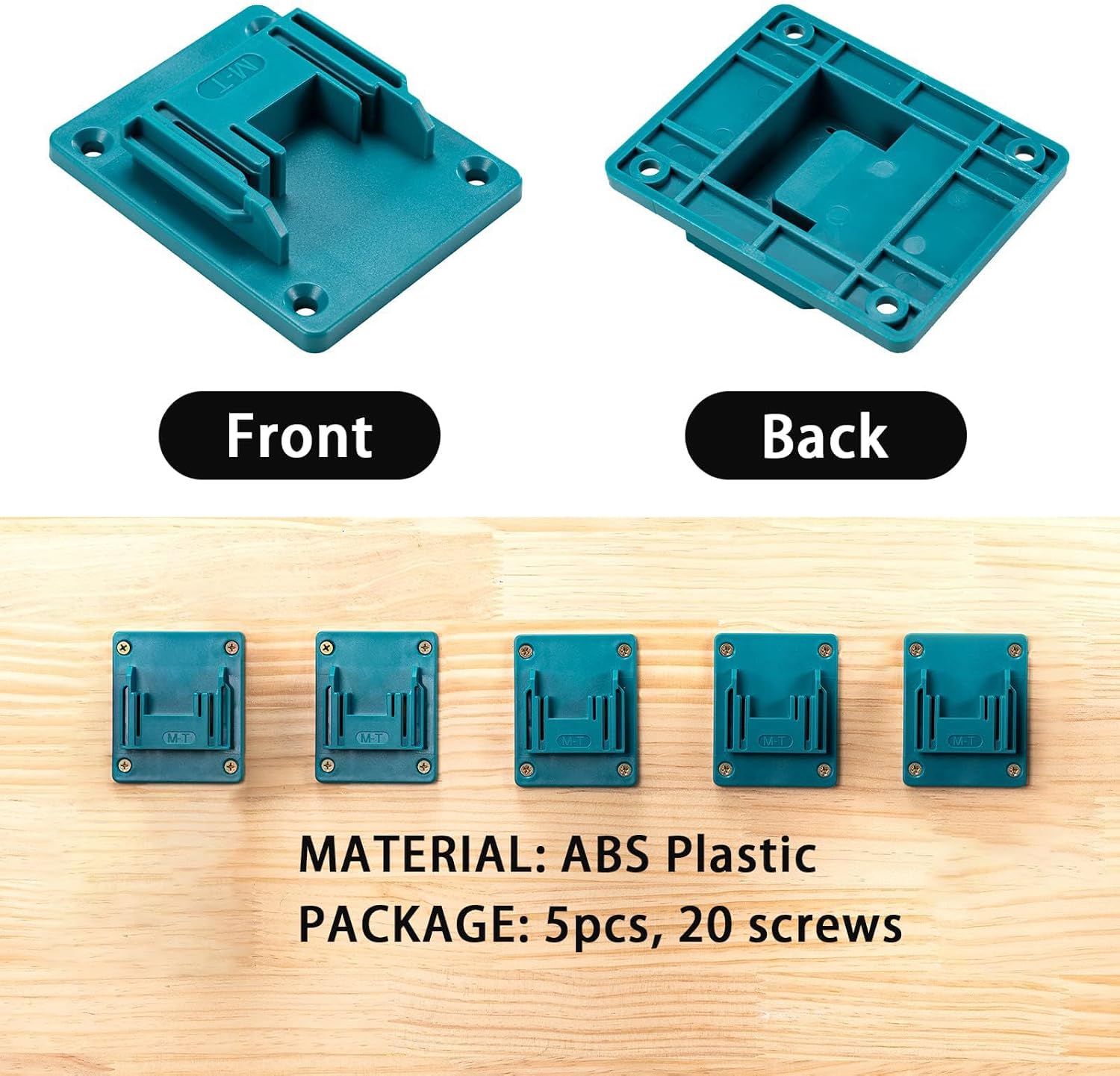
Image: Front and back views of the tool holder, illustrating the design that allows for secure tool docking.
7. Maintenance
The Crivnhar Tool Drill Mount Holder requires minimal maintenance:
- Cleaning: Wipe the holders with a damp cloth to remove dust or debris. Avoid using harsh chemicals that may damage the plastic.
- Inspection: Periodically check the mounting screws to ensure they remain tight. Re-tighten if necessary. Inspect the holders for any signs of damage or wear.
8. Troubleshooting
- Tool does not fit: Ensure your tool is a Makita 18V Li-ion model. This holder is not compatible with 18V NI-CD tools or other brands.
- Holder feels loose after installation: Check that all four mounting screws are fully tightened. If mounted on drywall, ensure appropriate anchors were used and are secure.
- Tool wobbles when docked: Verify that the tool is pushed down completely until it locks into the holder. The design provides a snug fit for compatible tools.
9. Specifications
| Brand | Crivnhar |
| Model Number | mtgj-10 |
| Material | ABS Plastic |
| Color | T-cyan Blue |
| Compatibility | Makita 18V Li-ion Power Tools (Not for 18V NI-CD) |
| Item Weight (per holder) | 30 Grams (approx. 1.06 ounces) |
| Included Components | Tool Holder(s), Screws |
| UPC | 747781287106 |
10. Warranty and Support
This product comes with a 1 Year Manufacturer Warranty. For any compatibility issues, installation questions, or quality problems, please contact our professional customer service team. We are committed to providing satisfactory solutions.