
1. Introduction
Thank you for choosing the TATTU U40S 365nm Filtered Black Light UV Flashlight. This manual provides essential information for the safe and effective operation, maintenance, and troubleshooting of your device. Please read this manual thoroughly before use and retain it for future reference.
2. Safety Information
WARNING: Ultraviolet (UV) light can be harmful to eyes and skin. Always follow these safety precautions:
- Do not look directly into the UV light source.
- Avoid prolonged exposure of skin to UV light.
- Keep out of reach of children.
- Do not attempt to disassemble the flashlight body. This can compromise its waterproof integrity and internal components.
- Use only the specified charging method (Type-C USB) and ensure the charging port is dry before connecting.
- Do not operate the flashlight if it appears damaged.
3. Product Overview
3.1 Key Features
- High Power UV Output: Equipped with four 10W broadband LED chips for strong 365nm UV illumination.
- Type-C USB Rechargeable: Features a Type-C USB port for convenient and fast charging.
- Temperature Control: Integrated system to manage heat output and protect the user during extended operation.
- Power Indicator: An LED indicator around the switch button displays battery status and charging status.
- Durable Construction: Constructed from a full square aluminum alloy tube, providing a robust and waterproof design.
3.2 Package Contents
- TATTU U40S UV Flashlight
- Integrated Lithium Ion Battery
- USB Type-C Charging Cable
- User Manual (this document)
3.3 Product Diagram
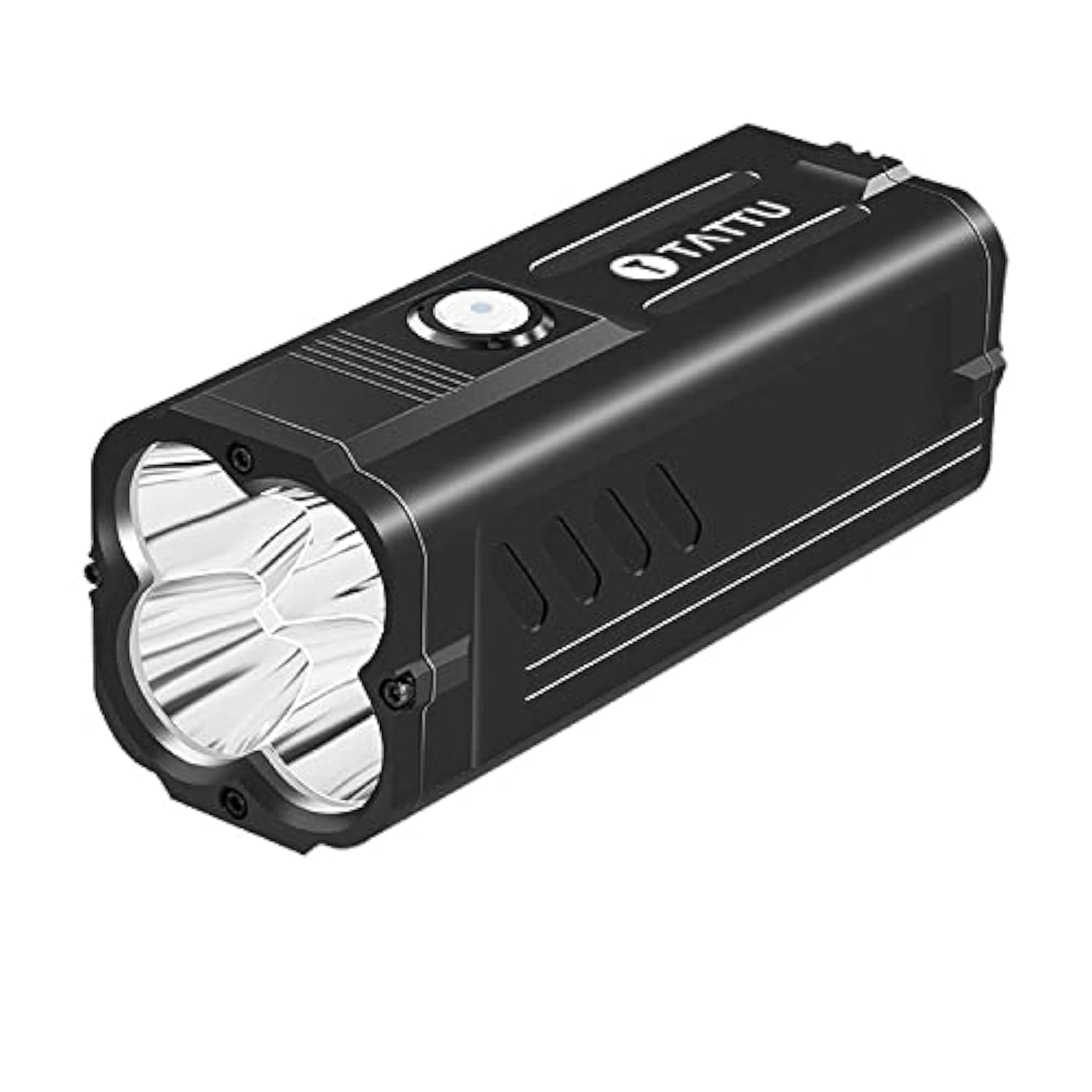
Figure 1: TATTU U40S UV Flashlight. This image displays the overall design of the flashlight, highlighting its robust aluminum casing and the UV LED array at the front.
4. Setup
4.1 Initial Charge
- Locate the Type-C USB charging port on the flashlight.
- Connect the provided (or a compatible) Type-C USB cable to the flashlight and a suitable USB power adapter (not included).
- The power indicator light will illuminate Red during charging.
- Once fully charged, the power indicator light will turn Green.
- Disconnect the charging cable.
Note: Ensure the charging port is dry before connecting the cable to prevent damage.
5. Operating Instructions
5.1 Power On/Off
- To turn on the flashlight, press the power button located on the body.
- To turn off the flashlight, press the power button again.
5.2 Battery Indicator
The power indicator light around the switch button provides real-time battery status:
- Green Light: Indicates high battery capacity.
- Red Light: Indicates low battery capacity, requiring recharge.
5.3 Temperature Control
The TATTU U40S features an intelligent temperature control system. During prolonged use at high power, the flashlight may become warm. The system automatically regulates output to prevent overheating and ensure user safety and device longevity. This is normal operation.
6. Maintenance
6.1 Cleaning
- Wipe the flashlight body with a soft, damp cloth.
- Do not use abrasive cleaners or solvents.
- Ensure the charging port is clean and free of debris.
6.2 Storage
- Store the flashlight in a cool, dry place away from direct sunlight.
- For long-term storage, charge the battery to approximately 50% every 3-6 months to maintain battery health.
7. Troubleshooting
| Problem | Possible Cause | Solution |
|---|---|---|
| Flashlight does not turn on. | Battery is depleted. | Charge the flashlight using a Type-C USB cable. |
| Flashlight does not charge. | Charging cable or adapter is faulty. Charging port is dirty or wet. | Try a different Type-C USB cable and adapter. Ensure the charging port is clean and dry. |
| Power indicator shows red constantly. | Low battery. | Recharge the flashlight. |
| Flashlight gets warm during use. | Normal operation due to high power output and temperature control system. | This is expected. If it becomes excessively hot or shuts down, allow it to cool before resuming use. |
8. Specifications
| Model Number | U40S |
| Light Source | 4 x 10W Broadband LED Chips (365nm Filtered UV) |
| Light Output (Maximum) | 508 Lumens (visible light component, UV output is distinct) |
| Power Source | Integrated Lithium Ion Battery (8.4 Volts) |
| Charging Port | Type-C USB |
| Material | Aluminum Alloy |
| Color | Black |
| Dimensions | 11.2 x 4.5 x 4.5 cm |
| Weight | 330 Grams |
| Special Features | Waterproof, Temperature Control |
| Recommended Uses | Professional/commercial (currency checking, scorpion inspection, stain identification) |
9. Warranty and Support
For warranty information or technical support, please contact TATTU customer service through their official website or the retailer from whom the product was purchased. Please have your model number (U40S) and purchase details ready when contacting support.