
SMALLRIG 3290-SR
SmallRig RM75 RGB Video Light User Manual
Model: 3290-SR
Introduction
This manual provides essential information for the safe and effective operation of your SmallRig RM75 RGB Video Light. Please read this manual thoroughly before using the product to ensure proper functionality and to prevent damage.

Image: The SmallRig RM75 RGB Video Light, showing its compact size and display screen on the back, and the LED panel on the front.
Package Contents
Verify that all items are present in your package:
- SmallRig RM75 Video Light x 1
- Silicone diffuser x 1
- USB Type-C charging cable x 1
- Manual (Chinese and English) x 1
Setup
1. Initial Charging
Before first use, fully charge the RM75 RGB Video Light. Connect the provided USB Type-C charging cable to the light's Type-C port and a compatible USB power adapter (not included). The built-in 4,000mAh battery supports USB PD fast charging.

Image: Close-up of the SmallRig RM75 RGB Video Light showing the USB Type-C charging port and an indication of its 4000mAh battery capacity and fast charging capability.
2. Attaching the Silicone Diffuser
The included silicone diffuser can be easily attached to the front of the light panel to soften the light output and reduce harsh shadows.

Image: The SmallRig RM75 RGB Video Light with its silicone diffuser in place, demonstrating how it softens the light.
3. Mounting Options
The RM75 offers flexible mounting:
- Magnetic Adsorption: The light features magnets on all four sides, allowing it to adhere to most metal surfaces for quick positioning.
- 1/4"-20 Thread: A standard 1/4"-20 threaded hole is integrated into the body, compatible with tripods, light stands, and other photographic accessories.

Image: Examples of the SmallRig RM75 RGB Video Light being mounted magnetically to a metal surface and attached to a camera rig via its 1/4"-20 threaded hole.
Operating Instructions
1. Power On/Off
Locate the power switch on the side of the unit to turn the light on or off.
2. Control Modes
The RM75 RGB Video Light can be controlled via a physical dial on the unit or through the dedicated smartphone application.
- Physical Dial: Use the integrated dial and buttons on the light to adjust settings directly. The LCD screen will display current parameters.
- App Control: Download the "SmallGoGo" App on your smartphone (Android or iOS). This app allows remote control of multiple RM75 lights, adjusting brightness, color temperature, hue (0~360°), and saturation (0~100%).

Image: The SmallRig RM75 RGB Video Light with its physical control dial and a smartphone screen displaying the SmallGoGo app interface for remote control.
3. Adjusting Light Settings
The light offers comprehensive control over its output:
- Brightness: Adjust from 0% to 100%.
- Color Temperature (CCT): Adjust from 2500K (warm) to 8500K (cool).
- Hue (HSI): Select from 360° of hue for full-color output.
- Saturation: Adjust from 0% to 100% for color intensity.
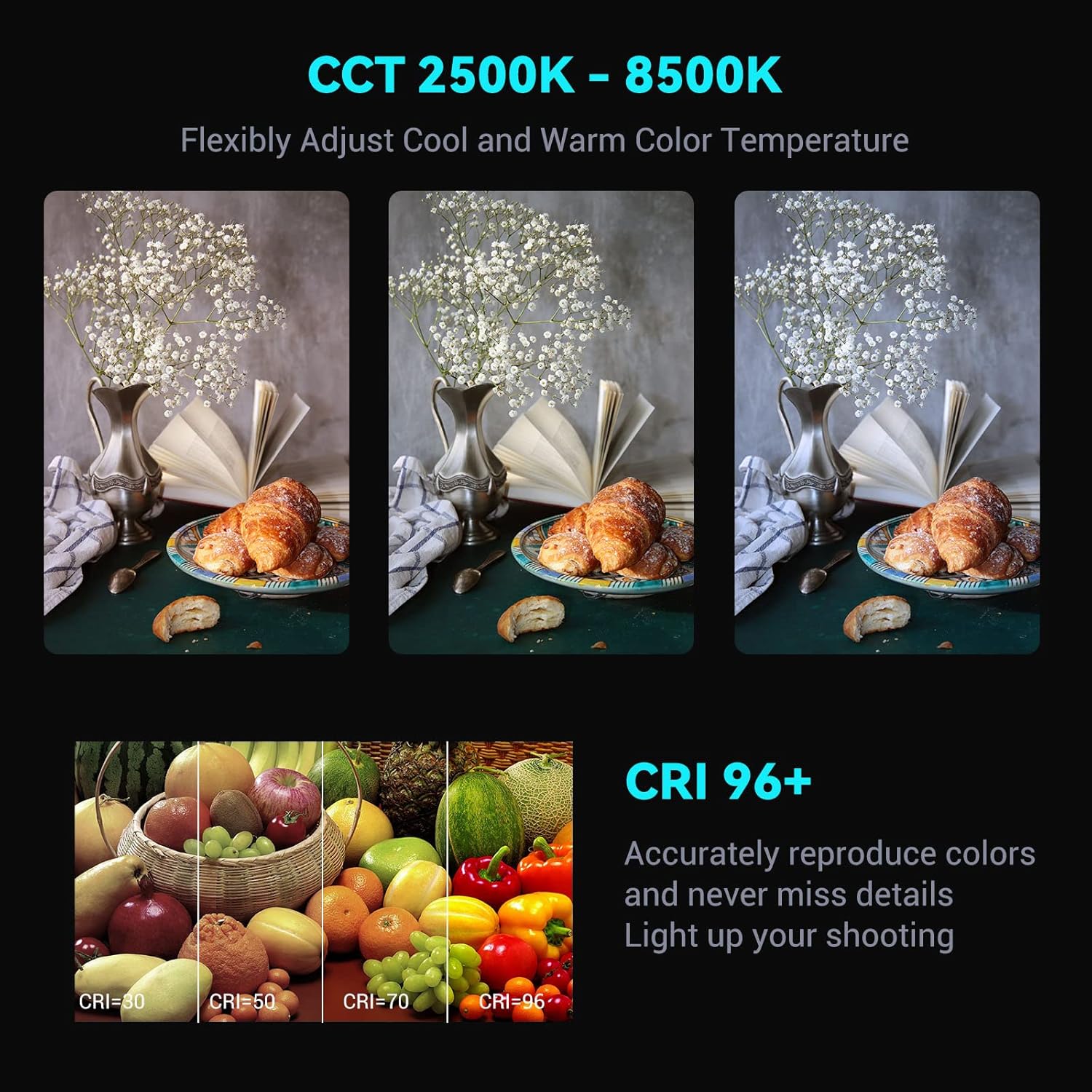
Image: Visual representation of the SmallRig RM75 RGB Video Light's adjustable color temperature range (2500K-8500K) and its high CRI 96+ rating for accurate color reproduction.

Image: A color wheel illustrating the HSI (Hue, Saturation, Intensity) color adjustment capabilities of the SmallRig RM75 RGB Video Light, alongside icons representing 15 different light effect modes.
4. Special Light Effects
The RM75 includes 15 built-in light effect modes for creative scenarios, such as RGB, Paparazzi, Party, Fire Truck, Lightning, Fault Bulb, TV, Welding, Ambulance, Candle, Random, Fireworks, SOS, and Police Car. These can be accessed and adjusted via the physical controls or the SmallGoGo app.
Maintenance
1. Cleaning
Wipe the light with a soft, dry cloth. Do not use harsh chemicals or abrasive materials, as they may damage the surface or electronic components.
2. Battery Care
The RM75 contains a built-in lithium battery. Do not attempt to disassemble the battery without proper authorization, as this may void the warranty and pose a safety risk. For optimal battery life, avoid fully discharging the battery frequently and store the device in a cool, dry place when not in use for extended periods.
Troubleshooting
App Connectivity Issues
Some users have reported issues with the "SmallGoGo" app connectivity, particularly when downloading from certain app stores or requiring frequent re-pairing.
- App Source: If experiencing issues, ensure you download the "SmallGoGo" app from the official SmallRig website or a trusted app store.
- Re-pairing: If the light frequently disconnects or requires re-pairing, try the following steps:
- Ensure your smartphone's location services are enabled before opening the app.
- Power cycle the RM75 light.
- Restart the SmallGoGo app on your smartphone.
- If issues persist, try unpairing and re-pairing the device within the app's settings.
Light Not Turning On
- Ensure the battery is charged. Connect the light to a power source using the USB Type-C cable.
- Verify the power switch is in the 'ON' position.
Inconsistent Light Output
- Check the battery level; low battery can affect brightness.
- Ensure no obstructions are covering the LED panel.
Specifications

Image: A detailed table outlining the technical specifications of the SmallRig RM75 RGB Video Light.
| Feature | Detail |
|---|---|
| Product Dimensions | 5.12 x 3.15 x 1.18 inches (130 x 80 x 30 mm) |
| Item Weight | 14.8 ounces (420g) |
| Model Number | 3290-SR |
| Battery Type | 1 Lithium Ion battery (4,000mAh) |
| Battery Life | Approx. 3 hours (100% brightness), 16 hours (1% brightness) |
| Color Temperature | 2500K - 8500K |
| CRI (Color Rendering Index) | 96 |
| TLCI (Television Lighting Consistency Index) | 98 |
| Power | 5W |
| Input | DC 5V 2A, 9V 2A (USB Type-C) |
| Connectivity Technology | USB, Bluetooth (for App Control) |
| Material | Aluminum Alloy, Plastic |
Warranty and Support
Warranty Information
For detailed warranty information, please refer to the warranty card included with your product or visit the official SmallRig website. Warranty terms typically cover manufacturing defects for a specified period from the date of purchase.
Customer Support
If you encounter any issues or have questions regarding your SmallRig RM75 RGB Video Light, please contact SmallRig customer support through their official website or the contact information provided in your product packaging. Ensure you have your product model number (3290-SR) and proof of purchase available when seeking support.
Official Product Videos
No official product videos from the seller were found that meet the embedding criteria (e.g., specific creator type or relevant preview content). Please refer to the manufacturer's official channels for any available video demonstrations or tutorials.
Related documents3290-SR


Ask a question about this manual
Ask about setup, troubleshooting, compatibility, parts, safety, or missing instructions. Manuals+ will review the question and use this page’s manual context to help answer it.