
Redmi Note 11T 5G
Redmi Note 11T 5G User Manual
Comprehensive Guide for Your Redmi Note 11T 5G Smartphone
Introduction
Welcome to the user manual for your Redmi Note 11T 5G smartphone. This guide provides essential information on setting up, operating, maintaining, and troubleshooting your device. Please read this manual thoroughly to ensure optimal performance and longevity of your smartphone.

Image: Front and back view of the Redmi Note 11T 5G smartphone, showcasing its design and camera module.
What's in the Box
Upon unboxing your Redmi Note 11T 5G, please verify that all the following items are included:
- Redmi Note 11T 5G Smartphone
- Power adapter
- USB cable
- SIM eject tool
- Warranty card
- User guide
- Clear soft case
- Screen protector (pre-applied on the phone)
Setup Guide
1. Inserting the SIM Card
- Locate the SIM card tray on the side of your phone.
- Insert the SIM eject tool into the small hole next to the tray and press gently until the tray pops out.
- Place your Nano-SIM card(s) into the tray with the gold contacts facing down. Ensure proper orientation.
- Carefully push the tray back into the phone until it clicks into place.
2. Powering On Your Device
Press and hold the Power button (located on the side) until the Redmi logo appears on the screen. Follow the on-screen instructions to complete the initial setup, including language selection, Wi-Fi connection, and Google account setup.
3. Charging the Battery
Connect the USB cable to the phone's USB Type-C port and the power adapter. Plug the adapter into a power outlet. The phone supports 33W Pro fast charging. A full charge from 0% to 100% typically takes approximately 60 minutes.
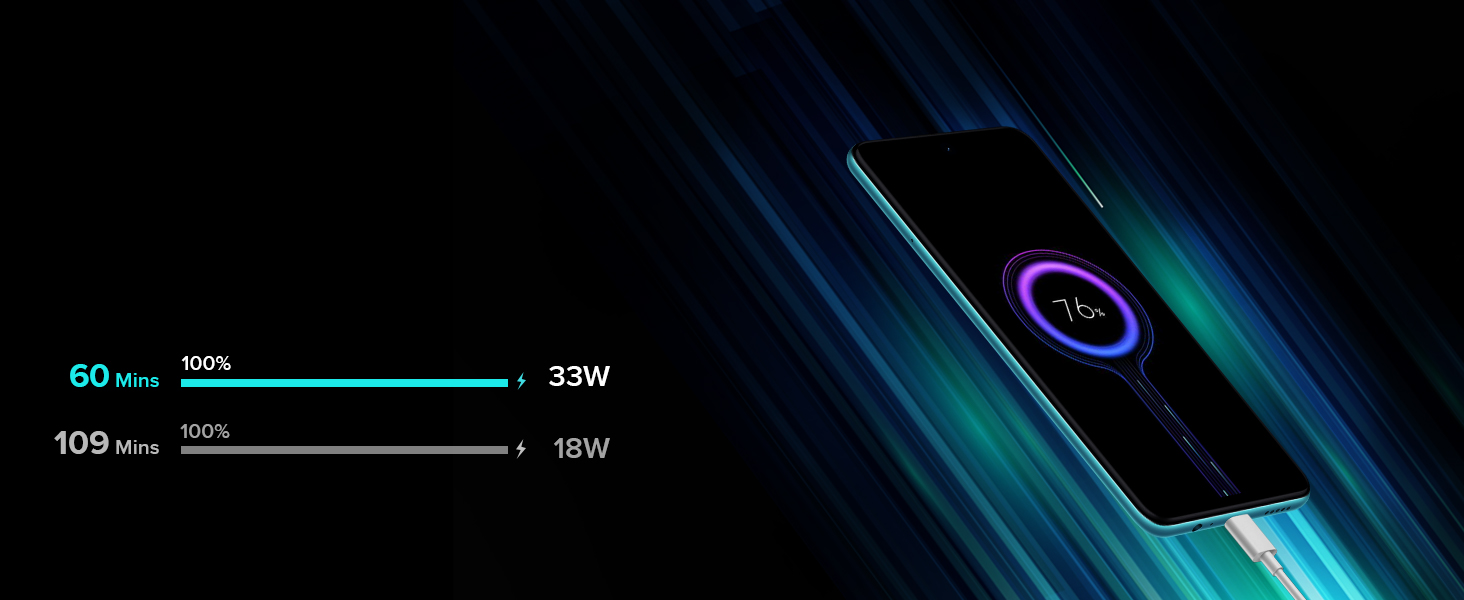
Image: Illustration comparing 33W Pro Fast Charging speed with standard 18W charging, showing 100% charge in 60 minutes for 33W.
Operating Your Device
Display and Navigation
The Redmi Note 11T 5G features a 6.6-inch FHD+ (2400x1080) Dot display with a 90Hz high refresh rate and 240Hz touch sampling rate for a smooth visual and responsive touch experience. Navigate using gestures or the traditional three-button navigation bar.
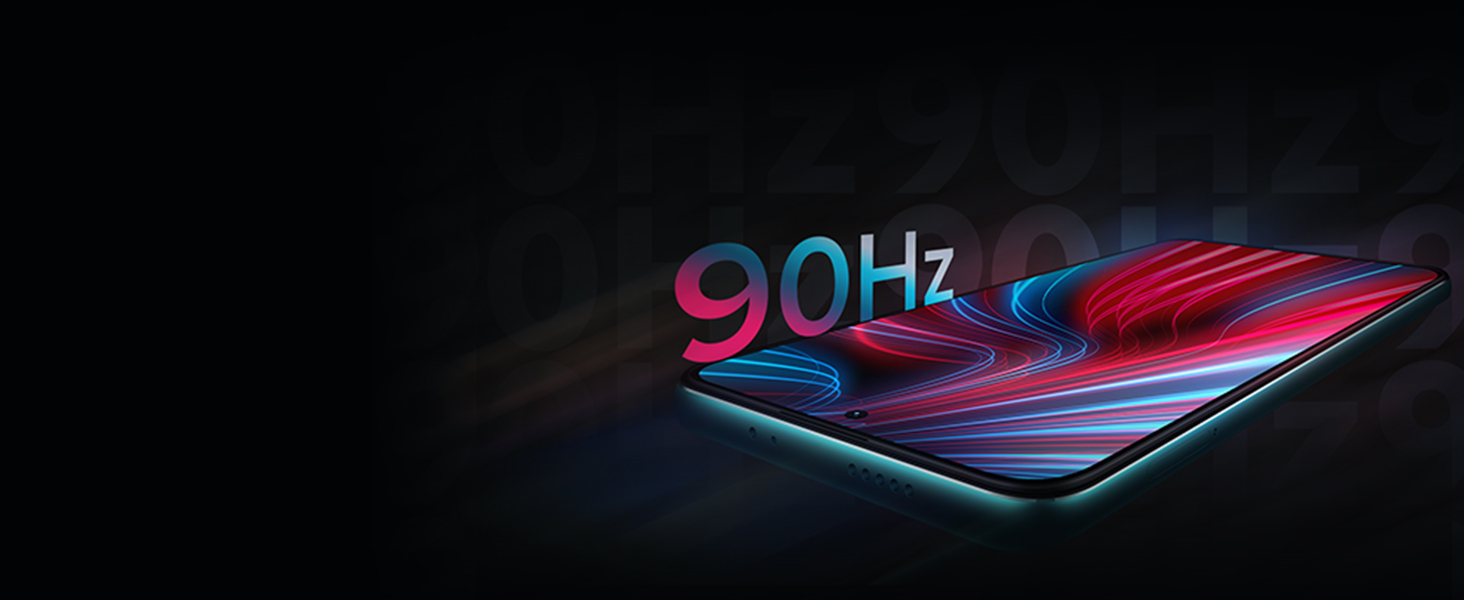
Image: A close-up of the Redmi Note 11T 5G display highlighting the 90Hz refresh rate.
Camera Functions
Your device is equipped with a versatile camera system:
- Rear Camera: 50MP High resolution primary camera (f/1.8) with an 8MP Ultra-wide sensor.
- Front Camera: 16 MP for selfies and video calls.
Access various shooting modes such as Ultra Wide, Night, Pro, and Color Focus through the camera application. Tap on the screen to focus and adjust exposure.

Image: The rear camera module of the Redmi Note 11T 5G, emphasizing the 50MP main sensor.
Battery Management
The 5000mAh battery provides extended usage. To optimize battery life, manage background app activity, reduce screen brightness, and enable power-saving modes when needed. The 33W Pro fast charging ensures quick replenishment.
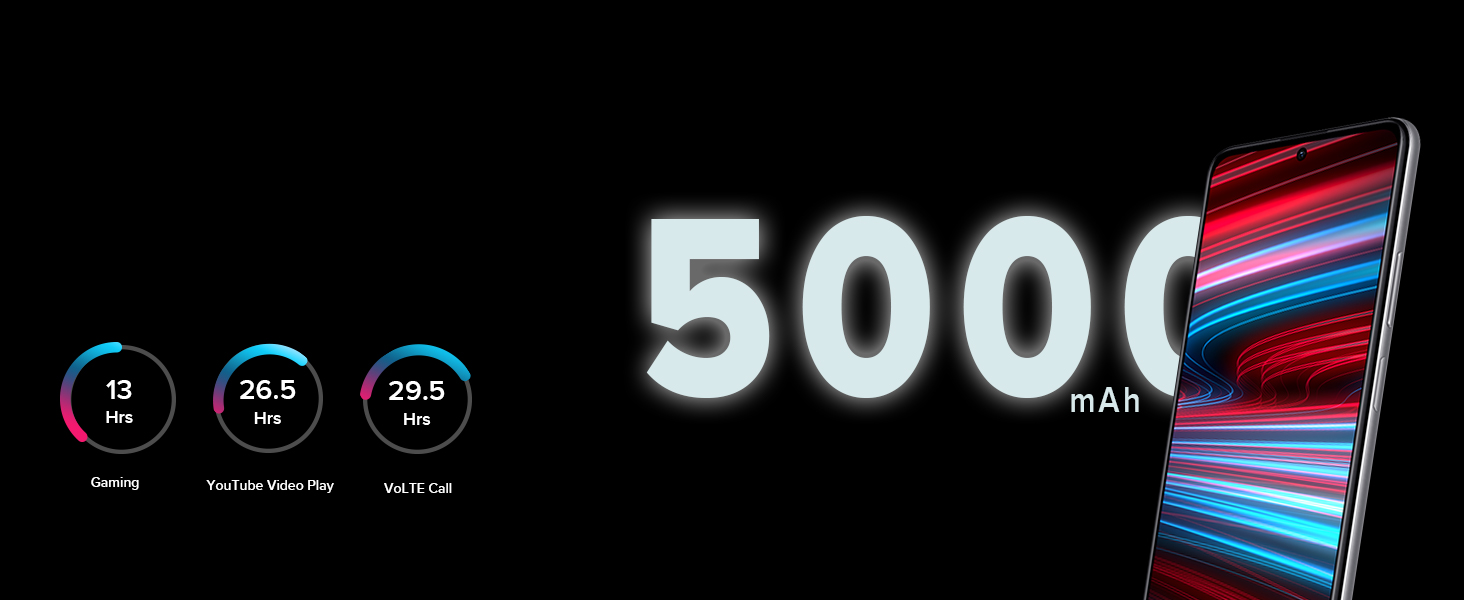
Image: An illustration showing the 5000mAh battery capacity and estimated usage times for gaming, YouTube video playback, and VoLTE calls.
Connectivity
The Redmi Note 11T 5G supports 5G cellular technology, Wi-Fi, Bluetooth, and Infrared. Ensure your SIM card is 5G compatible for 5G network access. For Wi-Fi, navigate to Settings > Wi-Fi to connect to available networks.

Image: A visual representation of the 5G connectivity feature on the Redmi Note 11T 5G.
Maintenance
General Care
- Keep your phone away from extreme temperatures and direct sunlight.
- Avoid exposing the phone to excessive dust or moisture. The device is water resistant, but not waterproof.
- Clean the screen and body with a soft, lint-free cloth. Avoid abrasive materials or harsh chemicals.
- Use only Redmi-approved accessories for charging and connectivity.
Image: An illustration depicting the Redmi Note 11T 5G with water splashes, indicating its water-resistant properties.
Software Updates
Regularly check for and install software updates to ensure your device has the latest features, security patches, and performance improvements. Go to Settings > About phone > MIUI version to check for updates.

Image: The Redmi Note 11T 5G display showing the MIUI 12.5 interface.
Troubleshooting
Common Issues and Solutions
| Issue | Possible Solution |
|---|---|
| Phone not turning on | Ensure the battery is charged. Connect to the charger for at least 10 minutes, then try powering on. |
| Apps crashing or freezing | Clear app cache (Settings > Apps > [App Name] > Storage > Clear cache). Restart the phone. Update the app or the phone's operating system. |
| Poor battery life | Reduce screen brightness, disable unnecessary background apps, turn off Wi-Fi/Bluetooth when not in use, enable battery saver mode. |
| Network connectivity issues | Check SIM card insertion. Restart the phone. Reset network settings (Settings > Connection & sharing > Reset Wi-Fi, mobile networks, and Bluetooth). |
| Fingerprint sensor not working | Ensure your finger is clean and dry. Re-register your fingerprints. Check for software updates. |
Specifications
| Feature | Detail |
|---|---|
| Brand | Redmi |
| Model | Note 11T 5G |
| Operating System | Android 11, MIUI 12.5 |
| Processor | MediaTek Dimensity 810 Octa-core 5G (up to 2.4 GHz) |
| RAM | 8 GB LPDDR4X |
| Internal Storage | 128 GB UFS2.2 |
| Display | 6.6 inch FHD+ (2400x1080) Dot display, 90Hz refresh rate, 240Hz touch sampling rate |
| Rear Camera | 50MP (f/1.8) + 8MP Ultra-wide |
| Front Camera | 16 MP |
| Battery | 5000mAh Lithium-Ion, 33W Pro Fast Charging |
| SIM Card Slot | Single SIM (Note: Hybrid slot for 2nd SIM or MicroSD) |
| Connectivity | 5G, Wi-Fi, Bluetooth, Infrared, USB Type-C |
| Biometric Security | Fingerprint Recognition |
| Water Resistance | Water Resistant (not waterproof) |
| Dimensions | 16.4 x 0.9 x 7.6 Centimeters |
Warranty and Support
Warranty Information
Your Redmi Note 11T 5G comes with a standard manufacturer's warranty. Please refer to the included warranty card for specific terms, conditions, and duration of coverage. Keep your proof of purchase for warranty claims.
Customer Support
For technical assistance, service, or further inquiries, please visit the official Redmi support website or contact their customer service. You can find contact details on the warranty card or the official Redmi website.
Online Support: Redmi India Support
Related documentsNote 11T 5G


Ask a question about this manual
Ask about setup, troubleshooting, compatibility, parts, safety, or missing instructions. Manuals+ will review the question and use this page’s manual context to help answer it.