
Introduction
Thank you for choosing the HEYSONG FREESOUND Waterproof Bluetooth Speaker. This manual provides essential information for setting up, operating, and maintaining your speaker. Please read it carefully before use to ensure optimal performance and longevity of your device.
Package Contents
Verify that all items are present in your package:
- HEYSONG FREESOUND Waterproof Bluetooth Speaker
- USB Charging Cable
- Carabiner Clip (Hook)
- User Manual
Product Overview
Familiarize yourself with the speaker's components and controls.
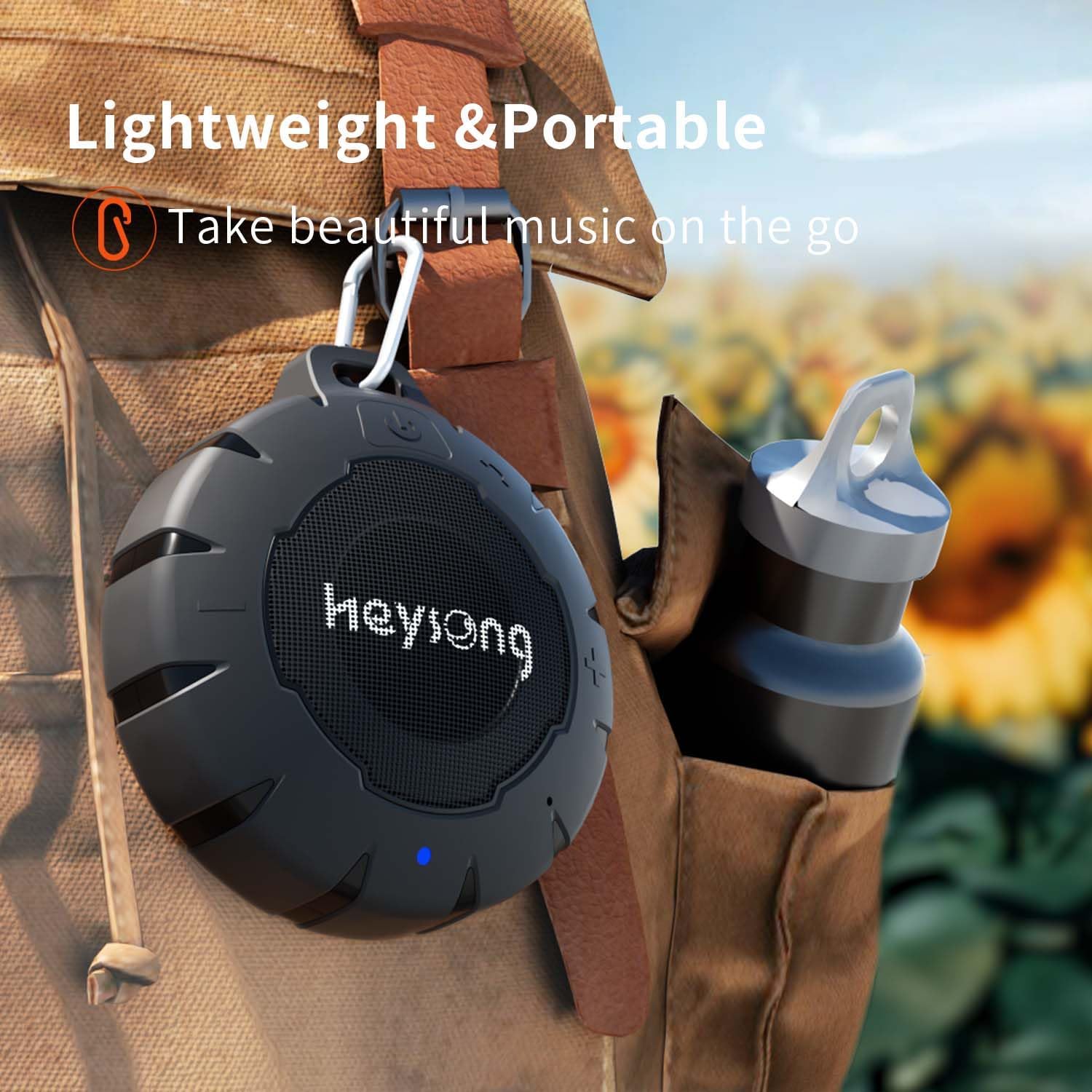
Image: The HEYSONG FREESOUND speaker, black and circular, with a carabiner clip, hanging from a towel rack. A blue LED indicator is visible on the front. This image illustrates the speaker's compact size and portability for daily use.
Controls and Indicators
- Power Button: Press and hold to turn on/off. Short press to play/pause.
- Volume Up (+): Short press to increase volume. Long press for next track.
- Volume Down (-): Short press to decrease volume. Long press for previous track.
- Bluetooth Indicator LED: Blue light indicates Bluetooth status.
- Charging Port: USB port for charging the speaker.
- Microphone: For hands-free calling.
Setup
Charging the Speaker
Before first use, fully charge the speaker. A full charge takes approximately 2 hours.
- Connect the USB charging cable to the speaker's charging port.
- Connect the other end of the USB cable to a USB power adapter (not included) or a computer's USB port.
- The charging indicator light will illuminate during charging and turn off when fully charged.
Powering On/Off
- To Power On: Press and hold the Power button until you hear an audible prompt and the Bluetooth indicator light flashes.
- To Power Off: Press and hold the Power button again until you hear an audible prompt and the indicator light turns off.
Operating Instructions
Bluetooth Pairing
Pair your speaker with a Bluetooth-enabled device (e.g., smartphone, tablet, computer).
- Ensure the speaker is powered on and the Bluetooth indicator light is flashing, indicating it's in pairing mode.
- On your device, go to Bluetooth settings and enable Bluetooth.
- Search for available devices and select "HEYSONG FREESOUND" from the list.
- Once paired, the Bluetooth indicator light will turn solid blue, and you will hear a confirmation tone.
- The speaker will automatically reconnect to the last paired device when powered on, if the device's Bluetooth is active and within range.

Image: A visual representation of the HEYSONG FREESOUND speaker highlighting its key features: IP67 Waterproof rating, Bluetooth 5.0 connectivity, and Hands-Free Calling capability.
True Wireless Stereo (TWS) Pairing
For an enhanced stereo sound experience, you can pair two HEYSONG FREESOUND speakers together.
- Ensure both speakers are powered off.
- Power on both speakers. They will enter Bluetooth pairing mode (flashing blue light).
- On one of the speakers (this will be the primary speaker), double-press the Power button. The speakers will attempt to connect to each other.
- Once successfully paired, you will hear a confirmation tone, and the primary speaker's Bluetooth indicator will flash slowly, while the secondary speaker's indicator will turn solid blue.
- Now, connect your device to the primary speaker via Bluetooth as described in the "Bluetooth Pairing" section.

Image: Two HEYSONG FREESOUND speakers shown with a dotted line connecting them, illustrating the True Wireless Stereo (TWS) pairing function for a synchronized audio experience.
Playing Music
- Play/Pause: Short press the Power button.
- Volume Control: Short press the '+' button to increase volume, short press the '-' button to decrease volume.
- Next Track: Long press the '+' button.
- Previous Track: Long press the '-' button.
Hands-Free Calling
When paired with your smartphone, you can use the speaker for hands-free calls.
- Answer Call: Short press the Power button when an incoming call rings.
- End Call: Short press the Power button during a call.
- Reject Call: Long press the Power button when an incoming call rings.
Maintenance
- Cleaning: Wipe the speaker with a soft, damp cloth. Do not use abrasive cleaners or solvents.
- Storage: Store the speaker in a cool, dry place away from direct sunlight and extreme temperatures.
- Water Resistance: Ensure the charging port cover is securely closed before exposing the speaker to water to maintain its IP67 waterproof rating.
- Battery Care: To prolong battery life, avoid fully discharging the battery frequently. Charge the speaker regularly, even if not in use for extended periods.
Troubleshooting
| Problem | Solution |
|---|---|
| Speaker does not power on. | Ensure the speaker is charged. Connect it to a power source and try again. |
| Cannot pair via Bluetooth. |
|
| No sound or low volume. |
|
| Sound distortion. |
|
| TWS pairing fails. |
|
Specifications
| Model Name | HEYSONG FREESOUND |
| Brand | HEYSONG |
| Connectivity Technology | Bluetooth 5.0, Wireless |
| Bluetooth Range | Up to 10 meters (33 feet) |
| Water Resistance Rating | IP67 (Submersible up to 1 meter for 30 minutes) |
| Maximum Output Power | 5 Watts |
| Battery Type | 1000mAh Lithium-ion |
| Playtime | Up to 15 hours (at medium volume) |
| Charging Time | Approximately 2 hours |
| Dimensions (L x W x H) | 10.5 x 11 x 5 cm (4.1 x 4.3 x 2 inches) |
| Weight | 200 Grams (0.44 lbs) |
| Built-in Microphone | Yes |
| Material | Silicone |
| Included Accessories | Carabiner Clip, USB Charging Cable |
Warranty and Support
The HEYSONG FREESOUND speaker comes with a 1-year manufacturer's warranty from the date of purchase. This warranty covers manufacturing defects and workmanship under normal use.
The warranty does not cover damage caused by misuse, accidents, unauthorized modifications, or normal wear and tear.
For warranty claims or technical support, please contact HEYSONG customer service through the retailer where the product was purchased or visit the official HEYSONG website for contact information.
Safety Information
- Do not expose the speaker to extreme temperatures or direct sunlight for prolonged periods.
- Do not attempt to disassemble or modify the speaker. This will void the warranty.
- Keep the speaker away from strong magnetic fields.
- Do not use the speaker while charging in wet environments.
- Dispose of the speaker and its battery responsibly according to local regulations.


