
Introduction
This instruction manual provides detailed guidance for the assembly, adjustment, operation, and maintenance of your Dardoo Racing Simulator Cockpit Stand Model NO.37. Please read this manual thoroughly before assembly and use to ensure proper setup and safe operation. This product is designed to enhance your racing simulation experience by providing a stable and adjustable platform for your racing wheel, pedals, and shifter. Note: Seat, steering wheel, pedals, and gear shifter are not included with this stand.
Safety Information
- Ensure all bolts and fasteners are securely tightened before use. Loose connections can lead to instability and potential injury.
- Keep hands and fingers clear of moving parts during adjustment to prevent pinching.
- Do not exceed the maximum player weight limit of 450 pounds for the frame.
- Place the simulator stand on a flat, stable surface to prevent tipping.
- Keep children and pets away from the assembly area and the product during use.
- Regularly inspect the stand for any signs of wear, damage, or loose components. Discontinue use if any issues are found.
Package Contents
Please verify that all components are present before beginning assembly. Refer to the assembly video for visual identification of parts.
- Main frame components (base, uprights, wheel deck support)
- Pedal plate
- Shifter mount assembly
- Seat mounting brackets (if applicable for your configuration)
- Adjustable feet/rubber foot pads
- Assorted bolts, nuts, washers, and adjustment knobs (M8x45, M8x15, M8x80, M8x20, M6x16)
- Assembly tools (Allen wrenches, spanner)
Assembly Instructions
Follow the steps below and refer to the detailed assembly video for visual guidance. It is recommended to have a clear, open workspace.
Video: Dardoo Racing Simulator Stand Assembly Guide
This video demonstrates the step-by-step assembly process for the Dardoo Racing Simulator Cockpit Stand, including connecting frame components, attaching plates, and securing adjustment knobs.
- Assemble the Base Frame: Connect the main base sections using M8x45 bolts and M8 nuts. Ensure all connections are firm.
- Attach Pedal Plate: Secure the pedal plate to the base frame using M8x15 bolts and M8 nuts.
- Install Upright Supports: Attach the upright supports for the wheel deck to the base frame. Use M8x15 knobs to secure the adjustable height.
- Mount Wheel Deck: Place the wheel deck onto the upright supports and secure it with M8x45 bolts and M8 nuts.
- Assemble Shifter Mount: Attach the shifter mount arm to the main frame using M8x15 knobs for height adjustment. Then, secure the shifter plate to the arm using M6x16 bolts and M6 nuts.
- Install Seat Brackets (Optional): If using a racing seat, attach the seat mounting brackets to the rear base frame using M8x20 bolts and M8 nuts.
- Attach Adjustable Feet: Screw the M8x20 adjustable feet into the designated holes on the bottom of the frame for stability and leveling.
Adjustments
The Dardoo Racing Simulator Cockpit Stand offers multiple adjustment points to customize your racing position for optimal comfort and performance.
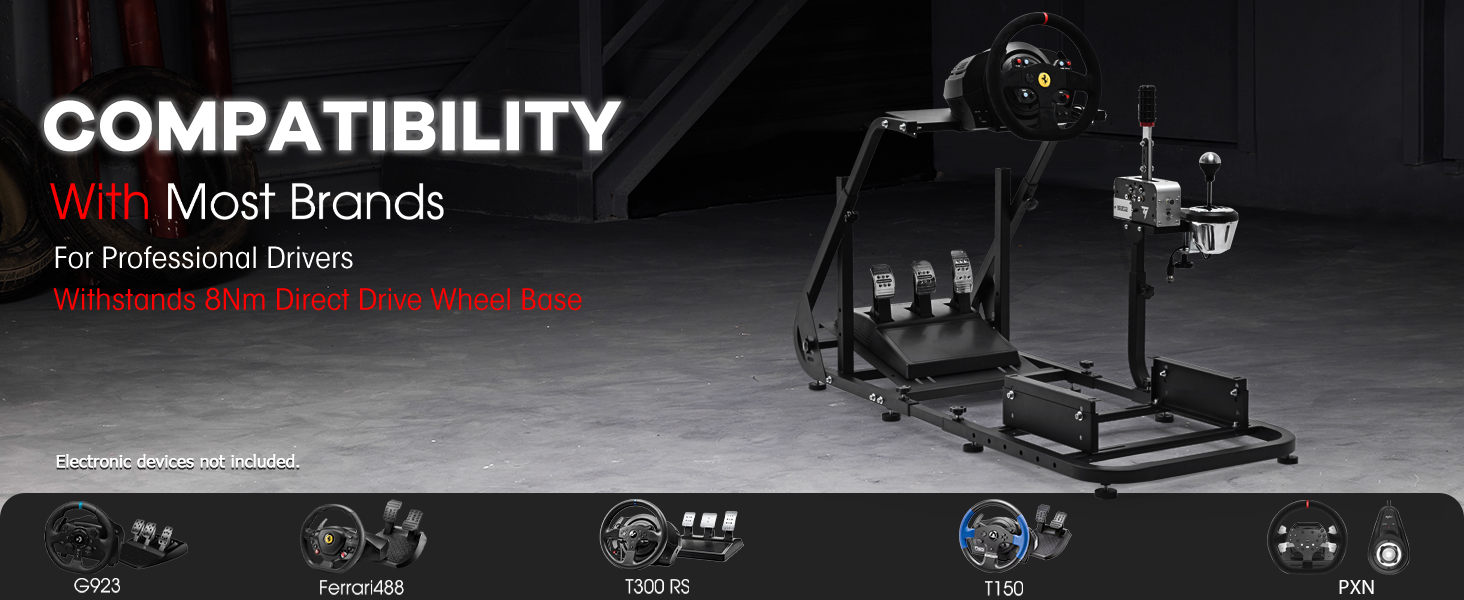
Image: Multi-Position Adjustment Diagram
This diagram illustrates the various adjustable components of the racing simulator stand, including height and angle adjustments for the wheel, pedals, and shifter.
- Steering Wheel Platform: The angle of the steering wheel platform can be adjusted from -4 to +4 degrees. Loosen the adjustment knobs on the upright supports, set the desired angle, and re-tighten securely.
- Pedal Platform: The angle of the pedal platform can be adjusted from 5 to 15 degrees for a more comfortable foot position. Loosen the relevant fasteners, adjust, and re-tighten.
- Shifter Lever Position: The shift lever can be installed on either the left or right side of the cockpit, and its height is adjustable. Loosen the knob on the shifter mount, adjust, and re-tighten.
- Seat Mount (if applicable): The distance and height of the seat mount can be adjusted to accommodate different user heights and preferences.
Compatibility
The Dardoo Racing Simulator Cockpit Stand is designed for wide compatibility with various popular racing peripherals.

Image: Compatible Racing Wheels
This image displays several compatible racing wheels, including models from Logitech, Fanatec, and Thrustmaster, highlighting the stand's broad compatibility.
Pre-drilled holes on the panel are designed to adapt to most major brands, allowing users to easily update their devices.
- Logitech: G29, G920, G923, G PRO
- Fanatec: CSL-DD
- Thrustmaster: T300RS GT, T248, T128
The stand is built with a robust design to withstand direct drive wheels up to 8Nm.
Operating Instructions
Once assembled and your racing peripherals are securely mounted, the Dardoo Racing Simulator Cockpit Stand is ready for use. Ensure all connections are tight and the stand is stable before beginning your racing session. Adjust the wheel, pedal, and shifter positions to your preference for an immersive experience.
Video: Racing Simulation Cockpit Showcase
This video provides a general overview and showcase of the assembled racing simulator cockpit, demonstrating its features and potential setup configurations.
Maintenance
- Cleaning: Wipe down the metal surfaces with a soft, damp cloth. Avoid abrasive cleaners or solvents that could damage the finish.
- Inspection: Periodically check all bolts, nuts, and adjustment knobs to ensure they remain tight. Re-tighten as necessary.
- Storage: If disassembling for storage, keep all components and fasteners organized to facilitate future reassembly.
Troubleshooting
- Instability/Wobbling: Ensure all bolts are fully tightened. Check that the adjustable feet are properly installed and leveled on a flat surface.
- Difficulty Adjusting: Loosen adjustment knobs sufficiently before attempting to change positions. Do not force components.
- Missing Parts: If any parts are missing upon arrival, please contact Dardoo customer support immediately.
Specifications
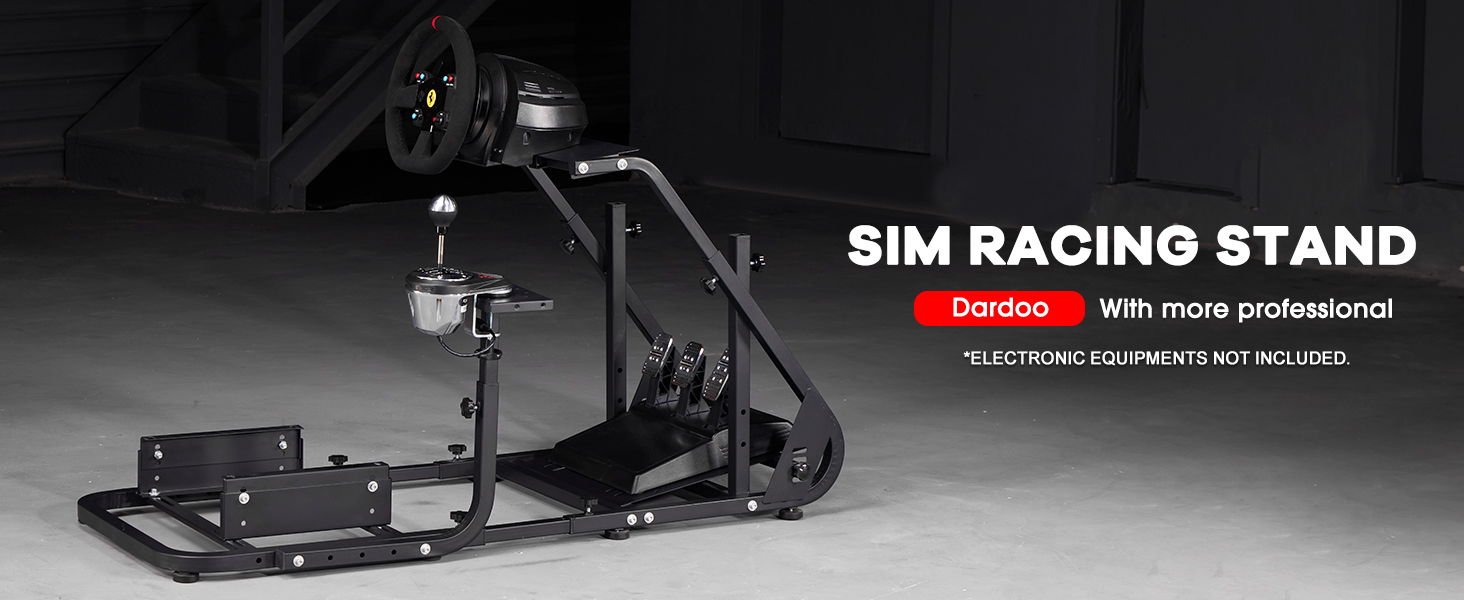
Image: Product Size and Limits
This diagram details the dimensions of the racing simulator stand, including adjustable length and height, along with recommended player height and weight limits.
| Feature | Detail |
|---|---|
| Model Number | NO.37 |
| Product Dimensions | 57 x 22 x 21 inches (approximate assembled size) |
| Item Weight | 1.02 ounces (Note: This weight seems incorrect for a metal stand, likely packaging weight or an error in source data. Actual product weight will be significantly higher.) |
| Material | Carbon Steel |
| Player Height Range | 4.6 ft - 6.3 ft |
| Player Weight Limit | 450 pounds |
| Wheel Platform Adjustment | Angle adjustable (-4 to +4 degrees) |
| Pedal Platform Adjustment | Angle adjustable (5 to 15 degrees) |
| Shifter Mount | Left/Right mountable, height adjustable |
| Direct Drive Wheel Support | Up to 8Nm |
Warranty and Support
For warranty information, technical support, or to inquire about replacement parts, please contact Dardoo customer service through the retailer where the product was purchased or visit the official Dardoo website. Please retain your proof of purchase for warranty claims.


