
Introduction
The Soundcore Life P3i earbuds offer an immersive audio experience with hybrid active noise cancellation, designed to reduce external noise by up to 90%. Featuring AI-enhanced clear calls with 6 dedicated microphones and powerful 10mm drivers for punchy bass, these earbuds provide customizable sound profiles via the Soundcore app. Enjoy extended listening with up to 10 hours on a single charge and 40 hours with the compact charging case, along with fast charging capabilities.
What's Included
- Soundcore Life P3i Noise Canceling Earbuds
- S/M/L Ear Tips (pre-installed M size)
- USB-C Cable
- Charging Case

Setup
1. Initial Charge
Before first use, place both earbuds into the charging case and close the lid. Connect the USB-C cable to the charging port on the case and to a power source. The LED indicator on the case will light up to show charging status. Ensure the earbuds and case are fully charged for optimal performance.

2. Pairing with Your Device
- Open the charging case. The earbuds will automatically enter Bluetooth pairing mode (the LED indicator on the earbuds will flash).
- On your device (smartphone, tablet, laptop), go to Bluetooth settings.
- Select "Soundcore Life P3i" from the list of available devices.
- Once connected, you will hear an audio prompt, and the LED indicators will stop flashing.
Official Product Video: Setup & Features
Operating Instructions
Touch Controls
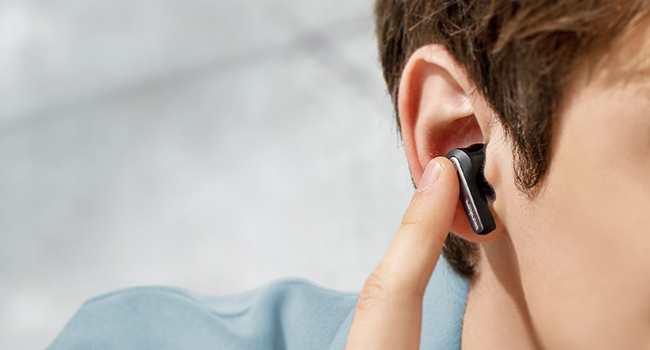
The Soundcore Life P3i earbuds feature intuitive touch controls. You can customize these controls further using the Soundcore app.
Noise Cancellation Modes
The earbuds offer Hybrid Active Noise Cancelling, reducing external noise by up to 90%. Switch between Noise Cancellation, Normal, and Transparency modes by pressing and holding the touch control area on either earbud (customizable via app).
- Noise Cancellation: Blocks out ambient noise for focused listening.
- Transparency Mode: Allows you to hear your surroundings while still enjoying your audio, ideal for awareness.
- Normal Mode: Standard audio experience without noise cancellation or transparency.

AI-Enhanced Clear Calls
With 6 dedicated microphones and a noise-isolating AI algorithm, your voice is picked up precisely for clear calls, even in noisy environments.

Customized Sound
Utilize the Soundcore app to personalize your listening experience. Choose from 22 different EQ settings or create your own custom sound profile to enjoy powerful bass from the 10mm drivers.

Maintenance
Cleaning Your Earbuds and Case
Regular cleaning helps maintain sound quality and charging efficiency. Use a soft, dry cloth to wipe the earbuds and charging case. For the charging contacts, gently clean with a cotton swab lightly dampened with rubbing alcohol.

Storage
When not in use, always store the earbuds in their charging case to protect them and ensure they remain charged.
Troubleshooting
- Earbuds not pairing: Ensure both earbuds are in the case, close the lid, then open it again to re-enter pairing mode. Check your device's Bluetooth settings and try reconnecting.
- Only one earbud working: Place both earbuds back into the charging case, close the lid, and then open it again. This often re-syncs them.
- Poor sound quality: Ensure earbuds are clean, especially the ear tips and speaker mesh. Try different sized ear tips for a better seal in your ear. Check the EQ settings in the Soundcore app.
- Charging issues: Clean the charging contacts on both the earbuds and inside the case. Ensure the USB-C cable and power source are functioning correctly.
- Noise cancellation not effective: Ensure the ear tips provide a good seal in your ear. Adjust the noise cancellation settings in the Soundcore app.
Specifications
| Model Name | Life P3i |
| Noise Control | Active Noise Cancellation |
| Connectivity Technology | Wireless (Bluetooth 5.2) |
| Audio Driver Size | 10 Millimeters |
| Battery Life (Earbuds) | 10 Hours |
| Battery Life (with Case) | 40 Hours |
| Charging Time | 9 Hours (full charge for case) |
| Water Resistance Level | Waterproof (IPX5) |
| Material | Plastic |
| Item Weight | 1.76 ounces |
| Product Dimensions | 2.48 x 1.93 x 1.14 inches |
Warranty and Support
Soundcore products come with a limited warranty. For detailed warranty information, product registration, or technical support, please visit the official Soundcore website or contact their customer service. Keep your proof of purchase for warranty claims.
Online Support: Soundcore Contact Us