
1. Introduction
This manual provides comprehensive instructions for the assembly, operation, and maintenance of your Dardoo G920 Gaming Simulator Cockpit. This robust cockpit is designed to enhance your racing simulation experience by providing a stable and adjustable platform for your steering wheel, pedals, and shifter. It is compatible with a wide range of popular racing peripherals.

Figure 1: Assembled Dardoo G920 Gaming Simulator Cockpit (peripherals not included).
Product Overview Video
Video 1: Overview of the Racing Simulation Cockpit, showcasing its features and design.
2. Product Features
- Omni-directional Adjustment: The steering wheel platform, pedals, and shift lever can be freely adjusted. The two-stage steering wheel platform supports height and angle adjustments, accommodating players of various heights.
- Robust Construction: The simulator cockpit features a 50mm diameter round tube design with increased wall thickness (50% thicker), ensuring stability and durability.
- High Compatibility: Universal steering wheel mount supports almost all Logitech (G27, G29, G923), Fanatec, and Thrustmaster (T300RS, TXRW) series racing steering wheels, pedals, and gear shifters.
- Enhanced Driving Environment: Connected by a flange structure with 4-bolt fixation, providing a stable and sturdy setup. Vertical streamline design ensures long-term use.
- Wide Adaptability: Adjustable seat bracket is suitable for most racing seats. Supports direct drive steering wheels and TV bracket mounting. Designed to be DIY punchable for customization.

Figure 2: Illustration of the robust and stable construction features.
3. Setup Instructions
Follow these steps to assemble your Dardoo G920 Gaming Simulator Cockpit. Ensure all components are present before beginning assembly. Refer to the detailed assembly video for visual guidance.
Assembly Video Guide
Video 2: Detailed assembly guide for the Racing Simulation Cockpit.
Step-by-Step Assembly Overview
- Unpack Components: Carefully remove all parts from the packaging and verify against the parts list (refer to video 2, 0:00-0:06).
- Assemble Main Frame: Connect the base sections using the provided bolts and U-shaped clamps. Ensure all connections are secure (refer to video 2, 0:07-0:52).
- Attach Upright Supports: Secure the main upright supports to the base frame using the flange structure and bolts (refer to video 2, 0:53-1:41).
- Install Steering Wheel Platform: Mount the steering wheel platform to the main uprights. Ensure it is securely fastened (refer to video 2, 1:42-2:01).
- Attach Pedal Plate: Secure the pedal plate to the front section of the base frame. Adjust the angle as desired (refer to video 2, 2:02-2:19).
- Assemble Seat Rails: Attach the seat rails to the rear section of the base frame using the provided bolts (refer to video 2, 2:20-3:06).
- Install Shifter Mount: Attach the shifter mount to the side of the main frame. Adjust its position for optimal ergonomics (refer to video 2, 3:07-3:39).
- Install Seat Support Brackets: Secure the seat support brackets to the seat rails (refer to video 2, 3:40-4:09).
- Mount Your Seat: Attach your compatible racing seat to the installed seat support brackets.
- Mount Peripherals: Install your steering wheel, pedals, and shifter onto their respective platforms.
4. Adjustments
The Dardoo G920 cockpit offers extensive adjustability to suit individual preferences and body types, ensuring a comfortable and immersive racing experience.
- Pedal Angle Adjustment: The pedal plate can be adjusted from 0-30 degrees to find your preferred braking and acceleration position.
- Steering Wheel Platform Adjustment: The steering wheel platform allows for both height and angle adjustments.
- Shifter Mount Position: The shifter mount can be adjusted for optimal reach and comfort, supporting both left and right-hand driving configurations.
- Seat Position: The adjustable seat bracket allows for forward/backward and recline adjustments, depending on your installed racing seat.

Figure 3: Various adjustable components of the cockpit for personalized setup.
5. Compatibility
The Dardoo G920 Gaming Simulator Cockpit is designed for broad compatibility with leading racing simulation peripherals.
- Steering Wheels: Compatible with most Logitech (G27, G29, G923), Fanatec, Thrustmaster (T300RS, TXRW), MOZA, and PXN racing wheels.
- Pedals: Supports a wide range of racing pedals from compatible brands.
- Shifters: Designed to accommodate various racing shifters and handbrakes.
- Platforms: Suitable for use with PS4, Xbox, and PC gaming setups.
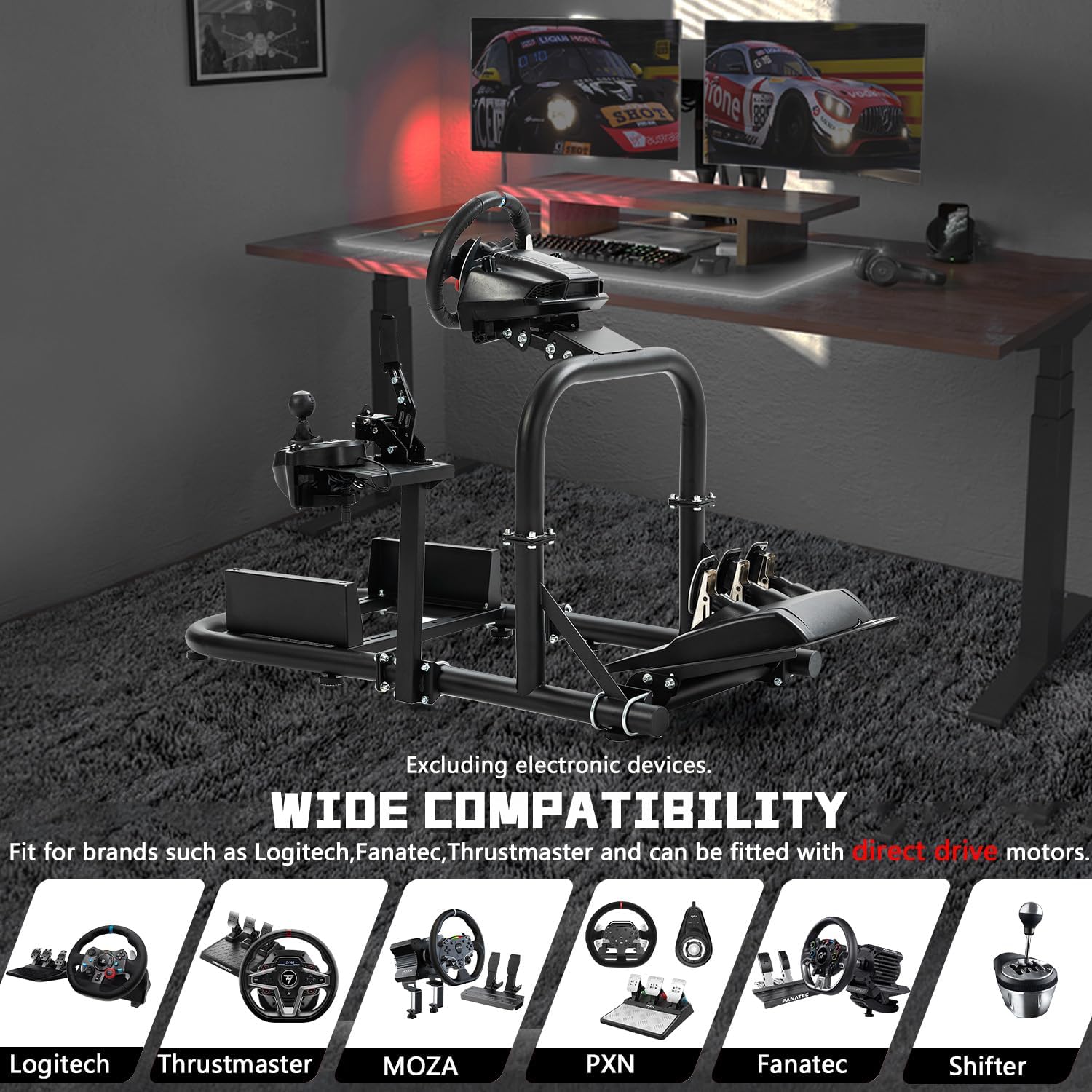
Figure 4: Visual representation of wide compatibility with various racing brands.
6. Maintenance
To ensure the longevity and optimal performance of your Dardoo G920 Gaming Simulator Cockpit, regular maintenance is recommended.
- Cleaning: Wipe down the frame with a soft, damp cloth. Avoid abrasive cleaners or solvents that could damage the finish.
- Fastener Check: Periodically inspect all bolts, nuts, and clamps to ensure they are tight and secure. Re-tighten as necessary to maintain structural integrity.
- Moving Parts: If any adjustable parts become stiff, a small amount of silicone-based lubricant can be applied to the sliding mechanisms.
- Storage: When not in use for extended periods, store the cockpit in a dry environment to prevent rust or corrosion.
7. Troubleshooting
If you encounter any issues with your Dardoo G920 Gaming Simulator Cockpit, refer to the following common troubleshooting tips:
- Instability/Wobbling: Ensure all assembly bolts and clamps are fully tightened. Check that the cockpit is placed on a flat, stable surface.
- Difficulty Adjusting Components: Loosen the adjustment knobs or bolts slightly, make the adjustment, and then re-tighten firmly. Ensure no debris is obstructing the mechanism.
- Missing Parts: If any parts were missing upon delivery, contact Dardoo customer support immediately with your purchase details.
- Peripherals Not Fitting: Double-check the compatibility section and ensure your peripherals are correctly aligned with the mounting holes. Some peripherals may require specific mounting hardware not included with the cockpit.
8. Specifications
| Item Model Number | 15H |
| Product Dimensions | 46.4 x 22.4 x 26 inches |
| Item Weight | 42.3 pounds |
| Manufacturer | Dardoo |
| Material | Steel (50mm diameter round tube) |
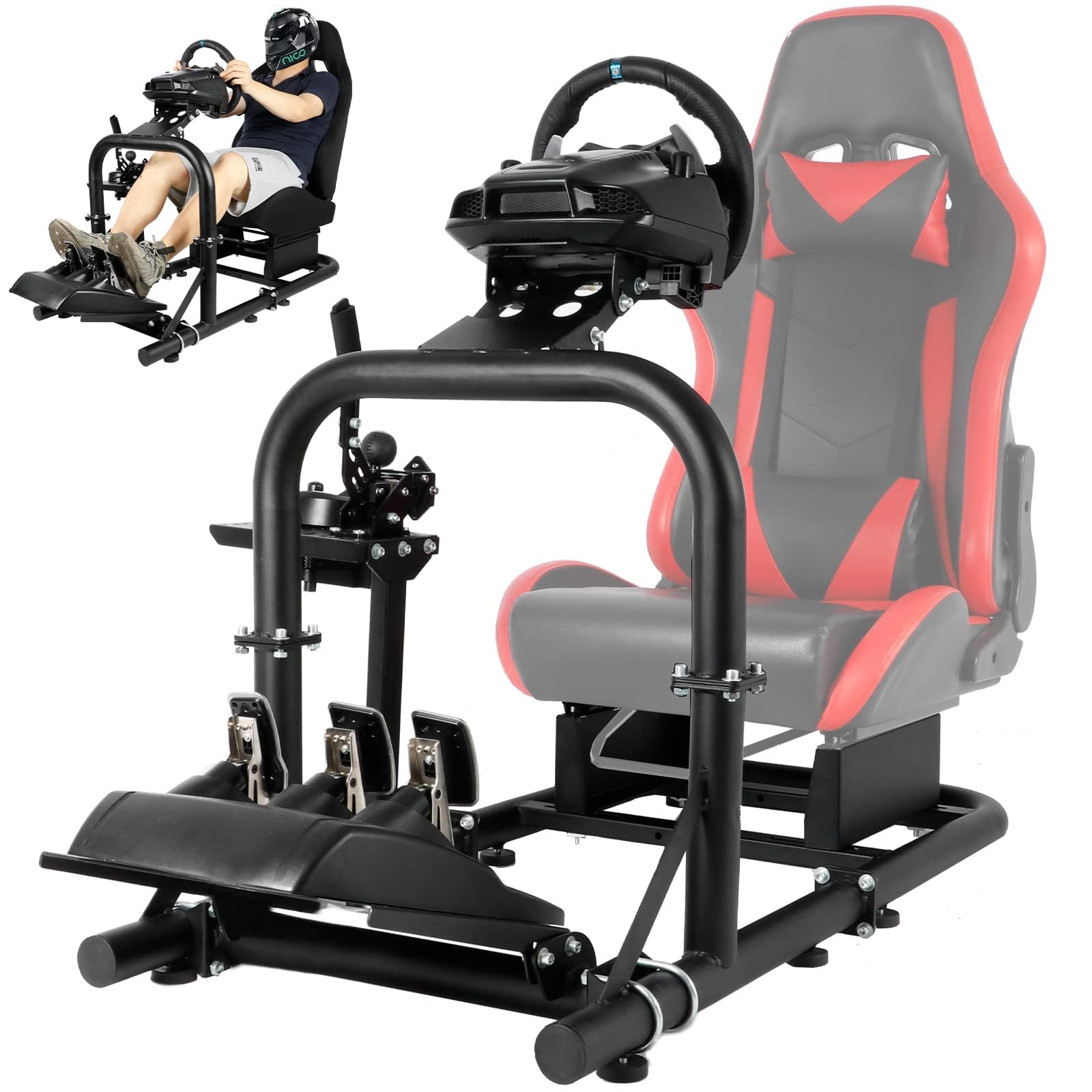
Figure 5: Dimensions of the simulator cockpit.
9. Warranty and Support
For warranty information, technical support, or any inquiries regarding your Dardoo G920 Gaming Simulator Cockpit, please refer to the contact information provided with your purchase or visit the official Dardoo website. Keep your proof of purchase for warranty claims.


