
1. Introduction
This manual provides essential information for the safe and efficient operation of your LG 9 Kg DHV09SWB Wi-Fi Inverter Eco Hybrid Heat Pump Front Loading Dryer. Please read all instructions carefully before use and retain this manual for future reference.
2. Safety Information
Important Safety Instructions:
- Read all instructions before using the appliance.
- Do not dry articles that have been previously cleaned in, washed in, soaked in, or spotted with gasoline, dry-cleaning solvents, or other flammable or explosive substances, as they emit vapors that could ignite or explode.
- Do not allow children to play on or in the appliance. Close supervision of children is necessary when the appliance is used near children.
- Do not reach into the appliance if the drum is moving.
- Do not install or store this appliance where it will be exposed to the weather.
- Do not tamper with controls.
- Clean the lint filter before or after each load.
- Keep the area around the exhaust opening and adjacent surrounding areas free from the accumulation of lint, dust, and dirt.
- The interior of the appliance and exhaust duct should be cleaned periodically by qualified service personnel.
- Do not repair or replace any part of the appliance or attempt any servicing unless specifically recommended in this manual.
3. Setup and Installation
3.1 Unpacking
Remove all packaging materials, including the shipping bolts and any protective film. Inspect the dryer for any damage incurred during transit.
3.2 Placement
Place the dryer on a solid, level floor. Ensure adequate space around the appliance for ventilation. This heat pump dryer does not require external venting.

Image: LG DHV09SWB Dryer with Dimensions. The image shows the front-loading dryer in black steel finish with its dimensions: Width (W) 60.0 CM, Depth (D) 69.0 CM, Height (H) 85.0 CM.
3.3 Leveling
Use a spirit level to ensure the dryer is perfectly level. Adjust the leveling feet as necessary to prevent vibrations and ensure stable operation.
3.4 Power Connection
Connect the dryer to a grounded electrical outlet. Refer to the electrical requirements in the specifications section for details.
3.5 Water Drainage
The dryer collects condensed water in a removable water tank. Ensure the tank is correctly inserted. Alternatively, you can connect a drain hose for continuous drainage, eliminating the need to manually empty the tank.

Image: LG DHV09SWB Dryer Water Tank Removal. This image shows the water collection tank being pulled out from the top left corner of the dryer's control panel area.
3.6 Reversible Door
The dryer door can be reversed to open from either the left or right side, depending on your laundry room layout. Consult the full owner's manual for detailed instructions on reversing the door.
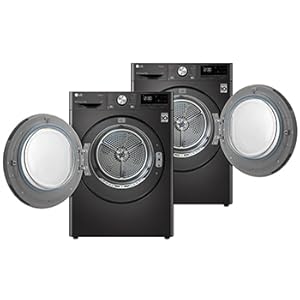
Image: Reversible Door Feature. Two dryers are shown side-by-side, one with the door opening to the left and the other to the right, demonstrating the reversible door capability.
3.7 Stacking Kit
A stacking kit is included for safely placing the dryer on top of a compatible LG washing machine. Follow the instructions provided with the stacking kit for secure installation.
4. Operating Instructions
4.1 Control Panel Overview
The dryer features a digital display and electronic touch button controls for selecting cycles and options. The main dial is used to select drying programs.

Image: LG DHV09SWB Dryer Control Dial. A close-up view of the dryer's control panel, highlighting the central program selection dial and surrounding touch buttons and digital display.
4.2 Drying Cycles
Select the appropriate drying cycle based on the fabric type and desired dryness level:
- Sensor Dry Cycles: Cotton, Mixed Fabric, Easy Care, Duvet, Towels, Allergy Care, Sportswear, Wool, Delicates. These cycles automatically detect moisture levels and adjust drying time.
- Manual Cycles (Time Dry): Rack Dry, Cool Air, Warm Air. Use these for specific items or when manual time setting is preferred.
- Quick Cycle: Quick 30 (for loads up to 1kg).
- Download Cycle: Additional cycles can be downloaded via the LG ThinQ app.
4.3 Eco Hybrid Technology
This technology allows you to choose between energy conservation or reduced drying time. Select the 'Energy Saving' option for lower power consumption or 'Time Saving' for faster drying, depending on your needs.

Image: Eco Hybrid Technology Selection. An illustration showing a garment with two options: 'Energy Saving' (green leaf icon) and 'Time Saving' (orange clock icon), indicating the choice offered by Eco Hybrid Technology.
4.4 Sensor Dry
The Sensor Dry feature prevents over-drying by monitoring moisture levels inside the drum. This protects fabrics from damage and saves energy.
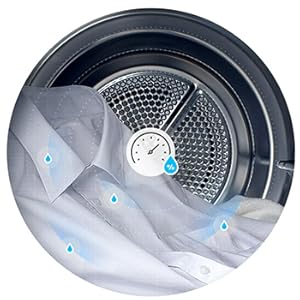
Image: Sensor Dry Function. A close-up of clothes inside the dryer drum with a moisture sensor icon, illustrating how the dryer detects and prevents over-drying.
4.5 Wi-Fi Connectivity and Smart Pairing
Connect your dryer to Wi-Fi using the LG ThinQ app to remotely start or monitor cycles. The Smart Pairing feature automatically sets the dryer cycle based on the last wash cycle completed by a compatible LG washer.
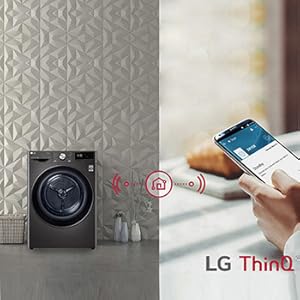
Image: Wi-Fi Connectivity. A dryer is shown connected to a home network, with a smartphone displaying the LG ThinQ app, demonstrating remote control capabilities.

Image: Smart Pairing with Washer. An LG washer and dryer are shown side-by-side, connected wirelessly, with clothes icons floating between them, illustrating the automatic cycle setting feature.
5. Maintenance
5.1 Lint Filter Cleaning
The dryer is equipped with a Double Layer Air Filter. Clean the lint filter before or after every load to maintain drying efficiency and prevent fire hazards. The 'Clean Filter Indicator' will illuminate when cleaning is required.
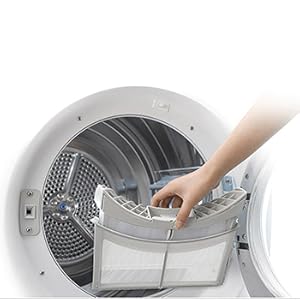
Image: Double Layer Air Filter. A diagram illustrating the two layers of the air filter, designed to capture lint effectively.
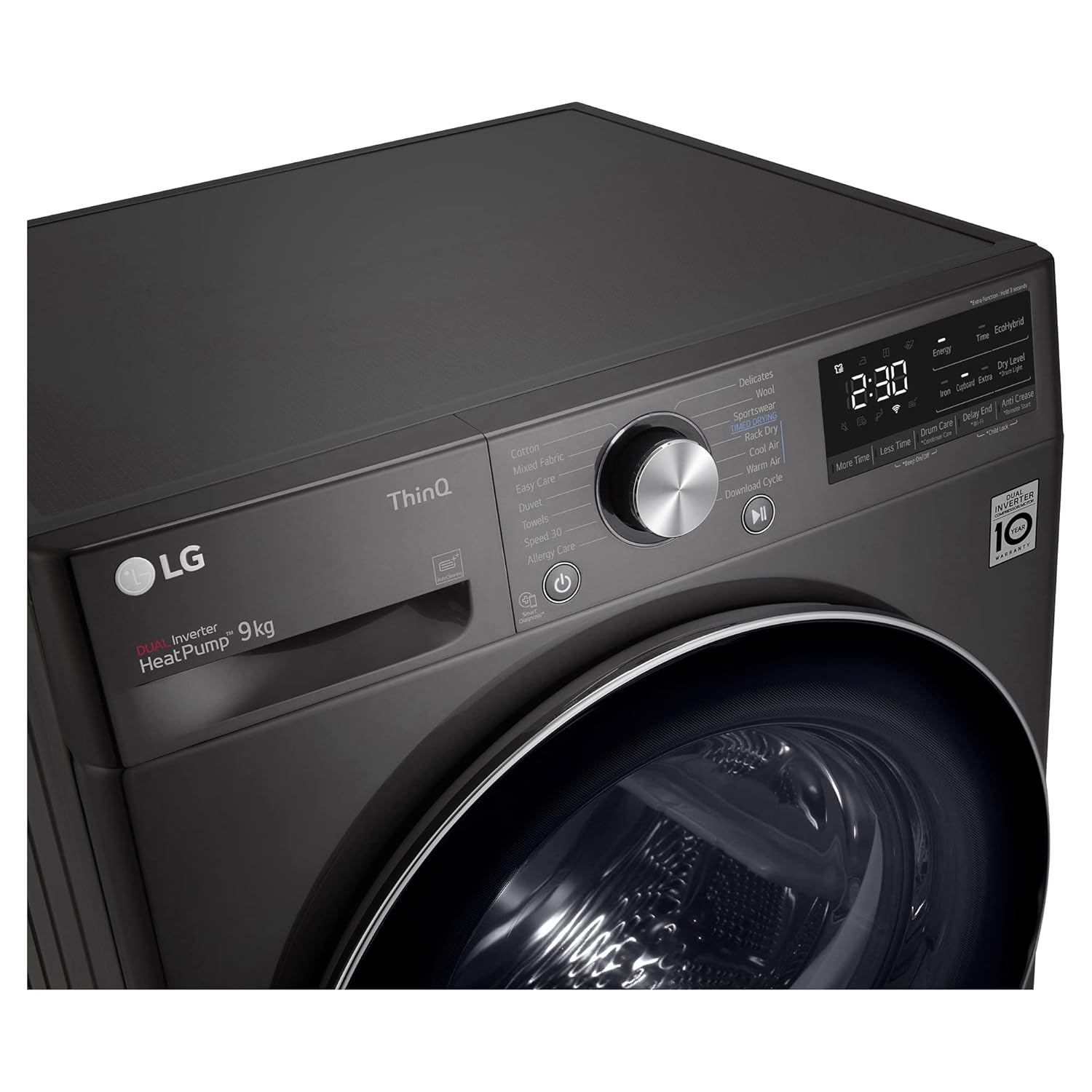
Image: LG DHV09SWB Dryer Lint Filter Removal. A hand is shown removing the lint filter from its slot inside the dryer door opening.
5.2 Auto Cleaning Condenser
The dryer features an Auto Cleaning Condenser function that automatically cleans the condenser during the drying process, typically 1-3 times per cycle. This helps maintain optimal drying performance and energy efficiency.
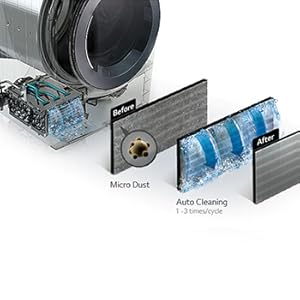
Image: Auto Cleaning Condenser Mechanism. A cutaway diagram showing water flowing through the condenser to clean out micro dust, with 'Before' and 'After' states illustrated.
5.3 Emptying the Water Tank
If you are not using the continuous drain hose, the 'Empty Water Indicator' will alert you when the condensate tank needs to be emptied. Remove the tank and pour out the collected water.
5.4 Drum Cleaning
Periodically wipe the interior of the drum with a damp cloth to remove any residue or lint buildup.
6. Troubleshooting
Before contacting service, review the following common issues:
- Dryer not starting: Ensure the power cord is securely plugged in, the door is fully closed, and the start button has been pressed. Check for tripped circuit breakers.
- Clothes not drying properly: Verify the lint filter is clean, the water tank is empty (or drain hose is clear), and the selected cycle is appropriate for the load. Avoid overloading the dryer.
- Excessive noise or vibration: Ensure the dryer is level and all four feet are firmly on the floor. Check for foreign objects in the drum.
- Dryer does not resume after power cut: This model does not automatically resume cycles after a power interruption. You will need to manually restart the cycle.
- Error codes: Refer to the full owner's manual for a list of error codes and their corresponding solutions.
For persistent issues, contact LG customer support.
7. Specifications
| Feature | Detail |
|---|---|
| Brand | LG |
| Model Number | DHV09SWB |
| Capacity | 9 kg |
| Form Factor | Front Load |
| Dimensions (W x D x H) | 60.0 cm x 69.0 cm x 85.0 cm |
| Item Weight | 56 Kilograms |
| Material Type | Stainless Steel (Drum) |
| Technology | Dual Inverter Heat Pump, Eco Hybrid |
| Connectivity | Wi-Fi (LG ThinQ) |
| Included Components | 1U Dryer, 1U Hose, 1U Stacking Kit, 1U Owner’s Manual |
8. Warranty and Support
8.1 Warranty Information
Your LG DHV09SWB dryer comes with a 2 Years Comprehensive Warranty and a 10 Years Warranty on the Compressor (Terms & Conditions apply).
8.2 Customer Support
For service, support, or warranty claims, please contact LG customer care:
- Toll Free: 1800-315-9999
- WhatsApp: 9711709999
- Manufacturer: LG Electronics Inc.
- Importer: LG Electronics India Pvt. Ltd, A-24/6, Mohan Cooperative Industrial Estate, Mathura Road, New Delhi – 110044


