
1. Introduction
Thank you for choosing the Philips SHE9700BT Wireless Earphones. This manual provides essential information for setting up, operating, and maintaining your earphones to ensure optimal performance and longevity. The SHE9700BT earphones are designed to deliver excellent sound quality with the convenience of wireless connectivity.
Key features include:
- Bluetooth 5.2 for stable wireless connection.
- AAC codec support for high-quality audio streaming.
- Up to 22 hours of continuous playback on a single charge.
- Integrated inline control and microphone for easy management of music and calls.
- Faithful reproduction of the acclaimed SHE9700 series sound profile.
2. Safety Information
Please read all safety instructions before using your earphones. Keep this manual for future reference.
- Hearing Safety: To avoid hearing damage, limit the time you use earphones at high volume and set the volume to a safe level. The louder the volume, the shorter the safe listening time.
- Driving Safety: Do not use earphones while driving, cycling, or operating machinery. This can be dangerous and is illegal in some areas.
- Choking Hazard: This product contains small parts that could be a choking hazard. Keep out of reach of children.
- Battery Safety: Do not expose the battery to excessive heat (sunlight, fire, etc.). Do not disassemble, puncture, or short-circuit the battery.
- Water Resistance: These earphones are not waterproof. Avoid exposure to rain, moisture, or submersion in water.
3. Package Contents
Verify that all items are present in your package:
- Philips SHE9700BT Wireless Earphones
- USB-C Charging Cable
- Multiple sizes of ear tips (XS, S, M, L, XL)
- User Manual (this document)
4. Product Overview
Familiarize yourself with the components of your Philips SHE9700BT earphones.

Figure 1: Overview of Philips SHE9700BT Wireless Earphones showing the neckband and inline controls.

Figure 2: Detailed view of the inline control unit, featuring volume buttons and a multi-function button.
Components:
- Earbuds: Left (L) and Right (R) earbuds with silicone ear tips.
- Neckband: Flexible cable connecting the earbuds and housing the battery and control units.
- Inline Control Unit: Contains buttons for power, volume, and call management.
- Microphone: Integrated into the inline control unit for hands-free calls.
- USB-C Charging Port: Located on one of the control units for charging.
5. Setup
5.1 Charging the Earphones
Before first use, fully charge your earphones.
- Connect the supplied USB-C charging cable to the charging port on the earphone's inline control unit.
- Connect the other end of the USB-C cable to a USB power source (e.g., computer USB port, USB wall adapter).
- The LED indicator will show charging status. It will typically turn off or change color when fully charged. A full charge takes approximately 1.5-2 hours.

Figure 3: Earphones ready for charging or use, highlighting the long battery life of up to 22 hours.
5.2 Pairing with a Bluetooth Device
To connect your earphones to a smartphone or other Bluetooth-enabled device:
- Ensure the earphones are turned off.
- Press and hold the Multi-function button (usually the center button on the inline control) for approximately 5 seconds until the LED indicator flashes blue and red alternately. This indicates pairing mode.
- On your Bluetooth device, enable Bluetooth and search for available devices.
- Select "Philips SHE9700BT" from the list of found devices.
- Once connected, the LED indicator will flash blue slowly.
The earphones can remember up to 8 paired devices. If you pair a 9th device, the oldest pairing will be overwritten.
5.3 Wearing the Earphones
For optimal sound quality and comfort, choose the correct ear tip size.
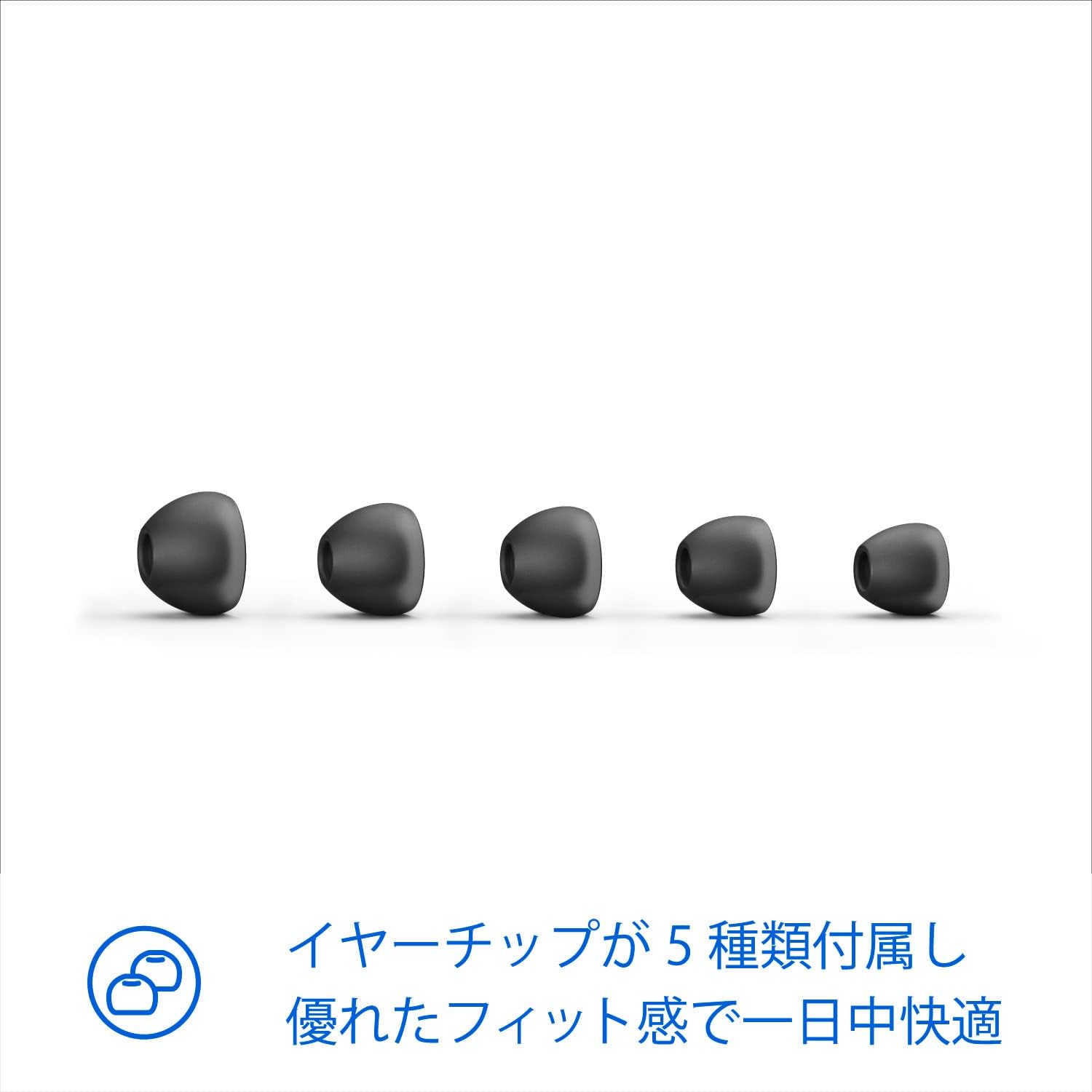
Figure 4: Five different sizes of ear tips are included to ensure a comfortable and secure fit.
- Select the ear tips that provide a snug fit and good seal in your ear canal. Experiment with different sizes for the best experience.
- Insert the earbuds into your ears, ensuring the neckband rests comfortably around your neck.

Figure 5: Proper wearing of the earphones for comfortable listening, even while traveling.
6. Operating Instructions
6.1 Power On/Off
- Power On: Press and hold the Multi-function button for 2 seconds. The LED will flash blue.
- Power Off: Press and hold the Multi-function button for 4 seconds. The LED will flash red and then turn off.
6.2 Music Control
- Play/Pause: Press the Multi-function button once.
- Volume Up: Press the '+' button.
- Volume Down: Press the '-' button.
- Next Track: Press and hold the '+' button for 2 seconds.
- Previous Track: Press and hold the '-' button for 2 seconds.
6.3 Call Control
- Answer/End Call: Press the Multi-function button once.
- Reject Call: Press and hold the Multi-function button for 2 seconds.
- Switch Call (during a call): Press the Multi-function button twice.
6.4 Voice Assistant
- Activate Voice Assistant: Press the Multi-function button twice when not on a call.
7. Maintenance
Proper care ensures the longevity of your earphones.
- Cleaning: Use a soft, dry cloth to clean the earphones. Do not use cleaning agents containing alcohol, ammonia, benzene, or abrasives.
- Ear Tips: Remove ear tips periodically and clean them with mild soap and water. Ensure they are completely dry before reattaching.
- Storage: When not in use, store the earphones in a clean, dry place, away from extreme temperatures and direct sunlight.
- Avoid Damage: Do not pull on the cable excessively. Avoid dropping or subjecting the earphones to strong impacts.
8. Troubleshooting
If you encounter issues, refer to the following common problems and solutions:
| Problem | Solution |
|---|---|
| Earphones do not power on. | Ensure the earphones are charged. Connect them to a power source using the USB-C cable. |
| Cannot pair with a Bluetooth device. | Make sure the earphones are in pairing mode (LED flashing blue and red). Ensure Bluetooth is enabled on your device and it's within range (10 meters). Try forgetting the device on your phone and re-pairing. |
| No sound or low volume. | Check the volume level on both the earphones and your connected device. Ensure the earphones are properly paired and connected. |
| Sound quality is poor. | Ensure the ear tips provide a good seal in your ear canal. Try different ear tip sizes. Check for interference from other wireless devices. |
| Microphone not working. | Ensure the earphones are properly connected and selected as the audio input device on your phone during calls. |
9. Specifications
Technical details of the Philips SHE9700BT Wireless Earphones:
- Model: SHE9700BT
- Connectivity: Wireless (Bluetooth)
- Bluetooth Version: 5.2
- Supported Audio Codecs: AAC
- Battery Life: Up to 22 hours (playback)
- Charging Port: USB-C
- Weight: Approximately 100g (0.1 kg)
- Product Dimensions: 5 x 2 x 10 cm
- Color: Black
- Form Factor: In-ear headphones
10. Warranty and Support
Philips products are designed and manufactured to the highest standards. In the unlikely event of a product defect, Philips offers a warranty for this product. Please refer to the warranty card included in your package or visit the official Philips website for detailed warranty terms and conditions specific to your region.
For further assistance, technical support, or to register your product, please visit the Philips support website or contact your local Philips customer service center. Contact information can typically be found on the Philips website or in your product documentation.


