
Introduction
Thank you for choosing the Gooad Dog Clippers Grooming Kit. This all-in-one clipper set is designed to provide an excellent and comfortable grooming experience for your pets, whether at home or in a professional salon. Featuring a low-noise design, long-lasting battery, and sharp blades, this kit is suitable for various pet hair types, including thick coats. Please read this manual thoroughly before first use to ensure proper operation and maintenance.
Package Contents
Your Gooad Dog Clippers Grooming Kit includes the following items:
- 1x Pet Hair Clipper (Cordless, Rechargeable)
- 1x Type A Cutter Head (Narrow Blade for paw, face, ear, beard, mustache)
- 1x Wide Blade (for thick coats)
- 4x Limit Combs (various lengths)
- 1x Stainless Steel Pet Comb
- 1x Scissors
- 1x Pet Nail File
- 1x Pet Nail Scissors
- 1x Cleaning Brush
- 1x USB Data Cable
- 1x Toolkit/Organizer Bag
- 1x Manual
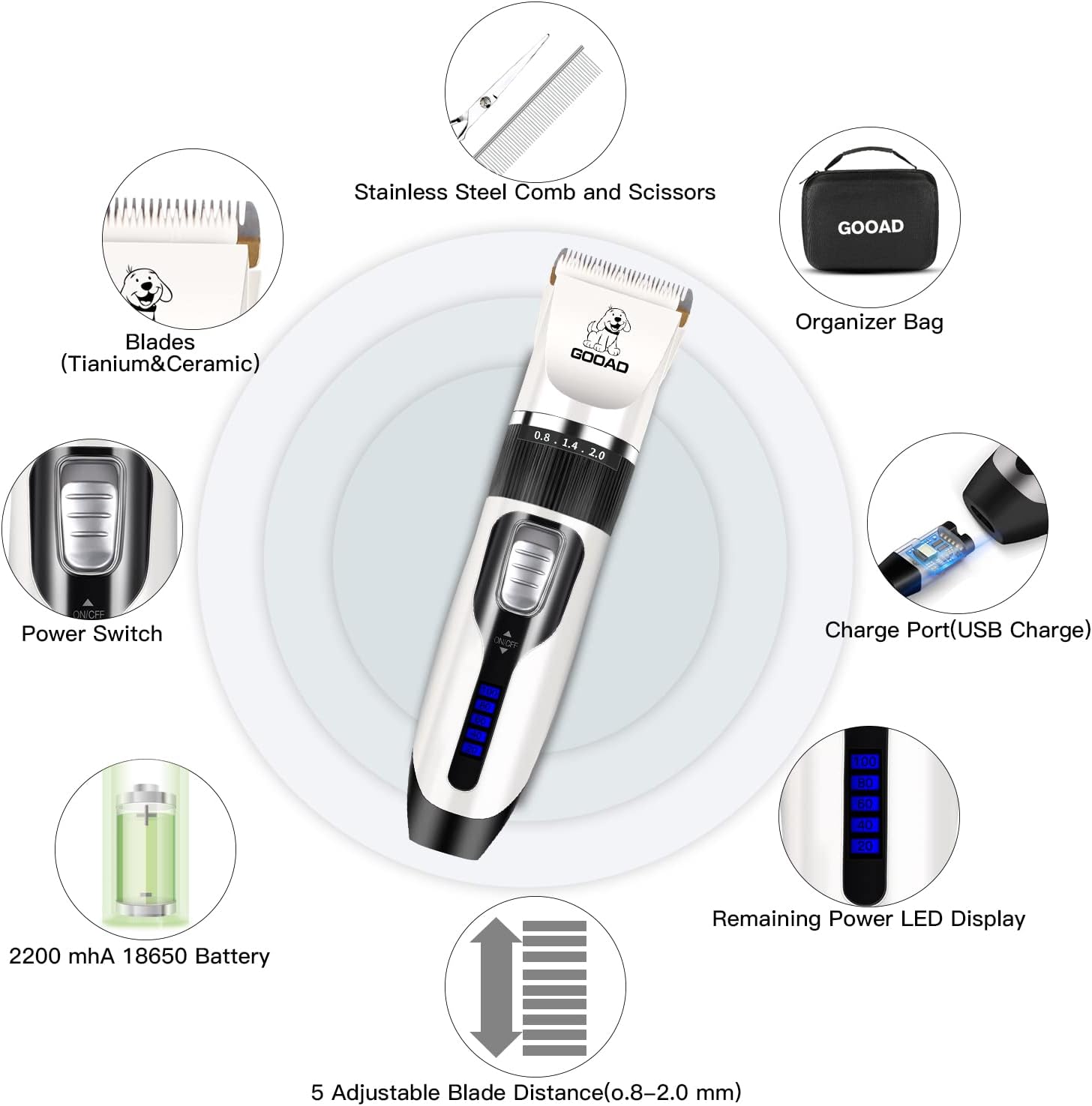
For a visual overview of the kit contents, please watch the video below:
Setup
Blade Installation and Removal
The clipper comes with detachable blades for easy cleaning and replacement. To install or remove a blade:
- Ensure the clipper is turned off.
- To remove: Hold the upper part of the product and push the blade upward with your thumb until it detaches.
- To install: Fit the bottom of the desired blade into the groove correctly. Press the bottom of the blade with your left index finger and press the top half of the blade with your right thumb until it clicks into place.

For a detailed demonstration of blade installation, please refer to the video below:
Attaching Limit Combs
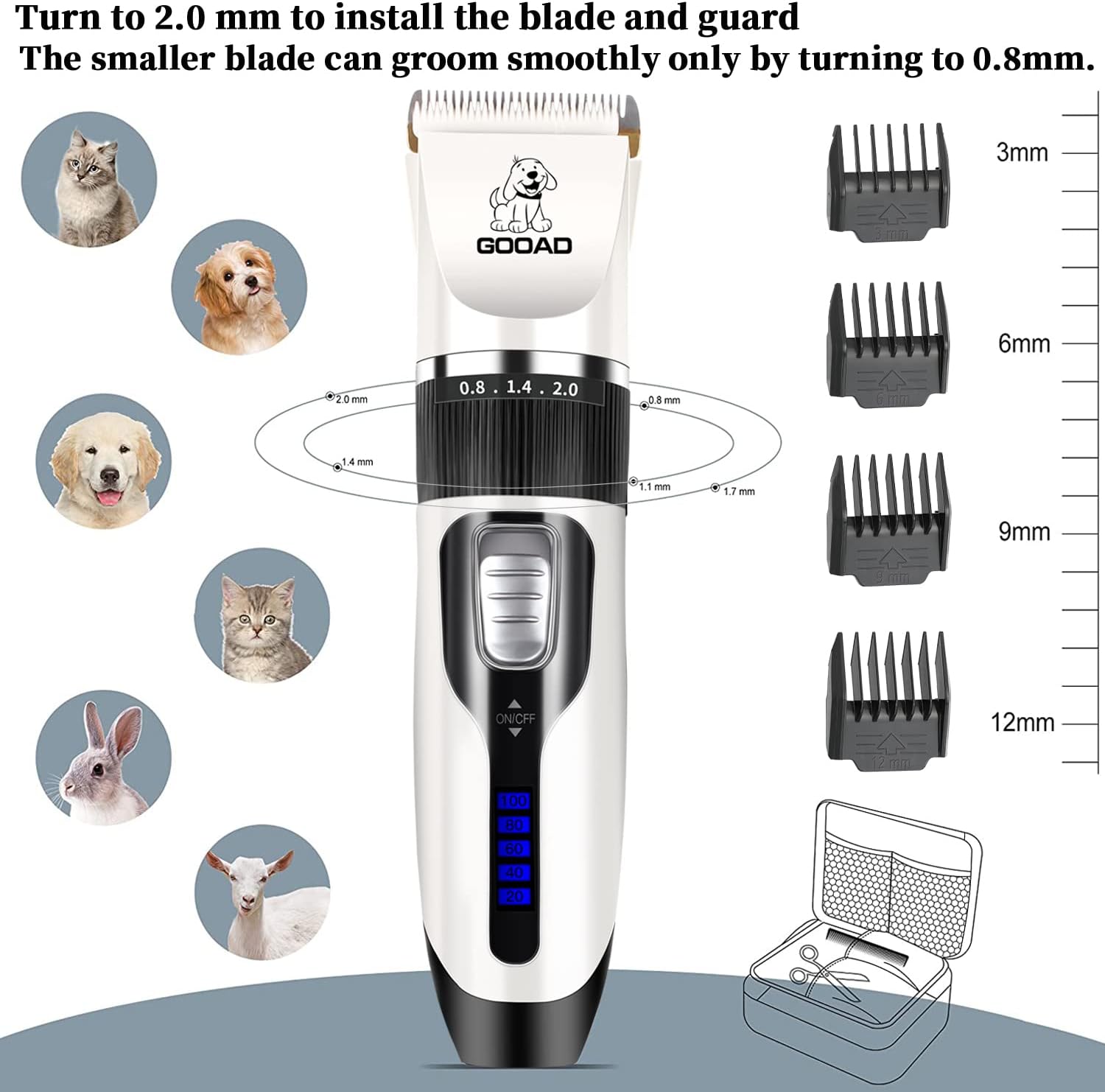
Select the appropriate limit comb for your desired hair length. Align the comb with the clipper blade and slide it on until it securely locks into place. The kit includes 4 limit combs for various cutting lengths.
Operating Instructions
General Grooming Tips
- Ensure your pet's coat is clean, dry, and free of tangles before grooming. Use the included stainless steel comb to detangle if necessary.
- For pets with long and thick hair, it is recommended to use scissors to cut the hair shorter initially to prevent the clippers from jamming.
- Always move the clippers in the direction of hair growth for a smooth and even cut.
- Use the narrow blade (Type A cutter head) for delicate areas such as paws, around the rump, face, ears, beard, and mustache. The wide blade is suitable for thick coats and larger body areas.

Adjusting Blade Length
The clipper features a 5-size fine-tuning knob (0.8mm-2.0mm) allowing you to adjust the blade length for versatility. Rotate the knob to select your desired cutting length. When using the smaller blade for paw trimming, ensure the knob is turned to 0.8mm for smooth operation.
Paw Trimming
For precise paw trimming, use the narrow blade attachment. Gently spread your pet's paw pads to access the hair between them. The cordless design and low noise level help keep pets calm during this process.
Full Body Grooming
For full body grooming, select the wide blade and an appropriate limit comb. Start from the neck and work your way down, ensuring even strokes. The Q-SUS Low-Noise-Tech helps keep the noise below 60dB, making the experience more comfortable for your pet.

Charging and Battery
The Gooad Dog Clipper is equipped with a 2200mA high-capacity Li-ion battery, offering extended cordless operation.
- Charging Time: Approximately 2-3 hours for a full charge.
- Operating Time: A full charge can sustain use for up to 250 minutes.
- Charging Indicator: The clipper features an LCD display to show the remaining power and charging status.
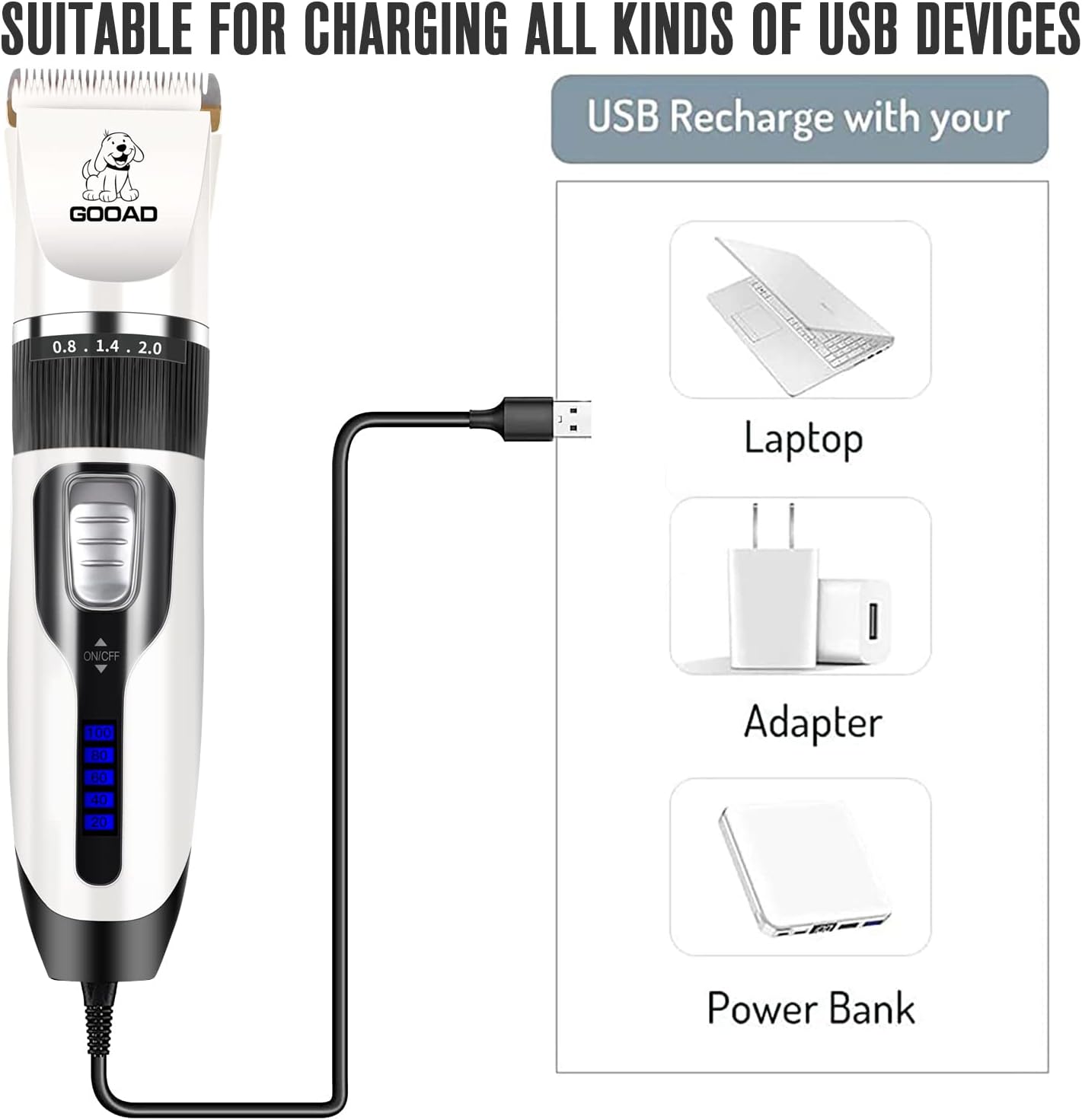
- USB Chargeable: The clipper can be charged using the included USB data cable with various USB devices such as laptops, adapters, or power banks.
Maintenance
Cleaning the Blades
Regular cleaning ensures optimal performance and longevity of your clippers.
- After each use, turn off the clipper and remove the blade.
- Use the included cleaning brush to remove any trapped hair from the blades and the clipper head.
- The blades are detachable and waterproof. You can rinse them under running water. Ensure they are completely dry before reattaching.
- Apply a few drops of the provided lubricating oil to the blades regularly to keep them sharp and reduce friction.
Troubleshooting
Clipper Jams or Doesn't Work Properly
- Thick Hair: If your pet has long and thick hair, the clippers may jam. It is essential to use scissors to cut the hair shorter at first before using the clippers.
- Dirty Blades: Ensure the blades are clean and free of hair buildup. Refer to the Maintenance section for cleaning instructions.
- Lack of Lubrication: Regularly apply lubricating oil to the blades to ensure smooth operation.
- Low Battery: Check the LCD display for battery level. Recharge the clipper if the battery is low.
Safety Information
- Always ensure the clipper is turned off before attaching or detaching blades or comb guides.
- Keep the clipper and all accessories out of reach of children and pets when not in use.
- Do not immerse the main body of the clipper in water. Only the detachable blades are waterproof.
- Avoid using the clipper on wet hair, as this can damage the blades and motor.
- If the clipper makes unusual noises or becomes excessively hot, discontinue use immediately and contact customer support.
Specifications
| Feature | Detail |
|---|---|
| Input Power | 100V-240V 50/60Hz |
| Working Mode | Cordless or with Charging Cable |
| Dimensions | 17.5 x 4.5 CM (6.89 x 1.77 inches) |
| Net Weight | 650g (1.43 lbs) |
| Charging Time | 2-3 hours (2200MA battery) |
| Operating Time | Up to 250 minutes |
| Noise Level | Below 60dB (Q-SUS Low-Noise-Tech) |
| Blade Material | 33-tooth Titanium and Ceramic Movable Blade |
| Fine Tuning Knob | 0.8mm-2.0mm |
| Power Source | Battery Powered (1 Lithium Ion battery included) |
Support
For any questions, concerns, or assistance with your Gooad Dog Clippers Grooming Kit, please refer to the contact information provided with your purchase or visit the official Gooad website. We are committed to providing support whenever you need it.